
SIM800L Arduino Guide: Send SMS, Control a Relay and Make Calls
How to use the SIM800L GSM module with Arduino: 4 V/2 A power supply, LED blink codes, AT commands, sending SMS, SMS relay control, calls, ESP32 and Pico code.
The SIM800L GSM module is a tiny, very cheap 2G modem, about the size of a postage stamp, that gives your Arduino project its own phone line. With a micro SIM card inside, you can send and receive SMS, make phone calls and push small amounts of data to the internet over GPRS. In places that Wi-Fi and Bluetooth can't reach, like a cabin, greenhouse, storage unit or vehicle, pairing a SIM800L with an Arduino is the simplest way to control a device remotely from anywhere with mobile coverage. The module talks to the Arduino over a two-wire serial connection (UART) and is controlled with short text commands called AT commands.
That said, the SIM800L is one of the modules that gives beginners the most trouble, and nearly every problem comes from two things: an inadequate power supply and 2G coverage. In this guide you'll learn how to power the module correctly for its 3.4–4.4 V range and 2 A peak current, what the blink rate of the on-board LED is telling you, how to test it step by step with AT commands, and how to send an SMS with an Arduino Uno, switch a relay on and off by SMS and build a circuit that calls you when an alarm goes off. Then you'll do the same with an ESP32, the ready-made TTGO T-Call board and a Raspberry Pi Pico, and at the end you'll find the fixes for network registration problems in a table.
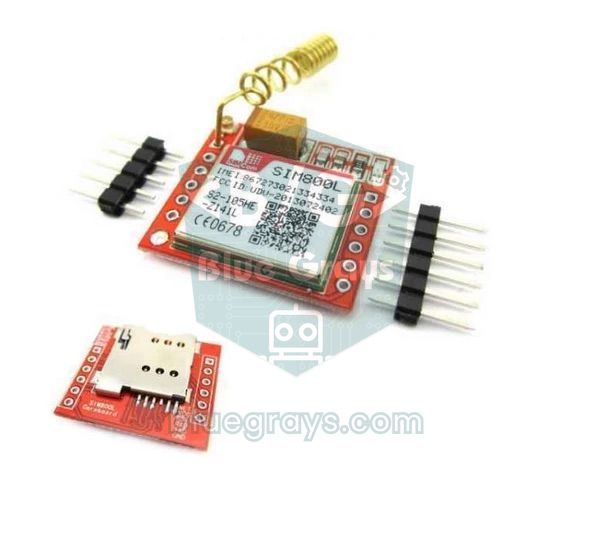
What is the SIM800L and how does it work?
The SIM800L is a GSM/GPRS module made by SIMCom that measures only 17.8 × 15.8 mm. The red board you buy is a small breakout that adds a SIM slot, an antenna connection, a status LED and header pins around it. The module automatically scans all four GSM bands (850, 900, 1800 and 1900 MHz), registers on the network just like a mobile phone, and then carries out the commands it receives over the serial port: "send this message to this number", "call this number", "pass incoming messages to me" and so on. Think of it as a phone without a screen or keypad; the Arduino does the job of both. Connect a microphone and a speaker to the MIC and SPK pins and you can even hold a real voice call.
| Feature | Value |
|---|---|
| Module | SIMCom SIM800L, 2G GSM/GPRS |
| Frequency bands | Quad-band: GSM 850, EGSM 900, DCS 1800, PCS 1900 MHz |
| Supply voltage | 3.4–4.4 V (4.0 V recommended) |
| Peak current | Up to 2 A (short pulses while transmitting) |
| Average current | Power down ~0.1 mA, sleep ~1–2 mA, idle ~15 mA, voice call 130–220 mA, GPRS 150–450 mA (depending on band and datasheet revision) |
| Transmit power | 2 W (850/900 MHz), 1 W (1800/1900 MHz) |
| Interface | UART and AT commands; autobauding 1200–115200 |
| Logic level | 2.8 V output; RXD input max 3.1 V |
| SIM card | Micro SIM (1.8 V and 3 V cards) |
| GPRS speed | Up to 85.6 kbps |
| Operating temperature | -40 to +85 °C |
SIM800L pinout
| Pin | Function | Note |
|---|---|---|
| NET | Antenna connection | The spring antenna is soldered here; if there's a u.FL (IPEX) socket, plug in an external antenna |
| VCC | Supply (+) | 3.4–4.4 V; never connect it to the Arduino's 5V or 3.3V pin |
| RST | Hardware reset | Pulling it LOW for at least 105 ms restarts the module; can be left unconnected |
| RXD | Module serial input | Goes to the board's TX pin; max 3.1 V |
| TXD | Module serial output | Goes to the board's RX pin; 2.8 V level |
| GND | Ground | To both the power supply and the Arduino (common ground) |
| RING | Call / SMS indicator | Goes LOW on an incoming call and gives a 120 ms LOW pulse when an SMS arrives |
| DTR | Sleep control | With AT+CSCLK=1, the module sleeps while DTR is HIGH and wakes when it's pulled LOW |
| MIC+ / MIC− | Microphone input | For an electret microphone |
| SPK+ / SPK− | Speaker output | A small 8 Ω speaker can be connected |
The coiled spring antenna that comes in the bag is soldered to the NET hole in the corner of the board; some boards also have a small u.FL (IPEX) socket for an external antenna. Without an antenna the module can't find the network and the signal strength reads close to zero; if reception is weak indoors, an adhesive GSM antenna on a cable makes a noticeable difference compared with the spring. The micro SIM card goes into the slot on the back, with its cut corner matching the drawing on the holder. Before inserting the card, disable the PIN request in a phone and make sure the line can send SMS, make calls and has enough credit.
Power supply: 3.4–4.4 V and 2 A peak current
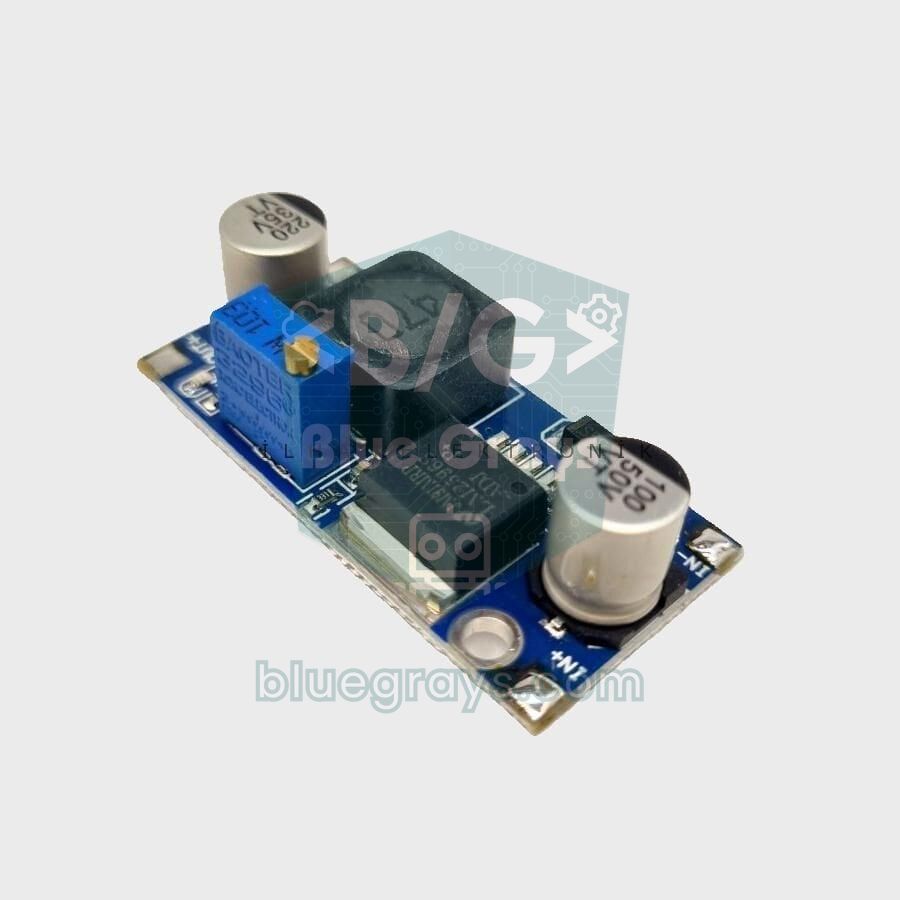
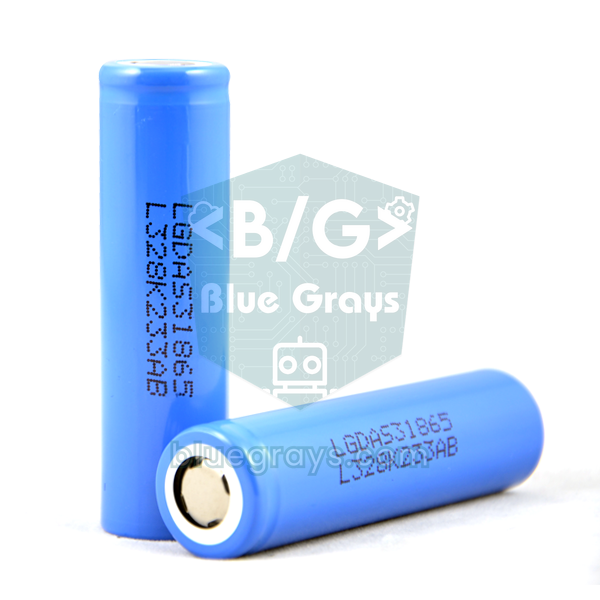
Power is the most critical part of the SIM800L and the one people get wrong most often. GSM works by time sharing: within every 4.615 ms frame, the module transmits only during its own 577 µs time slot. In these short moments it draws up to 2 A, and right afterwards it drops back to a few tens of milliamps. If the supply can't deliver this sudden current, the voltage collapses. According to SIMCom's datasheet, when the voltage falls to 3.5 V the module prints UNDER-VOLTAGE WARNNING on the serial port, and below 3.4 V it prints UNDER-VOLTAGE POWER DOWN and switches itself off (the misspelled WARNNING comes from the manufacturer's firmware). At the top end you get OVER-VOLTAGE WARNNING at 4.3 V, and above 4.4 V the module shuts down again. On some firmware versions this automatic shutdown is disabled by default and is enabled with AT+CBATCHK=1; even so, outside these limits the module becomes unstable and keeps restarting. That's why the Arduino's 5V pin is too high for the SIM800L. The 3.3V pin is below the minimum and is officially rated for only 50 mA; on top of that, a computer's USB port supplies no more than 500 mA.
| Power option | Suitable? | Details |
|---|---|---|
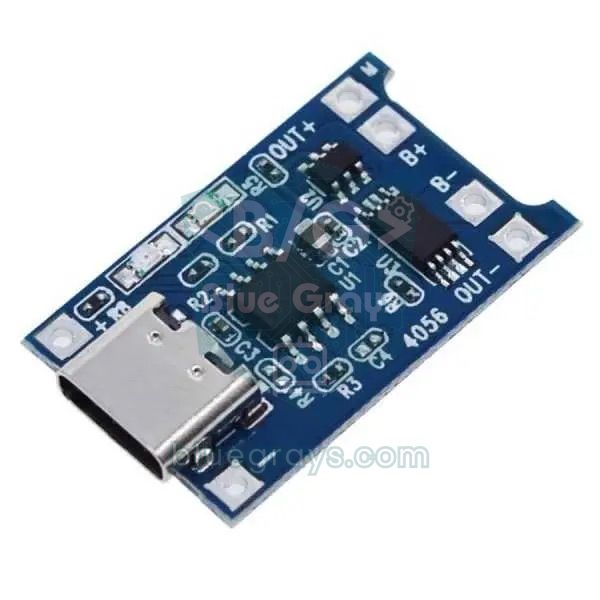
| Single-cell 3.7 V LiPo or 18650 Li-ion battery | Yes, the easiest option | A full cell is 4.2 V; it works comfortably until the cell drops to 3.6–3.7 V, below that it may shut down during transmit bursts. Choose at least 1000 mAh that can deliver 2 A and charge it with a TP4056 |
| LM2596 step-down (buck) module | Yes, for projects running from an adapter | Set it to 4.0–4.1 V from a 7–12 V adapter; delivers up to 3 A |
| SIM800L boards with 5 V input (e.g. "SIM800L V2") | Yes, following the board's instructions | The circuit on the board drops the voltage; you still need a 5 V supply that can deliver 2 A |
| Arduino 5V pin | No | Exceeds the 4.4 V limit, the module shuts down or gets damaged; USB can't supply 2 A |
| Arduino 3.3V pin | No | Below 3.4 V and far too little current; the module won't start or keeps restarting |
| 3.3 V regulators such as the AMS1117 | No | A 3.3 V output is below the module's minimum |
What is the LED telling you? Blink codes explained
| LED behaviour | Meaning | What to do |
|---|---|---|
| Off | The module isn't running | Check the supply and the VCC–GND polarity, measure the voltage |
| About once per second (64 ms on, 800 ms off) | Running but not registered on the network | Normal for the first 10–60 seconds; if it lasts longer, check the SIM, PIN, antenna and 2G coverage |
| About once every 3 seconds (64 ms on, 3000 ms off) | Registered on the network | Ready for SMS and calls |
| Very fast, about 3 times per second (64 ms on, 300 ms off) | GPRS data connection active | An internet connection has been established |
| Blinks a few times, goes off, then starts again | The voltage collapses and the module shuts down | Use a stronger supply, a large capacitor and short, thick wires |
Get into the habit of using the LED as a diagnostic tool: seeing the module switch to blinking every 3 seconds before you write any code rules out half of the possible problems straight away. If the module keeps blinking once per second for minutes, there's no point fiddling with the software; check the network registration section below first. The biggest current pulses come at the moment of registration, when the module talks to the base station for the first time; if the supply is weak, the module shuts down exactly then and the cycle starts all over again.
SIM800L Arduino wiring and logic levels
The SIM800L communicates with the Arduino over UART, and the data lines are crossed: the module's TXD pin goes to the board's RX pin, and the module's RXD pin goes to the board's TX pin. The Arduino Uno's only hardware serial port (D0 and D1) is used for uploading code over USB and for the Serial Monitor, so we connect the module to D2 and D3 with SoftwareSerial, which works reliably at 9600 baud. On the ESP32 and Pico you don't need a software serial port; their hardware UARTs are used instead. You'll find the basics of serial communication in our UART serial communication guide.
| SIM800L pin | Arduino Uno | ESP32 | Raspberry Pi Pico |
|---|---|---|---|
| VCC | External 4.0 V (+) | External 4.0 V (+) | External 4.0 V (+) |
| GND | GND + supply (−) | GND + supply (−) | GND + supply (−) |
| TXD | D2 (SoftwareSerial RX) | GPIO 16 (RX2) | GP1 (UART0 RX) |
| RXD | D3, through a 10 kΩ + 15 kΩ divider | GPIO 17 (TX2), through a 1 kΩ + 5.6 kΩ divider | GP0 (UART0 TX), through a 1 kΩ + 5.6 kΩ divider |
| RST | Can be left unconnected | Can be left unconnected | Can be left unconnected |
| NET | Antenna | Antenna | Antenna |
First test with AT commands
- Wire the module as shown in the table, attach the antenna and insert a micro SIM with the PIN request disabled.
- Power it up and watch the LED: after blinking once per second for a few seconds, it should switch to blinking once every 3 seconds.
- Upload the bridge sketch below to the Arduino; SoftwareSerial comes with the Arduino IDE, so no extra library is needed.
- Open the Serial Monitor, set the speed to 9600 baud and the line ending to Both NL & CR.
- Type AT and press Enter. The module adapts to your speed with autobauding; the first attempts may get no reply, so repeat until you see OK.
- Then check the SIM card, signal strength and network registration one by one with the commands in the table below.
1#include <SoftwareSerial.h>
2
3SoftwareSerial sim800(2, 3);        // RX = D2 (SIM800L TXD), TX = D3 (SIM800L RXD, bölücüyle / via divider)
4
5void setup() {
6  Serial.begin(9600);               // Seri Monitör hızı / Serial Monitor speed
7  sim800.begin(9600);               // SIM800L bu hıza kendini ayarlar / SIM800L autobauds to this rate
8  Serial.println(F("AT yaz ve Enter'a bas / Type AT and press Enter"));
9}
10
11void loop() {
12  if (Serial.available()) sim800.write(Serial.read());   // bilgisayar → modül / PC → module
13  if (sim800.available()) Serial.write(sim800.read());   // modül → bilgisayar / module → PC
14}| Command | Example reply | Meaning |
|---|---|---|
| AT | OK | The module is running and the baud rate is matched |
| AT+CPIN? | +CPIN: READY | SIM is ready; if you see SIM PIN, disable the PIN or send AT+CPIN="1234" |
| AT+CSQ | +CSQ: 18,0 | Signal strength from 0 to 31 (99 = unknown); 10 or more is enough |
| AT+CREG? | +CREG: 0,1 | 1 = registered, 5 = registered (roaming), 2 = searching, 3 = denied |
| AT+COPS? | +COPS: 0,0,"OPERATOR" | Name of the network operator |
| AT+CBC | +CBC: 0,82,4012 | Supply voltage in millivolts (4.012 V here) |
| AT+GSN | 15-digit number | The module's IMEI |
| AT+CCID | 19–20 digit number | SIM card serial number (ICCID); shows the card is being read |
| AT+CMGF=1 | OK | Text mode for SMS |
| AT+CMGS="+905551112233" | > | Waits for the message text; sent with Ctrl+Z (26) |
| AT+CNMI=1,2,0,0,0 | OK | Prints incoming SMS straight to the serial port without storing them |
| ATD+905551112233; | OK | Starts a voice call (the trailing ; is required) |
| ATA / ATH | OK | Answers an incoming call / hangs up |
| AT+CLIP=1 | OK | Shows the caller's number in a +CLIP line on incoming calls |
| AT+IPR=9600 | OK | Fixes the speed at 9600 baud instead of autobauding; send AT&W afterwards to make it permanent |
| AT+CMEE=2 | OK | Reports errors as descriptive text instead of numbers |
You can convert the first number in the AT+CSQ reply to dBm: dBm ≈ −113 + 2 × value. For example, 18 means about −77 dBm, which is quite good; below 10 is weak, and below 5 is a signal where even an SMS struggles to get through. A reply of 99 means the module hasn't been able to measure yet. The AT+CBC command is ideal for catching power problems: if you see around 4.0 V while the module is idle but it shuts down while sending an SMS or calling, the problem is definitely the current capacity of your supply. In the default autobaud mode, the module prints nothing at startup; if you fix the speed with AT+IPR=9600 and save it with AT&W, the setting is stored in non-volatile memory and the module announces it's ready with RDY, +CFUN: 1 and +CPIN: READY every time it powers up.
Not registering on the network? 2G coverage, SIM and IMEI
The SIM800L only uses the 2G (GSM/GPRS) network; it doesn't know 3G, 4G or 5G. 2G is disappearing in many countries: in the US the last 2G network went off in August 2026, Australia and Switzerland switched 2G off years ago, French operators are shutting it down by the end of 2026 and in Germany Telekom is aiming for 2028, while Japan and South Korea never used GSM at all. In the UK, operators have said 2G will stay on longer, with a final switch-off by 2033 at the latest, and in Turkey the shutdown is planned for 2029. Where there's no 2G, the SIM800L can't register no matter how well it's powered; in those areas you need a 4G LTE module such as the SIM7600 or A7670, or an LTE-M/NB-IoT module such as the SIM7080G. When you troubleshoot registration, follow this order:
- Is there 2G where you are? In your phone's mobile network settings, set the preferred network type to 2G only and try making a call with the same SIM card. If the phone can't find a network on 2G, the SIM800L won't either.
- Is the SIM card being read? AT+CCID should return a number and AT+CPIN? should reply +CPIN: READY. If you get an error, reinsert the card the right way round; if you're using a nano SIM in an adapter, make sure the adapter isn't pressing unevenly on the contacts.
- Is the signal strong enough? AT+CSQ should be at least 10. Solder the antenna or fit an external one, and move the module near a window.
- Is registration being denied? If AT+CREG? replies 0,3, the network is refusing the module: the line may be inactive or the device's IMEI may be blocked.
- IMEI registration: Some countries block devices whose IMEI isn't registered; in Turkey, for example, devices brought in from abroad without registration are cut off after a grace period. Read the module's IMEI with AT+GSN and, if you're in such a country, buy from a local seller that offers modules with a registered IMEI.
- Is the power supply adequate? If the module restarts at the moment of registration, the problem isn't the network but the power; go back to the power supply section above.
Sending an SMS with Arduino
To send an SMS, you first switch to text mode with AT+CMGF=1. Then you send AT+CMGS="+905551112233"; writing the number with its country code is the safest choice (+90 in the example is Turkey's code; use +44 for the UK, +1 for the US and so on). The module replies with a > prompt to show it's waiting for the message text. After typing the text, instead of Enter you send the Ctrl+Z character (ASCII 26, 0x1A); once the network accepts the message, the module returns a reference number such as +CMGS: 12 followed by OK. This confirmation can take a few seconds, or up to 60 seconds with a weak signal. The sketch below syncs with the module, waits for network registration and sends a single SMS; put your own number in the PHONE line:
1#include <SoftwareSerial.h>
2
3SoftwareSerial sim800(2, 3);                // RX = D2 ← SIM TXD, TX = D3 → SIM RXD
4const char PHONE[] = "+905551112233";      // kendi numaran, uluslararası biçimde / your number, international format
5
6// ok gelirse 1, ERROR gelirse -1, süre dolarsa 0 / 1 on ok, -1 on ERROR, 0 on timeout
7int waitReply(const char *ok, unsigned long timeoutMs) {
8  const char *err = "ERROR";
9  byte m1 = 0, m2 = 0;
10  unsigned long start = millis();
11  while (millis() - start < timeoutMs) {
12    if (!sim800.available()) continue;
13    char c = sim800.read();
14    Serial.write(c);                        // modülün cevabını göster / show the module's reply
15    m1 = (c == ok[m1]) ? m1 + 1 : (c == ok[0] ? 1 : 0);
16    if (ok[m1] == '\0') return 1;
17    m2 = (c == err[m2]) ? m2 + 1 : (c == err[0] ? 1 : 0);
18    if (err[m2] == '\0') return -1;
19  }
20  return 0;
21}
22
23// Şebeke kaydını bekle: +CREG: 0,1 (ev ağı) ya da 0,5 (dolaşım) / wait for registration: home or roaming
24bool waitForNetwork(unsigned long timeoutMs) {
25  unsigned long start = millis();
26  while (millis() - start < timeoutMs) {
27    sim800.println("AT+CREG?");
28    String reply = "";
29    unsigned long t = millis();
30    while (millis() - t < 1000) {
31      while (sim800.available()) reply += (char)sim800.read();
32    }
33    Serial.print(reply);
34    if (reply.indexOf("+CREG: 0,1") >= 0 || reply.indexOf("+CREG: 0,5") >= 0) return true;
35    delay(2000);
36  }
37  return false;
38}
39
40bool sendSms(const char *number, const char *text) {
41  sim800.print("AT+CMGS=\"");
42  sim800.print(number);
43  sim800.print("\"\r");
44  if (waitReply(">", 5000) != 1) return false;   // metin istemi gelmedi / no text prompt
45  sim800.print(text);
46  sim800.write(26);                               // Ctrl+Z (0x1A): mesajı gönder / send the message
47  return waitReply("+CMGS:", 60000) == 1;         // ağ onayı 60 sn sürebilir / network ack may take 60 s
48}
49
50void setup() {
51  Serial.begin(9600);
52  sim800.begin(9600);
53  delay(3000);                                    // modül açılsın / let the module boot
54
55  bool alive = false;
56  for (byte i = 0; i < 10 && !alive; i++) {       // otomatik baud için birkaç kez AT / several ATs for autobaud
57    sim800.println("AT");
58    alive = (waitReply("OK", 1000) == 1);
59  }
60  if (!alive) {
61    Serial.println(F("\nModul cevap vermiyor / Module not responding"));
62    return;
63  }
64
65  sim800.println("AT+CMGF=1");                    // SMS metin modu / SMS text mode
66  waitReply("OK", 1000);
67
68  Serial.println(F("\nSebeke bekleniyor / Waiting for network"));
69  if (!waitForNetwork(60000)) {
70    Serial.println(F("Sebekeye kayit olunamadi / Not registered"));
71    return;
72  }
73
74  if (sendSms(PHONE, "BlueGrays: SIM800L calisiyor!")) Serial.println(F("\nSMS gonderildi / SMS sent"));
75  else Serial.println(F("\nSMS gonderilemedi / SMS failed"));
76}
77
78void loop() {
79  if (sim800.available()) Serial.write(sim800.read());   // sonraki mesajları göster / show later messages
80}
In the sketch, the waitReply() function prints every character coming from the module to the Serial Monitor while looking for the expected reply (OK, > or +CMGS:) and the word ERROR, so you can see the result of every command. waitForNetwork() waits until the +CREG reply shows 0,1 (home network) or 0,5 (roaming), because an SMS sent before registration fails. In text mode an SMS can be at most 160 characters long. The characters you type in the Arduino IDE are UTF-8 encoded, so accented and non-Latin letters arrive garbled; stick to plain ASCII text like the example in the code.
Controlling a relay by SMS and toggling it with a call
To read incoming messages we use AT+CNMI=1,2,0,0,0: with this setting the module doesn't store new SMS on the SIM card but prints them straight to the serial port as two lines. The first line, like +CMT: "+905551112233","","26/10/30,14:05:12+12", contains the sender's number and the time (the trailing +12 is the time zone in quarter hours, i.e. UTC+3), and the second line contains the message itself. The sketch below controls a relay module on D7 with the messages "ROLE AC" (relay on), "ROLE KAPA" (relay off) and "DURUM" (status), sends a reply SMS after every command and only accepts messages from your own number; you can of course rename the commands to ON, OFF and STATUS in the code. In addition, thanks to AT+CLIP=1, when you call the module from your number the call is rejected without being answered and the relay toggles; since an unanswered call isn't charged, this is the cheapest remote switch there is. Some networks pass the sender's number in national format (starting with 0) instead of international format; if commands are ignored, look at the +CMT line in the Serial Monitor and write OWNER in the same format.
1#include <SoftwareSerial.h>
2
3SoftwareSerial sim800(2, 3);                 // RX = D2 ← SIM TXD, TX = D3 → SIM RXD
4const byte RELAY_PIN = 7;                    // röle modülü IN / relay module IN
5const bool RELAY_ON = HIGH;                  // düşük seviyeli modülde LOW yap / set LOW for active-low modules
6const char OWNER[] = "+905551112233";        // komut kabul edilen tek numara / the only accepted number
7
8char line[100];                              // gelen satır tamponu / incoming line buffer
9byte lineLen = 0;
10bool bodyNext = false;                       // sonraki satır SMS metni mi? / is the next line the SMS text?
11bool fromOwner = false;
12bool relayState = false;
13
14int waitReply(const char *ok, unsigned long timeoutMs) {
15  const char *err = "ERROR";
16  byte m1 = 0, m2 = 0;
17  unsigned long start = millis();
18  while (millis() - start < timeoutMs) {
19    if (!sim800.available()) continue;
20    char c = sim800.read();
21    Serial.write(c);
22    m1 = (c == ok[m1]) ? m1 + 1 : (c == ok[0] ? 1 : 0);
23    if (ok[m1] == '\0') return 1;
24    m2 = (c == err[m2]) ? m2 + 1 : (c == err[0] ? 1 : 0);
25    if (err[m2] == '\0') return -1;
26  }
27  return 0;
28}
29
30bool sendSms(const char *number, const char *text) {
31  sim800.print("AT+CMGS=\"");
32  sim800.print(number);
33  sim800.print("\"\r");
34  if (waitReply(">", 5000) != 1) return false;
35  sim800.print(text);
36  sim800.write(26);                          // Ctrl+Z: gönder / send
37  return waitReply("+CMGS:", 60000) == 1;
38}
39
40void setRelay(bool on) {
41  relayState = on;
42  digitalWrite(RELAY_PIN, on ? RELAY_ON : !RELAY_ON);
43}
44
45void handleCommand(char *text) {
46  for (char *p = text; *p; p++) *p = toupper(*p);       // büyük harfe çevir / convert to upper case
47  if (strstr(text, "ROLE AC")) {
48    setRelay(true);
49    sendSms(OWNER, "Role ACILDI / Relay ON");
50  } else if (strstr(text, "ROLE KAPA")) {
51    setRelay(false);
52    sendSms(OWNER, "Role KAPANDI / Relay OFF");
53  } else if (strstr(text, "DURUM")) {
54    sendSms(OWNER, relayState ? "Role ACIK / Relay ON" : "Role KAPALI / Relay OFF");
55  }
56}
57
58void handleLine() {
59  Serial.println(line);
60  if (bodyNext) {                            // +CMT satırından sonraki satır SMS metnidir / the line after +CMT is the SMS text
61    bodyNext = false;
62    if (fromOwner) handleCommand(line);
63  } else if (strncmp(line, "+CMT:", 5) == 0) {
64    fromOwner = (strstr(line, OWNER) != NULL);           // gönderen kontrolü / sender check
65    bodyNext = true;
66  } else if (strncmp(line, "+CLIP:", 6) == 0 && strstr(line, OWNER) != NULL) {
67    sim800.println("ATH");                   // aramayı reddet, ücret yazılmaz / reject the call, nothing is charged
68    setRelay(!relayState);                   // her çağrıda aç-kapa / toggle on every call
69  }
70}
71
72void setup() {
73  pinMode(RELAY_PIN, OUTPUT);
74  setRelay(false);
75  Serial.begin(9600);
76  sim800.begin(9600);
77  delay(3000);
78  for (byte i = 0; i < 10; i++) {            // otomatik baud eşleşmesi / autobaud sync
79    sim800.println("AT");
80    if (waitReply("OK", 1000) == 1) break;
81  }
82  const char *initCmds[] = {"ATE0", "AT+CMGF=1", "AT+CNMI=1,2,0,0,0", "AT+CLIP=1"};
83  for (byte i = 0; i < 4; i++) {
84    sim800.println(initCmds[i]);             // yankı kapalı, metin modu, SMS'i ilet, arayanı göster / echo off, text mode, push SMS, caller ID
85    waitReply("OK", 1000);
86  }
87  Serial.println(F("\nHazir / Ready"));
88}
89
90void loop() {
91  while (sim800.available()) {
92    char c = sim800.read();
93    if (c == '\r') continue;
94    if (c == '\n') {                         // satır tamamlandı / line complete
95      line[lineLen] = '\0';
96      if (lineLen > 0) handleLine();
97      lineLen = 0;
98    } else if (lineLen < sizeof(line) - 1) {
99      line[lineLen++] = c;
100    }
101  }
102}| Code element | What it does |
|---|---|
| ATE0 | Turns off echo, so the module no longer repeats the commands you send; incoming lines become cleaner |
| AT+CNMI=1,2,0,0,0 | Prints a new SMS to the serial port as a +CMT line followed immediately by the message text |
| AT+CLIP=1 | On an incoming call, reports the caller's number in a +CLIP line after RING |
| strstr(line, OWNER) | Checks whether the authorised number appears in the line; commands from other numbers are ignored |
| toupper() | Converts the text to upper case so that "role ac" and "ROLE AC" are treated the same |
| ATH | Ends the incoming call without answering it |
| RELAY_ON | Set it to LOW for relay modules that trigger on a low level (active-low) |
Making calls with the SIM800L: have it call you when an alarm goes off
To make a call, you write the number and a semicolon after the ATD command: ATD+905551112233;. The trailing semicolon marks it as a voice call; if you forget it, the module starts a data call and no voice call is set up. If the other side rejects the call or the conversation ends, the module prints NO CARRIER or BUSY; if nobody answers, NO ANSWER; and without a network, NO DIALTONE. ATH ends the call at any time. When it comes to alarms, a ringing phone gets far more attention than an SMS. The sketch below sends an SMS when a PIR motion sensor on D4 triggers, then rings your phone for up to 20 seconds and waits 2 minutes between two alarms:
1#include <SoftwareSerial.h>
2
3SoftwareSerial sim800(2, 3);                 // RX = D2 ← SIM TXD, TX = D3 → SIM RXD
4const byte SENSOR_PIN = 4;                   // PIR çıkışı / PIR output
5const char OWNER[] = "+905551112233";        // aranacak numara / number to call
6const unsigned long RING_MS = 20000;         // en fazla 20 sn çaldır / ring for at most 20 s
7const unsigned long COOLDOWN_MS = 120000;    // iki alarm arası 2 dk; açılışta da 2 dk bekler / 2 min between alarms, also after power-up
8unsigned long lastAlarm = 0;
9
10int waitReply(const char *ok, unsigned long timeoutMs) {
11  const char *err = "ERROR";
12  byte m1 = 0, m2 = 0;
13  unsigned long start = millis();
14  while (millis() - start < timeoutMs) {
15    if (!sim800.available()) continue;
16    char c = sim800.read();
17    Serial.write(c);
18    m1 = (c == ok[m1]) ? m1 + 1 : (c == ok[0] ? 1 : 0);
19    if (ok[m1] == '\0') return 1;
20    m2 = (c == err[m2]) ? m2 + 1 : (c == err[0] ? 1 : 0);
21    if (err[m2] == '\0') return -1;
22  }
23  return 0;
24}
25
26bool sendSms(const char *number, const char *text) {
27  sim800.print("AT+CMGS=\"");
28  sim800.print(number);
29  sim800.print("\"\r");
30  if (waitReply(">", 5000) != 1) return false;
31  sim800.print(text);
32  sim800.write(26);                          // Ctrl+Z: gönder / send
33  return waitReply("+CMGS:", 60000) == 1;
34}
35
36void callOwner() {
37  sim800.print("ATD");
38  sim800.print(OWNER);
39  sim800.println(";");                       // sondaki ; sesli arama demektir / the trailing ; means a voice call
40  waitReply("NO CARRIER", RING_MS);          // açıp kapatırsan erken biter / ends early if you answer and hang up
41  sim800.println("ATH");                     // aramayı sonlandır / hang up
42  waitReply("OK", 2000);
43}
44
45void setup() {
46  pinMode(SENSOR_PIN, INPUT);
47  Serial.begin(9600);
48  sim800.begin(9600);
49  delay(3000);
50  for (byte i = 0; i < 10; i++) {            // otomatik baud eşleşmesi / autobaud sync
51    sim800.println("AT");
52    if (waitReply("OK", 1000) == 1) break;
53  }
54  sim800.println("AT+CMGF=1");               // SMS metin modu / SMS text mode
55  waitReply("OK", 1000);
56}
57
58void loop() {
59  if (digitalRead(SENSOR_PIN) == HIGH && millis() - lastAlarm > COOLDOWN_MS) {
60    lastAlarm = millis();
61    Serial.println(F("Hareket! / Motion!"));
62    sendSms(OWNER, "ALARM: Hareket algilandi / Motion detected");
63    callOwner();
64  }
65  while (sim800.available()) Serial.write(sim800.read());
66}
The sketch also stays silent for the first 2 minutes after power-up; this gives the PIR sensor time to warm up and gives you time to leave the house. If you answer the call, it connects; with an electret microphone and a small 8 Ω speaker on the SIM800L's MIC and SPK pins you can talk through the device. To answer incoming calls automatically, simply send ATA when you see the RING line. During a call the module draws 130–220 mA on average and still peaks at 2 A; if your supply copes with SMS but the module shuts down during calls, use a bigger capacitor or a stronger supply.
SIM800L with ESP32 and the TTGO T-Call board
On the ESP32 you don't need SoftwareSerial; one of its three hardware UARTs can be assigned to any pins you like. To run the Uno sketches above on an ESP32, delete the SoftwareSerial lines, write HardwareSerial sim800(2); instead and use sim800.begin(9600, SERIAL_8N1, 16, 17); in setup(); the rest of the code works unchanged. Since the ESP32 runs at 3.3 V, a 1 kΩ + 5.6 kΩ divider on the TX line is all you need. If you power the SIM800L from the same weak supply as the ESP32, the 2 A pulses pull the ESP32's voltage down too and the board restarts with the "Brownout detector was triggered" error; power the two boards from separate supplies and only join their GNDs. We cover this error in detail in our ESP32 brownout guide.
If you'd rather skip the wiring, the LilyGO TTGO T-Call board combines an ESP32 and a SIM800 modem on a single board. It carries an ESP32-WROVER-B module, a SIM800L (on some batches the SIM800H from the same family), a SIM card slot, a LiPo battery connector and an IP5306 power management chip that charges the battery and supplies the current the modem needs. The modem is switched on and off by specific ESP32 GPIOs rather than external pins, so ordinary SIM800L sketches don't work on the T-Call as they are.
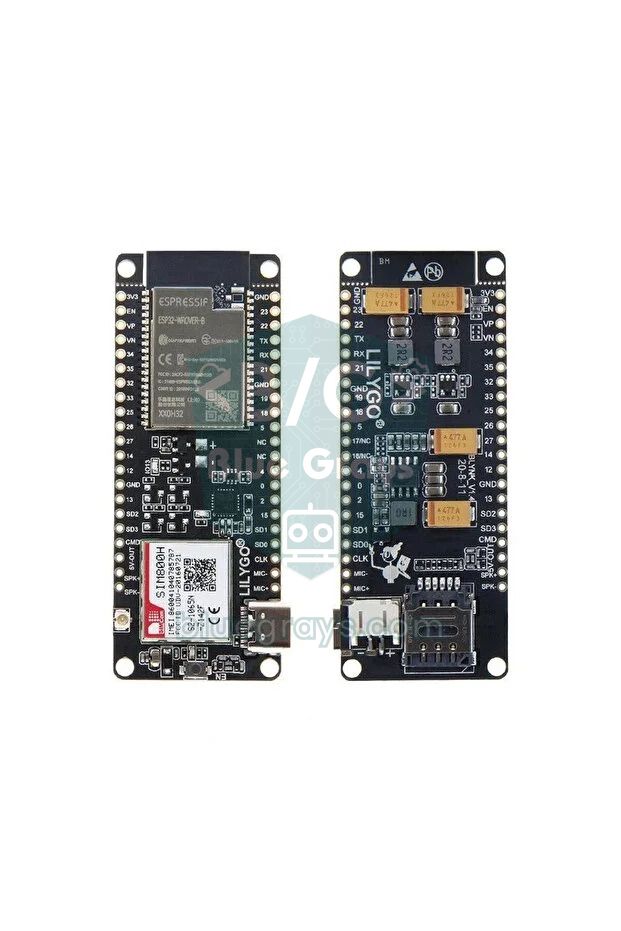
| T-Call define | GPIO | Function |
|---|---|---|
| MODEM_PWRKEY | 4 | Turns the modem on with a 1-second LOW pulse |
| MODEM_RST | 5 | Modem reset; kept HIGH |
| MODEM_POWER_ON | 23 | Switches on the modem's supply when set HIGH |
| MODEM_TX | 27 | From the ESP32 to the modem's RXD input |
| MODEM_RX | 26 | From the modem's TXD output to the ESP32 |
| I2C SDA / SCL | 21 / 22 | IP5306 power chip (address 0x75) |
| LED | 13 | User LED on the board |
1#include <Wire.h>
2
3// LilyGO TTGO T-Call SIM800L (IP5306'lı sürüm) pinleri / pins of the IP5306 version
4#define MODEM_PWRKEY     4
5#define MODEM_RST        5
6#define MODEM_POWER_ON  23
7#define MODEM_TX        27      // ESP32 TX → modem RX
8#define MODEM_RX        26      // ESP32 RX ← modem TX
9#define I2C_SDA         21
10#define I2C_SCL         22
11#define IP5306_ADDR   0x75      // güç yönetim yongası / power management chip
12
13HardwareSerial &modem = Serial1;
14const char OWNER[] = "+905551112233";
15
16// Pille çalışırken IP5306 kendini kapatmasın / keep the IP5306 boost on when running from battery
17bool setPowerBoostKeepOn() {
18  Wire.beginTransmission(IP5306_ADDR);
19  Wire.write(0x00);             // SYS_CTL0 yazmacı / SYS_CTL0 register
20  Wire.write(0x37);             // boost keep-on biti açık / boost keep-on bit set
21  return Wire.endTransmission() == 0;
22}
23
24// token gelirse true; ERROR ya da süre dolarsa false / true on token, false on ERROR or timeout
25bool waitFor(const char *token, unsigned long timeoutMs) {
26  String reply = "";
27  unsigned long start = millis();
28  while (millis() - start < timeoutMs) {
29    while (modem.available()) reply += (char)modem.read();
30    if (reply.indexOf(token) >= 0) break;
31    if (reply.indexOf("ERROR") >= 0) break;
32  }
33  Serial.print(reply);
34  return reply.indexOf(token) >= 0;
35}
36
37bool at(const char *cmd) {
38  modem.println(cmd);
39  return waitFor("OK", 2000);
40}
41
42bool registered() {
43  modem.println("AT+CREG?");
44  return waitFor("+CREG: 0,1", 1000);       // ev şebekesine kayıtlı / registered on the home network
45}
46
47bool sendSms(const char *number, const char *text) {
48  modem.printf("AT+CMGS=\"%s\"\r", number);
49  if (!waitFor(">", 5000)) return false;
50  modem.print(text);
51  modem.write(26);                           // Ctrl+Z: gönder / send
52  return waitFor("+CMGS:", 60000);
53}
54
55void setup() {
56  Serial.begin(115200);
57  Wire.begin(I2C_SDA, I2C_SCL);
58  Serial.println(setPowerBoostKeepOn() ? "IP5306 OK" : "IP5306 yok / not found");
59
60  pinMode(MODEM_RST, OUTPUT);
61  pinMode(MODEM_PWRKEY, OUTPUT);
62  pinMode(MODEM_POWER_ON, OUTPUT);
63  digitalWrite(MODEM_RST, HIGH);             // reset bırakılmış / reset released
64  digitalWrite(MODEM_POWER_ON, HIGH);        // modemin beslemesini aç / switch on the modem supply
65  digitalWrite(MODEM_PWRKEY, HIGH);
66  delay(100);
67  digitalWrite(MODEM_PWRKEY, LOW);           // PWRKEY 1 sn düşük: modem açılır / PWRKEY low for 1 s: modem starts
68  delay(1000);
69  digitalWrite(MODEM_PWRKEY, HIGH);
70
71  modem.begin(115200, SERIAL_8N1, MODEM_RX, MODEM_TX);
72  delay(3000);
73
74  for (int i = 0; i < 10 && !at("AT"); i++) delay(500);   // otomatik baud / autobaud
75  at("AT+CMGF=1");                           // SMS metin modu / SMS text mode
76  at("AT+CNMI=1,2,0,0,0");                   // gelen SMS'i seri porta ver / push incoming SMS to the UART
77
78  unsigned long start = millis();
79  while (!registered() && millis() - start < 60000) delay(2000);
80
81  if (sendSms(OWNER, "TTGO T-Call hazir / ready")) Serial.println("\nSMS gonderildi / sent");
82}
83
84void loop() {
85  while (modem.available()) Serial.write(modem.read());   // gelen SMS ve aramalar / incoming SMS and calls
86  while (Serial.available()) modem.write(Serial.read());  // Seri Monitör'den AT komutu / AT commands from the monitor
87}
These pins are for LilyGO's T-Call SIM800L versions with the IP5306. On the version with the AXP192 power chip, the power chip is set up with different code, and on the SIM800C version the modem's power pin is GPIO 25; check the version date printed on your board and the manufacturer's pin table. The setPowerBoostKeepOn() function writes 0x37 to register 0x00 of the IP5306, which stops the chip from switching itself off at low load when running from the battery. If the modem shuts down at the moment of registration when the board is powered only from your computer's USB, connect the LiPo battery as well; the battery covers the 2 A pulses. On the ESP32-WROVER, GPIO 16 and 17 are reserved for the internal PSRAM, which is why the modem is wired to 26 and 27. For GPRS tasks such as HTTP requests or MQTT, the TinyGSM library supports this board with the TINY_GSM_MODEM_SIM800 define.
SIM800L with Raspberry Pi Pico and MicroPython
On the Raspberry Pi Pico we connect the module to UART0: the SIM800L's TXD goes to GP1, its RXD goes to GP0 through a 1 kΩ + 5.6 kΩ divider, and the GNDs are joined. The Pico's VBUS and 3V3 pins can't power the SIM800L, so power the module from an external 4 V supply here too. The MicroPython code below does the same job as the Arduino relay example: it switches the relay on GP15 on and off by SMS and sends a reply. The to_text() function throws away bytes corrupted by noise and keeps only ASCII characters, so a decoding error can't stop the program. No extra library is needed; if you don't know how to run it with Thonny, read our MicroPython basics guide first.
1from machine import UART, Pin
2import time
3
4# GP0 (TX) → SIM RXD (1k + 5,6k bölücü / divider), GP1 (RX) ← SIM TXD
5sim = UART(0, baudrate=9600, tx=Pin(0), rx=Pin(1), timeout=100, timeout_char=50)
6relay = Pin(15, Pin.OUT, value=0)              # röle modülü IN / relay module IN
7OWNER = "+905551112233"                        # yetkili numara / authorised number
8
9def to_text(raw):
10    # yalnız ASCII karakterleri al / keep ASCII characters only
11    return "".join(chr(b) for b in raw if 9 < b < 128)
12
13def wait_for(token, timeout_ms):
14    # token ya da ERROR gelene kadar oku / read until token or ERROR
15    buf = ""
16    t0 = time.ticks_ms()
17    while time.ticks_diff(time.ticks_ms(), t0) < timeout_ms:
18        if sim.any():
19            buf += to_text(sim.read())
20            if token in buf:
21                return True
22            if "ERROR" in buf:
23                return False
24    return False
25
26def at(cmd, timeout_ms=2000):
27    sim.write(cmd + "\r\n")
28    return wait_for("OK", timeout_ms)
29
30def send_sms(number, msg):
31    sim.write('AT+CMGS="{}"\r'.format(number))
32    if not wait_for(">", 5000):
33        return False
34    sim.write(msg)
35    sim.write(b"\x1a")                         # Ctrl+Z: gönder / send
36    return wait_for("+CMGS:", 60000)
37
38for _ in range(10):                            # otomatik baud eşleşmesi / autobaud sync
39    if at("AT", 1000):
40        break
41at("ATE0")                                     # yankıyı kapat / echo off
42at("AT+CMGF=1")                                # SMS metin modu / SMS text mode
43at("AT+CNMI=1,2,0,0,0")                        # gelen SMS'i UART'a ver / push incoming SMS to the UART
44print("Hazir / Ready")
45
46body_next = False
47from_owner = False
48while True:
49    raw = sim.readline()
50    if not raw:
51        continue
52    line = to_text(raw).strip()
53    if not line:
54        continue
55    print(line)
56    if body_next:                              # +CMT'den sonraki satır SMS metni / line after +CMT is the text
57        body_next = False
58        cmd = line.upper()
59        if not from_owner:
60            continue
61        if "ROLE AC" in cmd:
62            relay.value(1)
63            send_sms(OWNER, "Role ACILDI / Relay ON")
64        elif "ROLE KAPA" in cmd:
65            relay.value(0)
66            send_sms(OWNER, "Role KAPANDI / Relay OFF")
67        elif "DURUM" in cmd:
68            send_sms(OWNER, "Role ACIK / ON" if relay.value() else "Role KAPALI / OFF")
69    elif line.startswith("+CMT:"):             # yeni SMS başlığı / new SMS header
70        from_owner = OWNER in line
71        body_next = True
SIM800L project ideas
- Burglar alarm with SMS: a system that sends an SMS and then calls you when a PIR or door sensor detects movement; see our Arduino home alarm system guide for details.
- Gas leak warning: get an SMS on your phone when the MQ-2 gas sensor crosses its threshold, even when nobody is home.
- GPS tracker that replies by SMS: with a NEO-6M GPS module, a car or bike tracker that answers a "LOCATION" message with a Google Maps link.
- Remote irrigation: a system for a garden or allotment that reports the soil moisture sensor reading by SMS and starts the pump on a "WATER" message.
- Temperature watchdog: a DS18B20 circuit that sends a warning when a greenhouse, chicken coop or chest freezer goes out of range.
- Garage door opened by a call: a free remote control that pulses the relay for one second only when a registered number calls.
- Power cut notifier: a small circuit that keeps running on a battery when the mains goes off and sends a "Power cut" SMS.
Not connecting to the network, SMS not sending: common problems and fixes
| Symptom | Possible cause | Fix |
|---|---|---|
| No reply at all when you type AT | TXD and RXD swapped, no common GND, wrong line ending setting or autobauding not synced | Connect TXD to D2, join the GNDs, choose Both NL & CR and send AT several times |
| Garbage characters | Baud rate mismatch or a marginal logic level | Set both the Serial Monitor and the sketch to 9600, use a level shifter |
| LED blinks a few times then goes off, module restarts | The voltage drops below 3.4 V during registration | A supply that can deliver 2 A, a 1000 µF capacitor, short thick wires |
| UNDER-VOLTAGE POWER DOWN appears on the serial port | The supply fell below 3.4 V | Charge the battery or set the buck output to 4.0–4.1 V |
| OVER-VOLTAGE WARNNING or OVER-VOLTAGE POWER DOWN | The voltage is above 4.3–4.4 V | Lower the output to 4.0 V; never connect the module to 5 V |
| LED keeps blinking once per second | No antenna, SIM not read, PIN enabled or no 2G in the area | Fit the antenna, check with AT+CPIN? and AT+CSQ, test 2G coverage with a phone |
| +CREG: 0,3 reply | Network registration denied | Check that the line is active and the IMEI isn't blocked |
| SMS fails with +CMS ERROR | No credit, wrong number format or missing SMS centre number | Check your credit, write the number with the country code, check the SMS centre with AT+CSCA? |
| Arduino resets while sending an SMS | The SIM800L and Arduino share the same weak supply | Separate the supplies and only join the GNDs |
| Incoming SMS don't show up on the serial port | AT+CNMI wasn't set, or the setting was lost when the module restarted | Send AT+CMGF=1 and AT+CNMI=1,2,0,0,0 during setup |
When it's powered properly and used where there's 2G coverage, the SIM800L is the cheapest way to reach your Arduino projects from miles away: a solid 4 V supply, a large capacitor and a handful of AT commands are all it takes. If you'd like to compare the other wireless options, take a look at our wireless communication modules guide. In the BlueGrays app you'll find projects you can easily extend with a SIM800L, such as a motion sensor alarm, a gas and flame alarm, mains lamp control, smart irrigation and an ESP32 alarm with Telegram notifications, all with circuit diagrams and step-by-step code.
Frequently asked questions
What voltage does the SIM800L need, and can I connect it to 5V?
The SIM800L runs on 3.4–4.4 V, with 4.0 V recommended. Connecting it to the Arduino's 5V pin makes the module shut down from over-voltage or damages it. Use a single-cell LiPo or 18650 battery or an LM2596 set to 4.0 V; the supply must also handle short 2 A pulses.
Does the SIM800L still work in 2026?
Only where a 2G network is still running. 2G has been switched off in the US, Australia and Switzerland, and France is shutting it down by the end of 2026, while Germany, the UK and Turkey still have 2G for now. Check your operator's 2G plans before building a long-term project; otherwise choose a 4G LTE module.
Why won't my SIM800L connect to the network?
The most common causes are an inadequate power supply, a missing antenna, a SIM card with the PIN enabled and no 2G coverage in the area. Check the signal with AT+CSQ, the SIM with AT+CPIN? and the registration status with AT+CREG?. If the module restarts during registration, the problem is definitely the power supply.
What do the SIM800L LED blink patterns mean?
Blinking once per second means the module is running but not registered on the network, and blinking once every 3 seconds means it's registered and ready for SMS and calls. Very fast blinking means a GPRS data connection is active. If the LED blinks a few times and then goes off, the module is restarting because of a voltage drop.
Can the SIM800L connect to the internet?
Yes, over GPRS it can send and receive data at up to 85.6 kbps, which is enough to send sensor data to a server, make HTTP requests or use MQTT. You need to enter your operator's APN settings, and the TinyGSM library makes the job easier. It's far too slow for images or large files, though.
What can I use instead of the SIM800L?
In countries where 2G has been or is being switched off, use a 4G LTE module such as the SIM7600 or A7670, or an LTE-M/NB-IoT module such as the SIM7080G. Most AT commands are similar, so SMS and call code can be ported with small changes. The SIM800C and the older SIM900 from the same family use similar commands, but they are 2G-only as well.
Projects to build after reading this
See all projects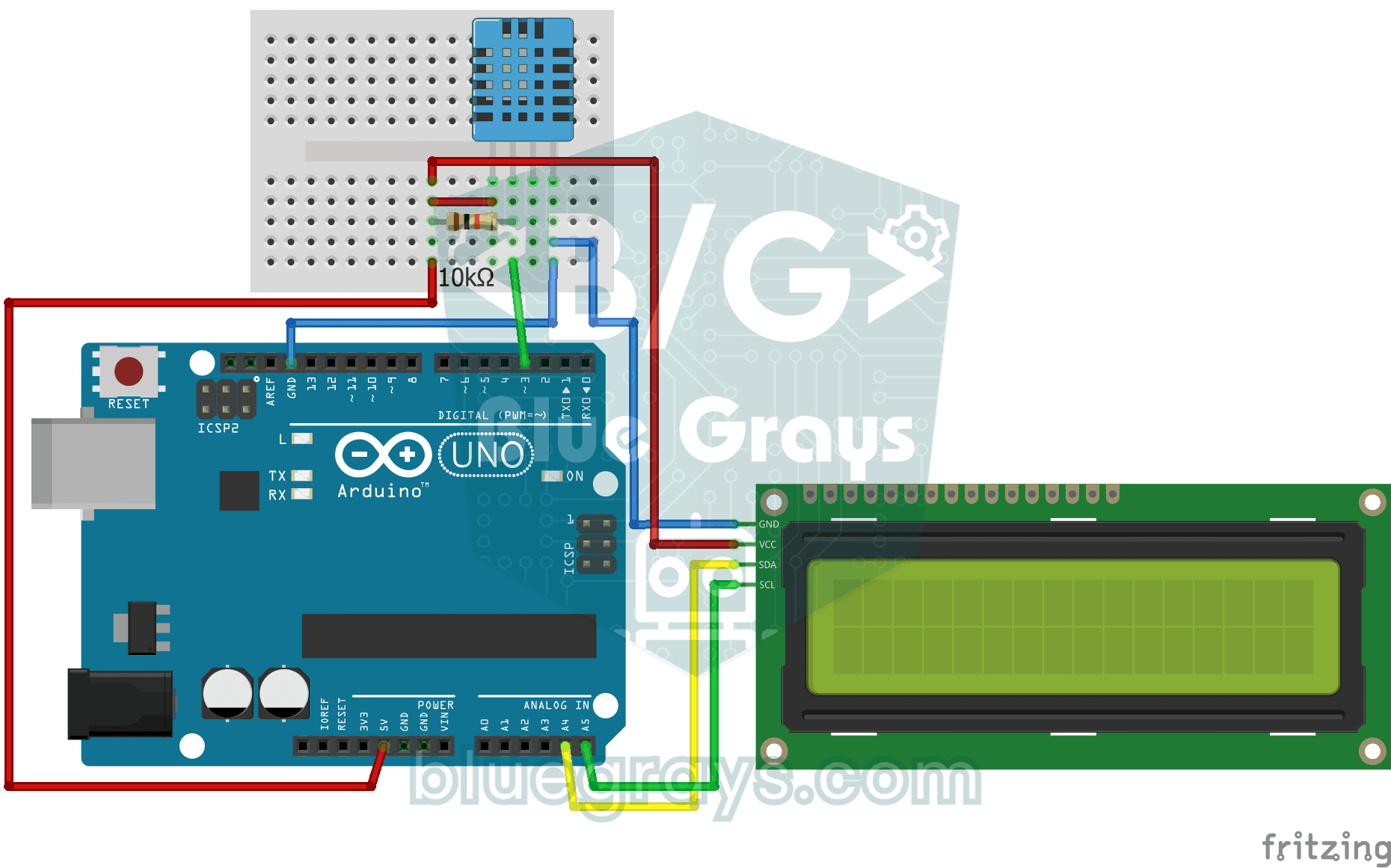
Temperature and Humidity with DHT11
How warm is your room, and is the air humid or dry? The DHT11 sensor measures temperature and humidity, and the Arduino writes the values on a two-line LCD screen, refreshing every couple of seconds.
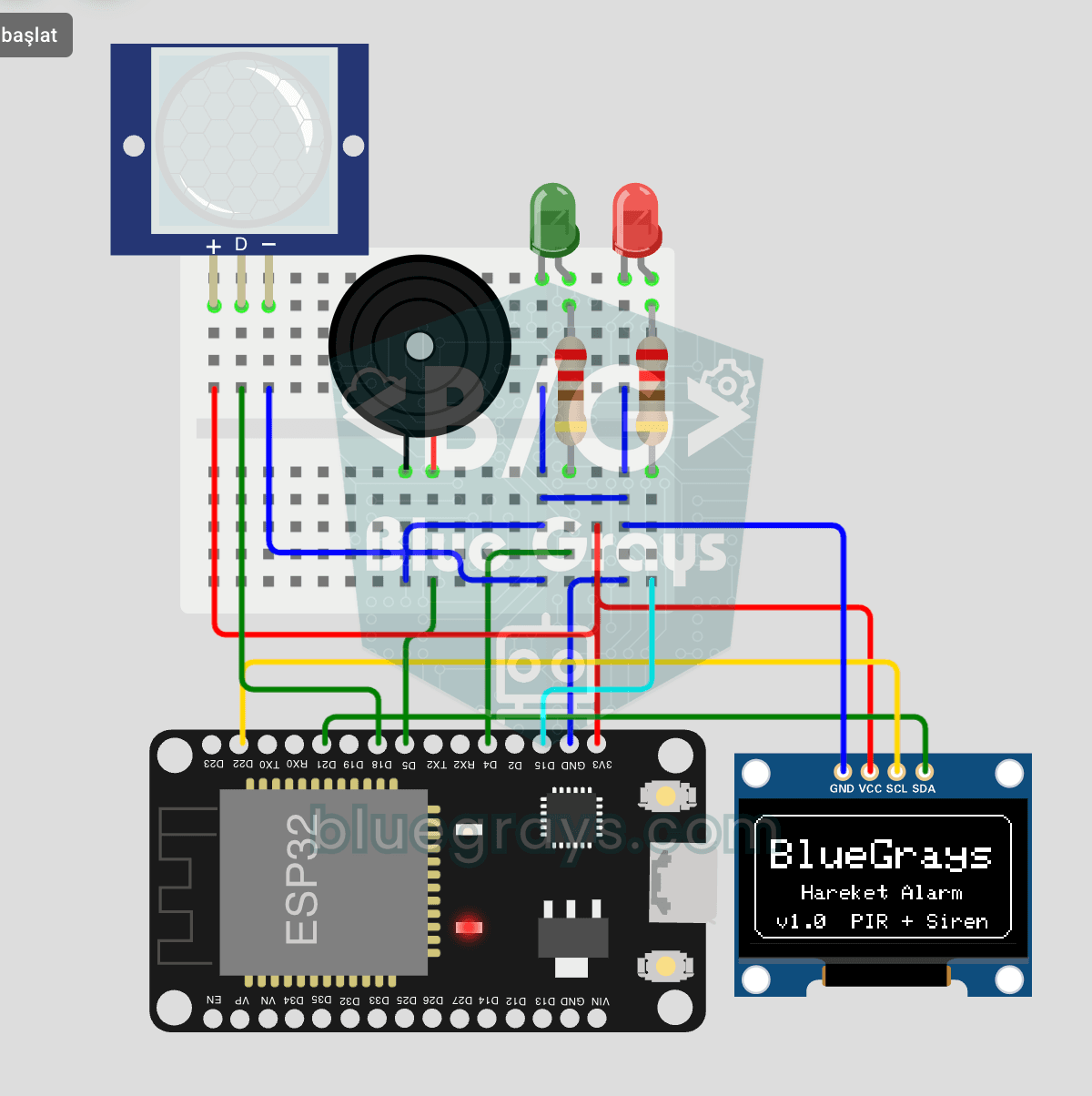
ESP32 Motion Alarm System (PIR + Buzzer + LED + Telegram)
A smart security alarm system that activates the buzzer and LED when the PIR sensor detects motion, while simultaneously sending an instant notification to the owner via Telegram. It includes a 30-second cooldown to limit the frequency of repeated alarms; this mechanism does not validate PIR detections or eliminate false triggers. Suitable for home security, garage monitoring, warehouses, or workrooms. With ESP32-CAM, photo notifications can be added; with the classic ESP32 DevKit V1, text notif
Motion Detector with Motion Sensor
A simple guard that tells you when someone walks into the room. The motion sensor picks up the warmth given off by the human body, and the Arduino keeps the LED on as long as there is movement and tur

ESP32 Motion Detection Alarm
In this project, which uses an ESP32 and a PIR sensor, a buzzer sounds an audible alarm when motion is detected. It is a simple and low-cost security system application. (The images are for illustrative purposes only; please refer to the text for details.)
Flame and Gas Sensor Alarm
A little guard that warns you right away when gas leaks or a flame appears somewhere. The gas sensor watches the air for gas and the flame sensor watches for the light of a fire; while everything is f
Lighting 220V Bulb with Push Button
As long as you hold the button, a real 220-volt bulb stays lit, and it goes out the moment you let go. The Arduino's tiny signal cannot light the bulb directly, so a relay, an electrically controlled
Lighting 220V Bulb with Remote Control
Switch a real light bulb in your home on and off with a TV remote, without getting up from the sofa. The Arduino reads the invisible light signal from the remote; the power button clicks the relay and

Smart Irrigation Station
A gardener that waters your plants on its own, so they don't dry out while you're on vacation. A soil moisture sensor measures how wet the soil is; when it gets dry, the Arduino runs the water pump fo