
HC-SR505 Arduino Guide: Mini PIR Sensor vs HC-SR501 and AM312
HC-SR505 Arduino guide: mini PIR vs HC-SR501 and AM312, the fixed 8 s hold time, 3.3 V use, battery maths, plus Arduino, ESP32 deep sleep and Pico code.

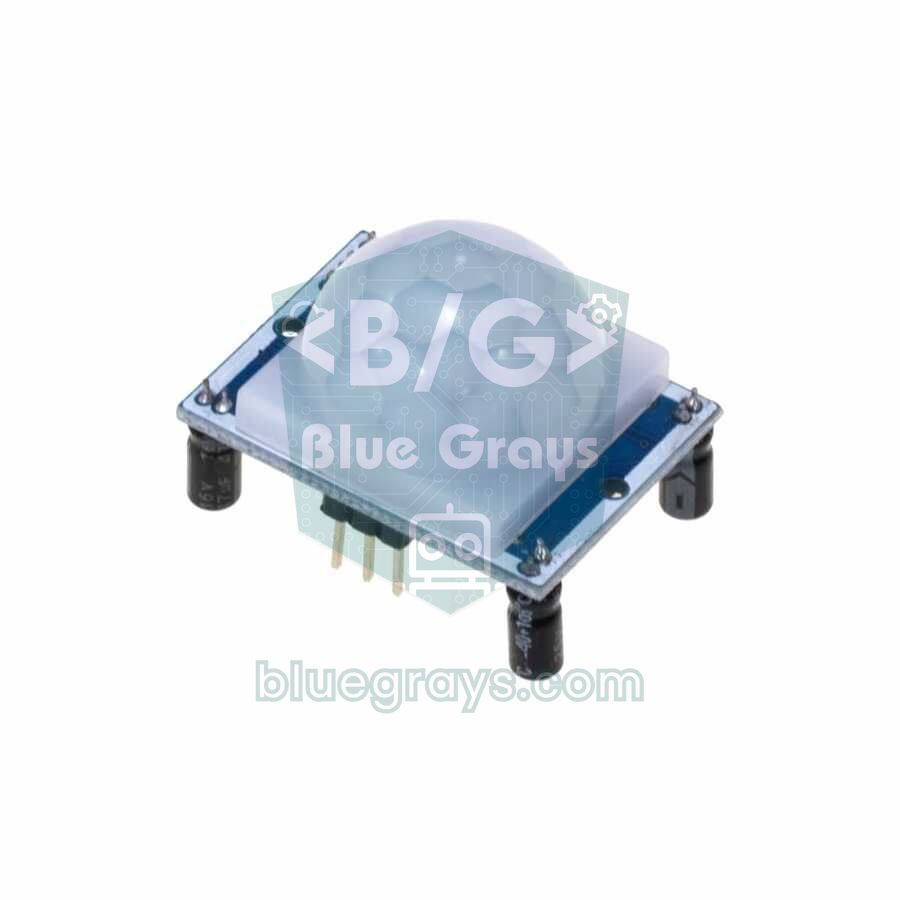
The HC-SR505 is a mini PIR (passive infrared) motion sensor about 1 cm across and 2.5 cm tall, with no adjustment pots or jumpers. It does the same job as the classic HC-SR501, detecting a person or animal moving in its field of view and setting its output HIGH, in a much smaller body. It's ideal for doorbells, cupboard lights, small alarm boxes and battery-powered sensors. The AM312, which is the same size, runs from 2.7 V upwards and is often the better choice for ESP32, Raspberry Pi Pico and battery projects.
In this article you'll see how the HC-SR505 works, how it differs from the HC-SR501 and AM312 in a comparison table, how to live with its fixed 8-second hold time, the limits of running it on 3.3 V and a real battery life calculation. Then we'll write Arduino code that counts motion and measures the hold time, code that wakes an ESP32 from deep sleep on motion and waits asleep until the motion is over, and interrupt-driven MicroPython code for the Raspberry Pi Pico.
What is the HC-SR505 and how does it work?
At the heart of every PIR sensor is a pyroelectric element made of two halves. When the scene is still, both halves see the same amount of infrared radiation and their signals cancel out. When someone giving off body heat crosses the field of view, first one half and then the other receives more radiation, and the sensor reads that difference as motion. The small Fresnel lens in front splits the field of view into zones and makes the difference bigger. On the HC-SR505, the signal-processing circuit, the regulator and the lens are squeezed onto one tiny board, and the hold time and sensitivity are fixed at the factory. When motion is detected, the output stays HIGH for about 8 seconds, and if there's new motion during that time the timer restarts (retriggering).
| Feature | HC-SR505 |
|---|---|
| Supply voltage | 4.5–20 V (3.3 V regulator on board) |
| Standby current | Less than 60 µA |
| Output | Digital: 3.3 V with motion, 0 V without |
| Detection range | Up to 3 metres |
| Detection angle | A cone narrower than 100° |
| Hold time | About 8 seconds (±30 %), not adjustable |
| Trigger mode | Retriggering: output stays HIGH while motion continues |
| Size | About 10 mm diameter, 23–25 mm tall |
| Operating temperature | −20 to +80 °C |
HC-SR501 vs HC-SR505 vs AM312
| Feature | HC-SR501 | HC-SR505 | AM312 |
|---|---|---|---|
| Size | 32 × 24 mm board, large dome | About 10 mm diameter | About 10 mm, close to the HC-SR505 |
| Supply | 4.5–20 V | 4.5–20 V | 2.7–12 V |
| Standby current | About 50 µA | Less than 60 µA | Less than 0.1 mA |
| Output level | 3.3 V | 3.3 V | About 3 V |
| Detection range | 3–7 m, adjustable | Up to 3 m | 3–5 m |
| Detection angle | About 110° | Narrower than 100° | Narrower than 100° |
| Hold time | 3 s – 5 min, with a pot | Fixed, about 8 s | Fixed, about 2 s |
| Trigger mode | H (retriggering) or L (single) by jumper | Retriggering only | Retriggering only |
| When to choose it | Rooms and hallways, long range | Small enclosures, 5 V systems | 3.3 V, batteries, ESP32 and Pico |
Here's the short version: if you're watching a large room or a long hallway and want to set the hold time with a screwdriver, the HC-SR501 is still the most flexible option. If your enclosure is small and your system already runs on 5 V, the HC-SR505 does the job. If you're using a 3.3 V board such as the ESP32 or Pico, or powering the sensor straight from a lithium cell, go for the AM312: it's officially rated for low voltage, and its short 2-second hold time keeps the microcontroller awake for less time. All three have an output of about 3 V, so none of them needs a voltage divider to connect to an ESP32.
Does the HC-SR505 work on 3.3 V?
Officially, no: the HC-SR505 has a small regulator with a 3.3 V output on its board, and the rated minimum for the module is 4.5 V. If you feed 3.3 V into the regulator, the circuit inside sees around 3.1–3.2 V. Many sensors still work like that, but sensitivity can drop and false triggers can increase, so you shouldn't design a product around it. This limit also decides your battery choice: 3 AA cells give 4.5 V when fresh but soon drop below it; 4 AA or NiMH cells are safer for the HC-SR505. On a single 3.7 V Li-ion cell the HC-SR505 is below its limit, while the AM312 keeps working down to 2.7 V.
Wiring: Arduino Uno, ESP32 and Pico
| Sensor pin | Arduino Uno | ESP32 | Raspberry Pi Pico |
|---|---|---|---|
| VCC (+), HC-SR505 | 5V | VIN (5V) | VBUS (5V) |
| VCC (+), AM312 | 5V or 3.3V | 3V3 | 3V3 (OUT) |
| OUT | D2 | GPIO 33 | GP16 |
| GND (−) | GND | GND | GND |
Arduino code: count motion and measure the hold time
The sketch below first waits 30 seconds for the sensor to warm up, then increments a counter every time motion starts and, when the output goes back LOW, prints how many seconds it stayed HIGH. The built-in LED follows the output too. This little test is the easiest way to find out whether your sensor is an HC-SR505 or an AM312 and to see how retriggering works. Open the Serial Monitor at 115200 baud:
1// HC-SR505 / AM312 testi: hareketi say, çıkışın HIGH kalma süresini ölç / count motion, measure how long OUT stays HIGH
2const int PIR_PIN = 2;
3const int LED_PIN = 13;                      // dahili LED / built-in LED
4
5bool lastState = LOW;
6unsigned long riseTime = 0;
7unsigned int events = 0;
8
9void setup() {
10  pinMode(PIR_PIN, INPUT);
11  pinMode(LED_PIN, OUTPUT);
12  Serial.begin(115200);
13  Serial.println(F("Isinma 30 sn / warming up 30 s"));
14  delay(30000);                              // açılıştaki yanlış tetiklemeleri atla / skip false triggers at power-up
15  Serial.println(F("Hazir / ready"));
16}
17
18void loop() {
19  bool state = digitalRead(PIR_PIN);
20  digitalWrite(LED_PIN, state);              // LED çıkışı takip eder / LED follows the output
21  if (state == HIGH && lastState == LOW) {   // yükselen kenar: hareket başladı / rising edge: motion started
22    riseTime = millis();
23    events++;
24    Serial.print(F("Hareket / motion #"));
25    Serial.println(events);
26  }
27  if (state == LOW && lastState == HIGH) {   // düşen kenar: tutma süresi bitti / falling edge: hold time over
28    float seconds = (millis() - riseTime) / 1000.0;
29    Serial.print(F("OUT HIGH kaldi / stayed HIGH: "));
30    Serial.print(seconds, 1);
31    Serial.println(F(" s"));
32  }
33  lastState = state;
34}
If you wave your hand once and pull it away, you'll see about 8 seconds on an HC-SR505 (between 5.6 and 10.4 seconds depending on the unit) and about 2 seconds on an AM312. If you keep moving in front of the sensor, the timer restarts with every new movement and you'll read a much longer value; that's what retriggering means. If you want the light to stay on for 20 seconds or 2 minutes after the last motion, keep the timing in your code rather than in the sensor; we show how to do that with millis() in PIR motion sensor.
Working with a fixed hold time and sensitivity
The HC-SR505's biggest difference is that it can't be adjusted. You can extend the hold time in code as much as you like, but you can't make it shorter than 8 seconds; for a game or counter that needs a quick response, the 2-second AM312 is a better fit. Sensitivity is fixed too, so you shape the detection area physically rather than in software. On paper, a 100° cone covers an area about 7 metres wide at 3 metres; in reality detection gets weaker towards the edges. These methods help narrow the area and reduce false alarms:
- Cover part of the lens with tape: Cover the lower half of the lens with opaque tape and the sensor will see less of pets on the floor and temperature changes near the ground.
- Fit a paper or plastic tube: A 2–3 cm tube in front of the sensor narrows its view to a tight cone, ideal for a doorway or a single corridor.
- Right height and direction: Mount the sensor 1.5–2 metres high; a PIR detects best when movement crosses its field of view from side to side, and notices someone walking straight towards it later.
- Keep it away from heat sources: Radiators, air conditioner vents, sunny windows and hot lamps trigger the sensor with sudden temperature changes.
- Don't put it behind glass: Ordinary glass blocks the infrared radiation given off by body heat; a PIR behind a window can't see movement outside.
Low current and battery projects
Mini PIRs draw less than 60–100 µA on standby, so the sensor itself can't drain an 18650 cell for years. What really decides battery life is the board the sensor is connected to. An Arduino Uno draws about 45–50 mA even when doing nothing and flattens a 2000 mAh battery in less than two days. That's why, in a battery-powered motion sensor, the microcontroller must spend almost all its time asleep and wake only when the PIR output goes HIGH. The table below shows approximate figures for a 2000 mAh 18650 cell and 50 motion events a day:
| Setup | Sleep current | Daily consumption | Approximate battery life |
|---|---|---|---|
| ESP32 DevKit (AMS1117, power LED, USB chip) + HC-SR505 | About 6 mA | About 145 mAh | 2 weeks |
| Bare ESP32 module + MCP1700 LDO + mini PIR, no Wi-Fi | About 75 µA | About 2.5 mAh | Over 2 years in theory |
| Same setup, Wi-Fi notification on every motion | About 75 µA | About 6.5 mAh | About 10 months |
The first row is no surprise: the AMS1117 regulator on dev boards draws around 5 mA on its own. For long battery life, power the ESP32 module through an LDO such as the MCP1700, whose quiescent current is just a few µA. In the second row the battery lasts so long that the real limit is the cell's own self-discharge. You can run the numbers for your own setup with the Battery Life tool, read about mAh in battery capacity, and learn to use 18650 cells safely in 18650 Li-ion battery.
ESP32 deep sleep: waking up with an HC-SR505 or AM312
With ext0 wake-up, the ESP32 can watch the level of a single RTC GPIO pin even in deep sleep. There's a trap here that most examples skip: if the board wakes when the PIR output goes HIGH, does its job and goes straight back to sleep, the output is still HIGH, so it wakes again instantly. During the HC-SR505's 8-second hold time the board switches on and off dozens of times and wastes battery. The code below solves this: when woken by motion it increments the counter and lights the LED, then, if the output is still HIGH, it puts itself to sleep on a 2-second timer. Once the output is back LOW, it re-arms the ext0 wake-up. The counter is kept in RTC_DATA_ATTR memory, which survives deep sleep.
1// ESP32 derin uyku + HC-SR505 / AM312: hareketle uyan, çıkış sakinleşene kadar uyuyarak bekle / ESP32 deep sleep: wake on motion, wait asleep until the output settles
2#include "driver/rtc_io.h"
3
4const gpio_num_t PIR_PIN = GPIO_NUM_33;          // RTC GPIO olmalı / must be an RTC GPIO
5const int LED_PIN = 2;                           // çoğu DevKit'te dahili LED / onboard LED on most DevKits
6const uint64_t RECHECK_US = 2ULL * 1000000ULL;   // OUT HIGH ise 2 sn sonra yeniden bak / recheck in 2 s while OUT is HIGH
7RTC_DATA_ATTR int motionCount = 0;               // derin uykuda silinmez / survives deep sleep
8
9void sleepUntilMotion() {
10  rtc_gpio_pullup_dis(PIR_PIN);
11  rtc_gpio_pulldown_en(PIR_PIN);                 // boşta LOW kalsın / keep LOW when idle
12  esp_sleep_enable_ext0_wakeup(PIR_PIN, 1);      // OUT HIGH olunca uyan / wake when OUT goes HIGH
13  esp_deep_sleep_start();
14}
15
16void sleepAndRecheck() {
17  esp_sleep_enable_timer_wakeup(RECHECK_US);     // hareket sürüyor: uyuyarak bekle / motion goes on: wait asleep
18  esp_deep_sleep_start();
19}
20
21void setup() {
22  Serial.begin(115200);
23  pinMode(LED_PIN, OUTPUT);
24  esp_sleep_wakeup_cause_t cause = esp_sleep_get_wakeup_cause();
25
26  if (cause == ESP_SLEEP_WAKEUP_EXT0) {          // yeni hareket / new motion
27    motionCount++;
28    Serial.printf("Hareket / motion #%d\n", motionCount);
29    digitalWrite(LED_PIN, HIGH);                 // bildirim kodu buraya / notification code goes here
30    delay(200);
31    digitalWrite(LED_PIN, LOW);
32  } else if (cause != ESP_SLEEP_WAKEUP_TIMER) {  // ilk açılış ya da reset / first boot or reset
33    Serial.println("Sensor isiniyor 30 sn / sensor warming up 30 s");
34    delay(30000);
35  }
36
37  rtc_gpio_deinit(PIR_PIN);                      // pini normal girişe çevir / turn the pin back into a normal input
38  pinMode(PIR_PIN, INPUT);
39  if (digitalRead(PIR_PIN) == HIGH) sleepAndRecheck();  // hâlâ HIGH: hemen uyanmamak için bekle / still HIGH: avoid an instant re-wake
40  sleepUntilMotion();
41}
42
43void loop() {
44}Mini PIR with the Raspberry Pi Pico (MicroPython)
On the Pico, using an interrupt (IRQ) is cleaner than polling the sensor: the function runs by itself every time the output changes, and the main loop stays available for other work. The code below increments the counter and lights the LED on the rising edge, and prints how long the output stayed HIGH on the falling edge. Power the AM312 from the 3V3 (OUT) pin and the HC-SR505 from VBUS; OUT goes to GP16 in both cases:
1# HC-SR505 / AM312 ile Raspberry Pi Pico: kesmeyle hareket sayacı / motion counter with an interrupt
2from machine import Pin
3import time
4
5pir = Pin(16, Pin.IN, Pin.PULL_DOWN)   # GP16; boştayken LOW kalsın / stays LOW when idle
6led = Pin(25, Pin.OUT)                 # dahili LED; Pico W'de Pin("LED") / onboard LED; Pin("LED") on Pico W
7count = 0
8rise_ms = 0
9
10def on_change(pin):
11    global count, rise_ms
12    if pin.value():                    # hareket başladı / motion started
13        count += 1
14        rise_ms = time.ticks_ms()
15        led.on()
16        print("Hareket / motion #", count)
17    else:                              # tutma süresi bitti / hold time over
18        led.off()
19        held = time.ticks_diff(time.ticks_ms(), rise_ms) / 1000
20        print("HIGH kaldi / stayed HIGH: {:.1f} s".format(held))
21
22time.sleep(30)                         # ısınma süresi / warm-up time
23pir.irq(trigger=Pin.IRQ_RISING | Pin.IRQ_FALLING, handler=on_change)
24
25while True:
26    time.sleep(1)
Even in its sleep modes under MicroPython, the Pico doesn't get anywhere near as low as the ESP32's deep sleep. That doesn't matter for a project on the desk or plugged into the wall, but for a motion sensor that has to run on batteries for months, an ESP32 or an Arduino Pro Mini, whose sleep current drops to microamps once the power LED and regulator are removed, is the better choice.
False triggers and how to fix them
| Symptom | Likely cause | Fix |
|---|---|---|
| Triggers by itself a few times at power-up | The sensor is warming up and learning the scene | Wait 30 seconds after power-up or ignore the first triggers |
| Triggers when the ESP32's Wi-Fi turns on | The mini PIR picks up the radio waves from the antenna | Move the sensor at least 10 cm from the antenna and add 100 nF and 10 µF capacitors between VCC and GND |
| Never triggers | HC-SR505 powered below 4.5 V, or the sensor is behind glass | Power it from 5 V or switch to an AM312; remove the glass |
| Output never goes LOW | Constant movement or temperature changes in the field of view | Keep the sensor away from radiators, air conditioning and moving curtains, cover part of the lens |
| Random triggers as the battery runs low | The sensor's supply becomes unstable as the voltage drops | Power the sensor from a regulated rail and recharge the battery in time |
| ESP32 keeps waking up | Going to sleep with ext0 wake-up while the output is HIGH | Wait on a timer until the output is LOW, as the code in this article does |
Project ideas with the HC-SR505
- Cupboard and drawer light: Light a small LED strip when the door opens and a hand reaches in, and let it turn off by itself 8 seconds later.
- Battery-powered motion alarm: Keep an ESP32 in deep sleep and have it send a message via Telegram when there's motion.
- Doorstep chime: Play a short tune on a buzzer when someone approaches the door.
- Wildlife camera trigger: Let motion in the garden take a photo with an ESP32-CAM.
- Smart alarm system: Combine several mini PIRs with door and window sensors to build an Arduino alarm system.
- Detecting through an enclosure: If the sensor has to see through a plastic box, try the RCWL-0516 radar sensor instead of a PIR.
The HC-SR505 and AM312 are the most practical way to detect motion anywhere a big PIR module won't fit: three wires, no adjustments and a current draw measured in microamps. Which one to pick depends on your system's voltage and the hold time you want. In the BlueGrays app you can explore the motion-sensor doorbell and light, ESP32 PIR automatic lighting and ESP32 motion alarm with Telegram notifications projects step by step, with circuit diagrams and ready-made code.
Frequently asked questions
What is the difference between the HC-SR505 and HC-SR501?
The HC-SR505 is a tiny, non-adjustable PIR about 1 cm across; its hold time is fixed at about 8 seconds and its range at about 3 metres. The HC-SR501 is bigger and has two pots for a range of 3–7 metres and a hold time from 3 seconds to 5 minutes. Both run on 4.5–20 V and give a 3.3 V output.
Can the HC-SR505 run on 3.3 V?
The rated minimum is 4.5 V because there's a 3.3 V regulator on the board. Many units do work at 3.3 V, but sensitivity can drop and false triggers can increase. For 3.3 V systems and single-cell lithium batteries, the AM312, which works from 2.7 V, is the safer choice.
Can you adjust the HC-SR505 delay time?
No, there are no pots or jumpers; the output stays HIGH for about 8 seconds after each motion and stays on longer while motion continues. You can extend the time as much as you like in code, but you can't go below 8 seconds. If you need a quicker response, choose the AM312, whose hold time is about 2 seconds.
What is the range of the HC-SR505?
The HC-SR505 detects motion up to about 3 metres within a cone narrower than 100°. Detection is best when movement crosses its field of view from side to side. If you need more range, use the HC-SR501, which can be set to about 7 metres.
Should I buy an AM312 or an HC-SR505?
If your system runs on 5 V and an 8-second hold time suits you, the HC-SR505 is fine. On 3.3 V boards such as the ESP32 or Pico, in battery projects and in applications that need a quick response, the AM312, which runs on 2.7–12 V and has a 2-second hold time, is the better pick.
Can a mini PIR wake an ESP32 from deep sleep?
Yes. Connect the sensor's OUT pin to an RTC GPIO such as GPIO 33 and set the ext0 wake-up to trigger on HIGH, and the ESP32 wakes on motion. Before putting the board back to sleep, wait for the output to return LOW, or it will wake again immediately. The code in this article spends that waiting time asleep on a timer.
Projects to build after reading this
See all projects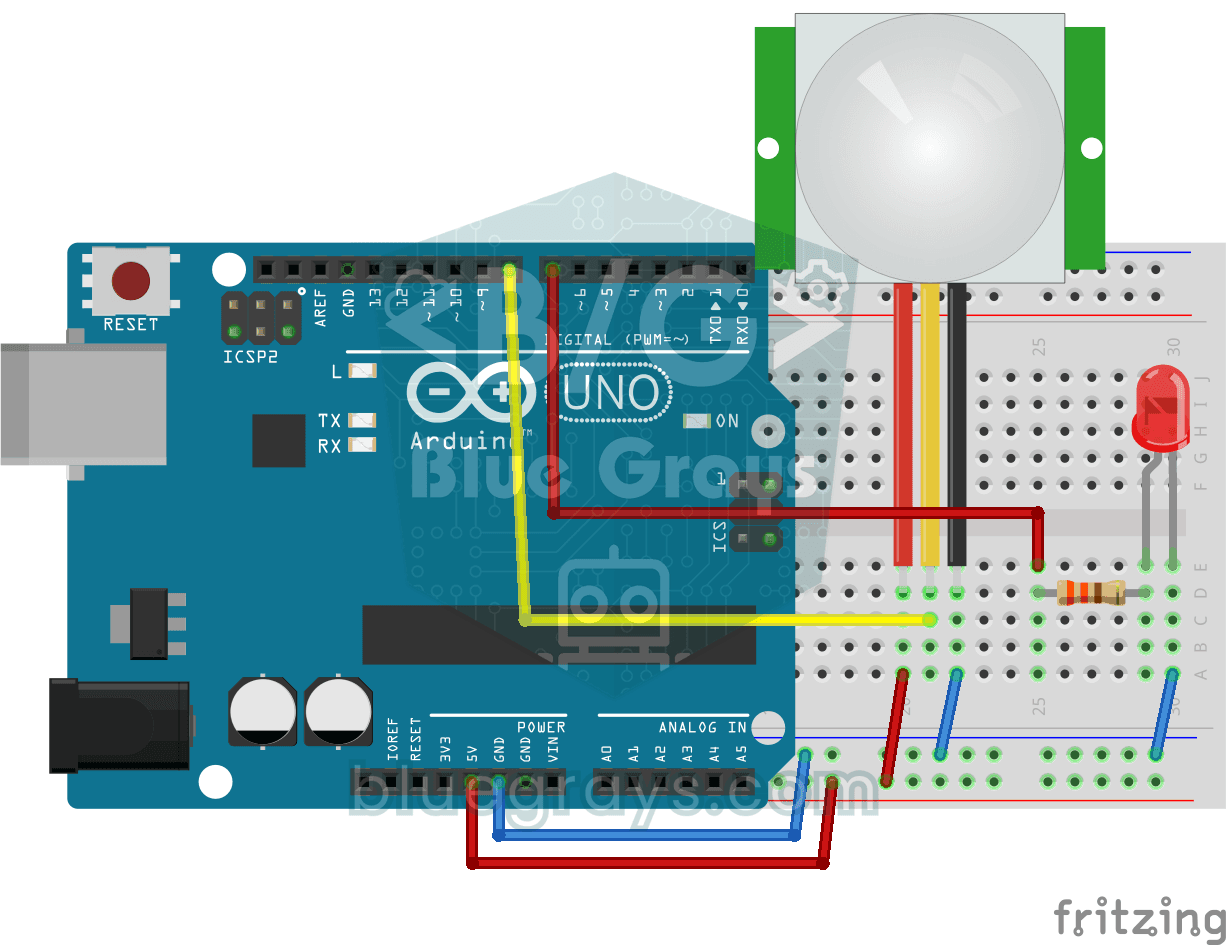
Motion Detector with Motion Sensor
A simple guard that tells you when someone walks into the room. The motion sensor picks up the warmth given off by the human body, and the Arduino keeps the LED on as long as there is movement and…
Doorbell and Light with Motion Sensor
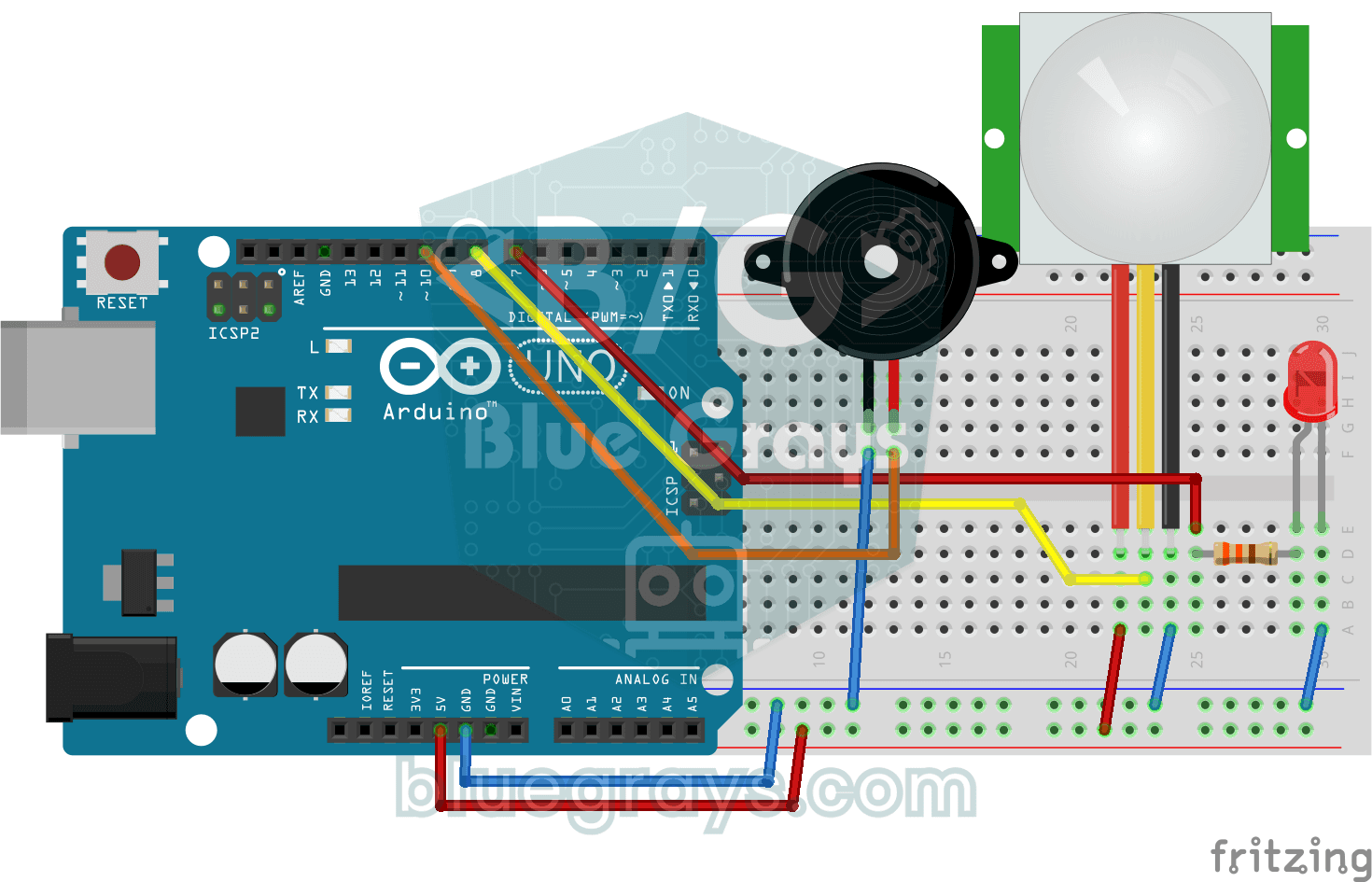
When someone comes up to your door, you know before they even ring. As soon as the motion sensor spots someone, the LED lights up and the buzzer plays a three-note chime from high to low; when the…

Automatic Lighting with the ESP32 PIR Motion Sensor
In this project an HC-SR501 PIR motion sensor detects someone entering the room and turns on an LED automatically. millis() tracks how long the LED stays on: each HIGH reading refreshes the last-motion time, and the LED turns off at least 10 seconds after the last HIGH. The code also waits 50 ms with delay(50) in every loop, so the loop is not fully non-blocking. Great for stairs, hallways, bathrooms or closet lighting.

ESP32 Smart Lighting (PIR + LDR + Relay + OLED)
With an ESP32, a PIR motion sensor, an LDR light sensor and a relay module, we turn your hallway, bathroom or pantry into smart lighting. If the room is already bright, the light stays off even when there is motion, so it never wastes energy during the day. The light stays on for 30 seconds, and the time extends automatically while motion continues.
ESP32 Motion Alarm System (PIR + Buzzer + LED + Telegram)
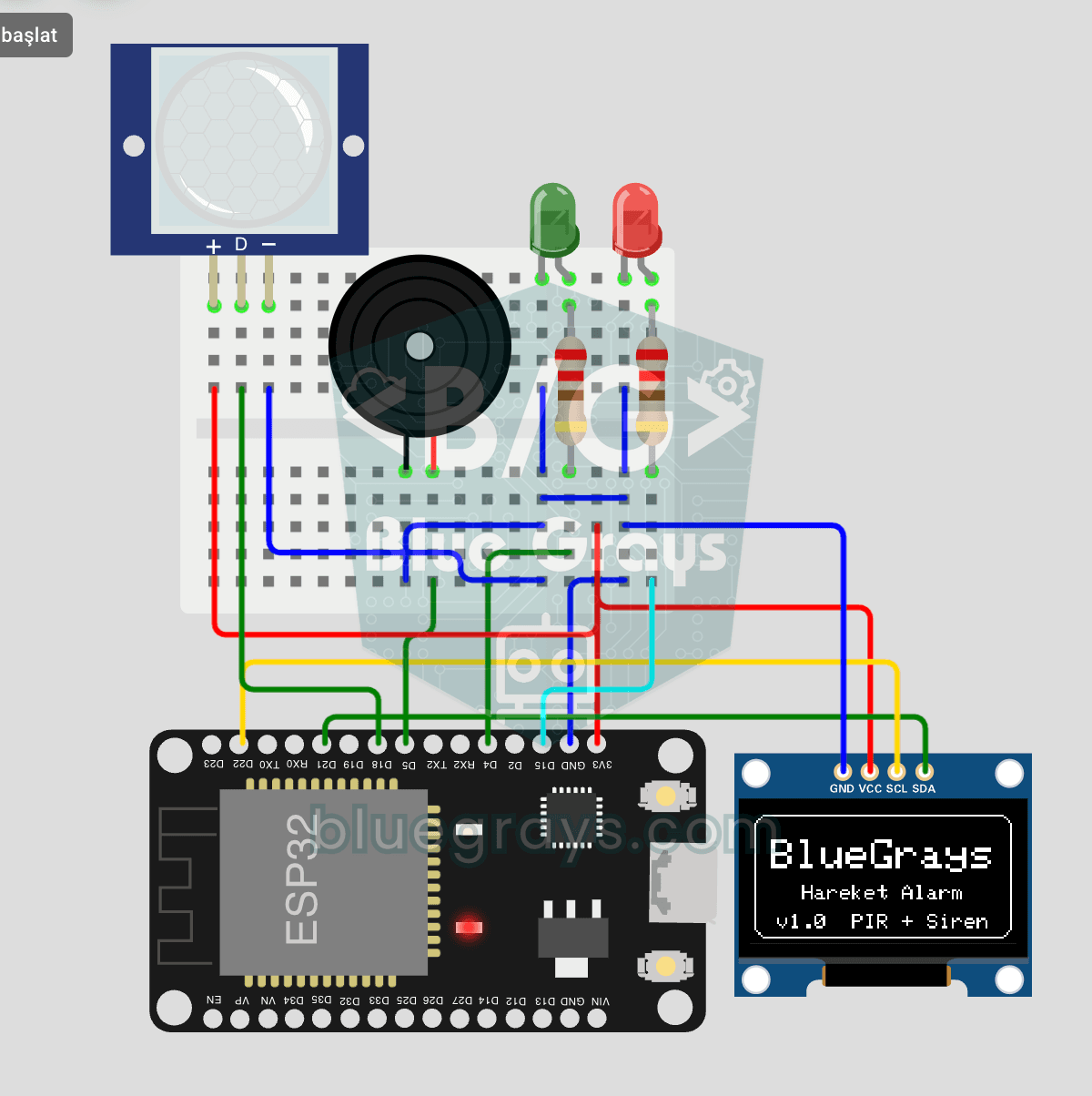
A smart security alarm: when the PIR sensor detects motion, it sounds the buzzer, lights the LED and sends the owner an instant Telegram notification. A 30-second cooldown limits how often the alarm repeats; it does not filter out the PIR sensor's false detections. Use it at home, in a garage, a storeroom or a study.

ESP32 Deep Sleep — Battery Saving (OLED + RTC RAM Counter)
The ESP32's Deep Sleep mode shuts down the CPU and most peripherals, cutting current draw to about 10µA, which is vital for battery-powered IoT devices. This project uses three wake-up sources: a timer (15 s), an external pin (EXT0, the button on GPIO 33) and a touch pin (T0/GPIO 4). Counters marked with RTC_DATA_ATTR survive deep sleep.

Smart Stair and Corridor Lighting
Step onto the stairs or into the hallway and the lights come on one step at a time in the direction you are walking.