
Smart Dustbin Using Arduino: HC-SR04, Servo Lid and Full Alert
Build a smart dustbin with Arduino: HC-SR04 hand detection, servo lid with slow close, fill-level LEDs and buzzer, battery planning and ESP32 Telegram alerts.
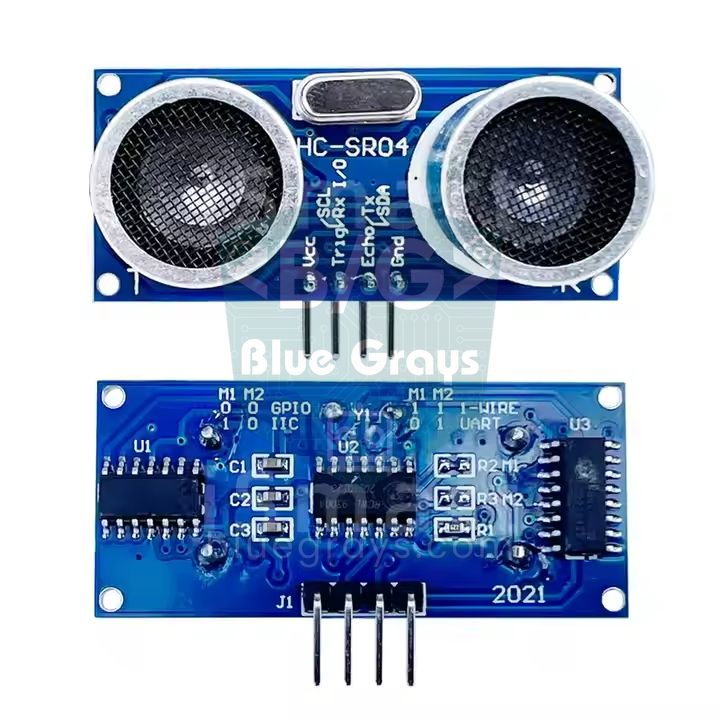
A smart dustbin using Arduino is a simple but instructive automation project that opens the bin's lid without you touching it, and it's one of the most popular school projects around. An HC-SR04 ultrasonic sensor on the front of the bin detects an approaching hand, the Arduino opens the lid with a servo motor, and a few seconds after you pull your hand away it closes the lid slowly instead of slamming it. A second HC-SR04 under the lid measures the height of the rubbish: as the bin fills up, green, yellow and red LEDs light in turn, and when it's completely full a buzzer beeps.
In this guide we start from the parts list and go step by step through where to mount the sensors, how to calculate the servo torque, how to attach the lid to the hinge, calibration, and the complete code that handles the wait time and the slow close at the same time. Then we work out how long the project really runs on batteries, send an ESP32 fill-level alert to your phone as a Telegram message, and write the same project for the Raspberry Pi Pico in MicroPython. At the end you'll also find a presentation outline for a school project and a test table you can fill in with your own measurements.
How does a smart dustbin work?
The project is a loop that repeats dozens of times a second. The Arduino takes a reading with the hand sensor every 60 milliseconds. If an object closer than 20 cm shows up in two readings in a row, it decides it's a hand and sends the servo to the open position. As long as the hand stays there, the wait time restarts with every reading; 4 seconds after the hand is gone, the lid closes slowly at about 50 degrees per second. If a hand comes back while the lid is closing, it opens again immediately. One second after the lid has closed, the fill sensor takes 5 readings, uses the median as the distance to the surface of the rubbish and converts it to a percentage. The code uses a small state machine in which the lid is always in one of three states: CLOSED, OPEN and CLOSING.
| Part | Job | Note |
|---|---|---|
| Arduino Uno (or Nano) | The brain: measures, decides and drives the servo and LEDs | An ESP32 or Pico works too |
| 2 × HC-SR04 | One detects the hand, the other measures the fill level | 5 V, about 15 mA while measuring |
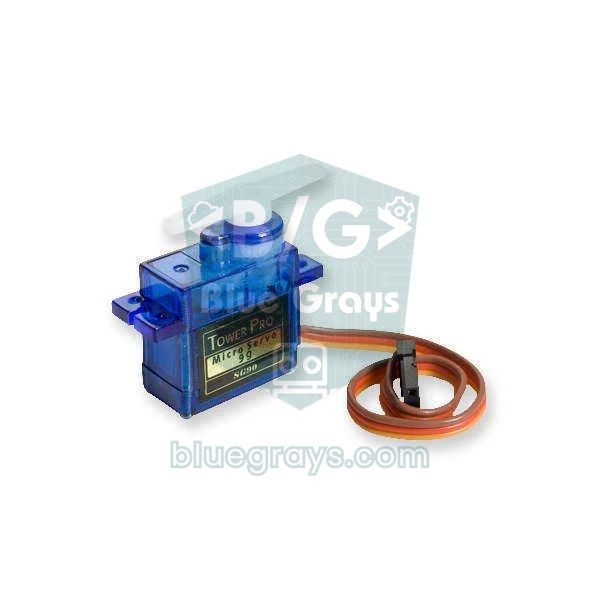
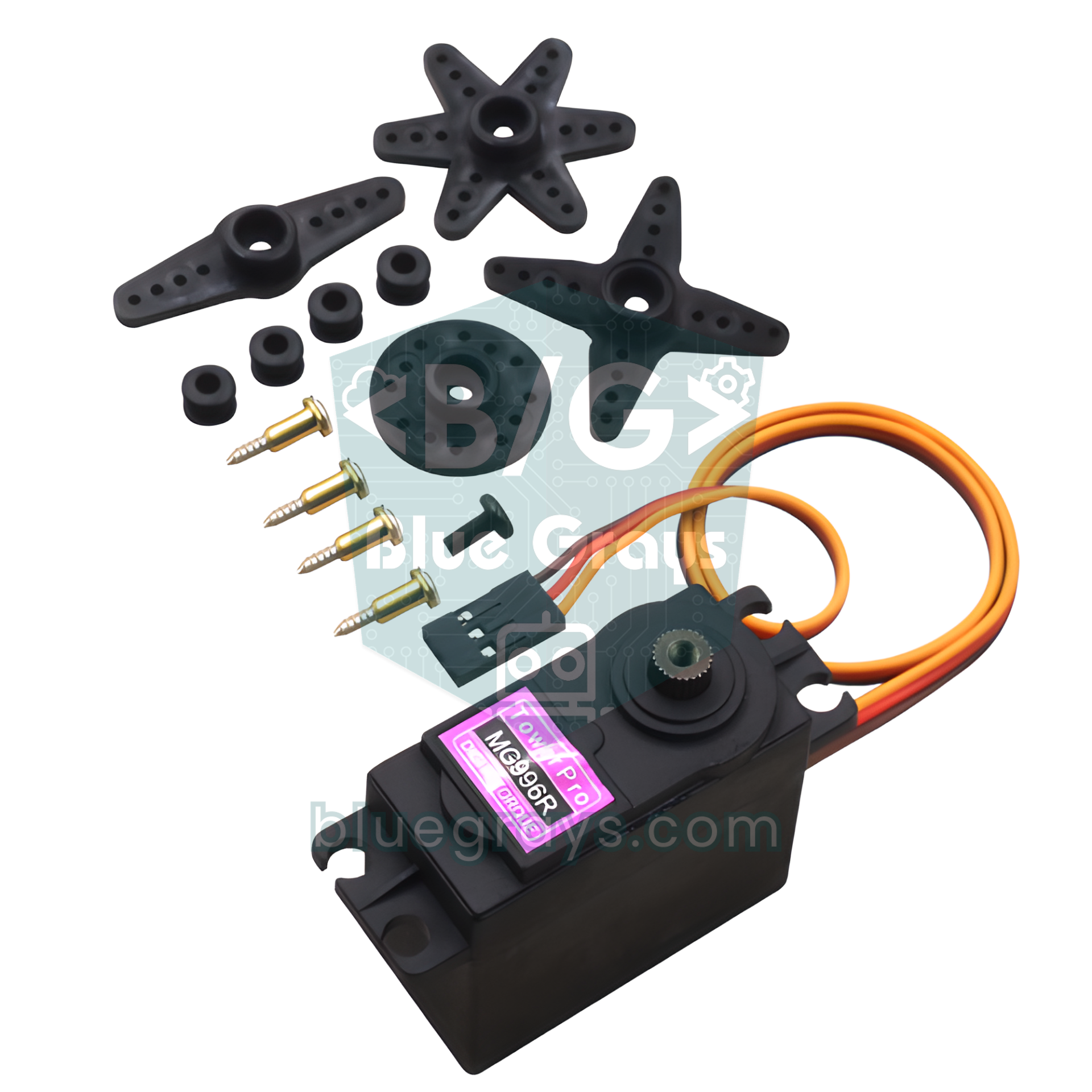
| SG90, MG90S or MG996R servo | Opens and closes the lid | Chosen by the weight of the lid (calculation below) |
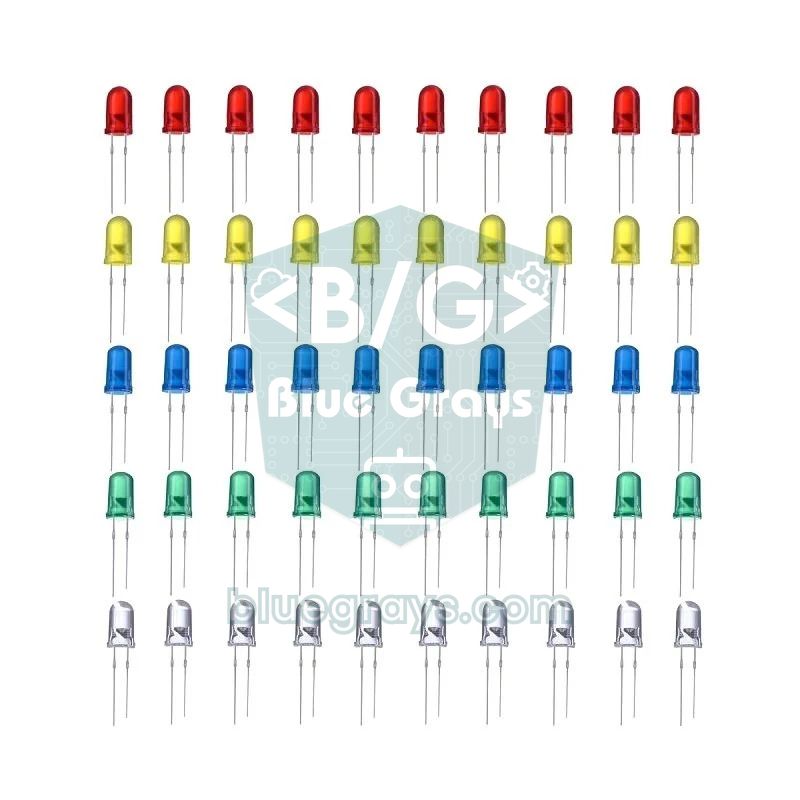
| 3 LEDs (green, yellow, red) and 3 × 220 Ω | Fill-level indicator | One resistor per LED |
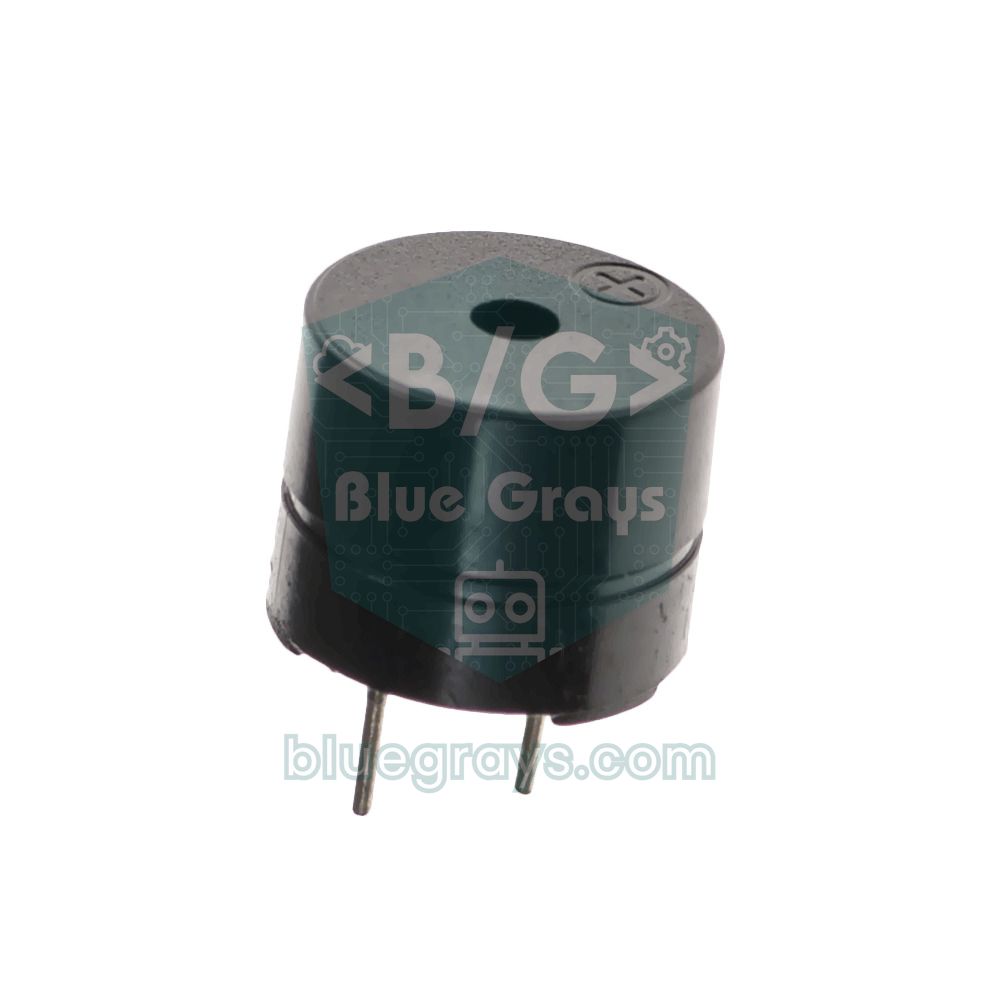
| Active buzzer | Full warning | A passive buzzer needs tone() |
| Hinge, screws, hot glue | Carries the lid, holds the servo horn | The hinge, not the servo, should carry the lid's weight |
| 470 µF capacitor | Smooths the servo's start-up current | Across the servo's + and −, mind the polarity |
| Power supply | 5 V adapter, power bank or batteries | Runtime calculation below |
| ESP32 (optional) | Fill-level alert on your phone | Needs Wi-Fi |
Which sensor for hand detection?
Several sensors can open a bin, but they aren't all equally suited to the job. What you really need is to notice a hand reaching within 15–25 cm of the bin while ignoring a person who just walks past. Because the HC-SR04 gives you the distance in centimetres, you can set the threshold in code exactly as you like, which is why most smart dustbin projects use it. Here are the strengths and weaknesses of the alternatives:
| Sensor | How it detects | For a dustbin |
|---|---|---|
| HC-SR04 (ultrasonic) | Sound echo, 2–400 cm, narrow cone | Threshold set in code; the most balanced choice |
| IR obstacle sensor (FC-51) | Reflected infrared light, about 2–30 cm | Cheap and fast; can be fooled by sunlight and dark gloves |
| PIR (HC-SR501) | Movement of body heat, up to 7 m, wide angle | Triggers for everyone walking past and holds for a few seconds; not suitable |
| APDS-9960 | Short-range proximity and hand gestures | A neat wave-to-open version; needs I2C and 3.3 V |
You'll find how a PIR sensor works in the PIR Motion Sensor article, and a gesture-controlled version in the APDS-9960 gesture sensor guide. Here's how the HC-SR04 works in short: it sends a short 40 kHz burst of sound and outputs the echo's travel time as a pulse on the ECHO pin. Since sound travels at about 343 m/s in air at 20 °C and the path is there and back, dividing the time in microseconds by 58 gives the distance in centimetres. The details are in the HC-SR04 Distance Sensor article.
Sensor placement
The hand sensor goes on the body of the bin, at the top of the front face, not on the lid, because when the lid opens the sensor would turn with it and point at the ceiling. Tilting the sensor upwards by 10–20 degrees lets it catch a hand reaching over the bin while missing legs walking past. If the bin stands next to a wall or a cupboard, there must be no fixed surface within 30 cm in the direction the sensor faces; otherwise it mistakes that surface for a hand and the lid never closes.
The fill sensor is stuck under the lid, near the centre, pointing straight down. In this position it only measures meaningfully while the lid is closed; with the lid open it points at a wall or the ceiling. That's why the code measures the fill level only one second after the lid has closed. Although the sensor's sound cone is narrow (15 degrees in the datasheet, a bit wider in practice), at a depth of 35 cm it covers an area 10–20 cm across; in bins narrower than 20 cm the sound can bounce off the side walls and cause false readings. Fold the edge of the bin bag over the outside of the bin: a bag edge hanging inwards gets in front of the sensor and makes the bin look full even when it's empty.
Wiring diagram: Arduino Uno, ESP32 and Pico
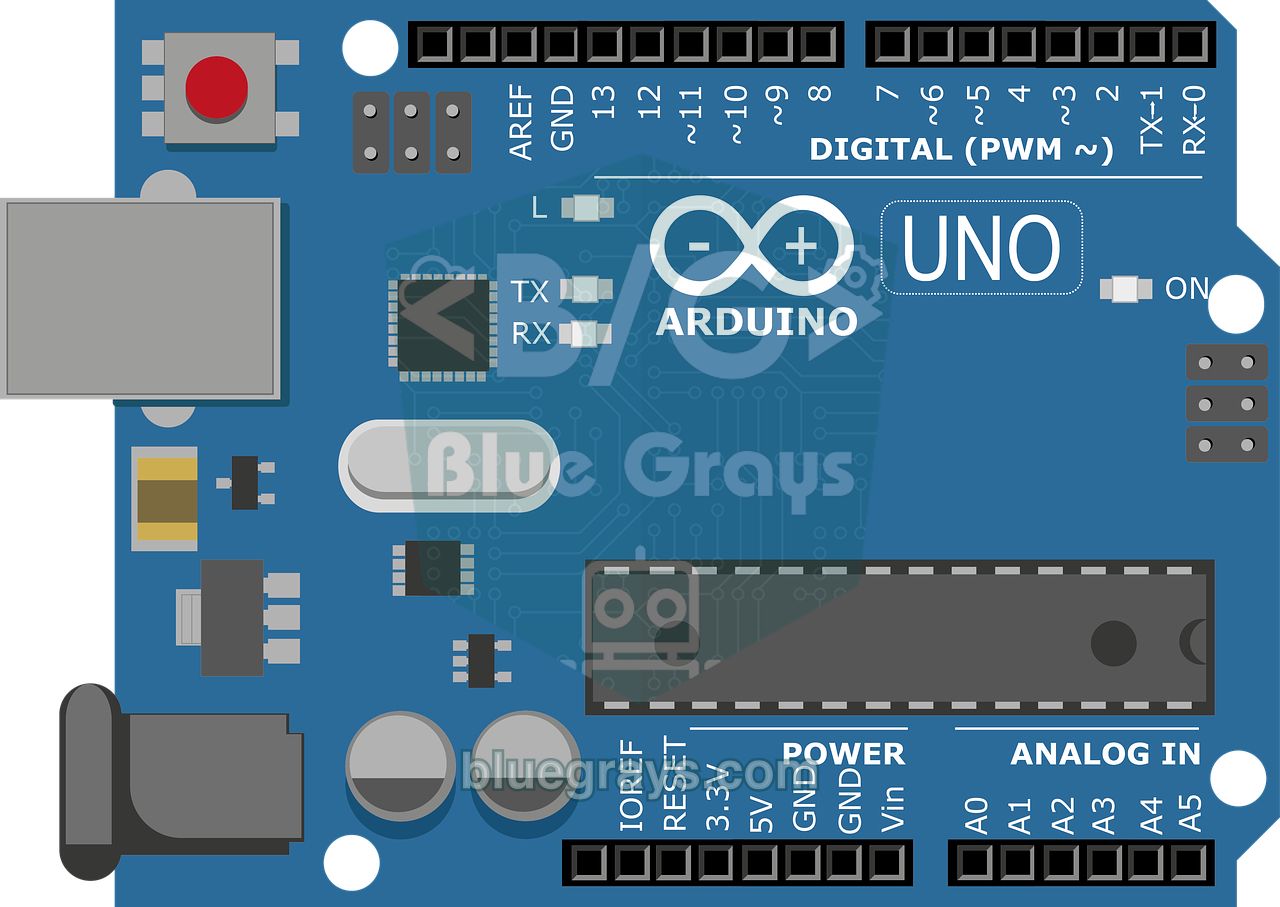
The table below matches every piece of code in this article exactly. On the Uno, the hand sensor goes to D2–D3, the fill sensor to D4–D5, the servo to D9, the LEDs to D10–D12 and the buzzer to D8. Because the Servo library uses Timer1 on the Uno, it disables PWM output on D9 and D10; we only switch the LED on D10 on and off, so this doesn't affect us. Put a 220 Ω resistor in front of each LED; you can calculate the value for your own LED with the LED resistor tool. You can see your board's pin layout in the Pinout tool.
| Connection | Arduino Uno | ESP32 | Raspberry Pi Pico |
|---|---|---|---|
| Hand sensor TRIG | D2 | GPIO 18 | GP2 |
| Hand sensor ECHO | D3 (direct) | GPIO 19, via a 1 kΩ / 2 kΩ divider | GP3, via a 1 kΩ / 2 kΩ divider |
| Fill sensor TRIG | D4 | GPIO 25 | GP4 |
| Fill sensor ECHO | D5 (direct) | GPIO 26, via the divider | GP5, via the divider |
| HC-SR04 VCC (both) | 5V | 5V (VIN) | VBUS |
| Servo signal (orange) | D9 | GPIO 13 | GP15 |
| Servo + (red) | 5V (SG90) or external 5–6 V | 5V (VIN) or external 5–6 V | VBUS or external 5–6 V |
| Green, yellow, red LED (with 220 Ω) | D10, D11, D12 | GPIO 27, 32, 33 | GP10, GP11, GP12 |
| Active buzzer (+) | D8 | GPIO 23 | GP13 |
| All GNDs | GND | GND | GND |
Choosing the servo and calculating torque
The most common problem in smart dustbin projects is a lid that opens halfway and shakes, or doesn't lift at all. The cause is almost always a servo that's too weak for the lid. Estimating the torque you need is easy: Torque (kg·cm) = weight of the lid (kg) × distance from the hinge to its centre of mass (cm). A flat lid of even thickness has its centre of mass right in the middle; for a 24 cm long lid that distance is 12 cm. The hardest moment is the very start of the opening, when the lid is horizontal; as the lid rises the required torque drops, and when it's vertical it's almost zero. The torque figure in servo catalogues is the stall torque, the point where the servo strains and stops; a servo working close to that limit heats up and wears its gears. So multiply your result by at least 2.
| Lid | Weight | Centre of mass | Torque needed | With 2× margin | Suggestion |
|---|---|---|---|---|---|
| 20 × 20 cm cardboard or foam board | 50 g | 10 cm | 0.5 kg·cm | 1.0 kg·cm | SG90 |
| 25 cm plastic bin lid | 120 g | 12.5 cm | 1.5 kg·cm | 3.0 kg·cm | MG996R (MG90S is borderline) |
| 30 cm MDF or plywood lid | 300 g | 15 cm | 4.5 kg·cm | 9.0 kg·cm | MG996R plus a counterweight |
| Servo | Torque (4.8 V / 6 V) | Gears | Current | Note |
|---|---|---|---|---|
| SG90 | 1.8 kg·cm (only a 4.8 V rating is given) | Plastic | 100–250 mA while moving | Can run from the Arduino's 5V pin |
| MG90S | 1.8 / 2.2 kg·cm | Metal | 150–300 mA while moving | Same size as the SG90, more durable |
| MG996R | 9.4 / 11 kg·cm | Metal | 0.5–0.9 A while moving, up to 2.5 A when stalled | Must be powered from a separate 5–6 V supply |
Instead of buying a stronger servo, balancing the lid often does the job. If the lid has a short arm reaching behind the hinge, a few bolts or coins glued there will balance part of its weight; this counterweight can cut the required torque by up to half. You could also let the servo horn push the lid at a point far from the hinge, but leverage doesn't give you torque for free: the further from the hinge, the less force you need, but the pushed point travels further, so you need a longer servo horn, and a longer horn raises the torque demanded from the servo again. If you want the lid to open close to 90 degrees, the servo torque you need stays almost the same as when the servo is attached directly at the hinge. A detailed comparison of servo types is in the What Is a Servo Motor? and MG996R servo articles.
Mounting tips: hinge, servo horn and cables
- Let the hinge carry the weight: The lid should be attached to a real hinge (the bin's own hinge or a small cabinet hinge). If you rest the lid only on the servo shaft, all the weight goes onto the servo's bearing and the SG90's plastic gears soon break.
- Line the servo shaft up with the hinge axis: The easiest way is to screw the servo to the back edge of the bin so that its shaft sits right at the end of the hinge line, and fix the servo horn to the lid with a screw or hot glue. If the axes are misaligned, the servo pushes the lid sideways every time it opens.
- Mount the servo body firmly: Don't hold the servo with double-sided tape alone; the body will twist when it lifts the lid. Use two screws through the servo's mounting tabs or a small L bracket.
- Don't press the lid against the rim: Set the closed angle where the lid rests on the rim but the servo isn't pushing on it. If the servo keeps forcing a closed lid, it buzzes, heats up and wastes current.
- Leave slack in the cables: The fill sensor's wires move with the lid. Route the cable next to the hinge, long enough not to pull even when the lid is fully open, and secure it with a cable tie.
- Keep the electronics away from the rubbish: Put the Arduino, the batteries and the breadboard in a small box stuck to the back or the bottom of the bin. Liquid or moisture leaking from the bin bag must not reach the circuit.
- Start with a cardboard model: For a school project, a light lid made from a shoebox or foam board works fine even with an SG90, and it's a good example for showing the torque calculation in your presentation.
Step-by-step setup and calibration
Before moving on to the main code, upload the small calibration sketch below. It moves the servo to whatever angle you type into the serial monitor and prints the distance read by both sensors every half second. That way you measure the lid's closed and open angles, the depth of the empty bin and the hand detection threshold for your own bin.
1#include <Servo.h>
2
3const int HAND_TRIG = 2, HAND_ECHO = 3;   // el sensörü / hand sensor
4const int FILL_TRIG = 4, FILL_ECHO = 5;   // doluluk sensörü / fill sensor
5const int SERVO_PIN = 9;
6
7Servo lid;
8unsigned long lastPrint = 0;
9
10int pingCm(int trig, int echo) {
11  digitalWrite(trig, LOW);  delayMicroseconds(2);
12  digitalWrite(trig, HIGH); delayMicroseconds(10);   // 10 µs tetik darbesi / 10 µs trigger pulse
13  digitalWrite(trig, LOW);
14  unsigned long t = pulseIn(echo, HIGH, 30000UL);    // en fazla 30 ms bekle / wait at most 30 ms
15  return t == 0 ? 999 : (int)(t / 58);               // 999 = yankı yok / 999 = no echo
16}
17
18void setup() {
19  Serial.begin(9600);
20  pinMode(HAND_TRIG, OUTPUT); pinMode(HAND_ECHO, INPUT);
21  pinMode(FILL_TRIG, OUTPUT); pinMode(FILL_ECHO, INPUT);
22  lid.write(90);                                     // başlangıçta orta konum / start at the middle position
23  lid.attach(SERVO_PIN);
24  Serial.println(F("Açı yaz (0-180) ve Enter'a bas / Type an angle (0-180) and press Enter"));
25}
26
27void loop() {
28  if (Serial.available()) {
29    String s = Serial.readStringUntil('\n');
30    s.trim();
31    if (s.length() > 0) {                            // boş satırı yok say / ignore empty lines
32      int a = constrain(s.toInt(), 0, 180);
33      lid.write(a);
34      Serial.print(F("Servo: "));
35      Serial.println(a);
36    }
37  }
38
39  if (millis() - lastPrint >= 500) {                 // yarım saniyede bir yaz / print every half second
40    lastPrint = millis();
41    int hand = pingCm(HAND_TRIG, HAND_ECHO);
42    delay(60);                                       // iki sensör arasında bekle / wait between the two sensors
43    int fill = pingCm(FILL_TRIG, FILL_ECHO);
44    Serial.print(F("El / Hand: "));
45    Serial.print(hand);
46    Serial.print(F(" cm   Doluluk / Fill: "));
47    Serial.print(fill);
48    Serial.println(F(" cm"));
49  }
50}- Upload the code without the servo horn fitted and open the serial monitor at 9600 baud; set the line ending to Newline. The servo moves to 90 degrees.
- Type 10 and press Enter. Hold the lid closed, fit the servo horn onto the shaft in this position and then fix it to the lid.
- Increase the angle in steps of 20, 40, 60 to find the value where the lid is fully open; it's usually 90–110 degrees. Don't open the lid past vertical. That value becomes LID_OPEN. If your servo turns the other way, choose the closed and open values accordingly; the code works in both directions.
- Go back down to small angles. From the angle where the lid sits fully on the rim, go back 2–3 degrees towards the opening direction; that becomes LID_CLOSED. If the servo buzzes while closed, it's pressing on the lid.
- With the bag fitted and the bin empty, note the value read by the fill sensor; that's EMPTY_CM. Choose 6–10 cm for FULL_CM: when the rubbish reaches this height, the lid must still close easily and the sensor must still measure reliably, because the HC-SR04 can't measure closer than 2–3 cm.
- Hold your hand in front of the hand sensor at 5, 10, 20 and 30 cm and look at the readings. Then walk past the bin and note the closest value it reads. HAND_CM must stay below that value; 15–25 cm works well for most bins.
- Enter the values you found into the settings at the top of the main code and upload it.
Main code: hand detection, wait time and slow close
There's no long delay() in the main code; everything is done with timestamps kept with millis(). So even while the lid is closing, the hand sensor keeps being read, and if a hand comes near again the lid opens straight back up. It's a simple but important safety feature that stops the lid closing on a child's hand. You'll find the details of non-blocking timing in millis() and delay(), and the idea of thinking in states in the Arduino state machine article.
1#include <Servo.h>
2
3// Pinler / Pins
4const int HAND_TRIG = 2, HAND_ECHO = 3;    // el sensörü, kutunun önünde / hand sensor, front of the bin
5const int FILL_TRIG = 4, FILL_ECHO = 5;    // doluluk sensörü, kapağın altında / fill sensor, under the lid
6const int SERVO_PIN = 9;
7const int LED_GREEN = 10, LED_YELLOW = 11, LED_RED = 12;
8const int BUZZER = 8;                      // aktif buzzer / active buzzer
9
10// Ayarlar: kalibrasyon kodunda bulduğun değerleri yaz / Settings: use the values from the calibration sketch
11const int HAND_CM = 20;                    // bundan yakın el kapağı açar / a hand closer than this opens the lid
12const int LID_CLOSED = 10;                 // kapak kenara oturuyor, bastırmıyor / lid rests on the rim, not pressing
13const int LID_OPEN = 110;                  // kapak tam açık / lid fully open
14const unsigned long OPEN_TIME = 4000;      // son el algılamadan sonra açık kalma (ms) / stay open after the last hand (ms)
15const unsigned long CLOSE_STEP_MS = 20;    // kapanırken derece başına ms / ms per degree while closing
16const int EMPTY_CM = 35;                   // boş kutuda sensörden dibe / sensor to bottom when empty
17const int FULL_CM = 8;                     // bu mesafede kutu %100 dolu / the bin is 100% full at this distance
18
19enum LidState { CLOSED, OPEN, CLOSING };
20LidState state = CLOSED;
21Servo lid;
22
23unsigned long lastHand = 0, lastHandPing = 0, closeStart = 0, closedAt = 0, lastFill = 0;
24int fillPercent = 0;
25byte handHits = 0;
26bool fullWarned = false;
27
28int pingCm(int trig, int echo) {
29  digitalWrite(trig, LOW);  delayMicroseconds(2);
30  digitalWrite(trig, HIGH); delayMicroseconds(10);  // 10 µs tetik darbesi / 10 µs trigger pulse
31  digitalWrite(trig, LOW);
32  unsigned long t = pulseIn(echo, HIGH, 30000UL);   // en fazla 30 ms bekle / wait at most 30 ms
33  return t == 0 ? 999 : (int)(t / 58);              // 999 = yankı yok / 999 = no echo
34}
35
36int medianCm(int trig, int echo) {                  // 5 ölçümün ortancası / median of 5 readings
37  int v[5];
38  delay(60);                                        // önce el sensörünün yankısı sönsün / first let the hand sensor's echo die out
39  for (int i = 0; i < 5; i++) {
40    v[i] = pingCm(trig, echo);
41    delay(60);                                      // yankılar sönsün / let the echoes die out
42  }
43  for (int i = 0; i < 4; i++)                       // küçükten büyüğe sırala / sort ascending
44    for (int j = i + 1; j < 5; j++)
45      if (v[j] < v[i]) { int tmp = v[i]; v[i] = v[j]; v[j] = tmp; }
46  return v[2];
47}
48
49int toPercent(int cm) {                             // mesafe → doluluk yüzdesi / distance → fill percent
50  long p = (long)(EMPTY_CM - cm) * 100 / (EMPTY_CM - FULL_CM);
51  if (p < 0) p = 0;
52  if (p > 100) p = 100;
53  return (int)p;
54}
55
56void showLevel() {
57  digitalWrite(LED_GREEN, fillPercent < 50);
58  digitalWrite(LED_YELLOW, fillPercent >= 50 && fillPercent < 80);
59  digitalWrite(LED_RED, fillPercent >= 80);
60}
61
62void beep(int n) {
63  for (int i = 0; i < n; i++) {
64    digitalWrite(BUZZER, HIGH); delay(120);
65    digitalWrite(BUZZER, LOW);  delay(120);
66  }
67}
68
69void openLid() {
70  if (!lid.attached()) lid.attach(SERVO_PIN);
71  lid.write(LID_OPEN);                              // hızlı aç / open quickly
72  state = OPEN;
73  if (fillPercent >= 90) beep(2);                   // açılırken dolu uyarısı / full warning on opening
74}
75
76void setup() {
77  Serial.begin(9600);
78  pinMode(HAND_TRIG, OUTPUT); pinMode(HAND_ECHO, INPUT);
79  pinMode(FILL_TRIG, OUTPUT); pinMode(FILL_ECHO, INPUT);
80  pinMode(LED_GREEN, OUTPUT); pinMode(LED_YELLOW, OUTPUT); pinMode(LED_RED, OUTPUT);
81  pinMode(BUZZER, OUTPUT);
82  lid.write(LID_CLOSED);                            // attach'tan önce: açılışta 90°'ye sıçramasın / before attach: no jump to 90° at power-up
83  lid.attach(SERVO_PIN);
84  delay(500);
85  lid.detach();                                     // kapalıyken servoyu bırak / release the servo while closed
86  closedAt = millis();
87  showLevel();
88}
89
90void loop() {
91  unsigned long now = millis();
92
93  // 1) El algılama, 60 ms'de bir / Hand detection, every 60 ms
94  if (now - lastHandPing >= 60) {
95    lastHandPing = now;
96    int d = pingCm(HAND_TRIG, HAND_ECHO);
97    if (d >= 2 && d <= HAND_CM) {
98      if (handHits < 2) handHits++;
99    } else {
100      handHits = 0;
101    }
102    if (handHits >= 2) {                            // art arda 2 ölçüm / 2 readings in a row
103      lastHand = now;                               // bekleme süresi yeniden başlar / the wait time restarts
104      if (state != OPEN) openLid();                 // kapanırken el gelirse yeniden aç / reopen if a hand appears while closing
105    }
106  }
107
108  // 2) Bekleme süresi doldu mu? / Has the wait time passed?
109  if (state == OPEN && now - lastHand >= OPEN_TIME) {
110    state = CLOSING;
111    closeStart = now;
112  }
113
114  // 3) Yavaş kapanma: açı geçen süreden hesaplanır / Slow close: angle is computed from elapsed time
115  if (state == CLOSING) {
116    int moved = (now - closeStart) / CLOSE_STEP_MS;
117    int range = abs(LID_OPEN - LID_CLOSED);
118    if (moved >= range) {
119      lid.write(LID_CLOSED);
120      state = CLOSED;
121      closedAt = now;
122    } else {
123      lid.write(LID_OPEN > LID_CLOSED ? LID_OPEN - moved : LID_OPEN + moved);
124    }
125  }
126
127  // 4) Kapandıktan 0,4 s sonra servoyu bırak / Release the servo 0.4 s after closing
128  if (state == CLOSED && lid.attached() && now - closedAt > 400) lid.detach();
129
130  // 5) Doluluk: yalnızca kapak kapalı ve durgunken / Fill level: only while the lid is closed and still
131  if (state == CLOSED && now - closedAt > 1000 && now - lastFill >= 3000) {
132    lastFill = now;
133    int cm = medianCm(FILL_TRIG, FILL_ECHO);
134    if (cm < 999) fillPercent = toPercent(cm);     // yankı yoksa eski değeri koru / keep the old value if there is no echo
135    showLevel();
136    Serial.print(F("Doluluk / Fill: "));
137    Serial.print(cm);
138    Serial.print(F(" cm = %"));
139    Serial.println(fillPercent);
140    if (fillPercent >= 90 && !fullWarned) {         // doldu: bir kez öt / just filled: beep once
141      fullWarned = true;
142      beep(3);
143    }
144    if (fillPercent < 70) fullWarned = false;       // boşaltıldı / emptied
145  }
146}| Function or setting | What it does |
|---|---|
| pingCm() | Takes one reading; returns 999 if no echo arrives within 30 ms |
| medianCm() | Takes 5 readings 60 ms apart, sorts them and returns the middle one |
| toPercent() | Converts the distance into a 0–100 percentage based on EMPTY_CM and FULL_CM |
| handHits | Counts how many readings in a row saw a hand; a single false reading won't open the lid |
| OPEN_TIME | Time from the last moment a hand was seen until closing starts (4000 ms) |
| CLOSE_STEP_MS | Time per degree while closing: 100 degrees × 20 ms = a 2-second close |
| lid.detach() | Stops sending pulses to the servo 0.4 s after the lid has closed |
| fullWarned | Makes the full warning sound only once; resets when the fill level drops below 70% |
The trick behind the slow close is that the angle is calculated from the elapsed time rather than stepped up by one degree at a time. 600 ms after closing starts, the lid should have moved 600 / 20 = 30 degrees; even if the loop is briefly held up by a fill measurement or the buzzer, the code puts the lid at the right angle and the movement doesn't stutter. To slow the close down further, increase CLOSE_STEP_MS: with 30 ms, 100 degrees takes 3 seconds. Once the lid has closed, the servo is released with detach(); the lid is already resting on the rim, so the servo doesn't need to hold it, it doesn't buzz and it uses less battery. Calling write() before attach() in the code is also deliberate: when the Arduino powers up, the servo doesn't jump to 90 degrees first but starts straight in the closed position.
Fill-level measurement and LED and buzzer warnings
The fill sensor measures the distance from under the lid to the highest point of the rubbish. This distance is largest when the bin is empty (EMPTY_CM) and smallest when it's full (FULL_CM). The percentage comes from this formula: Fill level (%) = (EMPTY_CM − measured) / (EMPTY_CM − FULL_CM) × 100. For example, with EMPTY_CM = 35 cm, FULL_CM = 8 cm and a measured distance of 20 cm, the fill level is (35 − 20) / 27 × 100 ≈ 55% and the yellow LED lights up. If the reading is larger than 35 cm (the sound bounced diagonally off the bottom), the result is clamped to 0%; if it's smaller than 8 cm, it's clamped to 100%.
| Fill level | LED | Buzzer | Meaning |
|---|---|---|---|
| 0–49% | Green | Silent | Plenty of room |
| 50–79% | Yellow | Silent | More than half full, empty it soon |
| 80–89% | Red | Silent | Almost full |
| 90–100% | Red | 3 short beeps when it fills, 2 beeps every time it opens | Empty it now |
The surface of the rubbish isn't flat: if a single bottle stands upright right under the sensor, the reading sees that point and shows the bin fuller than it is. The median filter removes the odd reading that jumps out, but it can't fix the shape of the rubbish, so treat thresholds such as 80% and 90% as an "empty it soon" warning rather than an exact measurement. To keep the warning from beeping all the time, the code uses hysteresis: the full warning sounds once at 90% and won't sound again until the bin has been emptied and the level drops below 70%. We explain the differences between filters in detail in the filtering sensor data article.
Battery power: how long does it last?
Running the smart dustbin without a cable is tempting, but the Arduino Uno isn't a battery-friendly board. With its USB chip, regulator and power LED, the board draws about 45–50 mA while doing nothing. Add the idle current of two HC-SR04s, one lit LED and the electronics of the released servo, and the average current rises to around 70–80 mA. The 100–250 mA the servo draws while opening and closing only lasts a few seconds, so in a bin opened 50 times a day it raises the average by only about 1 mA. Battery life is roughly capacity (mAh) / average current (mA); to calculate it with your own values, use the Battery life tool.
| Power source | Connection | Approx. runtime (75 mA) | Verdict |
|---|---|---|---|
| 9 V PP3 battery (about 500 mAh) | VIN | 5–6 hours | Not recommended: the voltage collapses when the servo starts and the board resets |
| 6 × AA alkaline (9 V) | DC jack or VIN | About 1 day | Enough for presentation day |
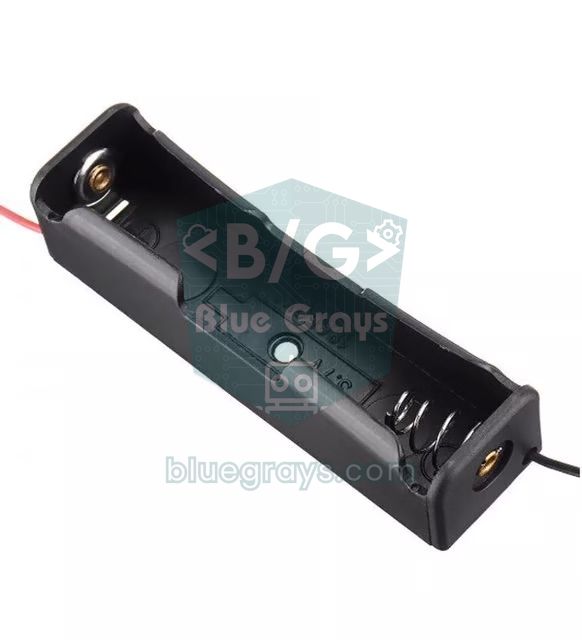
| 2 × 18650 (7.4 V, 2500 mAh) | VIN; LM2596 set to 5–6 V for the servo | About 1.5 days | Rechargeable; needs a 2S charger and protection board |
| 10,000 mAh power bank | USB | 3–4 days | Some power banks switch off with loads below 50–100 mA |
| 5 V 2 A adapter | USB or 5V pin | Unlimited | Best choice for permanent use at home |
The conclusion from the table is clear: a battery-powered Uno bin is ideal for presentations and demos, but for a bin that will run at home for months, use a 5 V adapter. How to set the step-down module you put between two 18650s and the servo is covered in the LM2596 article. If you really want to stretch battery life, you can use an Arduino Pro Mini with its power LED removed instead of the Uno, put the processor to sleep between readings and light the LEDs only briefly when the lid opens; with these measures the average current drops to 15–20 mA and the same batteries last 4–5 times longer. The differences between the ways of powering an Arduino (USB, DC jack, VIN, 5V pin) are in the How to power an Arduino article.
Fill-level alert with ESP32 (Telegram)
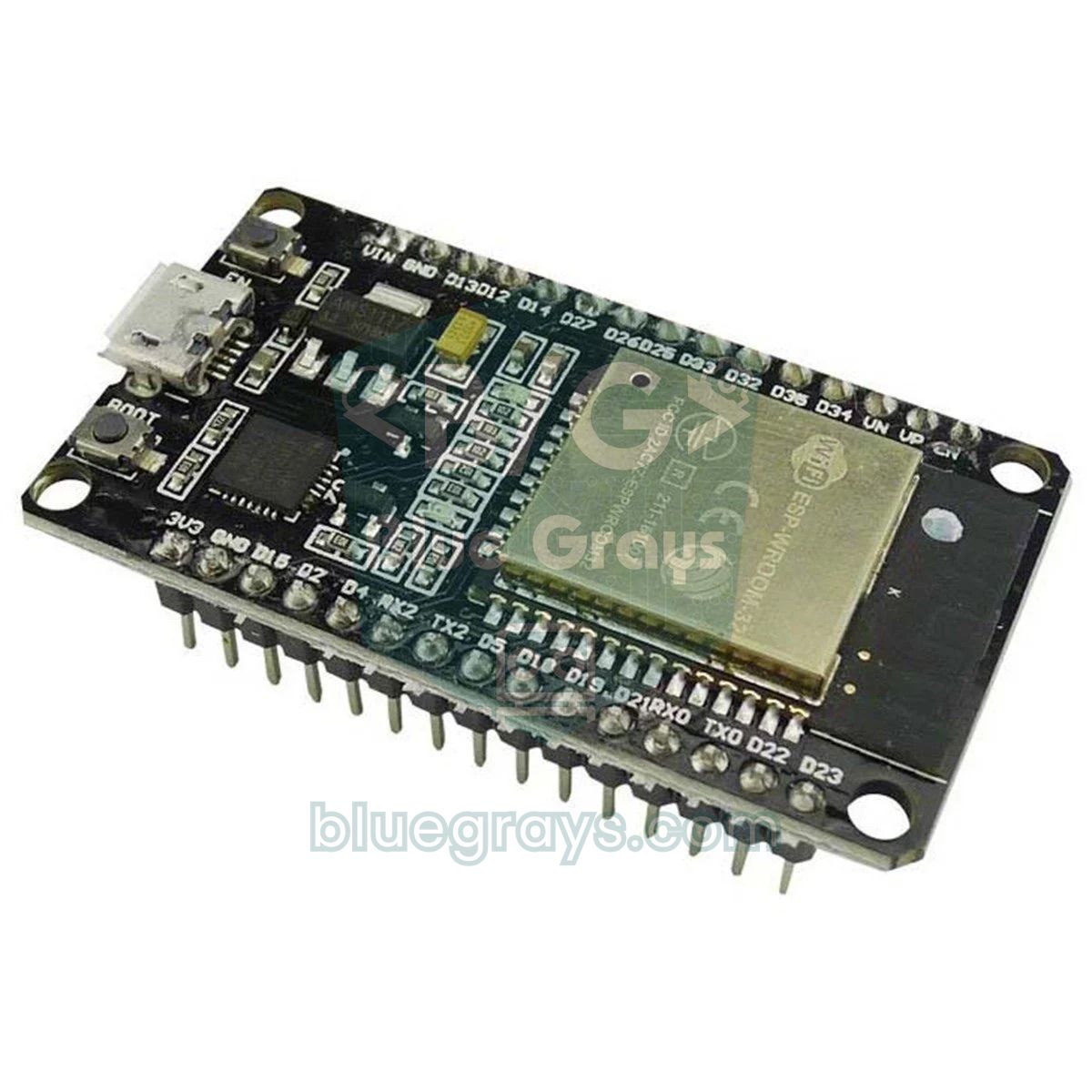
To see the LED when the bin is full you have to walk over to it; an ESP32, on the other hand, can send that information straight to your phone. The easiest way is Telegram, because it's free and you can set up your own bot in minutes. In Telegram, message @BotFather, create a bot with the /newbot command and note the token it gives you. Then send /start to your own bot once; a bot can't message someone who has never talked to it. To find your chat ID, you can message a bot such as @userinfobot or use the Bot API's getUpdates request. The code needs no extra library: it sends a request to Telegram's sendMessage address with the ESP32's own HTTPClient.
The code uses the same state machine as the Uno version; only the servo signal is generated with the ESP32's PWM unit, LEDC, instead of the Servo library. In a 50 Hz signal, a pulse of 0.544–2.4 ms corresponds to 0–180 degrees, and stopping the pulses (writing 0 with ledcWrite) releases the servo. The code is for version 3.x of the ESP32 Arduino core; version 2.x has no ledcAttach() function, so update the core in the Boards Manager.
1// ESP32 Arduino çekirdeği 3.x / ESP32 Arduino core 3.x
2#include <WiFi.h>
3#include <WiFiClientSecure.h>
4#include <HTTPClient.h>
5
6const char* WIFI_SSID = "WIFI_ADIN";              // kendi ağın / your network
7const char* WIFI_PASS = "WIFI_SIFREN";
8const char* BOT_TOKEN = "123456789:ABCdefGhIJKlmNoPQRstuVWxyz";  // BotFather'dan / from BotFather
9const char* CHAT_ID   = "123456789";              // senin sohbet kimliğin / your chat ID
10
11// Pinler: ECHO'lar 1 kΩ / 2 kΩ bölücüyle / Pins: ECHOs via a 1 kΩ / 2 kΩ divider
12const int HAND_TRIG = 18, HAND_ECHO = 19;
13const int FILL_TRIG = 25, FILL_ECHO = 26;
14const int SERVO_PIN = 13;
15const int LED_GREEN = 27, LED_YELLOW = 32, LED_RED = 33;
16const int BUZZER = 23;
17
18const int HAND_CM = 20;
19const int LID_CLOSED = 10, LID_OPEN = 110;
20const unsigned long OPEN_TIME = 4000, CLOSE_STEP_MS = 20;
21const int EMPTY_CM = 35, FULL_CM = 8;
22const int NOTIFY_PCT = 85;                        // bu yüzdede bildir / notify at this percent
23const int RESET_PCT = 30;                         // bunun altına inince "boşaltıldı" / below this: "emptied"
24
25enum LidState { CLOSED, OPEN, CLOSING };
26LidState state = CLOSED;
27unsigned long lastHand = 0, lastHandPing = 0, closeStart = 0, closedAt = 0, lastFill = 0, lastTry = 0;
28int fillPercent = 0;
29byte handHits = 0;
30bool notified = false, servoOn = false, fullWarned = false;
31
32void servoWrite(int angle) {                      // 0–180° → 544–2400 µs, 50 Hz
33  uint32_t us = map(angle, 0, 180, 544, 2400);
34  ledcWrite(SERVO_PIN, us * 16384 / 20000);       // 14 bit, 20 ms periyot / 14-bit, 20 ms period
35  servoOn = true;
36}
37
38void servoRelease() {                             // darbe yok: servo serbest kalır / no pulses: the servo relaxes
39  ledcWrite(SERVO_PIN, 0);
40  servoOn = false;
41}
42
43int pingCm(int trig, int echo) {
44  digitalWrite(trig, LOW);  delayMicroseconds(2);
45  digitalWrite(trig, HIGH); delayMicroseconds(10);
46  digitalWrite(trig, LOW);
47  unsigned long t = pulseIn(echo, HIGH, 30000UL);
48  return t == 0 ? 999 : (int)(t / 58);            // 999 = yankı yok / 999 = no echo
49}
50
51int medianCm(int trig, int echo) {                // 5 ölçümün ortancası / median of 5 readings
52  int v[5];
53  delay(60);                                        // önce el sensörünün yankısı sönsün / first let the hand sensor's echo die out
54  for (int i = 0; i < 5; i++) {
55    v[i] = pingCm(trig, echo);
56    delay(60);
57  }
58  for (int i = 0; i < 4; i++)
59    for (int j = i + 1; j < 5; j++)
60      if (v[j] < v[i]) { int tmp = v[i]; v[i] = v[j]; v[j] = tmp; }
61  return v[2];
62}
63
64int toPercent(int cm) {
65  long p = (long)(EMPTY_CM - cm) * 100 / (EMPTY_CM - FULL_CM);
66  return (int)constrain(p, 0L, 100L);
67}
68
69void showLevel() {
70  digitalWrite(LED_GREEN, fillPercent < 50);
71  digitalWrite(LED_YELLOW, fillPercent >= 50 && fillPercent < 80);
72  digitalWrite(LED_RED, fillPercent >= 80);
73}
74
75void beep(int n) {
76  for (int i = 0; i < n; i++) {
77    digitalWrite(BUZZER, HIGH); delay(120);
78    digitalWrite(BUZZER, LOW);  delay(120);
79  }
80}
81
82String urlEncode(const String& s) {               // Türkçe harfler ve boşluk için / for Turkish letters and spaces
83  const char* hex = "0123456789ABCDEF";
84  String out;
85  for (size_t i = 0; i < s.length(); i++) {
86    uint8_t c = s[i];
87    if (isalnum(c) || c == '-' || c == '_' || c == '.' || c == '~') {
88      out += (char)c;
89    } else {
90      out += '%';
91      out += hex[c >> 4];
92      out += hex[c & 15];
93    }
94  }
95  return out;
96}
97
98bool sendTelegram(const String& text) {
99  if (WiFi.status() != WL_CONNECTED) return false;
100  WiFiClientSecure client;
101  client.setInsecure();                           // sertifika denetimi yok, hobi projesi için yeterli / no certificate check, fine for a hobby project
102  HTTPClient http;
103  String url = String("https://api.telegram.org/bot") + BOT_TOKEN +
104               "/sendMessage?chat_id=" + CHAT_ID + "&text=" + urlEncode(text);
105  if (!http.begin(client, url)) return false;
106  int code = http.GET();                          // 200 = gönderildi / 200 = sent
107  Serial.printf("Telegram HTTP %d\n", code);
108  http.end();
109  return code == 200;
110}
111
112void openLid() {
113  servoWrite(LID_OPEN);
114  state = OPEN;
115  if (fillPercent >= 90) beep(2);
116}
117
118void setup() {
119  Serial.begin(115200);
120  pinMode(HAND_TRIG, OUTPUT); pinMode(HAND_ECHO, INPUT);
121  pinMode(FILL_TRIG, OUTPUT); pinMode(FILL_ECHO, INPUT);
122  pinMode(LED_GREEN, OUTPUT); pinMode(LED_YELLOW, OUTPUT); pinMode(LED_RED, OUTPUT);
123  pinMode(BUZZER, OUTPUT);
124  ledcAttach(SERVO_PIN, 50, 14);                  // 50 Hz, 14 bit servo sinyali / 50 Hz, 14-bit servo signal
125  servoWrite(LID_CLOSED);
126  delay(500);
127  servoRelease();
128  WiFi.mode(WIFI_STA);
129  WiFi.begin(WIFI_SSID, WIFI_PASS);               // arka planda bağlanır; kutu Wi-Fi olmadan da çalışır / connects in the background; the bin works without Wi-Fi too
130  closedAt = millis();
131  showLevel();
132}
133
134void loop() {
135  unsigned long now = millis();
136
137  if (now - lastHandPing >= 60) {                 // el sensörü / hand sensor
138    lastHandPing = now;
139    int d = pingCm(HAND_TRIG, HAND_ECHO);
140    if (d >= 2 && d <= HAND_CM) {
141      if (handHits < 2) handHits++;
142    } else {
143      handHits = 0;
144    }
145    if (handHits >= 2) {
146      lastHand = now;
147      if (state != OPEN) openLid();
148    }
149  }
150
151  if (state == OPEN && now - lastHand >= OPEN_TIME) {
152    state = CLOSING;
153    closeStart = now;
154  }
155
156  if (state == CLOSING) {                         // yavaş kapanma / slow close
157    int moved = (now - closeStart) / CLOSE_STEP_MS;
158    int range = abs(LID_OPEN - LID_CLOSED);
159    if (moved >= range) {
160      servoWrite(LID_CLOSED);
161      state = CLOSED;
162      closedAt = now;
163    } else {
164      servoWrite(LID_OPEN > LID_CLOSED ? LID_OPEN - moved : LID_OPEN + moved);
165    }
166  }
167
168  if (state == CLOSED && servoOn && now - closedAt > 400) servoRelease();
169
170  if (state == CLOSED && now - closedAt > 1000 && now - lastFill >= 3000) {
171    lastFill = now;
172    int cm = medianCm(FILL_TRIG, FILL_ECHO);
173    if (cm < 999) fillPercent = toPercent(cm);
174    showLevel();
175    Serial.printf("Doluluk / Fill: %d cm = %%%d\n", cm, fillPercent);
176
177    if (fillPercent >= 90 && !fullWarned) { fullWarned = true; beep(3); }
178    if (fillPercent < 70) fullWarned = false;
179
180    // Bildirim: kapak kapalıyken, en fazla dakikada bir dene / Notify: only with the lid closed, retry at most once a minute
181    if (!notified && fillPercent >= NOTIFY_PCT && (lastTry == 0 || now - lastTry > 60000UL)) {
182      lastTry = now;
183      notified = sendTelegram("Çöp kutusu %" + String(fillPercent) + " dolu, boşaltma zamanı. / The bin is " +
184                              String(fillPercent) + "% full.");
185    }
186    if (notified && fillPercent < RESET_PCT) {   // boşaltıldı: yeniden kur / emptied: re-arm
187      notified = false;
188      lastTry = 0;
189      sendTelegram("Çöp kutusu boşaltıldı. / The bin has been emptied.");
190    }
191  }
192}
The alert is sent once when the bin reaches 85% and re-armed with an "emptied" message when the level drops below 30%, so your phone doesn't buzz every 3 seconds. If there's no Wi-Fi or sending fails, the code retries once a minute and the bin keeps working normally in the meantime. Sending a message takes 1–3 seconds because of the encrypted (TLS) connection, which is why the code only sends while the lid is closed. setInsecure() connects without verifying the server's certificate; that's fine for a hobby project, but remember the token is secret information and delete it before sharing your code. If you see "Telegram HTTP 200" in the serial monitor, the message has gone; 401 means the token is wrong, 400 means the chat ID is wrong, and 403 means you haven't sent /start to the bot yet. For a full bot that responds to commands, see the ESP32 Telegram bot guide.
Smart dustbin with the Raspberry Pi Pico (MicroPython)
On the Raspberry Pi Pico the same logic is built with MicroPython. The time_pulse_us() function works like pulseIn() on the Arduino; since it returns a negative value when there's no echo, we treat that as 999, meaning "no echo". The servo uses 50 Hz PWM and duty_ns(), which takes the pulse width in nanoseconds; duty_ns(0) stops the pulses and releases the servo. Time comparisons are done with ticks_ms() and ticks_diff(); ticks_diff gives the correct difference even when the counter wraps around. If you save the code to the Pico as main.py with Thonny, it runs on its own every time the board powers up. If you're using a Pico W, you can add the method from the Pico W web server article to show the fill level over Wi-Fi.
1from machine import Pin, PWM, time_pulse_us
2import time
3
4# Pinler: ECHO'lar 1 kΩ / 2 kΩ bölücüyle / Pins: ECHOs via a 1 kΩ / 2 kΩ divider
5hand_trig, hand_echo = Pin(2, Pin.OUT), Pin(3, Pin.IN)
6fill_trig, fill_echo = Pin(4, Pin.OUT), Pin(5, Pin.IN)
7green, yellow, red = Pin(10, Pin.OUT), Pin(11, Pin.OUT), Pin(12, Pin.OUT)
8buzzer = Pin(13, Pin.OUT)
9servo = PWM(Pin(15))
10servo.freq(50)                                  # servo için 50 Hz / 50 Hz for the servo
11
12HAND_CM = 20
13LID_CLOSED, LID_OPEN = 10, 110
14OPEN_MS, CLOSE_STEP_MS = 4000, 20
15EMPTY_CM, FULL_CM = 35, 8
16
17def ping_cm(trig, echo):
18    trig.low(); time.sleep_us(2)
19    trig.high(); time.sleep_us(10)              # 10 µs tetik / 10 µs trigger
20    trig.low()
21    t = time_pulse_us(echo, 1, 30000)           # yankı yoksa negatif / negative if there is no echo
22    return 999 if t < 0 else t // 58
23
24def median_cm(trig, echo):                      # 5 ölçümün ortancası / median of 5 readings
25    v = []
26    time.sleep_ms(60)                           # önce el sensörünün yankısı sönsün / first let the hand sensor's echo die out
27    for _ in range(5):
28        v.append(ping_cm(trig, echo))
29        time.sleep_ms(60)
30    v.sort()
31    return v[2]
32
33def servo_write(angle):                         # 0–180° → 544–2400 µs
34    servo.duty_ns((544 + angle * 1856 // 180) * 1000)
35
36def servo_release():                            # darbe yok: servo serbest / no pulses: servo relaxes
37    servo.duty_ns(0)
38
39def show_level(p):
40    green.value(p < 50)
41    yellow.value(50 <= p < 80)
42    red.value(p >= 80)
43
44def beep(n):
45    for _ in range(n):
46        buzzer.on(); time.sleep_ms(120)
47        buzzer.off(); time.sleep_ms(120)
48
49state = "closed"
50fill, hits, warned, released = 0, 0, False, False
51last_hand = last_ping = close_start = last_fill = time.ticks_ms()
52servo_write(LID_CLOSED)
53time.sleep_ms(500)
54servo_release()
55released = True
56closed_at = time.ticks_ms()
57show_level(fill)
58
59while True:
60    now = time.ticks_ms()
61
62    if time.ticks_diff(now, last_ping) >= 60:   # el sensörü, 60 ms'de bir / hand sensor, every 60 ms
63        last_ping = now
64        d = ping_cm(hand_trig, hand_echo)
65        hits = min(hits + 1, 2) if 2 <= d <= HAND_CM else 0
66        if hits >= 2:
67            last_hand = now
68            if state != "open":                 # kapanırken de yeniden açar / also reopens while closing
69                servo_write(LID_OPEN)
70                state, released = "open", False
71                if fill >= 90:
72                    beep(2)
73
74    if state == "open" and time.ticks_diff(now, last_hand) >= OPEN_MS:
75        state, close_start = "closing", now
76
77    if state == "closing":                      # yavaş kapanma / slow close
78        moved = time.ticks_diff(now, close_start) // CLOSE_STEP_MS
79        if moved >= abs(LID_OPEN - LID_CLOSED):
80            servo_write(LID_CLOSED)
81            state, closed_at = "closed", now
82        else:
83            servo_write(LID_OPEN - moved if LID_OPEN > LID_CLOSED else LID_OPEN + moved)
84
85    if state == "closed" and not released and time.ticks_diff(now, closed_at) > 400:
86        servo_release()
87        released = True
88
89    if state == "closed" and time.ticks_diff(now, closed_at) > 1000 and time.ticks_diff(now, last_fill) >= 3000:
90        last_fill = now
91        cm = median_cm(fill_trig, fill_echo)
92        if cm < 999:                            # yankı yoksa eski değer kalır / keep the old value if no echo
93            fill = max(0, min(100, (EMPTY_CM - cm) * 100 // (EMPTY_CM - FULL_CM)))
94        show_level(fill)
95        print("Doluluk / Fill:", cm, "cm =", fill, "%")
96        if fill >= 90 and not warned:
97            warned = True
98            beep(3)
99        if fill < 70:
100            warned = False
101
102    time.sleep_ms(5)
Tips for a school project presentation
The smart dustbin is a very common project at science fairs and school exhibitions such as TÜBİTAK 4006, so the judges are less interested in the lid opening and closing than in how you defined a problem, how you measured it and what you concluded. What turns your project from an ordinary demo into a scientific study is measurement: how many tries it opened on, how quickly it opened, how accurately it estimated the fill level, how many hours the batteries lasted. You can structure your presentation in this order:
- Problem: Touching the lid by hand spreads germs, and overflowing bins cause smells and insects. Start with real data by counting how many people touch the lid of a bin at your school during one break.
- Goal: A bin that opens without being touched, warns when it's full and can optionally notify your phone.
- How it works: Draw a single block diagram showing the sensor, the Arduino, the servo, the LEDs, the buzzer, the ESP32 and the phone. Explain the speed of sound and the divide-by-58 formula on one slide.
- Materials and cost: Present the parts list and your servo choice as a table, together with the torque calculation.
- Live demo: Bring your hand close and let the lid open. Fill the bin with paper and show the LED changing from green to yellow to red; project the Telegram message that arrives on your phone onto the screen.
- Test results: Fill in the table below with your own measurements and turn the results into charts.
- Conclusion and improvements: Explain honestly what worked well, what didn't, and what you'd change in the next version.
| Test | How to do it | Value to record |
|---|---|---|
| Detection distance | Hold your hand at 5, 10, 15, 20 and 25 cm, 10 times each | How many tries opened the lid at each distance (e.g. 10/10) |
| Response time | Film it in slow motion (240 fps) with a phone | Time between the hand appearing and the lid starting to move (ms) |
| False openings | Walk past the bin 20 times | Number of unwanted openings |
| Fill accuracy | Fill the bin with paper to a quarter, half and three quarters, measured with a ruler | Difference between the real fill level and the measured percentage |
| Closing speed | Set CLOSE_STEP_MS to 5, 20 and 40 ms | Closing time and noise level measured with a phone |
| Battery life | Run it on full batteries and measure the voltage every hour | How many hours the bin ran |
Ideas for improvement
- Bin with a display: Show the fill percentage and a bar graph on an OLED display.
- Spoken thank-you: Play a short "thank you" sound with a DFPlayer Mini every time the lid opens.
- Weight measurement: Put an HX711 and load cell under the bin to measure how many kilos of rubbish it holds, and combine volume and weight.
- Recycling sorter: Use a colour sensor and a second servo to direct waste into two compartments.
- Smell alert: Detect the air inside the bin going bad with an MQ-135.
- Solar-powered outdoor bin: Get rid of the cable completely with a small solar panel, an 18650 cell, a TP4056 charging module and a 5 V boost module.
- Fill-level log: Write the readings to Google Sheets with the ESP32 and chart which days the bin fills up fastest.
- School- or estate-wide: Monitor bins in the grounds where Wi-Fi doesn't reach from hundreds of metres away with a LoRa module.
Common mistakes and fixes
| Symptom | Likely cause | Fix |
|---|---|---|
| The lid opens and closes by itself | The sensor sees a nearby wall or people walking past | Lower HAND_CM, tilt the sensor upwards, leave 30 cm clear in front of it |
| The Arduino restarts when the lid opens | The servo's start-up current pulls the 5 V line down | 470 µF capacitor, power a strong servo separately, common GND |
| The servo buzzes and gets warm while the lid is closed | LID_CLOSED presses the lid against the rim | Back the angle off by 2–3 degrees; don't remove the detach() line |
| The lid stops halfway or shakes | Not enough torque or misaligned axes | Stronger servo, lighter lid, counterweight; line the servo shaft up with the hinge |
| The fill level is high even when the bin is empty | Bag edge in front of the sensor, or wall echoes in a narrow bin | Fold the bag outwards, centre the sensor, measure EMPTY_CM again |
| The fill level never changes | The sensor gets no echo (999) or the ECHO wire has come loose | Watch the raw cm value in the serial monitor and check the wiring |
| On the ESP32 the distance is always 999 or nonsense | ECHO divider missing or wrong, or wires swapped | Check the 1 kΩ / 2 kΩ divider and the TRIG-ECHO order |
| The ESP32 keeps restarting | Wi-Fi and the servo draw current at the same time, weak USB cable | Use a short, good-quality cable and power the servo from a separate 5 V supply |
| No Telegram message arrives | Wrong token or chat ID, /start not sent to the bot | Read the HTTP code in the serial monitor (401, 400, 403) |
Because a smart dustbin brings sensor reading, servo control, timing and power planning together in one project, it's one of the most enjoyable ways to learn Arduino. Once you've built it, making a parking sensor or an automatic door with the same parts becomes much easier. In the BlueGrays app you'll find step-by-step projects for distance measurement with the HC-SR04, servo control, using a buzzer, an ESP32 parking sensor and a motion alarm with Telegram alerts, complete with circuit diagrams and ready-made code.
Frequently asked questions
What materials do I need for an Arduino smart dustbin?
For the basic version, an Arduino Uno or Nano, one HC-SR04 ultrasonic sensor, a servo suited to the weight of the lid (an SG90 for a light lid, an MG996R for a real bin lid), jumper wires and a 5 V power supply are enough. To measure the fill level, add a second HC-SR04, three LEDs with 220 Ω resistors and an active buzzer. If you want phone alerts, you can use an ESP32 instead of the Arduino.
How does a smart dustbin work?
The ultrasonic sensor on the front of the bin sends out a sound wave and measures how long the echo takes to come back; when it sees a hand closer than 20 cm, the Arduino opens the lid with a servo motor. A few seconds after the hand is gone, the lid closes slowly. A second sensor under the lid measures the height of the rubbish and shows the fill level with LEDs and a buzzer.
Why can't my servo lift the dustbin lid?
Usually the servo's torque is too low for the lid. The torque needed is the weight of the lid multiplied by the distance from the hinge to its centre of mass; a 120 g, 25 cm lid needs about 1.5 kg·cm, which is at the limit of an SG90. Choose a servo rated for twice your calculation, make the lid lighter or add a counterweight, and make sure the servo's power supply can deliver enough current.
Can I use an IR sensor instead of the HC-SR04 in a smart dustbin?
Yes, an IR obstacle sensor such as the FC-51 can detect a hand from 2 to 30 cm, and the code is even simpler because it only tells you whether something is there or not. However, it's affected by sunlight and sees dark surfaces later. A PIR sensor isn't suitable for a bin lid, because it triggers for everyone who walks past.
How long does an Arduino smart dustbin run on batteries?
An Arduino Uno-based bin draws 70–80 mA on average, so it runs about one day on 6 AA batteries, about a day and a half on two 18650 cells and 3–4 days on a 10,000 mAh power bank. A 5 V adapter is recommended for permanent use. A Pro Mini, sleep mode and lighting the LEDs only when needed can make the batteries last 4–5 times longer.
How do I get a phone notification when the bin is full?
The ESP32 connects to Wi-Fi and, when the fill level passes the percentage you set, sends a request to the Telegram Bot API that delivers a message to your phone. For this you need a bot token from BotFather and your own chat ID. To avoid sending the same alert over and over, the code waits until the bin has been emptied.
Projects to build after reading this
See all projects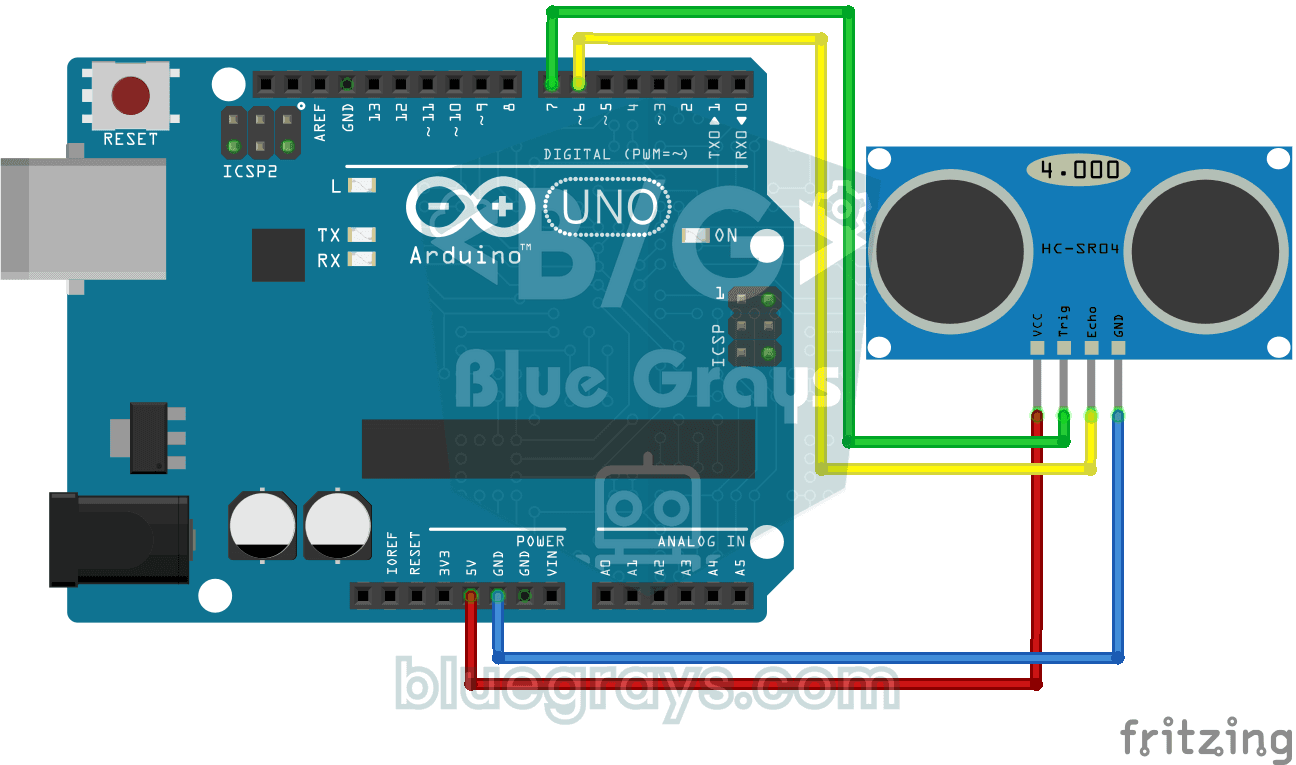
HC-SR04 Distance Measurement (Serial Display)
The HC-SR04 sensor works just like a bat finding its way in the dark: it sends out a sound you cannot hear, listens for the echo and measures how far away the object in front of it is. The Arduino wri
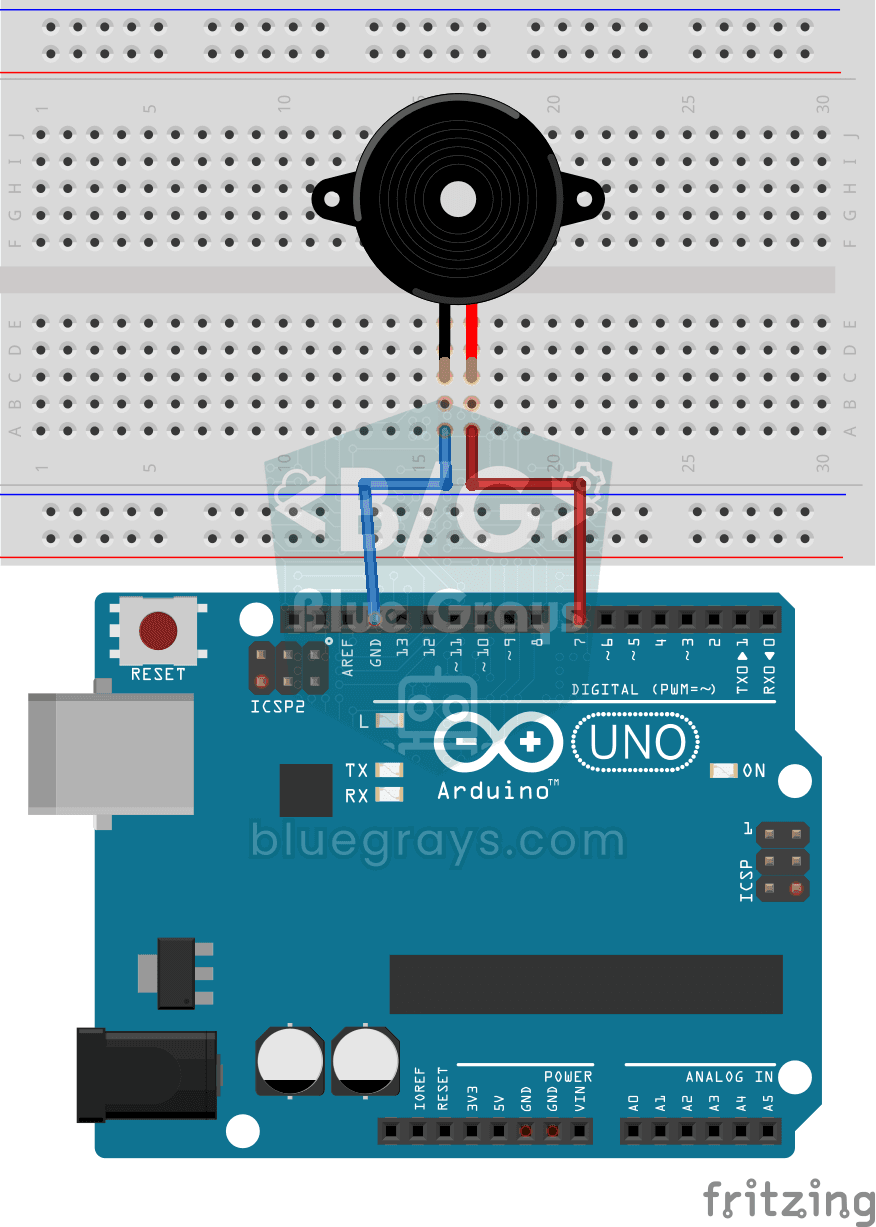
Using a Buzzer
Ever wondered how a doorbell or an alarm makes its sound? The Arduino makes a small buzzer beep at short intervals: beep, pause, beep, pause. You see how sound is made with electricity and take the fi
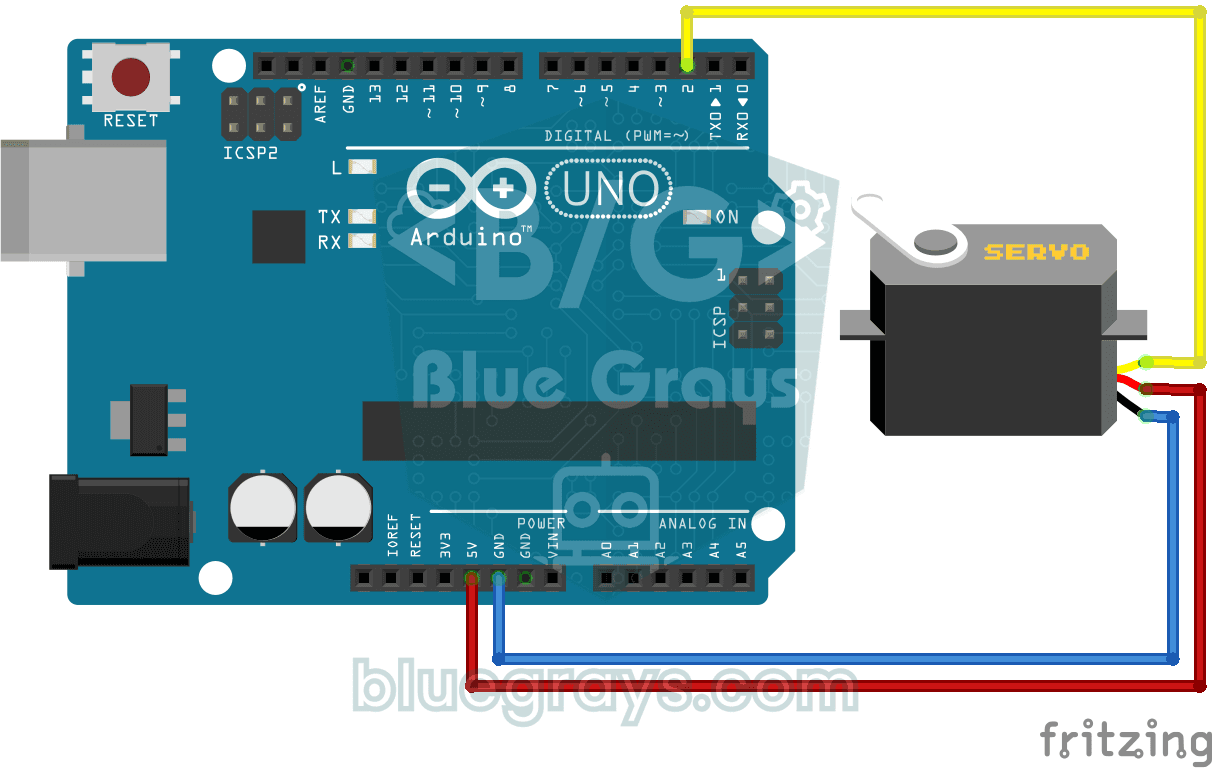
Using a Servo Motor
The arm of a small servo motor turns to three positions in turn: all the way to the start, right to the middle and all the way to the end, waiting two seconds at each stop. The Arduino tells the motor
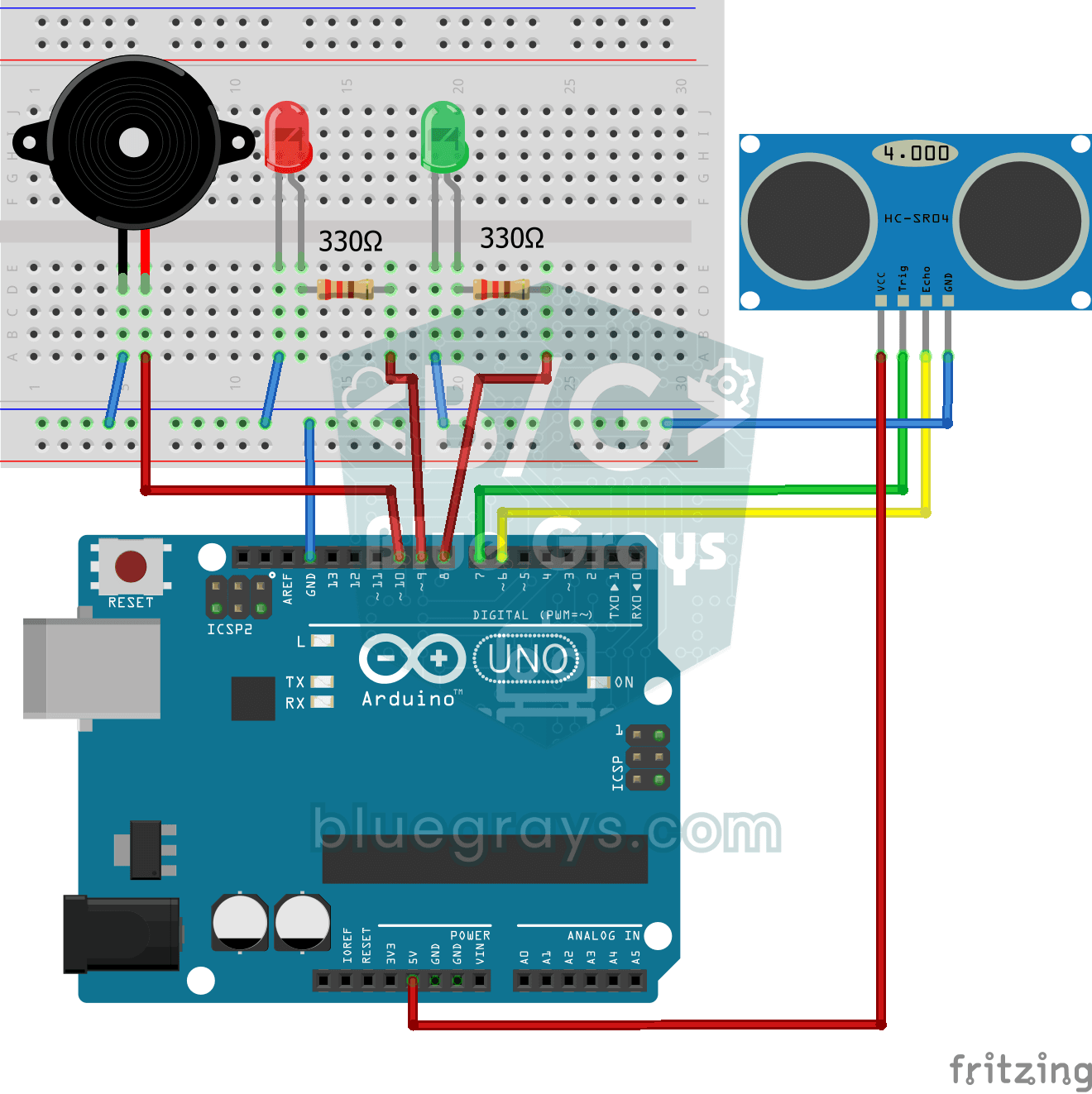
Parking Sensor with HC-SR04
A mini version of a car's parking sensor: the closer something gets, the faster the beeps. The distance sensor measures the object in front of it; if it is more than 20 centimetres away the green LED

ESP32 HC-SR04 Ultrasonic Distance Sensor
The HC-SR04 ultrasonic sensor calculates distance by measuring the time it takes for the sound wave it emits to bounce off an object and return (Time of Flight). In this project, we will send a 10-microsecond pulse from the ESP32 to the sensor's TRIG pin and read the echo duration from the ECHO pin using `pulseIn()`. We will display the calculated distance in centimeters on a 16x2 I2C LCD. Since the HC-SR04 operates at 5V, a **voltage divider** is required on the ECHO pin—otherwise, the ESP32’s

ESP32 Servo Motor (Potentiometer Control)
In this project, we control an SG90 servo motor using a potentiometer. We adjust the servo angle by mapping the analog value read from the potentiometer to the 0–180-degree range. The ESP32Servo library generates servo signals on suitable output-capable GPIO pins of the ESP32; this project uses GPIO 18. This is a fundamental control method for robotic arms, camera gimbals, and automatic door mechanisms.

ESP32 Parking Sensor (HC-SR04 + 5-LED Bar + Buzzer + OLED)
The ESP32 version of the car parking sensor! We use the HC-SR04 ultrasonic sensor to measure the distance to the object in front of it. As the distance decreases, the 5-LED bar fills up (green → yellow → red) and the buzzer beep interval shortens. When the object gets very close (under 10 cm), a continuous alarm sounds and all LEDs light up. The SSD1306 OLED display shows the current distance in cm in large font, a status message (STOP / CAUTION / CLOSE / STOP! / DANGER), and a simulation of the
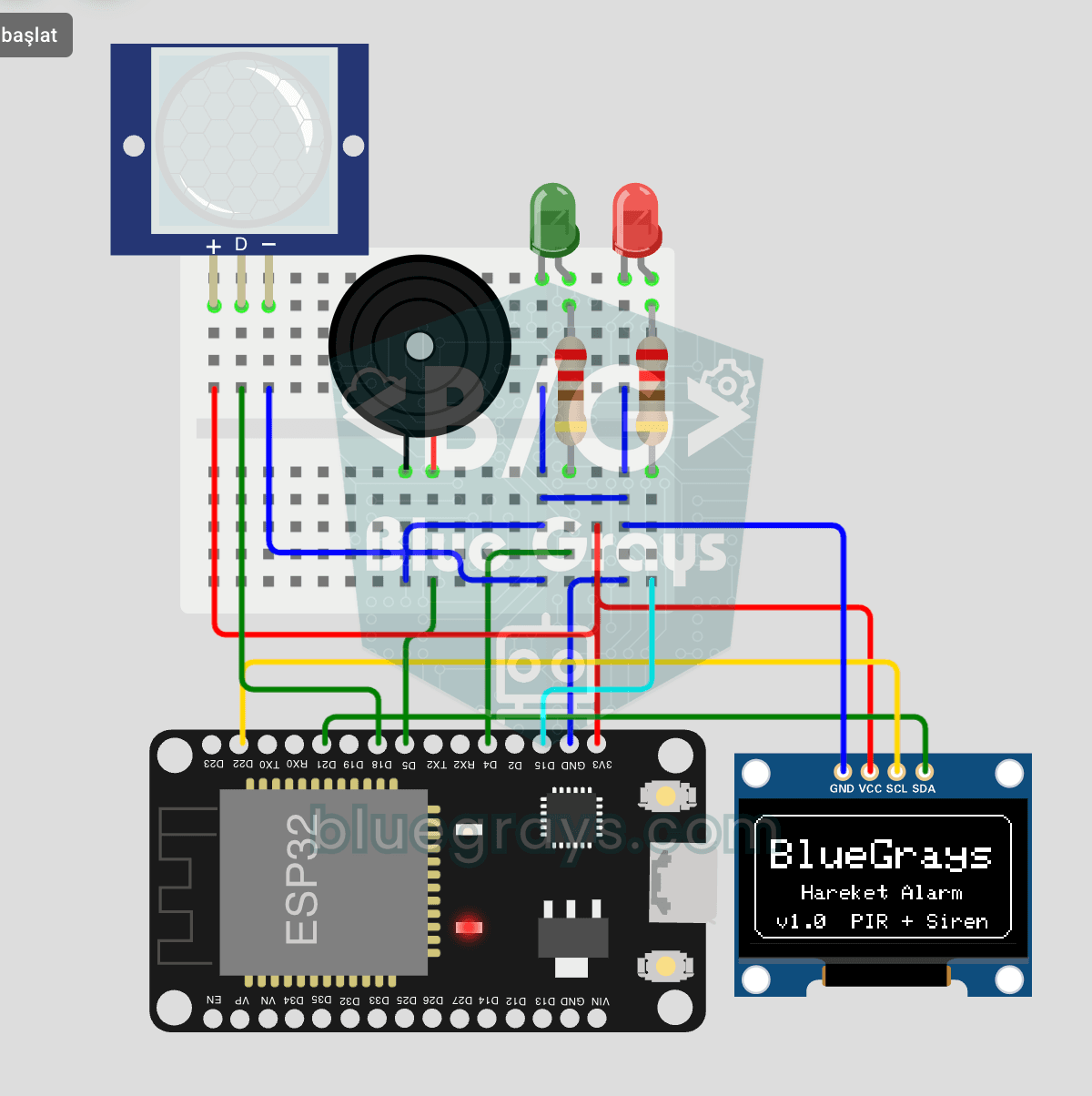
ESP32 Motion Alarm System (PIR + Buzzer + LED + Telegram)
A smart security alarm system that activates the buzzer and LED when the PIR sensor detects motion, while simultaneously sending an instant notification to the owner via Telegram. It includes a 30-second cooldown to limit the frequency of repeated alarms; this mechanism does not validate PIR detections or eliminate false triggers. Suitable for home security, garage monitoring, warehouses, or workrooms. With ESP32-CAM, photo notifications can be added; with the classic ESP32 DevKit V1, text notif