
Arduino Science Fair Projects: 25 Ideas from Grade 3 to 12
25 Arduino and ESP32 science fair project ideas for elementary, middle and high school, with parts and costs, sample code, report, poster and judging tips.
Looking for Arduino science fair project ideas? This guide collects 25 science fair and research project ideas you can build with an Arduino, an ESP32 or a Raspberry Pi Pico, sorted into elementary, middle and high school level. For each idea you'll find the problem it solves, how it works (the method), the parts you need and an approximate cost. The list was written for Turkey's TÜBİTAK 4006 school science fairs and 2204 research competitions, but every idea works just as well at a school STEM day or an ISEF-style science fair.
What makes a project strong in front of judges isn't an expensive board; it's defining a real problem, measuring something and interpreting the results honestly. That's why the second half of this article also covers sample code, how to get your measurements into Excel, the sections of a project report, the poster layout and the questions judges ask most often. If you're new to electronics, start with What Is Arduino?.
What are TÜBİTAK 4006 and 2204, and how do they differ?
The TÜBİTAK 4006 Science Fairs Support Programme helps students in grades 5 to 12 present sub-projects, prepared under a supervising teacher, at a science fair held at their own school. It isn't a competition and no places are awarded; a teacher at the school applies as project coordinator, not the students, and TÜBİTAK sends the school a budget for the fair. 2204, on the other hand, is a competition: 2204-B is for middle school and 2204-A for high school students. Finished projects are submitted as a report, those that pass the first review are presented to judges at a regional exhibition, and regional winners go on to the national final. The main rules for 2026–2027 are:
| Item | 4006 science fair | 2204-B middle school | 2204-A high school |
|---|---|---|---|
| Who can take part? | Grades 5–12 at state schools, BİLSEM gifted centres and special-education schools (private schools can't apply) | Middle school students | High school students (under 20) |
| Who applies? | The teacher acting as project coordinator | The supervising teacher (a supervisor is required) | The student (a supervisor is optional) |
| Team | 2–4 students and at most 2 supervisors per sub-project | Up to 3 students, 1 supervisor | Up to 3 students, at most 1 supervisor |
| Project type and field | Research, Review or Design; 12 main fields and 67 themes | 10 main fields (including Technological Design and Software) plus a theme | 12 main fields (including Technological Design and Software) plus a theme |
| What you submit | Sub-project form: aim 20–50, method 50–150, expected result 50–150 words | A 2–20 page PDF report based on the template, with a 150–250 word abstract | A 2–20 page PDF report based on the template, with a 150–250 word abstract |
| Evaluation | Each sub-project is scored online by at least 3 external reviewers | First review, regional exhibition, final | First review, regional exhibition, final |
| 2026–2027 calendar | Applications 21 Sep – 13 Nov 2026, fairs 1 Mar – 5 Jun 2027 | Applications 21 Oct 2026 – 10 Feb 2027 | Applications 23 Sep 2026 – 4 Jan 2027 |
For 4006, a school applies with at least 10 and at most 20 sub-projects. In the 4006-A call, open to every eligible school, sub-projects must cover at least five different themes; in 4006-B, open to schools that have already held at least two fairs, at most five themes are chosen and only the Research and Design types are accepted. The fair runs for at least two and at most three full school days. The 13th call lists support of 7,000 TL per fair for preparation plus 750 TL (4006-A) or 1,150 TL (4006-B) per sub-project, and says the amounts will be updated for inflation. Arduino projects usually fall under the Technology and Design or Information Technology and Software field and themes such as "Robotics and Coding", "Natural Disasters and Disaster Management" or "Accessible Living Technologies". Calendars and amounts change every year, so read that year's call with your supervising teacher before you apply.
What turns an Arduino build into a research project: a measurable question
The criticism judges make most often is that a circuit with thousands of examples online is presented simply because "it works". In the 2204 preliminary scoring form the biggest weights go to creativity and impact and results and discussion, and 4006 sub-projects are scored on aim, method and expected result. The way to meet this is to turn the idea into a research question and to measure and compare something: decide up front what you change (the independent variable), what you measure (the dependent variable) and what you compare against (the control). The table shows how ordinary ideas become research questions:
| Ordinary idea | Research question | What you measure |
|---|---|---|
| Let's build a smart greenhouse | How much water does watering by soil moisture save compared with watering on a timer? | Water per week (litres) and plant height (cm) |
| Let's build an earthquake alarm | How do false alarms and detection time change as the alarm threshold changes? | Number of false alarms, detection delay (ms) |
| Let's build a smart cane | Does a vibration alert shorten reaction time to an obstacle compared with a sound alert? | Reaction time of blindfolded volunteers (s) |
| Let's build a solar tracker | What percentage more energy does a tracking panel produce in a day than a fixed one? | Daily energy (mWh) |
| Let's build an air quality meter | How much does opening the window at break reduce CO2 build-up during lessons? | CO2 (ppm) and time (min) |
7 easy project ideas for elementary school and grade 5
TÜBİTAK 4006 covers grades 5 to 12, so younger pupils can show these ideas at a school science day, in class activities or at a gifted-education centre, then develop them further for a fair in grade 5. At this level the rule is simple: one sensor, one output (an LED, a buzzer or a servo) and a teacher nearby. To write the code together you can use block-based tools such as mBlock. No mains-powered device is touched; everything runs from USB or batteries.
- 1. Energy-saving night light: Corridor and garden lights are often left on during the day. An LDR light sensor switches the LEDs on when it gets dark and off when it gets light. Pupils record light levels during the day and decide for themselves where to set the threshold; see LDR Light Sensor.
- 2. 20-second handwashing timer: Washing your hands for at least 20 seconds is recommended to reduce the spread of germs, but most of us stop too early. When the HC-SR04 distance sensor sees a hand reach the sink, four LEDs light up and then go out one by one every five seconds and a buzzer plays a short tune when time is up.
- 3. "My plant is thirsty" alarm: Classroom plants dry out over the weekend. A soil moisture sensor lights a red LED and beeps briefly when the soil is dry, and a green LED when it's moist. You can also measure how quickly different soil types dry out; see Soil Moisture Sensor.
- 4. School crossing light with a push button: Crossing the road in front of the school is hard. A pedestrian who presses the button gets a green light after a short wait, and for blind pedestrians a buzzer beeps throughout the green phase. The project is shown on a cardboard street model; see Arduino Traffic Light.
- 5. Classroom noise meter: It's hard to follow a lesson in a noisy room. A sound sensor measures the noise level: a green LED lights when it's quiet, yellow as it gets louder and red when it's very noisy. Pupils chart which lessons and times of day are the noisiest.
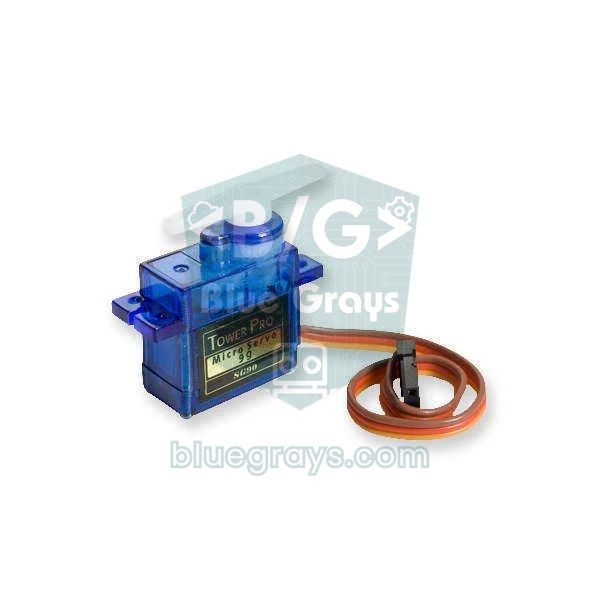
- 6. Touch-free bin: Touching a bin lid with your hand isn't hygienic. An HC-SR04 detects a hand approaching the lid, an SG90 servo opens it and closes it again a few seconds later; see Smart Trash Can.
- 7. Fridge door left open alarm: A door left open wastes energy and spoils food. A magnet stuck to the door and a reed switch on the frame detect when the door opens; if it stays open longer than 30 seconds, a buzzer sounds.
| Project | Parts (board not included) | Approx. cost | 4006 theme |
|---|---|---|---|
| Night light | LDR, 10 kΩ resistor, 3 LEDs, 220 Ω resistors | $1–2 | Responsible Production and Consumption |
| Handwashing timer | HC-SR04, 4 LEDs, active buzzer | $2–4 | Epidemics and Fighting Epidemics |
| Thirsty plant alarm | Soil moisture sensor, 2 LEDs, buzzer | $2–4 | Agriculture and Livestock Technologies |
| Push-button crossing light | 5 LEDs, push button, buzzer, cardboard model | $1–3 | Smart Transport Systems |
| Noise meter | KY-038 sound sensor, 3 LEDs | $1–3 | Healthy Living and Sport |
| Touch-free bin | HC-SR04, SG90 servo, box | $4–7 | Zero Waste and Recycling |
| Door-open alarm | Reed switch, magnet, buzzer, battery holder | $2–3 | Responsible Production and Consumption |
Costs are rough estimates for clone parts from online electronics shops in October 2026 and change with exchange rates and stock. The board, breadboard, jumper wires and USB cable aren't included; if your school already has a starter kit you'll often only need the sensors. You can see what a kit usually contains in Arduino Starter Kit, and you can try the circuit in Tinkercad before buying anything.
9 project ideas for middle school (4006 and 2204-B)
In middle school, projects combine two or three sensors and make a decision, such as "if the soil is dry and it's daytime, run the pump". If you're entering 2204-B, the project must be finished before you apply and must include measurements; for a 4006 fair it's enough to write the aim, method and expected result clearly and briefly. Most of the ideas below are built with an Arduino Uno; if you want to send the data to a phone, build the same circuit with an ESP32.
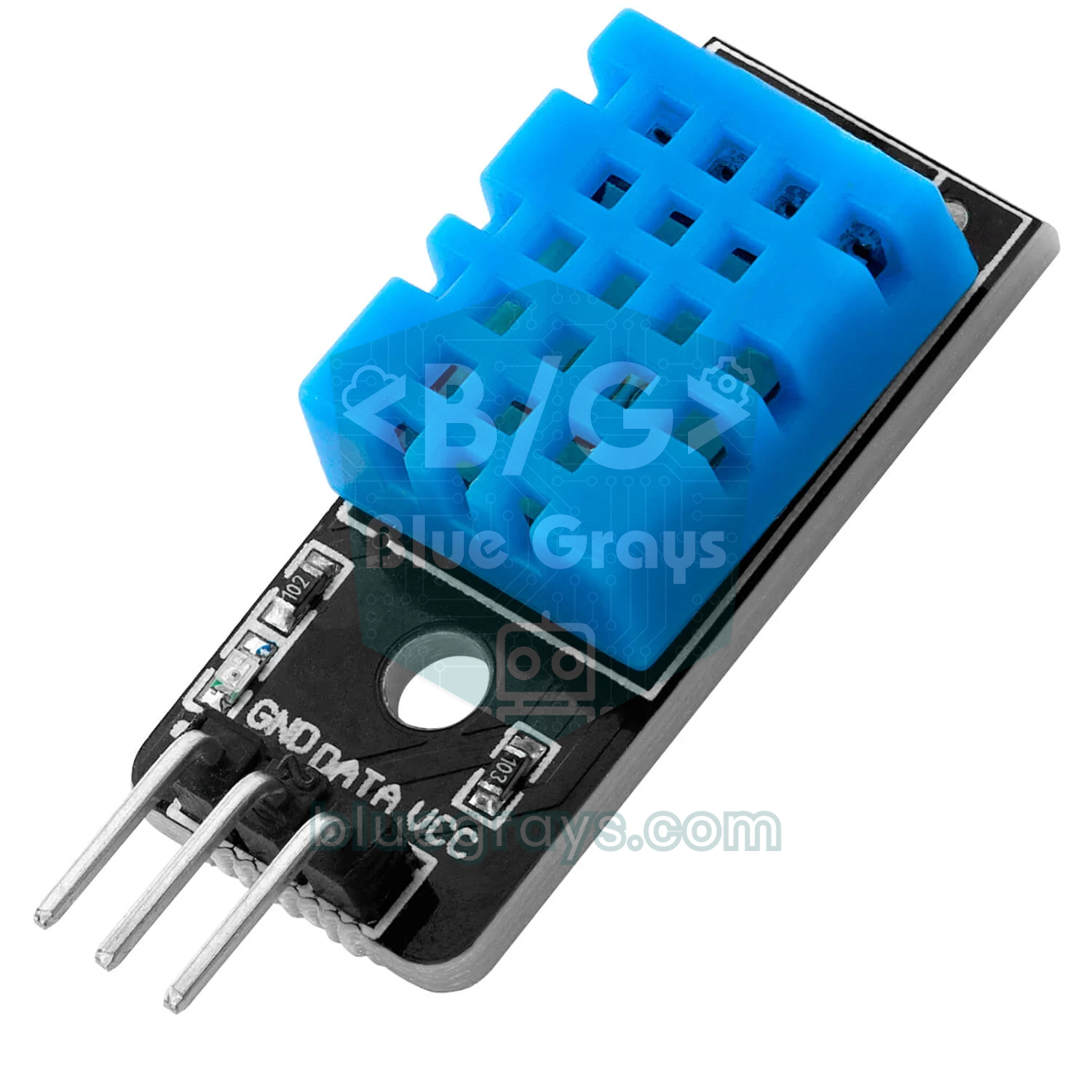
- 8. Smart greenhouse: Watering and ventilation in greenhouses are often done by guesswork. A DHT11 measures temperature and humidity, a soil moisture sensor the soil and an LDR the light; when the soil dries out a relay runs a mini water pump, and when it gets hot it runs a fan. Research question: how much water do the same plants use with sensor-based and timed watering? Details in Smart Greenhouse Project.
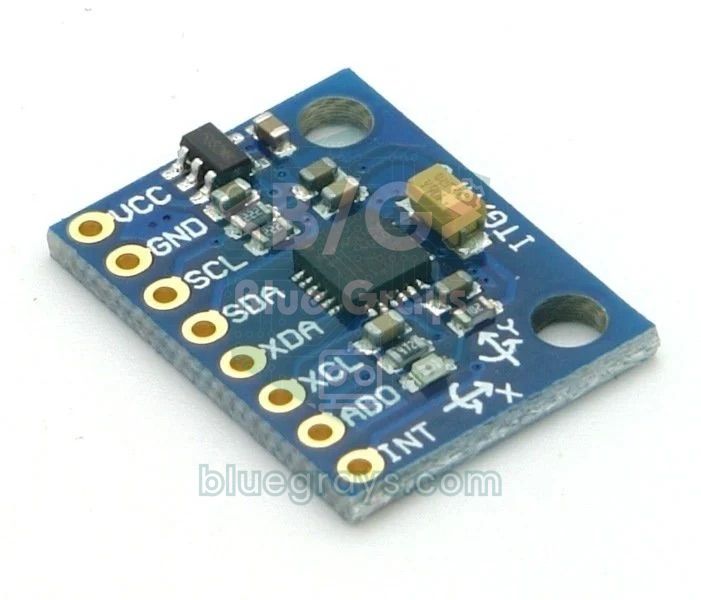
- 9. Earthquake alarm: Noticing shaking in the first seconds and raising a loud alarm is valuable, especially for people who are asleep. An MPU-6050 accelerometer records the acceleration at rest; if readings exceed a set threshold several times in a row, a buzzer and an LED switch on. The system doesn't predict earthquakes, it detects shaking, so say that clearly in your report. Code below.
- 10. Smart cane for blind people: A white cane finds obstacles on the ground but misses those at waist and chest height. An HC-SR04 on the cane measures the distance to an obstacle ahead; the closer it gets, the faster a vibration motor pulses, and very close up a buzzer sounds too. Code below; details in Smart Cane Project.
- 11. Water-saving meter: We don't know how many litres we use in the shower or at the sink. A YF-S201 flow sensor on the tap produces about 450 pulses per litre; the Arduino counts them, shows the water used on an LCD and warns when a limit is passed. A week of measurements compares the family's water use before and after the meter.
- 12. Early fire warning system: The first minutes of a fire at home or school are critical. A flame sensor watches for the infrared light of a flame, an MQ-2 for smoke and a DHT11 for a rapid rise in temperature; the alarm sounds only when two sensors trigger. This cuts false alarms compared with single-sensor systems; see Flame Sensor.
- 13. School weather station: Comparing textbook climate facts with your own school's data is eye-opening. A DHT22 measures temperature and humidity, a BMP280 air pressure and a rain sensor rainfall; readings are shown on a display and logged every hour. You can study the link between falling pressure and rain; see BME280 and BMP280.
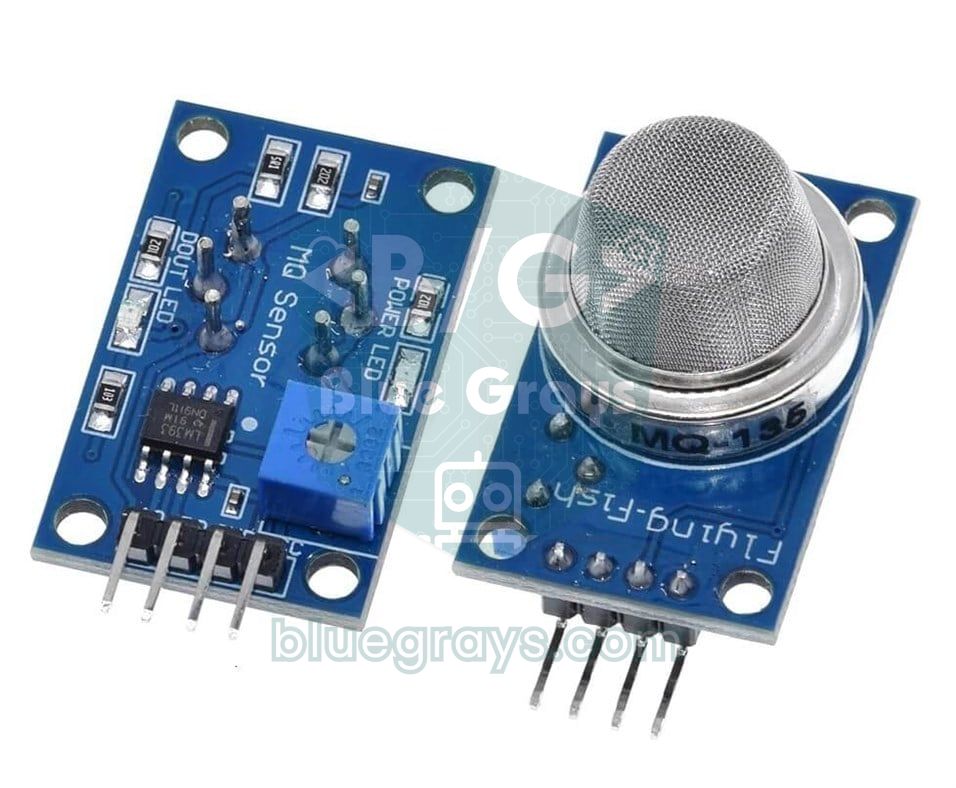
- 14. Classroom ventilation reminder: In a crowded, closed classroom the air quickly gets stale and attention drops. An MQ-135 air quality sensor tracks relative changes in the gases in the air; when the reading rises clearly above the starting value a yellow LED lights, then a red one, with a reminder to open the window; see MQ-135.
- 15. Smart car park (model): Cars looking for a space waste both time and fuel. An infrared sensor in each bay detects a car; a display at the entrance shows the free spaces and a servo barrier stays closed when the car park is full. On the model you can measure the average time to find a space.
- 16. Smart pill box: Older people may forget when to take their medicine or take the same pill twice. An RTC clock module triggers a buzzer and LED at medicine time; a reed switch on the compartment lid records whether it was opened, and the alert repeats if the pill wasn't taken; see RTC Clock Module.
| Project | Parts (board not included) | Approx. cost | 4006 theme |
|---|---|---|---|
| Smart greenhouse | DHT11, soil moisture sensor, LDR, relay, mini water pump, 5 V fan | $9–15 | Agriculture and Livestock Technologies |
| Earthquake alarm | MPU-6050 (or SW-420), buzzer, LED | $4–8 | Natural Disasters and Disaster Management |
| Smart cane | HC-SR04, vibration motor module, buzzer, battery and holder | $6–10 | Accessible Living Technologies |
| Water-saving meter | YF-S201 flow sensor, I2C LCD, buzzer, hose adapters | $10–15 | Responsible Production and Consumption |
| Early fire warning | Flame sensor, MQ-2, DHT11, buzzer, LED | $6–9 | Natural Disasters and Disaster Management |
| Weather station | DHT22, BMP280, rain sensor, OLED display | $11–18 | Global Warming and Climate Change |
| Ventilation reminder | MQ-135, 3 LEDs, buzzer | $4–7 | Healthy Living and Sport |
| Smart car park | 4 infrared obstacle sensors, SG90 servo, I2C LCD | $8–13 | Sustainable Cities and Communities |
| Smart pill box | RTC module, reed switch and magnet, buzzer, LED | $4–8 | Biomedical Device Technologies |
9 advanced project ideas for high school (4006 and 2204-A)
At high school level, judges expect a multi-dimensional solution: a system that collects data from sensors, makes decisions with it, informs the user and has its success measured. The 2204-A project guide, too, prefers an integrated system that informs farmers and gives them advice over a smart-farming gadget that only waters or lights plants. At this level the ESP32's Wi-Fi, data logging and comparing two setups come to the fore, so ESP32 boards are included in the parts in the table below. If you've never used an ESP32, start with What Is the ESP32?.
- 17. Seismic isolator test on a shake table: It's hard to show at school how the base isolators used in earthquake-resistant buildings work. Two model buildings, one with isolators and one without, stand on a table shaken by a servo or DC motor; one MPU-6050 measures acceleration at the base and another on the roof. An ESP32 logs the data and the roof-to-base acceleration ratio is compared for the two models.
- 18. Smart irrigation using the weather forecast: Watering the garden just before it rains wastes water. An ESP32 reads a capacitive soil moisture sensor and fetches tomorrow's chance of rain from the internet; if the soil is dry and no rain is expected, it switches a pump or solenoid valve through a relay. Water use is compared over a month with a plot watered on a timer; see ESP32 Weather API.
- 19. Fall detector for older people: For older people living alone, a delay in getting help after a fall can have serious consequences. An ESP32 and MPU-6050 worn at the waist detect a short free fall followed by a hard impact and stillness, then send a Telegram message to relatives. Tests are done with a dummy dropped onto a mat, not with people; see ESP32 Telegram Bot.
- 20. Solar tracker efficiency test: A fixed solar panel doesn't face the sun directly for most of the day. Two servos turn a panel towards the sun based on the difference in light between four LDRs; an identical second panel stays fixed, and current sensors measure the power from both throughout the day. Subtracting the energy the servos use from the energy gained shows whether the tracker really pays off; see Solar Tracker.
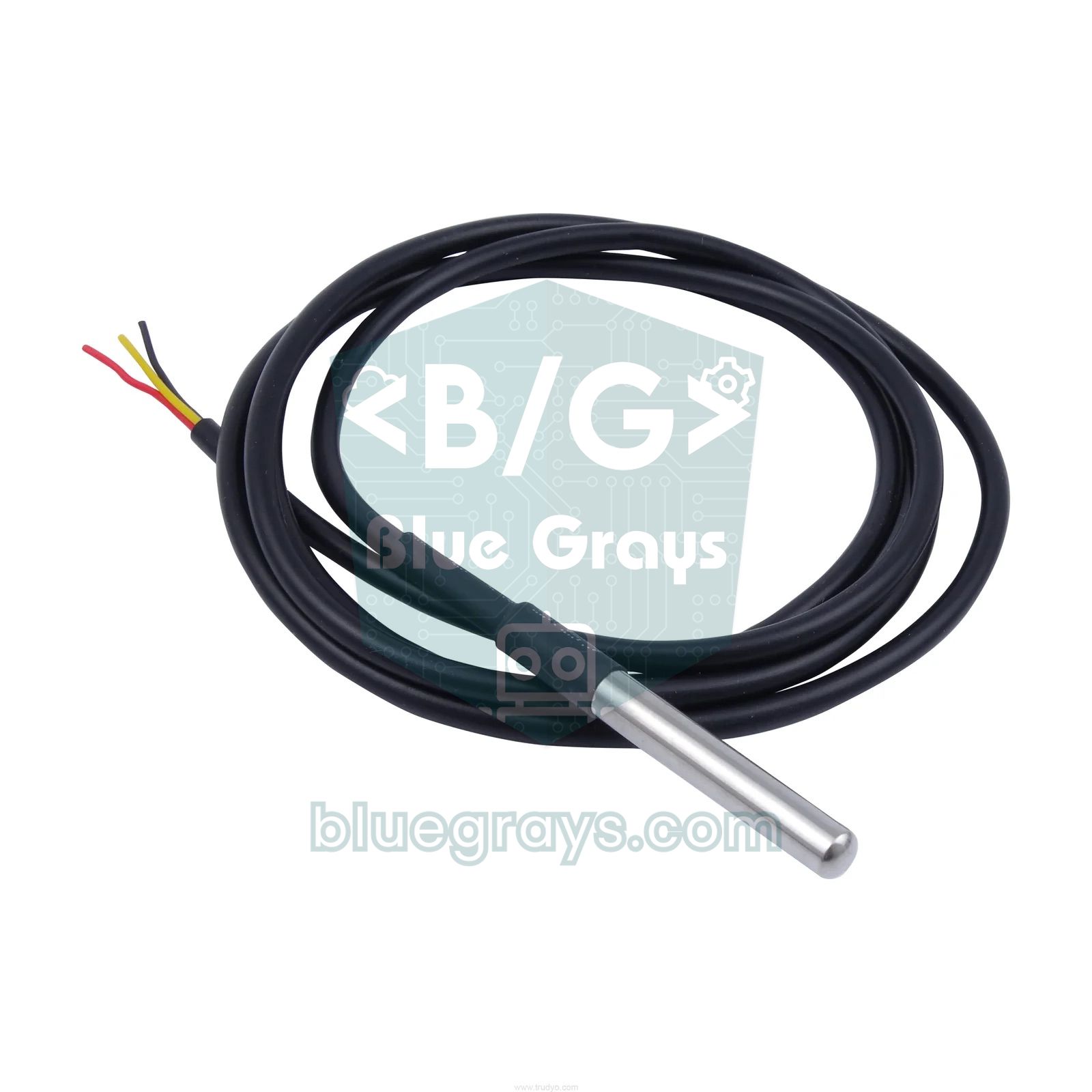
- 21. Water quality monitoring station: Measuring the difference between tap, filtered, bottled and stream water raises environmental awareness. A TDS sensor measures dissolved solids and a waterproof DS18B20 measures temperature; the TDS value is temperature-compensated and logged. State in your report that TDS alone doesn't tell you whether water is safe to drink; see TDS Sensor.
- 22. Waste-sorting recycling bin: Mixed waste makes recycling harder. An inductive sensor at the entrance detects metal, while a colour sensor or an image classification model trained on an ESP32-CAM tells plastic from paper; servos send each item to the right compartment. The system is judged by the percentage of items sorted correctly.
- 23. Forest fire sensor network: Spotting a forest fire while it's still small makes it far easier to put out. Two or three ESP32 nodes running on solar panels and batteries measure temperature, humidity and smoke and send the data via ESP-NOW to a central board, which sends a Telegram alert when a threshold is crossed. Between readings the nodes go into deep sleep; work out how many days the battery will last with the battery life tool.
- 24. Traffic-responsive junction: Fixed-time traffic lights make cars wait even on an empty road. On a four-way junction model, infrared sensors in each lane count waiting cars and the Arduino sets the green time according to queue length. With the same traffic scenario, the average waiting time of the fixed and adaptive systems is compared.
- 25. Classroom CO2 build-up study: CO2 rises in poorly ventilated classrooms, and many guidelines recommend keeping indoor levels below 1000 ppm. An NDIR CO2 sensor on an ESP32 logs the level every minute throughout lessons, comparing scenarios such as window closed, opened at break and kept ajar. The results go to the school management as a concrete ventilation proposal.
| Project | Parts | Approx. cost | Theme / 2204-A field |
|---|---|---|---|
| Shake table | ESP32, 2 MPU-6050, servo or DC motor and driver, model materials | $15–25 | Natural Disasters and Disaster Management / Physics |
| Smart irrigation | ESP32, 2 capacitive soil moisture sensors, relay, pump or 12 V solenoid valve | $18–28 | Agriculture and Livestock Technologies / Technological Design |
| Fall detector | ESP32, MPU-6050, LiPo battery, TP4056 charger module, buzzer | $13–20 | Wearable Technologies / Technological Design |
| Solar tracker | ESP32, 2 small solar panels, 4 LDRs, 2 servos, 2 INA219 current sensors | $20–30 | Renewable Energy / Physics |
| Water quality | ESP32, TDS sensor, waterproof DS18B20, OLED display | $11–20 | Environment and Environmental Protection / Chemistry |
| Waste-sorting bin | Inductive sensor, TCS3200 colour sensor or ESP32-CAM, 2 servos | $15–25 | Zero Waste and Recycling / Technological Design |
| Forest fire network | 3 ESP32, DHT22, MQ-2, solar panel, 18650 cell and TP4056 | $40–60 | Forests and Forest Protection / Technological Design |
| Adaptive junction | Arduino, 12 LEDs, 8 infrared sensors, junction model | $8–15 | Smart Transport Systems / Software |
| CO2 study | ESP32, NDIR CO2 sensor, DHT22, OLED display | $25–45 | Healthy Living and Sport / Technological Design |
Sample code 1: Smart cane (Arduino Uno)
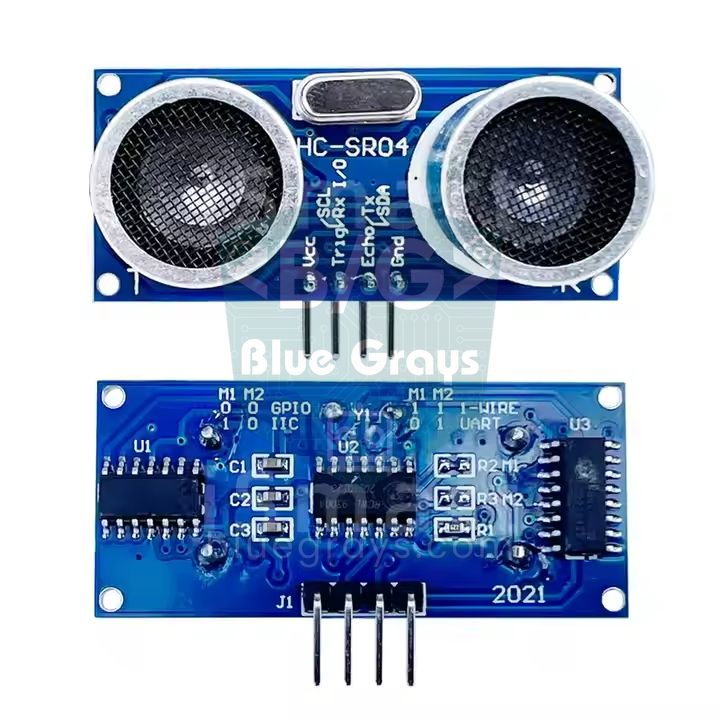
The code below measures distance with the HC-SR04 and alerts more often as an obstacle gets closer: beyond 150 cm it stays silent, between 80 and 150 cm it vibrates slowly, between 30 and 80 cm it vibrates quickly and sounds the buzzer, and below 30 cm it alerts continuously. Sound travels at about 343 m/s and has to go out and back, so the echo time in microseconds is divided by 58 to get centimetres. You'll find more about the sensor in HC-SR04 Distance Sensor. Wiring:
| Part | Arduino Uno pin | Note |
|---|---|---|
| HC-SR04 VCC and GND | 5V and GND | The sensor runs on 5 V |
| HC-SR04 TRIG | D9 | A 10 µs trigger pulse is sent |
| HC-SR04 ECHO | D10 | Goes HIGH for the length of the echo |
| Vibration motor module IN | D6 (PWM) | The module has a driver transistor on board |
| Active buzzer (+) | D8 | Negative lead to GND |
1const int TRIG = 9;     // HC-SR04 tetik pini / trigger pin
2const int ECHO = 10;    // HC-SR04 yankı pini / echo pin
3const int MOTOR = 6;    // titreşim motoru modülü (PWM) / vibration motor module (PWM)
4const int BUZZER = 8;   // aktif buzzer / active buzzer
5
6long mesafeOlc() {
7  digitalWrite(TRIG, LOW);
8  delayMicroseconds(2);
9  digitalWrite(TRIG, HIGH);       // 10 µs tetik darbesi / 10 µs trigger pulse
10  delayMicroseconds(10);
11  digitalWrite(TRIG, LOW);
12  unsigned long sure = pulseIn(ECHO, HIGH, 25000UL);  // en fazla ~4 m bekle / wait for up to ~4 m
13  if (sure == 0) return 999;      // yankı gelmedi: engel yok / no echo: no obstacle
14  return sure / 58;               // mikrosaniye -> cm / microseconds -> cm
15}
16
17void titret(int guc, bool ses, int bekle) {
18  analogWrite(MOTOR, guc);
19  digitalWrite(BUZZER, ses ? HIGH : LOW);
20  delay(60);                      // kısa titreşim / short pulse
21  analogWrite(MOTOR, 0);
22  digitalWrite(BUZZER, LOW);
23  delay(bekle);                   // titreşimler arası boşluk / gap between pulses
24}
25
26void setup() {
27  pinMode(TRIG, OUTPUT);
28  pinMode(ECHO, INPUT);
29  pinMode(MOTOR, OUTPUT);
30  pinMode(BUZZER, OUTPUT);
31  Serial.begin(9600);
32}
33
34void loop() {
35  long cm = mesafeOlc();
36  Serial.println(cm);             // Seri Çizici ile izle / watch it in the Serial Plotter
37
38  if (cm < 30) {                  // çok yakın: sürekli uyarı / very close: continuous alert
39    analogWrite(MOTOR, 255);
40    digitalWrite(BUZZER, HIGH);
41    delay(60);
42  } else if (cm < 80) {
43    titret(220, true, 120);       // yakın: sık titreşim ve ses / near: fast pulses and sound
44  } else if (cm < 150) {
45    titret(180, false, 400);      // orta: seyrek titreşim / medium: slow pulses
46  } else {
47    analogWrite(MOTOR, 0);        // engel yok / no obstacle
48    digitalWrite(BUZZER, LOW);
49    delay(60);
50  }
51}
Sample code 2: Earthquake alarm with the MPU-6050
Connect the MPU-6050 module with VCC to 5V, GND to GND, SDA to A4 and SCL to A5; the buzzer is on D8 and the LED on D13. At start-up the code measures the acceleration at rest for two seconds to set a baseline (about 1 g because of gravity). It then calculates the magnitude of acceleration every 10 ms; if the deviation from the baseline exceeds 0.08 g for five samples in a row, it raises the alarm and keeps sounding for five seconds after the shaking stops. Open the Serial Plotter (Tools > Serial Plotter) at 115200 baud to see the shaking as a graph; these graphs make good evidence for the results section of your report. Real earthquake early warning systems gain a few seconds by catching the faster P waves that arrive before the destructive S waves. Your device, by contrast, is a shake detector and knocking on the table will trigger it too; changing ESIK_G and ART_ARDA and counting the false alarms is what turns it into research. See MPU-6050 for details on the sensor.
1#include <Wire.h>
2
3const int MPU = 0x68;         // MPU-6050 I2C adresi (AD0 = GND) / I2C address (AD0 = GND)
4const int BUZZER = 8;
5const int LED = 13;
6const float ESIK_G = 0.08;    // alarm eşiği (g) / alarm threshold (g)
7const int ART_ARDA = 5;       // eşiği üst üste aşması gereken örnek / samples in a row over the threshold
8
9float taban = 1.0;            // sakin haldeki ivme, yaklaşık 1 g / acceleration at rest, about 1 g
10int sayac = 0;
11unsigned long sonAlarm = 0;
12
13int16_t oku16() {
14  uint8_t yuksek = Wire.read();
15  uint8_t dusuk = Wire.read();
16  return (int16_t)(((uint16_t)yuksek << 8) | dusuk);
17}
18
19float ivmeOku() {
20  Wire.beginTransmission(MPU);
21  Wire.write(0x3B);             // ACCEL_XOUT_H yazmacından başla / start at ACCEL_XOUT_H
22  Wire.endTransmission(false);
23  Wire.requestFrom(MPU, 6);
24  float x = oku16() / 16384.0;  // ±2 g aralığında 16384 = 1 g / at ±2 g, 16384 = 1 g
25  float y = oku16() / 16384.0;
26  float z = oku16() / 16384.0;
27  return sqrt(x * x + y * y + z * z);
28}
29
30void setup() {
31  Serial.begin(115200);
32  pinMode(BUZZER, OUTPUT);
33  pinMode(LED, OUTPUT);
34  Wire.begin();
35  Wire.beginTransmission(MPU);
36  Wire.write(0x6B);             // PWR_MGMT_1: sensörü uykudan uyandır / wake the sensor up
37  Wire.write(0);
38  Wire.endTransmission();
39  delay(100);
40
41  float toplam = 0;             // 2 saniyelik kalibrasyon, sensöre dokunma / 2 s calibration, don't touch it
42  for (int i = 0; i < 200; i++) {
43    toplam += ivmeOku();
44    delay(10);
45  }
46  taban = toplam / 200;
47}
48
49void loop() {
50  float fark = fabs(ivmeOku() - taban);   // sarsıntı = tabandan sapma / shaking = deviation from rest
51  if (fark > ESIK_G) {
52    if (sayac < ART_ARDA) sayac++;
53  } else {
54    sayac = 0;
55  }
56  if (sayac >= ART_ARDA) sonAlarm = millis();
57
58  bool alarm = (sonAlarm != 0) && (millis() - sonAlarm < 5000);  // 5 s daha çal / keep sounding for 5 s
59  digitalWrite(BUZZER, alarm ? HIGH : LOW);
60  digitalWrite(LED, alarm ? HIGH : LOW);
61
62  Serial.print("fark:");        // Seri Çizici etiketleri / Serial Plotter labels
63  Serial.print(fark, 3);
64  Serial.print(",esik:");
65  Serial.println(ESIK_G, 3);
66  delay(10);                    // saniyede yaklaşık 100 örnek / about 100 samples per second
67}
Collecting data with the ESP32 and Raspberry Pi Pico
The most valuable thing for your results section is regularly logged data. The ESP32 code below reads the MQ-135 from the ventilation project every 30 seconds and keeps the last 120 readings. Open the board's IP address on a phone or computer on the same Wi-Fi network to see the latest value, and use the "CSV indir / download" link to get the data into Excel. The MQ-135 module runs on 5 V and its analog output can reach 5 V, while ESP32 pins only tolerate 3.3 V, so connect AO to GPIO 34 through a voltage divider: 10 kΩ between AO and GPIO 34, 20 kΩ between GPIO 34 and GND (5 V × 20/30 ≈ 3.3 V). The reading isn't in ppm, it's a relative value; manufacturers recommend preheating the sensor for more than 24 hours before first use, and you should let it warm up for a few minutes before each measurement.
1#include <WiFi.h>
2#include <WebServer.h>
3
4const char* ssid = "AgAdi";          // Wi-Fi adın / your Wi-Fi name
5const char* password = "Sifre123";   // Wi-Fi şifren / your Wi-Fi password
6const int SENSOR = 34;               // MQ-135 AO, gerilim bölücü üzerinden / MQ-135 AO through a divider
7const int N = 120;                   // saklanan ölçüm sayısı / number of readings kept
8const unsigned long ARALIK = 30000;  // 30 saniyede bir ölç / measure every 30 s
9
10WebServer server(80);
11int deger[N];
12unsigned long saniye[N];
13unsigned long olcumSayisi = 0;
14unsigned long sonOlcum = 0;
15
16void olcumAl() {
17  int k = olcumSayisi % N;           // dolunca en eskinin üzerine yaz / overwrite the oldest when full
18  deger[k] = analogRead(SENSOR);     // 0–4095
19  saniye[k] = millis() / 1000;
20  olcumSayisi++;
21}
22
23void anaSayfa() {
24  String s = "<meta charset='utf-8'><meta name='viewport' content='width=device-width'>";
25  s += "<h1>Sınıf hava kalitesi</h1><p>Son değer / last value: ";
26  s += String(olcumSayisi ? deger[(olcumSayisi - 1) % N] : 0);
27  s += "</p><p>Ölçüm sayısı / readings: ";
28  s += String(olcumSayisi);
29  s += "</p><a href='/veri.csv'>CSV indir / download</a>";
30  server.send(200, "text/html", s);
31}
32
33void csvGonder() {
34  String s = "saniye,deger\n";
35  unsigned long ilk = (olcumSayisi > N) ? olcumSayisi - N : 0;
36  for (unsigned long i = ilk; i < olcumSayisi; i++) {
37    int k = i % N;
38    s += String(saniye[k]) + "," + String(deger[k]) + "\n";
39  }
40  server.send(200, "text/csv", s);
41}
42
43void setup() {
44  Serial.begin(115200);
45  WiFi.begin(ssid, password);
46  while (WiFi.status() != WL_CONNECTED) delay(500);
47  Serial.println(WiFi.localIP());    // bu adresi tarayıcıda aç / open this address in a browser
48  server.on("/", anaSayfa);
49  server.on("/veri.csv", csvGonder);
50  server.begin();
51  olcumAl();
52  sonOlcum = millis();
53}
54
55void loop() {
56  server.handleClient();
57  if (millis() - sonOlcum >= ARALIK) {
58    sonOlcum = millis();
59    olcumAl();
60  }
61}
With a Raspberry Pi Pico, long-term measurements that don't need Wi-Fi, such as soil moisture or greenhouse temperature, are even easier. The MicroPython code below reads a soil moisture sensor on GP26 once a minute and appends the value to a veri.csv file in the Pico's own memory. Power the sensor from the Pico's 3V3 pin so its output never exceeds 3.3 V. If you save the file as main.py, the Pico keeps measuring on a battery or adapter without a computer; later you download veri.csv to your computer from Thonny's file panel. If this is your first Pico, see What Is the Raspberry Pi Pico?.
1from machine import ADC, Pin
2import time, os
3
4sensor = ADC(26)               # GP26 = ADC0: toprak nem sensörü AO / soil moisture sensor AO
5led = Pin("LED", Pin.OUT)      # dahili LED (Pico ve Pico W) / onboard LED (Pico and Pico W)
6ARALIK = 60                    # ölçümler arası saniye / seconds between readings
7DOSYA = "veri.csv"
8
9if DOSYA not in os.listdir():  # dosya yeniyse başlık satırını yaz / write the header for a new file
10    with open(DOSYA, "w") as f:
11        f.write("saniye,ham,nem_yuzde\n")
12
13baslangic = time.time()
14while True:
15    ham = sensor.read_u16()                 # 0–65535
16    nem = round(100 - ham * 100 / 65535)    # kuru toprakta değer yüksektir / dry soil reads high
17    sure = time.time() - baslangic
18    with open(DOSYA, "a") as f:             # her ölçümü sona ekle / append each reading
19        f.write("{},{},{}\n".format(sure, ham, nem))
20    print(sure, ham, nem)
21    led.toggle()                            # çalıştığını göster / show that it is running
22    time.sleep(ARALIK)
How to write the project report
- Project title: At most 15 words; it should say what you did and for whom. The TÜBİTAK calls ask you not to promote brands in the title or report, so describe the board in technical terms such as "microcontroller-based".
- Abstract: 150–250 words covering the aim, method and main finding in a few sentences, followed by up to five keywords. Update the abstract last, once the project is finished.
- Aim and introduction: Define the problem with numbers (for example, the average water used in one shower) and summarise similar work with references. State clearly how your work differs.
- Method: The circuit diagram, flowchart, each sensor's range and accuracy (for example 0–50 °C and ±2 °C for the DHT11), and how many times and under what conditions the experiment was repeated. The full code goes in the appendix.
- Work schedule: Split literature research, buying parts, prototyping, testing and writing into weeks or months and show it as a table.
- Results: Present measurements in tables and graphs without interpreting them; number and title every figure and refer to it in the text, as in "as Figure 2 shows".
- Conclusion and discussion: Answer the research question, compare your results with similar studies and be honest about limitations such as sensor precision or model scale.
- Suggestions and references: Point the way for anyone who wants to build on the project and list your references in APA style.
The 4006 sub-project form is much shorter: in 4006-A the aim is 20–50 words and the method and expected result 50–150 words each; in 4006-B the "aim and importance", method and expected result sections are 50–150 words each. Sub-projects go through a similarity check, so copying text from the internet gets the application returned. If you collect surveys or measurements from people, for example testing the cane with blindfolded volunteers, get signed voluntary participation and parental consent forms; surveys in state schools in Turkey also need research permission from the Ministry of Education.
Preparing the poster and the exhibit
- 4006 poster: According to the 4006-A guide the poster is 100×80 cm with three panels. The left panel holds the problem or question, the summary and the method; the top of the middle panel the title, project type, field, theme and team, with the results below; the right panel the conclusions, suggestions and references.
- 2204 poster: Under the title come the abstract, introduction, method, results, conclusion and discussion, suggestions and references. Text should be readable from a distance; don't repeat the same result in both a table and a graph.
- Visual weight: Make the circuit diagram, a photo of the prototype and the graph of your key result the three most visible elements. Use short bullet points instead of long paragraphs.
- Working prototype: Show the prototype running on the table; a live reading on a display or a scrolling Serial Plotter graph makes visitors stop.
- Backup plan: On the day a wire can come loose or a sensor can fail. Bring a spare sensor, jumper wires, a USB cable, a power bank and a short video of the project working.
- Project diary: For 4006, fill in TÜBİTAK's recommended "Science Fair Project Diary" as you go and show it at the fair; solutions you tried that didn't work are valuable to judges too.
How judges score and what they ask
In the 2204 first review, the report is scored under four headings. At the regional and final exhibitions, the oral presentation and command of the project are added and carry the most weight, and 30 percent of the first-review score also counts at the regional stage. The oral presentation lasts at most 10 minutes, every student on the team must attend, and the supervising teacher may not step in during the presentation or questions. The weights in the 2025 forms are:
| Criterion | First review | Regional and final |
|---|---|---|
| Problem definition and research question | 20 | 15 |
| Method | 20 | 10 |
| Creativity and impact | 30 | 15 |
| Results and discussion | 30 | 20 |
| Presentation and command of the project | None | 40 |
- "What's original about your project?" Show that you know similar products and studies, then state the difference in one sentence: it's cheaper, uses less energy or serves a new group of users.
- "Why this sensor, and how accurate is it?" Know its range and accuracy, and show a calibration table comparing the sensor with a known reference (a thermometer, a ruler, a measuring jug).
- "How many times did you test it?" One trial proves nothing; repeat each experiment at least three to five times and present the average and how widely the values spread.
- "What does this line do?" Judges may ask about part of your code. Understand it well enough to explain every line; your comments come in handy here.
- "What does it cost, and could it be used in real life?" Prepare a parts list with prices, and explain how it would get cheaper in mass production and what its limitations are.
- "What would be the next step?" A concrete plan, such as a more precise sensor, a real-world test or a mobile app, shows that the project is truly yours.
Common mistakes
- Copying a project from the internet: Reports go through a similarity check, and presenting someone else's work without citing it gets you disqualified. You can start from an existing project, but you must change a variable, measure the effect and cite your source.
- Applying with just an idea: 2204 only accepts finished projects; ideas and work in progress are eliminated. The prototype, measurements and report must be complete before you apply.
- Saying "it works" instead of measuring: "The LED lit up" isn't a result. Measure how many seconds it takes to respond, how many litres of water it saves or how many false alarms it gives.
- Dangerous experiments: Experiments that endanger health get a project eliminated. Don't work with mains voltage, start real fires or test falls with people; test the fire sensor with a small flame under teacher supervision and the fall detector with a dummy.
- Choosing the wrong field: The field is chosen by the project's final aim and can't be changed after you apply. A project that uses sensors to study plant growth fits Biology better, while one that develops the device itself fits Technological Design.
- Underestimating the power supply: The Arduino resetting by itself when a servo or pump starts is the most common failure on exhibition day. Power motors from a separate supply and connect all the grounds together; see Powering an Arduino.
A science fair project is the best way to learn to use an Arduino not as a toy but to solve a real problem. You'll find the circuits behind many of these ideas, such as the LDR night light, parking sensor, flame and gas alarm, smart irrigation and ESP32 temperature logging, in the BlueGrays app with step-by-step circuit diagrams and code, ready to use as a solid starting point for your own project.
Frequently asked questions
What is a good Arduino project for a science fair?
A good project solves a real problem and measures something, rather than just showing that a circuit works. Ideas such as a smart greenhouse that compares sensor-based and timed watering, an earthquake alarm tested at different thresholds or a smart cane tested for reaction time are easy to build and give you real data to analyse.
Can you use Arduino for a science fair project?
Yes. Arduino, ESP32 and Raspberry Pi Pico boards are widely used in technology and engineering projects. Judges care about the problem you solve and the measurements you make, not the board itself, so describe it in technical terms and focus on your method and results.
Can elementary school students do Arduino projects?
Yes, with a teacher or parent helping. Simple projects with one sensor and one output, such as a night light with an LDR or a handwashing timer, are ideal, and block-based tools like mBlock make the coding easier. Everything should run from USB or batteries, never from mains power.
How do I turn an Arduino project into a science experiment?
Turn the idea into a question you can measure. Decide what you will change (the independent variable), what you will measure (the dependent variable) and what you will compare against (the control), then repeat each test several times and present the averages in tables and graphs.
What questions do science fair judges ask?
Judges usually ask what is original about the project, why you chose a sensor and how accurate it is, how many times you tested it, what a particular line of code does, what it costs and what the next step would be. Knowing your data and code well matters more than a polished poster.
How much does an Arduino science fair project cost?
Many beginner projects need only a few dollars of parts on top of the board, because sensors such as the HC-SR04, LDR or soil moisture sensor are cheap. Advanced projects with several ESP32 boards, current sensors or an NDIR CO2 sensor can cost 25 to 60 dollars, so test a single unit before building more.
Projects to build after reading this
See all projects
Night Light with Ldr
A little night light that turns on by itself when it gets dark and goes off when morning comes. A light sensor measures how bright the room is, and the Arduino switches the LED on when it is dark enou

Traffic Light
A tiny copy of the traffic light you see on the road every day. Red stays on for two seconds, yellow flashes for a moment, green stays on for two seconds, then it goes back to red through yellow again
Temperature and Humidity with DHT11
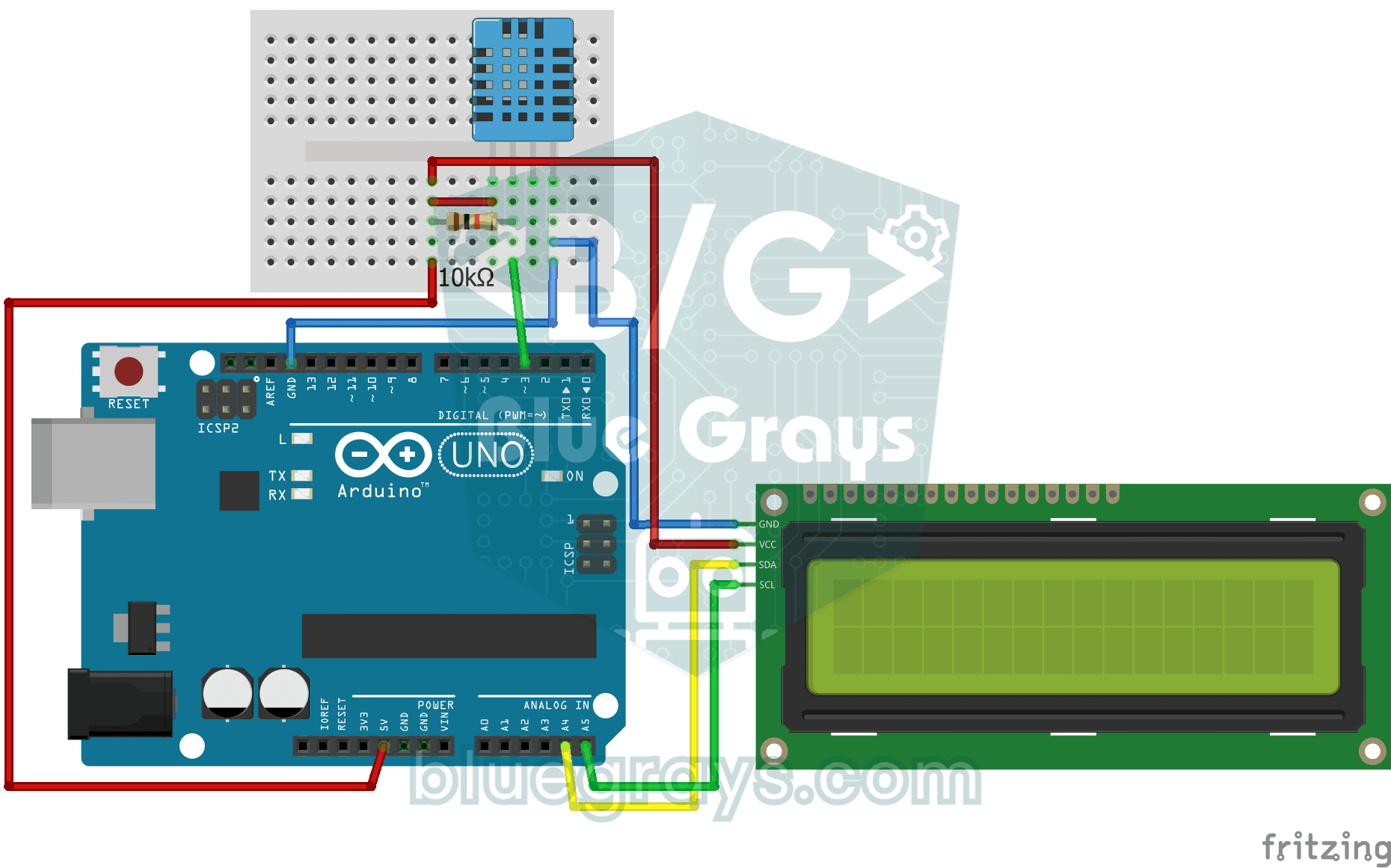
How warm is your room, and is the air humid or dry? The DHT11 sensor measures temperature and humidity, and the Arduino writes the values on a two-line LCD screen, refreshing every couple of seconds.

Smart Irrigation Station
A gardener that waters your plants on its own, so they don't dry out while you're on vacation. A soil moisture sensor measures how wet the soil is; when it gets dry, the Arduino runs the water pump fo

ESP 32 Smart Plant Watering System
In this project, an automatic plant watering system was developed using an ESP32 and a soil moisture sensor. The sensor continuously measures the soil’s moisture level. When the moisture level drops below a specified threshold, the ESP32 activates the relay to turn on the water pump and water the plant. When the soil is sufficiently moist, the pump automatically stops. Thanks to this project, plants can be watered regularly, and water can be conserved. _______________________________ Connections
Flame and Gas Sensor Alarm
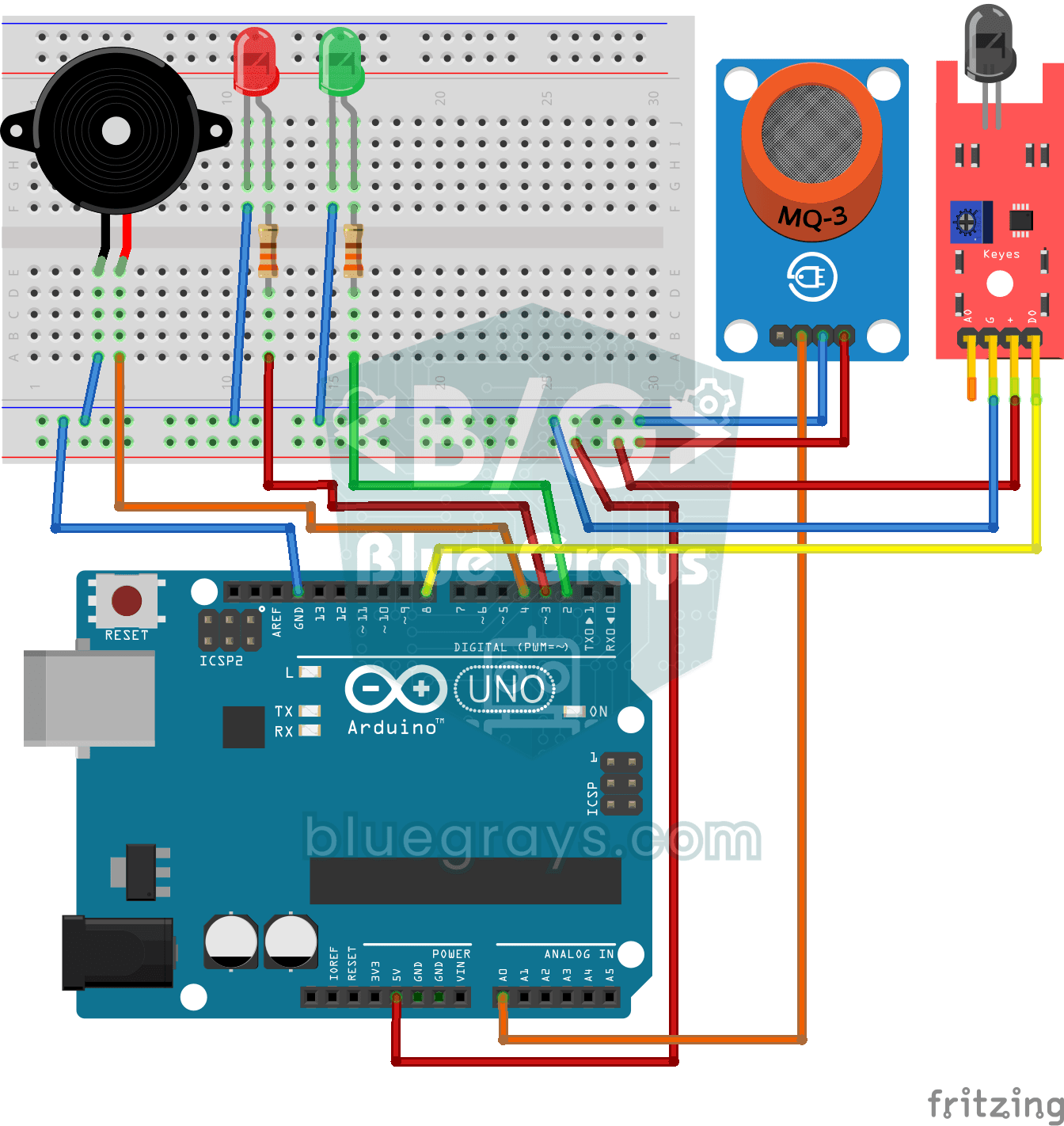
A little guard that warns you right away when gas leaks or a flame appears somewhere. The gas sensor watches the air for gas and the flame sensor watches for the light of a fire; while everything is f
Parking Sensor with HC-SR04
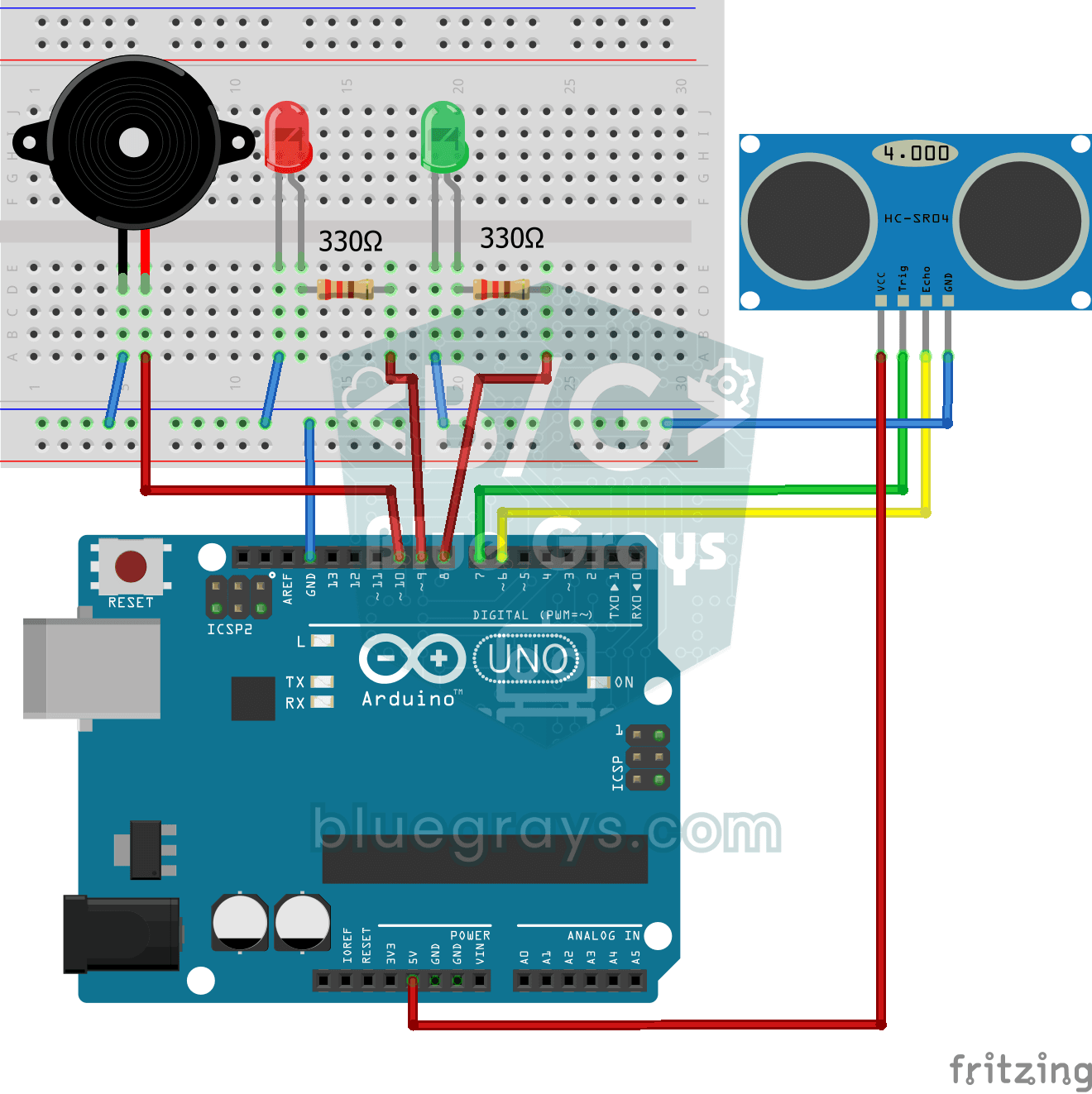
A mini version of a car's parking sensor: the closer something gets, the faster the beeps. The distance sensor measures the object in front of it; if it is more than 20 centimetres away the green LED
ESP32 Temperature Data Logger (DHT22 + DS1307 RTC + microSD + OLED)
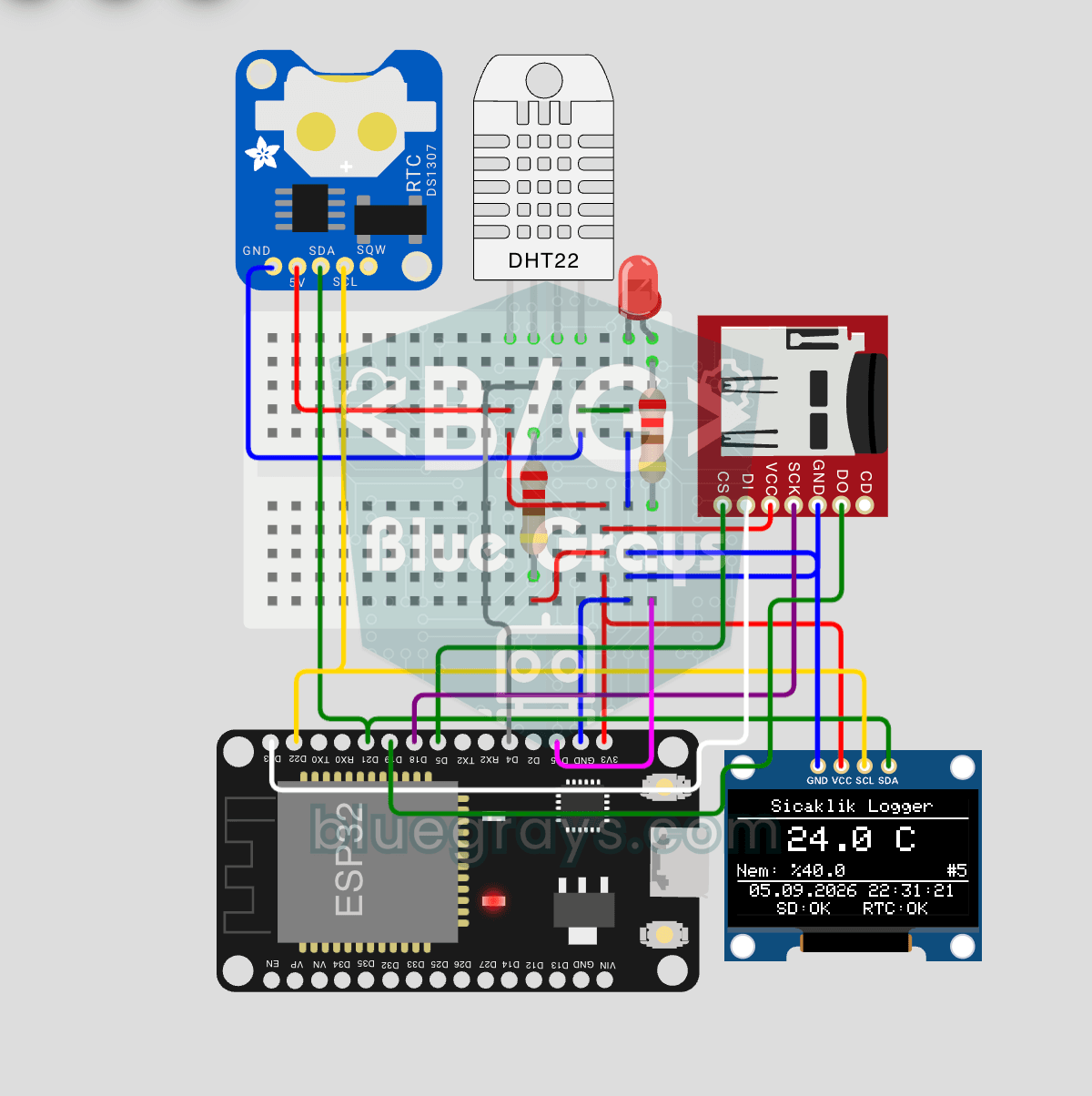
Build a timestamped temperature logger with ESP32! Read DHT22 temperature/humidity every minute, get real-world time from DS1307 RTC, and log to microSD card as CSV. The OLED displays live temperature (large font), humidity percentage, timestamp, and log counter. The `/temp_log.csv` file on the SD card opens in Excel, Google Sheets, or Python pandas for analysis — perfect for greenhouse monitoring, home/room temperature tracking, laboratory data collection, food storage conditions, or beehiv