
Arduino Countdown Timer: New Year Clock with ESP32 and MAX7219
Build an Arduino countdown timer: ESP32 NTP time on a MAX7219 8x32 matrix shows days, hours, minutes, then scrolling text and a melody at midnight. Uno + RTC too.

An Arduino countdown timer shows how much time is left until a target moment (New Year's midnight, a birthday, an exam day) in days, hours, minutes and seconds, and it's one of the most enjoyable seasonal projects for makers. In this guide you'll connect an ESP32 to NTP servers over Wi-Fi to get the time down to the second from the internet, and show the remaining time on a MAX7219 8x32 LED matrix made of four modules. When the clock hits 00:00, "Happy New Year" scrolls across the screen and a passive buzzer plays a melody.
If you're somewhere without internet, or you only have an Arduino Uno, we'll build the same project with an RTC (real-time clock) module; at the end you'll also find a MicroPython version for the Raspberry Pi Pico W and tips for adapting the timer to dates other than New Year. The code is ready: just change the Wi-Fi name, your password and the target date, then upload. We'll also explain what every line does so you can design your own timer.
How does a countdown timer work?
A countdown is really a single subtraction: remaining time = target time − current time. Computers usually store time as a Unix timestamp (epoch), the number of seconds since 1 January 1970. Once you convert the target moment to the same format, you subtract the two numbers, get the result in seconds, and then split it into days, hours, minutes and seconds. For example, at 18:30 on 27 December there are 365,400 seconds until New Year, which is 4 days 5 hours 30 minutes. The real challenge isn't the maths, it's knowing the current time accurately: the Arduino's millis() counter resets on every reboot, and because of the ceramic resonator on the Uno it can drift by minutes per day. That's why we take the time either from the internet (NTP) or from a battery-backed RTC chip.
| Step | Operation | Example (365400 s) |
|---|---|---|
| Days | remaining / 86400 | 4 |
| Hours | (remaining % 86400) / 3600 | 5 |
| Minutes | (remaining % 3600) / 60 | 30 |
| Seconds | remaining % 60 | 0 |
Parts list
| Part | Role | Note |
|---|---|---|
| ESP32 development board | Gets NTP time over Wi-Fi, calculates the remaining time, drives the display | The Uno version uses an Arduino Uno + RTC instead |
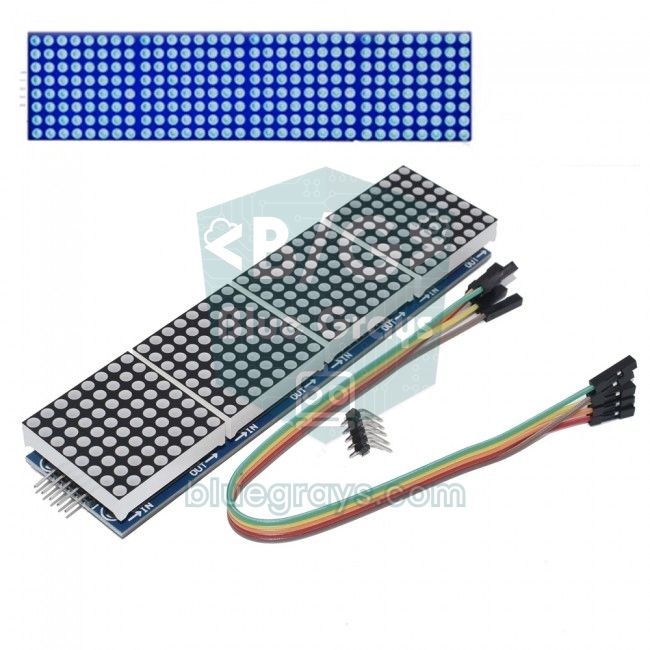
| MAX7219 8x32 dot matrix (FC16 type) | Shows the remaining time and the scrolling text | Comes with 4 8x8 matrices already chained |
| Passive buzzer | Plays the midnight melody | An active buzzer can't play a melody, only a fixed beep |
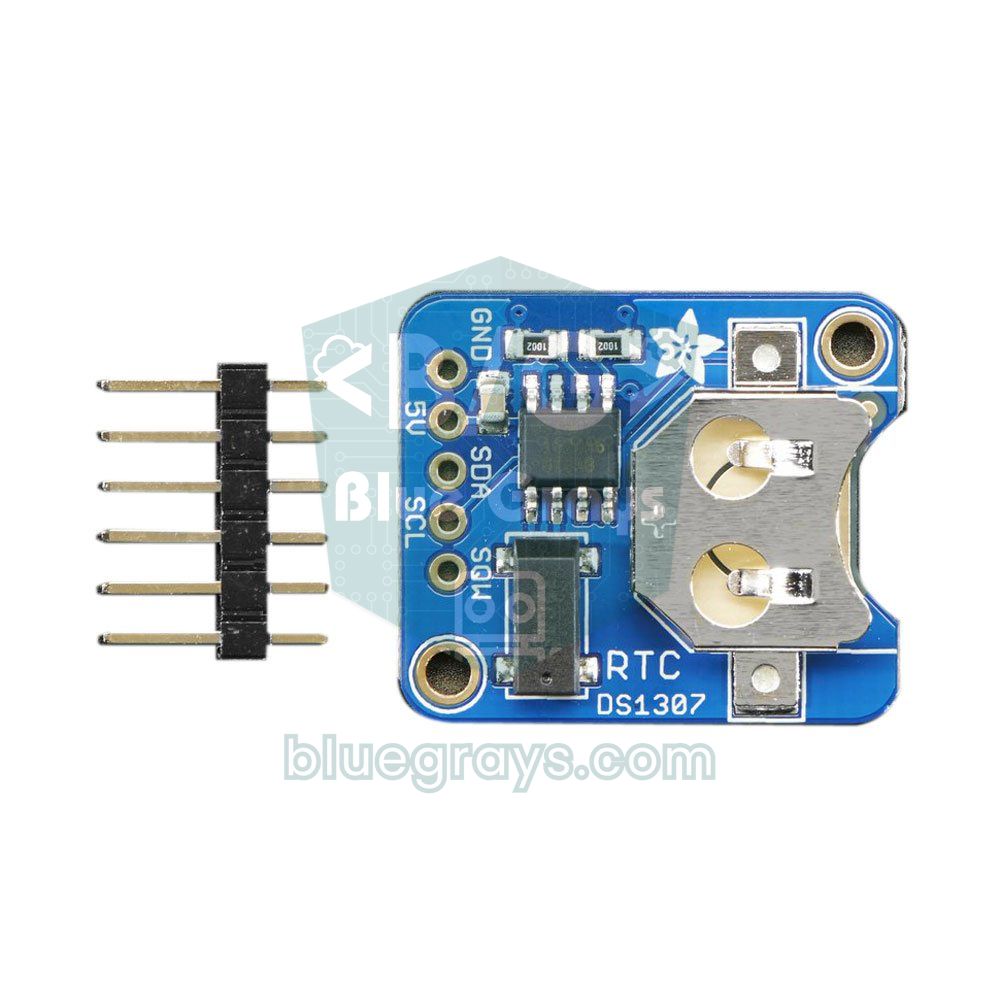
| DS1307 or DS3231 RTC module | Keeps the time in the offline version | The coin cell keeps it counting even when power is cut |
| 5 V 2 A adapter (recommended) | Powers the matrix | At low brightness, USB power is enough |
| Jumper wires and breadboard | Connections | Female-to-male wires are handy for the module pins |
Wiring diagram: MAX7219, buzzer and RTC
| Connection | Arduino Uno | ESP32 | Pico W |
|---|---|---|---|
| MAX7219 VCC | 5V | 5V (VIN) | VBUS (5 V) |
| MAX7219 GND | GND | GND | GND |
| MAX7219 DIN | D11 (MOSI) | GPIO 23 | GP19 |
| MAX7219 CS | D10 | GPIO 5 | GP17 |
| MAX7219 CLK | D13 (SCK) | GPIO 18 | GP18 |
| Passive buzzer (+) | D6 | GPIO 25 | GP15 |
| Passive buzzer (−) | GND | GND | GND |
| RTC SDA / SCL | A4 / A5 | Not needed (NTP) | Not needed (NTP) |
The ESP32 and Pico use 3.3 V logic. According to the MAX7219 datasheet, at 5 V supply the input needs at least 3.5 V to count as logic high; 3.3 V is slightly below that, but in practice most modules work without problems. If you see random dots, flicker or freezing, shorten the wires and add a logic level converter on the DIN, CLK and CS lines. Also, the internal wiring of modules on the market differs: if the text looks reversed, mirrored or every letter is rotated 90 degrees, try replacing FC16_HW in the code with PAROLA_HW, GENERIC_HW or ICSTATION_HW. We explain how the chip works in detail in the MAX7219 LED Matrix article.
Installing the libraries
- In the Arduino IDE open the Library Manager, search for MD_Parola and install the library by MajicDesigns; MD_MAX72XX is installed as a dependency, and if it isn't, install it separately.
- For the Uno + RTC version, install Adafruit's RTClib library; when asked, also accept its dependency, Adafruit BusIO.
- For the ESP32, install Espressif's esp32 package from the Boards Manager; the Wi-Fi and NTP functions come with this package, so no extra library is needed. Installation details are in What Is the ESP32?.
- First open the Parola_HelloWorld example in MD_Parola and set the CS pin and the hardware type; if you see a clean "Hello" on the screen, your wiring and module type are correct.
Countdown code with ESP32 NTP time
The code below connects the ESP32 to your Wi-Fi network, gets the time from an NTP server with configTzTime() and sets the Turkey time zone (UTC+3). Then it calculates the next New Year and writes the remaining time to the display on every loop. While the number of days is above zero, the display switches every three seconds between "4g" (days) and "05:30" (hours:minutes); on the last day it shows hours:minutes, in the last hour minutes:seconds, and in the last 10 seconds a single digit. When the target is reached, scrolling text and a melody play for 60 seconds, then the timer automatically switches to next year's target.
1#include <WiFi.h>
2#include <time.h>
3#include <SPI.h>
4#include <MD_Parola.h>
5#include <MD_MAX72xx.h>
6
7#define HARDWARE_TYPE MD_MAX72XX::FC16_HW   // modül tipi / module type
8#define MAX_DEVICES   4                     // 4 adet 8x8 = 8x32 / 4 x 8x8 = 8x32
9#define CS_PIN        5                     // DIN=GPIO23, CLK=GPIO18
10#define BUZZER_PIN    25                    // pasif buzzer / passive buzzer
11
12const char* WIFI_SSID = "WIFI_ADIN";        // Wi-Fi adın / your Wi-Fi name
13const char* WIFI_PASS = "WIFI_SIFREN";      // Wi-Fi şifren / your Wi-Fi password
14const char* TZ_INFO   = "TRT-3";            // Türkiye UTC+3 / Turkey UTC+3
15
16const int   TARGET_MONTH  = 1;              // hedef ay / target month
17const int   TARGET_DAY    = 1;              // hedef gün / target day
18const int   TARGET_HOUR   = 0;              // hedef saat / target hour
19const char* MESSAGE       = "Mutlu Yillar"; // kutlama yazısı / celebration text
20const long  CELEBRATE_SEC = 60;             // kutlama süresi (s) / celebration length (s)
21
22MD_Parola P = MD_Parola(HARDWARE_TYPE, CS_PIN, MAX_DEVICES);
23
24// Jingle Bells nakaratı (Hz, ms) / Jingle Bells chorus (Hz, ms)
25const int notes[] = {659, 659, 659, 659, 659, 659, 659, 784, 523, 587, 659,
26                     698, 698, 698, 698, 698, 659, 659, 659, 659,
27                     659, 587, 587, 659, 587, 784};
28const int durs[]  = {250, 250, 500, 250, 250, 500, 250, 250, 375, 125, 1000,
29                     250, 250, 375, 125, 250, 250, 250, 125, 125,
30                     250, 250, 250, 250, 500, 500};
31const int NOTE_COUNT = sizeof(notes) / sizeof(notes[0]);
32
33time_t target = 0;
34bool celebrating = false;
35char text[16];
36char lastText[16] = "";
37char msg[40];
38
39int noteIndex = 0;
40unsigned long lastNoteMs = 0;
41unsigned long waitMs = 0;
42bool melodyOn = false;
43
44time_t makeTarget(int year) {
45  struct tm t = {};
46  t.tm_year  = year - 1900;
47  t.tm_mon   = TARGET_MONTH - 1;
48  t.tm_mday  = TARGET_DAY;
49  t.tm_hour  = TARGET_HOUR;
50  t.tm_isdst = -1;                          // yaz saatini sistem belirlesin / let the system decide DST
51  return mktime(&t);                        // yerel saat -> epoch / local time -> epoch
52}
53
54void chooseTarget() {
55  time_t now = time(nullptr);
56  struct tm n;
57  localtime_r(&now, &n);
58  int year = n.tm_year + 1900;
59  target = makeTarget(year);
60  if (now - target >= CELEBRATE_SEC) target = makeTarget(year + 1);  // bu yılki geçti / this year's has passed
61}
62
63void showText(const char* t) {
64  if (strcmp(t, lastText) != 0) {           // yalnız değişince yaz / write only on change
65    strncpy(lastText, t, sizeof(lastText) - 1);
66    lastText[sizeof(lastText) - 1] = '\0';
67    P.print(lastText);
68  }
69}
70
71void startCelebration() {
72  celebrating = true;
73  time_t now = time(nullptr);
74  struct tm n;
75  localtime_r(&now, &n);
76  snprintf(msg, sizeof(msg), "%s %d", MESSAGE, n.tm_year + 1900);
77  P.displayClear();
78  P.displayText(msg, PA_CENTER, 40, 500, PA_SCROLL_LEFT, PA_SCROLL_LEFT);
79  noteIndex = 0;
80  waitMs = 0;
81  lastNoteMs = millis();
82  melodyOn = true;
83}
84
85void playMelody() {
86  if (!melodyOn || millis() - lastNoteMs < waitMs) return;
87  if (noteIndex >= NOTE_COUNT) {            // melodi bitti / melody finished
88    melodyOn = false;
89    noTone(BUZZER_PIN);
90    return;
91  }
92  tone(BUZZER_PIN, notes[noteIndex], durs[noteIndex] * 9 / 10);  // %90 çal, %10 sus / play 90%, rest 10%
93  lastNoteMs = millis();
94  waitMs = durs[noteIndex];
95  noteIndex++;
96}
97
98void setup() {
99  P.begin();
100  P.setIntensity(2);                        // parlaklık 0-15 / brightness 0-15
101  P.setTextAlignment(PA_CENTER);
102  P.print("WiFi");
103
104  WiFi.mode(WIFI_STA);
105  WiFi.begin(WIFI_SSID, WIFI_PASS);
106  while (WiFi.status() != WL_CONNECTED) delay(300);
107
108  P.print("NTP");
109  configTzTime(TZ_INFO, "pool.ntp.org", "time.google.com");
110  struct tm ti;
111  while (!getLocalTime(&ti, 5000)) {}       // saat gelene kadar bekle / wait for the time
112  chooseTarget();
113}
114
115void loop() {
116  time_t now = time(nullptr);
117  long remaining = (long)(target - now);
118
119  if (remaining <= 0) {
120    if (remaining > -CELEBRATE_SEC) {       // kutlama anı / celebration time
121      if (!celebrating) startCelebration();
122      if (P.displayAnimate()) P.displayReset();   // yazıyı sürekli kaydır / keep scrolling
123      playMelody();
124      return;
125    }
126    celebrating = false;                    // kutlama bitti / celebration over
127    noTone(BUZZER_PIN);
128    chooseTarget();                         // sonraki yıla kur / set for next year
129    lastText[0] = '\0';
130    P.displayClear();
131    return;
132  }
133
134  long d = remaining / 86400;
135  long h = (remaining % 86400) / 3600;
136  long m = (remaining % 3600) / 60;
137  long s = remaining % 60;
138
139  if (d > 0) {
140    if ((now / 3) % 2 == 0) snprintf(text, sizeof(text), "%ldg", d);          // gün / days
141    else                    snprintf(text, sizeof(text), "%02ld:%02ld", h, m); // saat:dakika / hh:mm
142  } else if (h > 0) {
143    snprintf(text, sizeof(text), "%02ld:%02ld", h, m);                         // saat:dakika / hh:mm
144  } else if (m > 0 || s > 10) {
145    snprintf(text, sizeof(text), "%02ld:%02ld", m, s);                         // dakika:saniye / mm:ss
146  } else {
147    snprintf(text, sizeof(text), "%ld", s);                                    // son 10 sn / last 10 s
148  }
149  showText(text);
150  delay(20);
151}| Code part | What it does |
|---|---|
| configTzTime(TZ_INFO, ...) | Connects to the NTP server, gets the time as UTC and converts it to local time with the TZ string; by default the ESP32 resyncs the time automatically once an hour. |
| makeTarget(year) | Fills the target date into a struct tm and converts it to epoch seconds in local time with mktime(). |
| chooseTarget() | If this year's target passed longer ago than the celebration time, it picks next year's target. |
| remaining / 86400 ... | Splits the remaining seconds into days, hours, minutes and seconds. |
| showText() | Writes to the display with P.print() only if the text changed; not resending the same text prevents flicker. |
| displayAnimate() | Draws the next frame of the scrolling text; it's non-blocking, so it must be called often in the loop. |
| playMelody() | Plays the notes in sequence using millis() differences; since it doesn't use delay(), the scrolling text doesn't stutter. |
So why does the display alternate? The 8x32 matrix is only 32 pixels wide, and in MD_Parola's default font a digit is 5 pixels wide, taking 6 pixels with the 1-pixel gap next to it. "05:30" with four digits and a colon fits comfortably in about 26 pixels, but a six-digit display like "04:05:30" exceeds 40 pixels. That's why we spread the information over time: when the target is far away the number of days matters, on the last day hours and minutes, and in the last hour the seconds build the excitement. If you want to show more information at once, you can add a second 8x32 module to the chain and set MAX_DEVICES to 8, or define a custom narrow-digit font.
Midnight: scrolling text and buzzer melody
When the timer reaches zero, the startCelebration() function kicks in: it combines the message with the year to build the text "Mutlu Yillar 2027" and scrolls it from right to left with the PA_SCROLL_LEFT effect. The melody uses the 26 notes of the "Jingle Bells" chorus; tone(pin, frequency, duration) is called for each note, and the next note starts based on the millis() difference. Only 90 percent of each note's duration is played; the short silence that remains lets repeated identical notes (mi-mi-mi) be heard separately. The default font has no Turkish characters, so we wrote i instead of ı in the message. To change the melody, just edit the notes and durs arrays; you can find note frequencies and how passive buzzers work in What Is a Buzzer?.
Arduino Uno + RTC module version
If you're going to put the timer in a classroom, a school corridor or a shop window without internet, it's safer not to depend on Wi-Fi. In that case an RTC module keeps the time: a DS1307 or DS3231 chip counts seconds with its own crystal and, thanks to the coin cell on it, keeps counting even if the Arduino loses power. The DS1307 uses an external 32.768 kHz crystal that is sensitive to temperature, so it can drift by close to a minute per month; the temperature-compensated DS3231 is off by only about a minute per year. You can switch by just writing RTC_DS3231 instead of RTC_DS1307 in the code. For module details, take a look at the RTC Clock Module article.
1#include <SPI.h>
2#include <Wire.h>
3#include <MD_Parola.h>
4#include <MD_MAX72xx.h>
5#include <RTClib.h>
6
7#define HARDWARE_TYPE MD_MAX72XX::FC16_HW   // modül tipi / module type
8#define MAX_DEVICES   4
9#define CS_PIN        10                    // DIN=D11, CLK=D13
10#define BUZZER_PIN    6                     // pasif buzzer / passive buzzer
11
12MD_Parola P = MD_Parola(HARDWARE_TYPE, CS_PIN, MAX_DEVICES);
13RTC_DS1307 rtc;                             // DS3231 için RTC_DS3231 / use RTC_DS3231 for DS3231
14
15DateTime target(2027, 1, 1, 0, 0, 0);       // yıl, ay, gün, saat, dk, sn / year, month, day, h, m, s
16const long CELEBRATE_SEC = 60;              // kutlama süresi (s) / celebration length (s)
17
18const int notes[] = {659, 659, 659, 659, 659, 659, 659, 784, 523, 587, 659,
19                     698, 698, 698, 698, 698, 659, 659, 659, 659,
20                     659, 587, 587, 659, 587, 784};
21const int durs[]  = {250, 250, 500, 250, 250, 500, 250, 250, 375, 125, 1000,
22                     250, 250, 375, 125, 250, 250, 250, 125, 125,
23                     250, 250, 250, 250, 500, 500};
24const int NOTE_COUNT = sizeof(notes) / sizeof(notes[0]);
25
26bool celebrating = false;
27char text[12];
28char lastText[12] = "";
29char msg[24];
30int noteIndex = 0;
31unsigned long lastNoteMs = 0;
32unsigned long waitMs = 0;
33bool melodyOn = false;
34
35void showText(const char* t) {
36  if (strcmp(t, lastText) != 0) {           // yalnız değişince yaz / write only on change
37    strncpy(lastText, t, sizeof(lastText) - 1);
38    lastText[sizeof(lastText) - 1] = '\0';
39    P.print(lastText);
40  }
41}
42
43void startCelebration() {
44  celebrating = true;
45  snprintf(msg, sizeof(msg), "Mutlu Yillar %d", (int)target.year());
46  P.displayClear();
47  P.displayText(msg, PA_CENTER, 40, 500, PA_SCROLL_LEFT, PA_SCROLL_LEFT);
48  noteIndex = 0;
49  waitMs = 0;
50  lastNoteMs = millis();
51  melodyOn = true;
52}
53
54void playMelody() {
55  if (!melodyOn || millis() - lastNoteMs < waitMs) return;
56  if (noteIndex >= NOTE_COUNT) {            // melodi bitti / melody finished
57    melodyOn = false;
58    noTone(BUZZER_PIN);
59    return;
60  }
61  tone(BUZZER_PIN, notes[noteIndex], durs[noteIndex] * 9 / 10);
62  lastNoteMs = millis();
63  waitMs = durs[noteIndex];
64  noteIndex++;
65}
66
67void setup() {
68  P.begin();
69  P.setIntensity(2);                        // parlaklık 0-15 / brightness 0-15
70  P.setTextAlignment(PA_CENTER);
71  if (!rtc.begin()) {                       // RTC bulunamadı / RTC not found
72    P.print("RTC?");
73    while (true) {}
74  }
75  if (!rtc.isrunning()) {                   // ilk kurulum: derleme saati / first setup: compile time
76    rtc.adjust(DateTime(F(__DATE__), F(__TIME__)));
77  }
78}
79
80void loop() {
81  DateTime now = rtc.now();
82  long remaining = (target - now).totalseconds();
83
84  if (remaining <= 0) {
85    if (remaining > -CELEBRATE_SEC) {       // kutlama anı / celebration time
86      if (!celebrating) startCelebration();
87      if (P.displayAnimate()) P.displayReset();
88      playMelody();
89      return;
90    }
91    celebrating = false;                    // kutlama bitti, hedef +1 yıl / done, target +1 year
92    noTone(BUZZER_PIN);
93    target = DateTime(target.year() + 1, target.month(), target.day(),
94                      target.hour(), target.minute(), target.second());
95    lastText[0] = '\0';
96    P.displayClear();
97    return;
98  }
99
100  long d = remaining / 86400;
101  long h = (remaining % 86400) / 3600;
102  long m = (remaining % 3600) / 60;
103  long s = remaining % 60;
104
105  if (d > 0) {
106    if ((now.unixtime() / 3) % 2 == 0) snprintf(text, sizeof(text), "%ldg", d);
107    else                               snprintf(text, sizeof(text), "%02ld:%02ld", h, m);
108  } else if (h > 0) {
109    snprintf(text, sizeof(text), "%02ld:%02ld", h, m);
110  } else if (m > 0 || s > 10) {
111    snprintf(text, sizeof(text), "%02ld:%02ld", m, s);
112  } else {
113    snprintf(text, sizeof(text), "%ld", s);
114  }
115  showText(text);
116  delay(20);
117}
The Uno code follows the same logic as the ESP32 version; the only difference is that it reads the time with rtc.now() instead of NTP. In RTClib, subtracting two DateTime objects returns a TimeSpan, and totalseconds() gives the remaining time in seconds. If the RTC has never been set at first upload, rtc.adjust() sets the time to the computer's compile time; it can be behind by the time between compiling and uploading, that is 10–20 seconds. To close this gap you can add + TimeSpan(15) to the adjust line. When the target has passed and the celebration is over, the code automatically moves the target one year ahead, so the timer starts again every New Year.
MicroPython version with the Raspberry Pi Pico W
You can implement the same idea on the Pico W with MicroPython. The ntptime module sets the Pico's clock to UTC, so we convert the target to UTC by subtracting 3 hours from local time. For the display you need to copy the MicroPython community's max7219.py driver to the Pico. This driver is framebuf-based and uses an 8x8-pixel font, so at most 4 characters fit in 32 pixels; that's why we drop the colon and show "0530". Since the Pico's internal clock drifts over time, if the device will stay on for days it's a good idea to repeat the ntptime.settime() call once a day. If you're new to MicroPython, you can start with MicroPython Basics.
1import network, ntptime, time
2from machine import Pin, SPI, PWM
3import max7219                     # max7219.py Pico'da olmalı / must be on the Pico
4
5SSID = "WIFI_ADIN"
6PASS = "WIFI_SIFREN"
7UTC_OFFSET = 3 * 3600              # Türkiye UTC+3 / Turkey UTC+3
8# yerel 1 Ocak 00:00 -> UTC / local Jan 1 00:00 -> UTC
9TARGET = time.mktime((2027, 1, 1, 0, 0, 0, 0, 0)) - UTC_OFFSET
10
11spi = SPI(0, baudrate=10_000_000, polarity=0, phase=0, sck=Pin(18), mosi=Pin(19))
12disp = max7219.Matrix8x8(spi, Pin(17, Pin.OUT), 4)
13disp.brightness(2)                 # parlaklık 0-15 / brightness 0-15
14buz = PWM(Pin(15))
15
16def show(txt):
17    disp.fill(0)
18    x = max(0, (32 - len(txt) * 8) // 2)   # ortala / center
19    disp.text(txt, x, 0, 1)
20    disp.show()
21
22wlan = network.WLAN(network.STA_IF)
23wlan.active(True)
24wlan.connect(SSID, PASS)
25show("WiFi")
26while not wlan.isconnected():
27    time.sleep(0.5)
28
29show("NTP")
30while True:
31    try:
32        ntptime.settime()          # saati UTC'ye ayarla / set the clock to UTC
33        break
34    except OSError:
35        time.sleep(2)
36
37while True:
38    kalan = TARGET - time.time()
39    if kalan <= 0:                 # kutlama / celebration
40        buz.freq(784)
41        buz.duty_u16(30000)
42        time.sleep(0.4)
43        buz.duty_u16(0)
44        msg = "MUTLU YILLAR 2027"
45        for x in range(32, -len(msg) * 8, -1):   # kayan yazı / scrolling text
46            disp.fill(0)
47            disp.text(msg, x, 0, 1)
48            disp.show()
49            time.sleep(0.03)
50        continue
51    d, r = divmod(kalan, 86400)
52    h, r = divmod(r, 3600)
53    m, s = divmod(r, 60)
54    if d > 0:
55        show("%dg" % d if (time.time() // 3) % 2 == 0 else "%02d%02d" % (h, m))
56    elif h > 0:
57        show("%02d%02d" % (h, m))  # saat dakika / hours minutes
58    else:
59        show("%02d%02d" % (m, s))  # dakika saniye / minutes seconds
60    time.sleep(0.2)
Adapting it to other dates
Using the timer for a birthday, a mid-term break, an exam day or a wedding is very easy. In the ESP32 code, just change the TARGET_MONTH, TARGET_DAY and TARGET_HOUR constants and update the MESSAGE text; the year is calculated automatically, and when the target passes the timer is set to the next year. If you don't want the year added to the celebration text, remove the %d part from the snprintf line in startCelebration(). For a one-off event, such as an exam, use a fixed year like target = makeTarget(2027) instead of chooseTarget() in setup(). In the Uno version you change the DateTime values on the target line. For days whose date changes every year, such as religious holidays, writing that year's date by hand is the most reliable way.
| Event | Settings (ESP32) | Suggested message |
|---|---|---|
| New Year | TARGET_MONTH 1, TARGET_DAY 1, TARGET_HOUR 0 | Mutlu Yillar |
| Birthday (e.g. 14 March) | 3, 14, 0 | Iyi ki dogdun |
| Mid-term break (report card day) | Month and day from the calendar, hour 15 | Tatil basladi |
| Exam day | Fixed year: target = makeTarget(2027); month, day and hour 10 | Basarilar |
| 29 October Republic Day | 10, 29, 0 | Cumhuriyet Bayrami |
Project ideas with a countdown timer
- Classroom board: a big timer hung in the school corridor showing the days left until the university entrance exams; chain two 8x32 modules to reach 64 pixels wide.
- Automatic decorations: when the timer hits zero, switch on the Christmas tree lights automatically with a relay module.
- Colour version: replace the matrix with a WS2812B LED matrix and fade the colours from red to green in the last 10 seconds.
- Desk clock: turn the display into a normal clock when the countdown ends; NTP details are in ESP32 NTP Clock.
- Changing the target from your phone: run a small web server on the ESP32 to enter the target date from a browser.
- A timer that remembers its setting: save the target date to EEPROM so the setting isn't lost when power goes off and on.
Common mistakes and how to fix them
| Symptom | Likely cause | Fix |
|---|---|---|
| Text is reversed, mirrored or letters are rotated | Wrong hardware type | Try PAROLA_HW, GENERIC_HW or ICSTATION_HW instead of FC16_HW |
| The display keeps showing "NTP" | The time can't be fetched | Make sure the network doesn't block UDP port 123, try a different NTP server |
| The display keeps showing "WiFi" | Wrong network name or password, or a 5 GHz network | The ESP32 only connects to 2.4 GHz networks; check the SSID and password |
| Time is 3 hours ahead or behind | Wrong time zone string | Set TZ_INFO to "TRT-3"; remember the sign is reversed |
| The buzzer gives a single tone instead of a melody | An active buzzer was used | Use a passive buzzer whose frequency can be changed |
| On the Uno the time is wrong at every power-up | The RTC battery is missing or dead | Check the battery; the adjust line only runs when isrunning() is false |
| ESP32 restarts and the display flickers | The matrix draws too much current | Lower the brightness, power the matrix from a separate 5 V adapter, join the GNDs |
A countdown timer brings together many core skills in a single fun project: time calculation, network time sync, driving an LED matrix and writing non-blocking code. In the BlueGrays app you can find a dot matrix clock and calendar with MAX7219, an ESP32 NTP clock, a digital clock with a DS1307 RTC and buzzer melody projects, step by step with circuit diagrams and ready code, and build this timer on top of them.
Frequently asked questions
How do you make a countdown timer with Arduino?
You take the target date and the current time in seconds and subtract one from the other, then divide the result by 86400, 3600 and 60 to get days, hours, minutes and seconds. You read the current time from the internet via NTP on an ESP32, or from an RTC module such as a DS1307 or DS3231 on an Arduino Uno. You then show the result on a display such as a MAX7219 LED matrix, a 7-segment display or an LCD.
Can millis() be used for a countdown?
millis() is fine for timers of a few minutes, but it isn't suitable for a countdown that lasts days. Because of the Arduino Uno's ceramic resonator, millis() can drift by minutes per day, and it resets every time the board restarts. For long countdowns, use NTP or a battery-backed RTC module.
Does the ESP32 NTP clock stop if the internet goes down?
No. After the ESP32 gets the time once, it keeps counting with its own crystal, and the drift is usually under a few seconds per day. When the connection returns, the SNTP client resyncs the time once an hour by default; but if power is cut and the board restarts, the time is unknown until it is fetched again.
How much current does a MAX7219 8x32 LED matrix draw?
It depends on the brightness and the number of lit LEDs. At low brightness (setIntensity 0–3) it stays around 100–200 mA while showing a few digits; with all 256 LEDs lit at full brightness it can exceed 1 A. For a timer that will run for a long time, powering the matrix from a separate 5 V 2 A adapter is the safest way.
Is the DS1307 or the DS3231 more accurate?
The DS3231 is clearly more accurate: thanks to its temperature-compensated internal crystal it drifts about a minute per year. The DS1307 uses an external crystal and can drift between half a minute and a minute per month. For a moment where the second matters, like New Year, you should choose the DS3231 or readjust the DS1307 now and then.
Can an LED matrix display Turkish characters?
MD_Parola's default font has no letters such as ı, ş or ğ, which is why we wrote "Mutlu Yillar" in the example. You can define your own font, load it with setFont() and draw the Turkish letters on unused character codes. The easier way is to pick words that don't need Turkish letters for short messages.
Projects to build after reading this
See all projects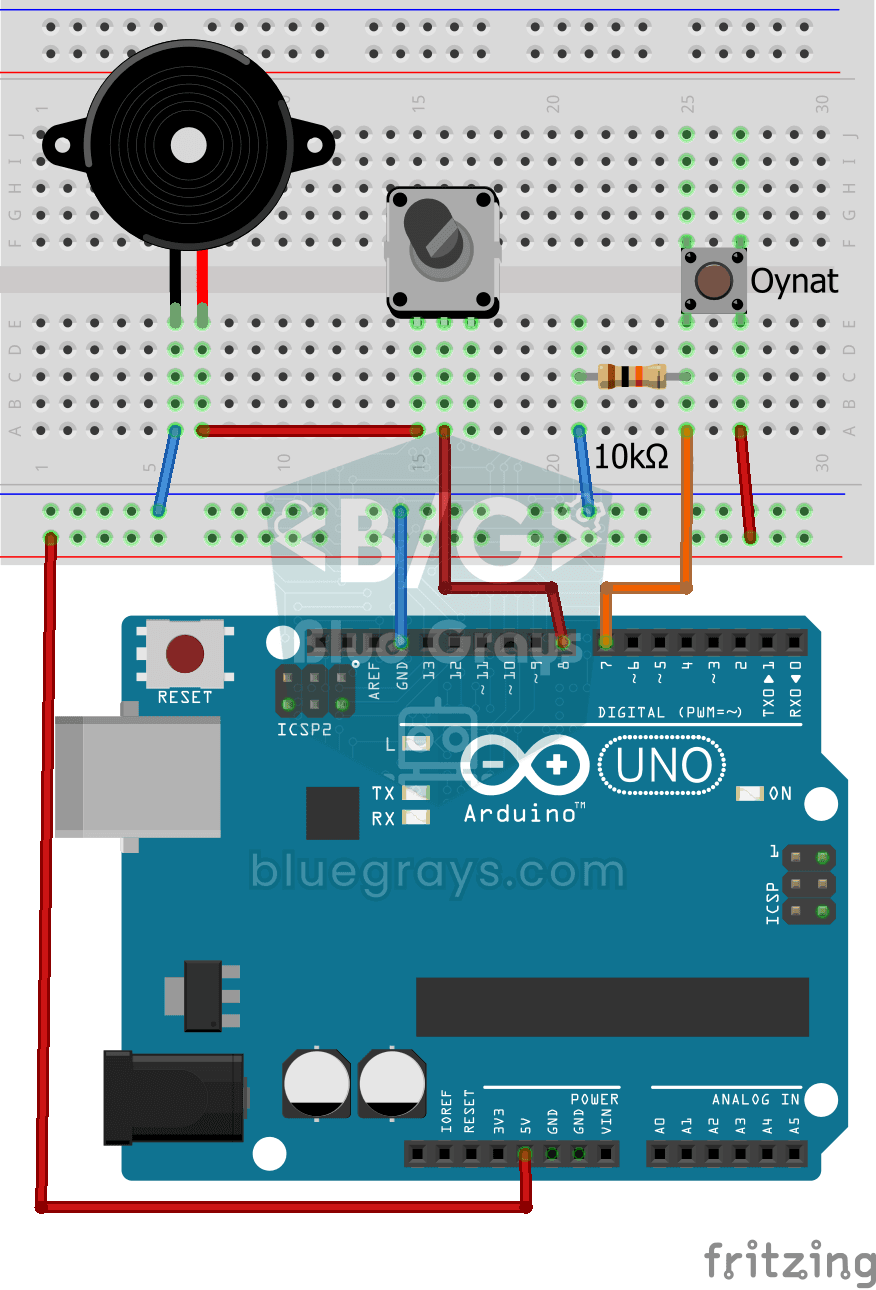
Turkish National Anthem with Buzzer
Press the button and a small buzzer starts playing the Turkish National Anthem, note by note.

Dot Matrix Clock and Calendar (MAX7219, DS1307)
A glowing board for your desk or wall that shows the time and date in scrolling text.

Dot Matrix Clock, Calendar and Weather Station (MAX7219, DS1307)
A scrolling-text board for your desk or wall that shows the time, the date and the room's weather in turn.

4x 32x8 Matrix LED Animation and Text
Stack four long LED matrix modules on top of each other and you get a square screen with more than a thousand dots of light.

4x 32x8 LED Matrix - 6-Animation Pack
Four 32x8 LED panels stacked on top of each other form a square screen where six animations play in turn: falling digital rain, a growing spiral, cells that are born and die all by themselves…

Real-Time Clock from the Internet via ESP32 NTP
The ESP32 connects to Wi-Fi and fetches the real time from NTP (Network Time Protocol) servers with millisecond precision. configTzTime() applies the Turkey time zone (TRT, UTC+3) automatically, and in countries with daylight saving time the DST switch is handled by a POSIX TZ string. The time is printed both to the Serial Monitor and to an optional I2C LCD.

Digital Clock with ESP32 and DS1307 RTC (I2C + LCD)
In this project, we display the time and date on a 16x2 I2C LCD screen using the DS1307 real-time clock (RTC) module. The DS1307 is a battery-backed RTC that maintains the time even if the ESP32 is powered off. Both modules share the same I2C bus (SDA/SCL), allowing us to learn how to control multiple devices using just two signal wires. Through this project, you will gain practical knowledge of the I2C communication protocol, RTC module operation, and dynamic data display on an LCD screen.
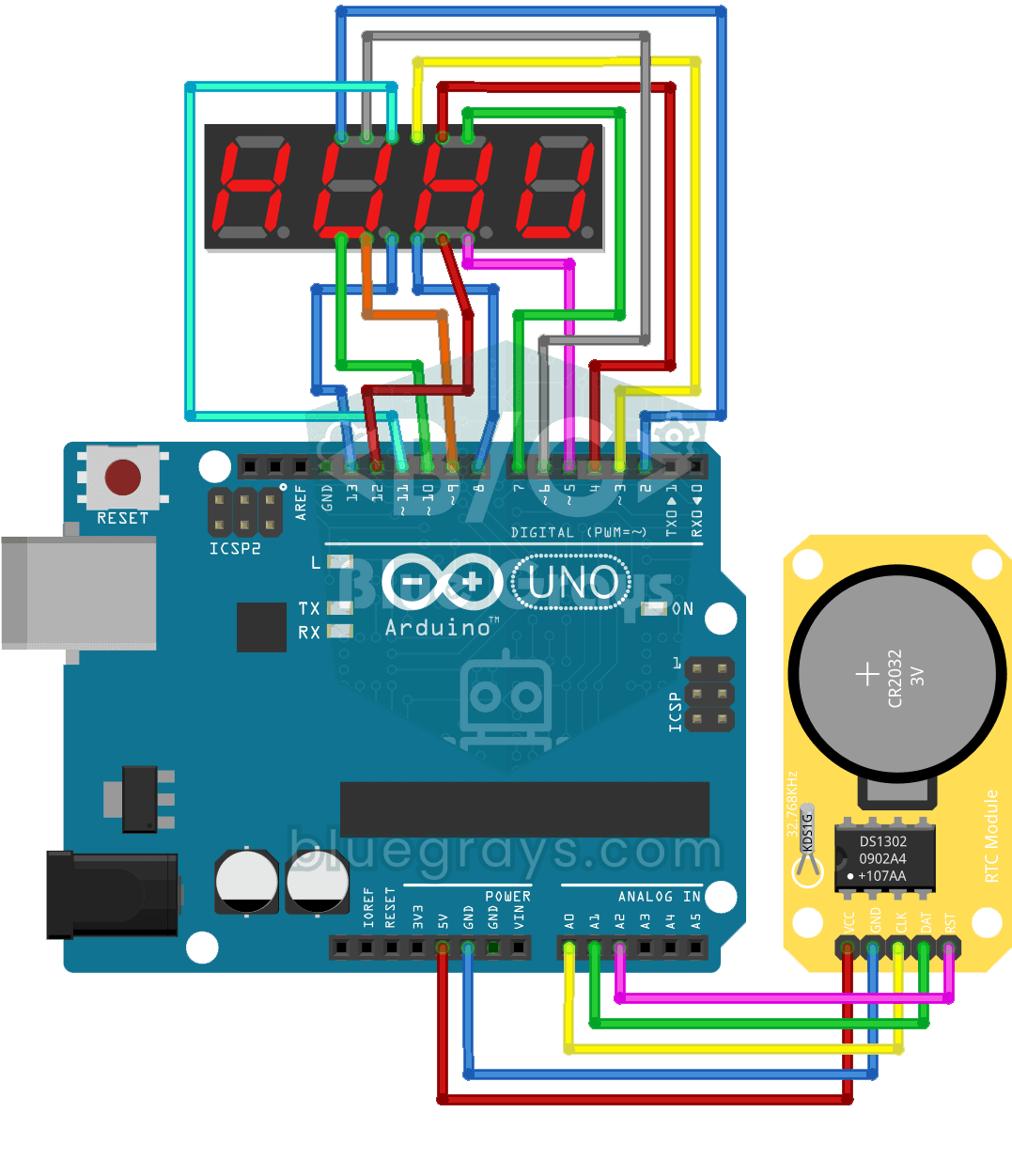
Digital Clock with 4-Digit 7-Segment Display
A four-digit glowing digital clock, much like the one on a kitchen oven. The DS1302 clock module keeps the time, and every second the Arduino reads the hours and minutes and shows them on the…