
555 Timer IC: Pinout, Astable and Monostable Circuits Explained
How does the 555 timer IC work? Pinout, astable and monostable wiring, the f = 1.44/((R1+2R2)C) and t = 1.1RC formulas, an LED flasher and Arduino code.
The 555 timer IC is a cheap, 8-pin timer chip that can set time intervals from microseconds to hours using nothing more than a resistor and a capacitor. Flashing an LED at a set rate, keeping a lamp on for a minute after a button press, making a tone on a buzzer or driving a motor with PWM: it does all of this without a microcontroller or a single line of code. Designed by Hans Camenzind for Signetics in 1971 and released in 1972, it has become one of the most-produced chips in the world; in 2003 an estimated billion units were being made every year.
In this guide you'll learn the 555 pinout, how its comparators and flip-flop work inside, the two basic circuits (the astable flasher and the monostable one-shot), where the frequency and timing formulas come from, how to push the duty cycle below 50%, and how to use the 555 together with Arduino, ESP32 and Raspberry Pi Pico. If you don't want to do the maths by hand, the 555 timer calculator shows the frequency, duty cycle and waveform instantly.
What is the 555 timer and how does it work?
Inside the 555 there are four main parts. The first is a voltage divider made of three equal resistors in series between VCC and GND (5 kΩ each in the classic NE555); it produces two reference voltages: 2/3 and 1/3 of VCC. The second is a pair of comparators connected to those references: the threshold comparator compares the THRES pin with 2/3 VCC, and the trigger comparator compares the TRIG pin with 1/3 VCC. The third is an SR flip-flop that the two comparators set and reset, and the fourth is the output stage driven by the flip-flop, together with a discharge transistor that empties the capacitor.
The rule is actually very simple: when the voltage on TRIG falls below 1/3 VCC, the output goes HIGH and the discharge transistor turns off. When the voltage on THRES rises above 2/3 VCC, the output goes LOW and the discharge transistor turns on, pulling pin 7 to GND. If neither happens, the output keeps its previous state. What sets the timing is how long the external capacitor takes to charge and discharge between these two thresholds through a resistor. With a 5 V supply the thresholds are 3.33 V and 1.67 V; with 9 V they are 6 V and 3 V. It's often said the chip's name comes from the three 5 kΩ resistors inside, but Camenzind explained that Signetics picked the number arbitrarily.
| Feature | NE555 (bipolar) | TLC555 (CMOS) |
|---|---|---|
| Supply voltage | 4.5–16 V (SE555: up to 18 V) | 2–15 V (LMC555: from 1.5 V) |
| Quiescent current (5 V) | 2–6 mA | About 0.2 mA |
| Output current | Sources and sinks up to 200 mA | Sources about 10 mA, sinks 100 mA |
| Output HIGH level | About 1.5–1.7 V below VCC | Up to VCC (rail-to-rail) |
| Recommended maximum frequency | 100 kHz | About 2 MHz |
| Runs on 3.3 V | No | Yes |
| Dual-timer version | NE556 (14 pins) | TLC556 (14 pins) |
555 timer pinout
The half-moon notch or small dot on top of the chip marks pin 1. With the notch on the left and looking from above, pins 1–4 run left to right along the bottom row and pins 5–8 run right to left along the top row; in other words, the numbers increase anticlockwise and pin 8 (VCC) sits directly opposite pin 1. The DIP-8 package fits perfectly across the channel in the middle of a breadboard: one row of legs must be on each side of the channel.
| Pin | Name | Function | Typical connection |
|---|---|---|---|
| 1 | GND | Ground (0 V) | Negative supply |
| 2 | TRIG (trigger) | Drives the output HIGH and starts timing when it falls below 1/3 VCC | Astable: to pin 6; monostable: pull-up + button |
| 3 | OUT (output) | Output; on the NE555 it sources or sinks up to 200 mA | LED via a resistor, buzzer, transistor |
| 4 | RESET | Forces the output LOW when pulled below about 0.7 V | Straight to VCC if unused |
| 5 | CONT (control) | Direct access to the 2/3 VCC reference; shifts the thresholds | 10 nF capacitor to GND |
| 6 | THRES (threshold) | Drives the output LOW and ends timing above 2/3 VCC | To the timing capacitor |
| 7 | DISCH (discharge) | Open-collector pin shorted to GND while the output is LOW | Astable: between R1 and R2; monostable: to pin 6 |
| 8 | VCC | Positive supply (NE555: 4.5–16 V) | Positive supply + 100 nF decoupling |
Three operating modes: astable, monostable and bistable
| Mode | Also called | What it does | Typical use |
|---|---|---|---|
| Astable | Free-running multivibrator | Produces a continuous square wave on its own | LED flasher, buzzer tone, clock signal, PWM |
| Monostable | One-shot | Stays HIGH for a set time when triggered, then returns LOW | Delayed lamp, staircase timer, pulse stretching |
| Bistable | Flip-flop | Goes HIGH with TRIG and LOW with RESET and holds its state; no timing | Two-button on/off switch |
Astable circuit: a 555 LED flasher
In the astable circuit, the TRIG (2) and THRES (6) pins are tied together and connected to the timing capacitor. The capacitor charges from VCC through R1 and R2; when its voltage reaches 2/3 VCC the output goes LOW, the discharge transistor turns on and the capacitor now discharges into pin 7 through R2 only. When the voltage drops to 1/3 VCC the output goes HIGH again and the cycle repeats by itself. The capacitor never empties completely but swings between 1/3 and 2/3 VCC; only at power-up does it start from empty, which is why the first HIGH period is a little longer. The circuit below runs from a 9 V battery and flashes two LEDs alternately once per second; it's the simplest possible police light.
- Place the 555 across the channel in the middle of the breadboard with the notch facing left. If you don't know how a breadboard is connected inside, read What Is a Breadboard? first.
- Connect pins 8 (VCC) and 4 (RESET) to the +9 V rail and pin 1 (GND) to the negative rail. Fit a 100 nF ceramic capacitor between pins 8 and 1, as close to the chip as possible.
- Connect R1 = 10 kΩ between pins 8 and 7 and R2 = 68 kΩ between pins 7 and 6.
- Join pins 6 and 2 with a wire. From this node, connect a C = 10 µF electrolytic capacitor to GND; its short (negative) leg must go to the GND side.
- Fit a 10 nF capacitor (marked 103) from pin 5 (CONT) to GND.
- From output pin 3, go through a 470 Ω resistor to the anode of the first LED and connect its cathode to GND; this LED lights while the output is HIGH. Connect the anode of the second LED to +9 V through 470 Ω and its cathode to the output; this LED lights while the output is LOW.
- Connect the battery: the two LEDs should light alternately for about 0.54 s and 0.47 s. If neither LED lights, first check that pin 4 is at VCC.
At 9 V the NE555's HIGH output is about 7.5 V, so about 12 mA flows through the first LED and about 15 mA through the second. If you run the circuit from 5 V, lower the resistors to 220–330 Ω; use the LED resistor calculator to work out the value and read What Is an LED? for the LED itself. Because the frequency doesn't depend on the supply voltage, the same R1, R2 and C still give one flash per second at 5 V.
555 timer frequency and timing formulas
When a capacitor charges through a resistor R, its voltage rises along an exponential curve; τ = R·C is the time constant, explained in detail in What Is a Capacitor?. Going from 1/3 VCC to 2/3 VCC takes exactly ln 2 · R · C ≈ 0.693 · R · C, because the remaining gap to the target halves in that time. Since charging happens through R1 + R2 and discharging through R2 only, the HIGH and LOW times differ. Adding the two times and taking the reciprocal gives the factor 1 / 0.693 ≈ 1.44 and the famous formula: f = 1.44 / ((R1 + 2·R2) · C).
| Quantity | Formula | Example: R1 = 10 kΩ, R2 = 68 kΩ, C = 10 µF |
|---|---|---|
| HIGH time (tH) | 0.693 · (R1 + R2) · C | 0.54 s |
| LOW time (tL) | 0.693 · R2 · C | 0.47 s |
| Period (T) | 0.693 · (R1 + 2·R2) · C | 1.01 s |
| Frequency (f) | 1.44 / ((R1 + 2·R2) · C) | 0.99 Hz |
| Duty cycle | (R1 + R2) / (R1 + 2·R2) | 53.4% |
| Monostable pulse width (t) | 1.1 · R · C | 1.1 s for R = 100 kΩ, C = 10 µF |
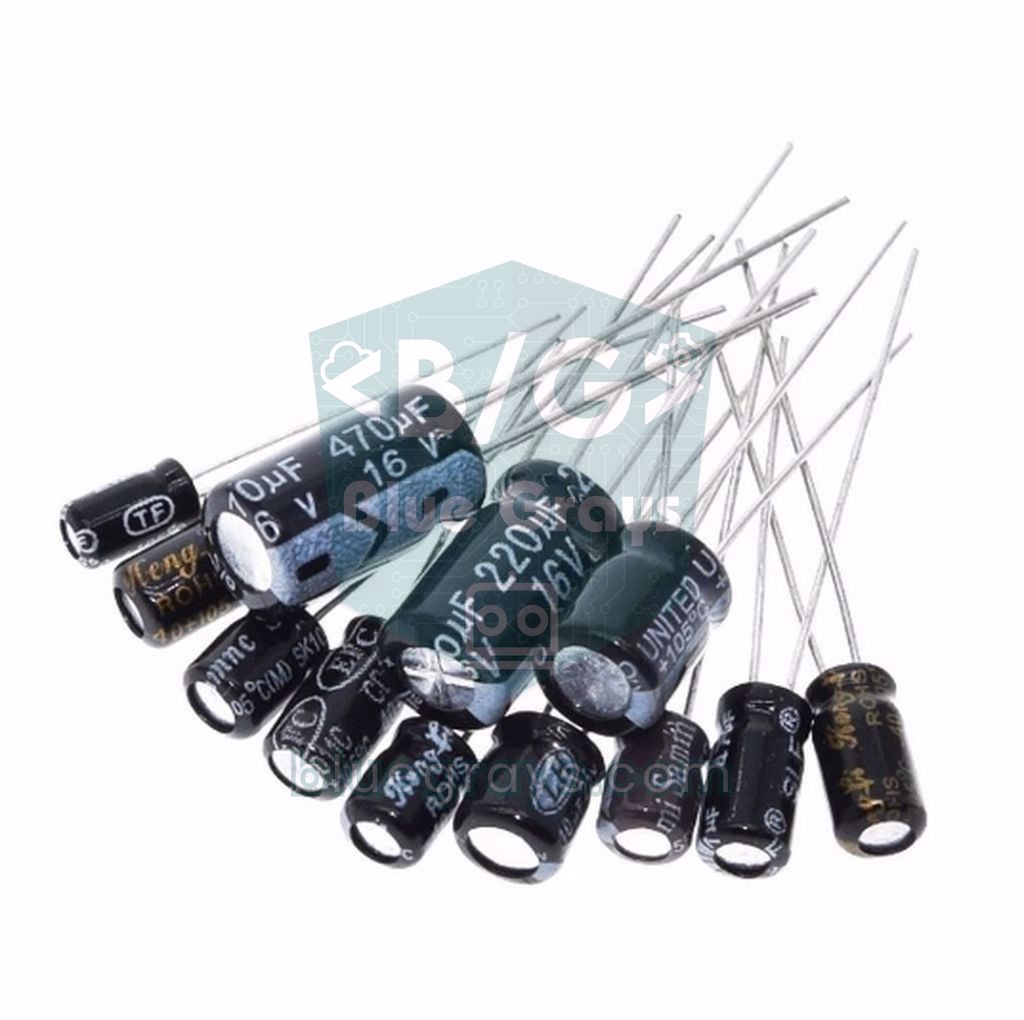
Keep a few limits in mind when choosing values. R1 must be at least 1 kΩ; otherwise, when the discharge transistor turns on, it connects VCC almost directly to GND. According to the Texas Instruments datasheet, the small current drawn by the threshold input means R1 + R2 should not exceed about 3.4 MΩ at 5 V or 10 MΩ at 15 V; in practice, staying between 1 kΩ and 1 MΩ is safest. Don't go below 1 nF for the capacitor, because the breadboard's and wires' own capacitance will throw off the calculation. Use the NE555 below 100 kHz; for faster signals choose a CMOS version. To decode the numbers printed on a capacitor use the capacitor code tool, and to see the charging curve use the RC time constant tool.
| R1 | R2 | C | Frequency | Duty | Use |
|---|---|---|---|---|---|
| 10 kΩ | 100 kΩ | 10 µF | 0.69 Hz | 52% | Slow warning light |
| 10 kΩ | 68 kΩ | 10 µF | 0.99 Hz | 53% | LED flasher, once per second |
| 4.7 kΩ | 47 kΩ | 1 µF | 14.6 Hz | 52% | Fast strobe effect |
| 1 kΩ | 10 kΩ | 100 nF | 686 Hz | 52% | Buzzer tone |
| 1 kΩ | 6.8 kΩ | 100 nF | 986 Hz | 53% | Test signal around 1 kHz |
| 1 kΩ | 10 kΩ | 10 nF | 6.86 kHz | 52% | High tone, PWM |
| 1 kΩ | 18 kΩ | 1 nF | 38.9 kHz | 51% | IR remote carrier (tune to 38 kHz with a trimmer) |
Adjusting the duty cycle: going below 50%
In the basic astable circuit the capacitor charges through R1 + R2 but discharges through R2 only, so the HIGH time is always longer than the LOW time and the duty cycle can't go below 50%; making R2 much larger than R1 gets you close to 50%, but never below it. The fix is a 1N4148 diode in parallel with R2, with its anode towards pin 7 and its cathode towards pin 6. While charging, the current flows through the diode and bypasses R2; while discharging, the diode is reverse-biased and the current flows through R2. That gives tH ≈ 0.693 · R1 · C and tL ≈ 0.693 · R2 · C, and the duty cycle drops to R1 / (R1 + R2). For example, with R1 = 10 kΩ, R2 = 47 kΩ and C = 10 µF the LED is on for 69 ms and off for 326 ms: a short, eye-catching flash at 17.5% duty. The diode's forward drop of about 0.6 V makes the HIGH time a little longer than calculated, especially at 5 V. For how diodes behave in general, see What Is a Diode?.
If you want to keep the frequency fixed and adjust only the duty cycle, use a potentiometer and two diodes. Connect the pot's wiper to pin 7; connect one end of the pot to the capacitor through a diode (anode on the pot side) and the other end to the capacitor through a second diode facing the other way (cathode on the pot side). With R1 = 1 kΩ, a 100 kΩ pot and C = 10 nF, the frequency stays at about 1.4 kHz while the duty cycle varies roughly from 1% to 99%, because the sum of the charge and discharge resistances stays the same as you turn the pot. With a MOSFET at the output, this is the classic way to control a DC motor's speed or a 12 V LED strip's brightness; see What Is PWM? and Using a MOSFET with Arduino for details.
Monostable circuit: one-shot pulse and delayed lamp
In the monostable circuit, pins 6 (THRES) and 7 (DISCH) are tied together; a resistor R goes from this node to VCC and a capacitor C to GND. The TRIG pin (2) is held HIGH with a pull-up resistor. While idle, the output is LOW and the discharge transistor keeps the capacitor empty. When a short LOW pulse arrives at TRIG, the output goes HIGH, the discharge transistor turns off and the capacitor starts charging through R. When its voltage reaches 2/3 VCC, the output returns LOW and the capacitor is discharged instantly. This time the capacitor charges all the way from zero to 2/3 VCC, so the pulse lasts ln 3 · R · C ≈ 1.1 · R · C, which is again independent of the supply voltage.
- Connect pins 8 and 4 to +5 V and pin 1 to GND; fit a 100 nF capacitor between pins 8 and 1 and a 10 nF capacitor between pin 5 and GND.
- Join pins 6 and 7. From this node, connect R = 470 kΩ to +5 V and a C = 100 µF electrolytic capacitor to GND (negative leg to GND).
- Pull TRIG (pin 2) up to +5 V with 10 kΩ and connect a push button between pin 2 and GND. For more on wiring buttons, see How to Connect a Button to Arduino.
- For a first test, connect an LED to output pin 3 through a 330 Ω resistor.
- Press the button briefly: the LED stays on for about 1.1 × 470 kΩ × 100 µF ≈ 52 seconds and then goes out. Because of the electrolytic capacitor's ±20% tolerance, anything between 42 and 62 seconds is normal.
- For a real lamp, drive a relay instead of the LED: go from the output through 1 kΩ to the base of a BC547 transistor, connect the emitter to GND and the collector to one end of the relay coil; the other end of the coil goes to +5 V. Don't forget a 1N4007 diode across the coil (cathode on the +5 V side); for the transistor's role, see What Is a Transistor?.
| R | C | Time (1.1 · R · C) | Use |
|---|---|---|---|
| 10 kΩ | 1 µF | 11 ms | Button debouncing, stretching short pulses |
| 100 kΩ | 10 µF | 1.1 s | Short beep, doorbell |
| 220 kΩ | 47 µF | 11.4 s | Short-term lighting |
| 470 kΩ | 100 µF | 52 s | Staircase timer, delayed lamp |
| 10 kΩ + 1 MΩ pot | 100 µF | 1.1–111 s | Adjustable timer |
To cut the delay short, you can add a second button on the RESET pin (4): pull the pin up to VCC with 10 kΩ and connect the button between RESET and GND; the moment it's pressed, the output goes LOW and the capacitor is discharged. A monostable circuit sometimes triggers itself once when power is first applied. To prevent this, connect the RESET pin to VCC through 10 kΩ and to GND through 10 µF: at power-up the chip is held in reset for the short time it takes that capacitor to charge, and starts working normally once the supply has settled.
How do you use a 555 timer with Arduino?
The 555 and Arduino aren't rivals; they make a good team. You can build a simple flasher on Arduino with millis() too, but a 555 needs no code, runs on supplies up to 16 V, delivers 200 mA from its output and keeps working even if the Arduino freezes. That's why a 555 usually joins an Arduino in one of three roles: as a signal source that the Arduino measures, as a hardware timer that the Arduino triggers (a capacitance meter, a pulse stretcher), and as an oscillator that the Arduino switches on and off through the RESET pin (a siren or buzzer tone). In the last case you simply connect pin 4 of the 555 to an Arduino output: while the pin is HIGH the oscillator runs, and while it's LOW it stays silent.
| 555 pin | Arduino Uno | ESP32 | Raspberry Pi Pico |
|---|---|---|---|
| 8 VCC | 5V | 3V3 (CMOS 555 only) | 3V3(OUT) (CMOS 555) or VBUS (NE555) |
| 1 GND | GND | GND | GND |
| 3 OUT | D2 | GPIO 27 | GP15 (via a 10 kΩ + 20 kΩ divider with an NE555) |
| 2 TRIG (trigger example) | D7 | GPIO 26 | GP14 (only with a CMOS 555 powered from 3V3) |
| 4 RESET | 5V or a digital pin | 3V3 | 3V3(OUT) |
In the first example, the Arduino measures the flasher's frequency and duty cycle and compares them with the values from the formulas. The circuit is the same astable circuit as above (R1 = 10 kΩ, R2 = 68 kΩ, C = 10 µF), except that it's powered from the Arduino's 5V pin instead of 9 V and output pin 3 goes to D2. The pulseIn() function returns how long a pin stays HIGH or LOW, in microseconds.
1// 555 flaşörünün frekansını ve duty cycle'ını ölçer / Measures the frequency and duty cycle of a 555 flasher
2const int SIGNAL_PIN = 2;                    // 555 çıkışı (pin 3) / 555 output (pin 3)
3const float R1_OHM = 10000.0;                // R1 = 10 kΩ
4const float R2_OHM = 68000.0;                // R2 = 68 kΩ
5const float C_FARAD = 10e-6;                 // C = 10 µF
6const unsigned long TIMEOUT_US = 3000000UL;  // 3 s: ~1 Hz sinyal için / for a ~1 Hz signal
7
8void setup() {
9  Serial.begin(9600);
10  pinMode(SIGNAL_PIN, INPUT);
11
12  // Formüllerle hesaplanan değerler / Values from the formulas
13  float fCalc = 1.44 / ((R1_OHM + 2 * R2_OHM) * C_FARAD);
14  float dutyCalc = 100.0 * (R1_OHM + R2_OHM) / (R1_OHM + 2 * R2_OHM);
15  Serial.print(F("Hesaplanan / Calculated: f = "));
16  Serial.print(fCalc, 3);
17  Serial.print(F(" Hz, duty = "));
18  Serial.print(dutyCalc, 1);
19  Serial.println(F(" %"));
20}
21
22void loop() {
23  unsigned long highUs = pulseIn(SIGNAL_PIN, HIGH, TIMEOUT_US);  // HIGH süresi / HIGH time
24  unsigned long lowUs = pulseIn(SIGNAL_PIN, LOW, TIMEOUT_US);    // LOW süresi / LOW time
25
26  if (highUs == 0 || lowUs == 0) {           // zaman aşımı / timeout
27    Serial.println(F("Sinyal yok / No signal"));
28    return;
29  }
30
31  unsigned long periodUs = highUs + lowUs;
32  float f = 1000000.0 / periodUs;            // f = 1 / T
33  float duty = 100.0 * highUs / periodUs;    // duty = tH / T
34
35  Serial.print(F("Olculen / Measured: f = "));
36  Serial.print(f, 3);
37  Serial.print(F(" Hz, duty = "));
38  Serial.print(duty, 1);
39  Serial.print(F(" %, tH = "));
40  Serial.print(highUs / 1000);
41  Serial.print(F(" ms, tL = "));
42  Serial.print(lowUs / 1000);
43  Serial.println(F(" ms"));
44}
By default pulseIn() waits at most 1 second; with a signal around 1 Hz it first waits for the current pulse to end and then for a new one to start, so we raised the timeout to 3 seconds. It's normal for the measured frequency in the Serial Monitor to differ from the calculated value by 5–20%; most of the difference comes from the electrolytic capacitor's tolerance. That difference is also a way to find the capacitor's real value: plug the measured frequency into f = 1.44 / ((R1 + 2·R2) · C) and solve for C. For faster signals, counting edges with an interrupt instead of pulseIn() gives more accurate results.
Triggering a 555 from Arduino: a capacitance meter
Since the monostable pulse width is t = 1.1 · R · C, if you know R and measure t you can find the capacitor's value with C = t / (1.1 · R). Here's the circuit: pins 6 and 7 joined, with 100 kΩ from this node to 5 V and the capacitor under test to GND; pins 4 and 8 at 5 V and pin 5 to GND through 10 nF. TRIG (pin 2) is pulled up to 5 V with 10 kΩ and connected to D7, and output pin 3 goes to D2. The Arduino sends a 10 µs LOW pulse from D7 and measures how long the output stays HIGH with micros().
1// 555 monostable ile kondansatör ölçer / Capacitance meter with a 555 monostable
2const int TRIG_PIN = 7;                      // 555 pin 2 (TRIG)
3const int OUT_PIN = 2;                       // 555 pin 3 (OUT)
4const float R_OHM = 100000.0;                // 6-7 ile 5V arasındaki direnç / resistor between pins 6-7 and 5V
5const float CAL = 1.0;                       // kalibrasyon: gerçek / ölçülen / calibration: real / measured
6const unsigned long TIMEOUT_US = 6000000UL;  // 6 s: ~47 µF'a kadar / up to ~47 µF
7
8void setup() {
9  Serial.begin(9600);
10  pinMode(OUT_PIN, INPUT);
11  pinMode(TRIG_PIN, OUTPUT);
12  digitalWrite(TRIG_PIN, HIGH);              // TRIG beklemede HIGH / TRIG idles HIGH
13}
14
15void loop() {
16  while (digitalRead(OUT_PIN) == HIGH) {}    // önceki darbenin bitmesini bekle / wait for any previous pulse to end
17
18  digitalWrite(TRIG_PIN, LOW);               // 10 µs'lik LOW darbesiyle tetikle / trigger with a 10 µs LOW pulse
19  delayMicroseconds(10);
20  digitalWrite(TRIG_PIN, HIGH);
21
22  unsigned long t0 = micros();
23  while (digitalRead(OUT_PIN) == LOW) {      // çıkışın HIGH olmasını bekle / wait for OUT to go HIGH
24    if (micros() - t0 > 1000) {
25      Serial.println(F("555 yanit vermiyor / 555 not responding"));
26      delay(1000);
27      return;
28    }
29  }
30
31  t0 = micros();
32  while (digitalRead(OUT_PIN) == HIGH) {     // darbe süresini ölç / time the pulse
33    if (micros() - t0 > TIMEOUT_US) {
34      Serial.println(F("Kondansator cok buyuk / Capacitor too large"));
35      delay(1000);
36      return;
37    }
38  }
39  unsigned long widthUs = micros() - t0;
40
41  // t = 1,1 · R · C  ->  C = t / (1,1 · R)
42  float capNf = CAL * (widthUs * 1e-6) / (1.1 * R_OHM) * 1e9;
43
44  Serial.print(F("t = "));
45  Serial.print(widthUs);
46  Serial.print(F(" us, C = "));
47  if (capNf >= 1000.0) {
48    Serial.print(capNf / 1000.0, 2);
49    Serial.println(F(" uF"));
50  } else {
51    Serial.print(capNf, 1);
52    Serial.println(F(" nF"));
53  }
54  delay(1000);
55}
Here we measure manually with micros() instead of pulseIn(), because the output is already HIGH right after triggering and pulseIn() would treat that pulse as a "previous pulse" and skip it. On the Uno, micros() has a 4 µs resolution; with 100 kΩ a 1 nF capacitor gives a 110 µs pulse, so the measuring range is roughly 1 nF to 47 µF. Measure a known capacitor and write the ratio of its real value to the measured value into the CAL factor to calibrate your meter. Before connecting an electrolytic capacitor, discharge it by shorting its legs, and connect its positive leg to the pin 6–7 side.
Using a 555 timer with ESP32 and Raspberry Pi Pico
The ESP32 and the Raspberry Pi Pico run at 3.3 V and their pins are not 5 V tolerant. The classic NE555, on the other hand, needs at least 4.5 V, so it can't run from 3.3 V. The cleanest solution is a CMOS 555 such as the TLC555, LMC555 or ICM7555: it has the same pinout, runs from the 3V3 pin, and its output swings between 0 and 3.3 V, so it connects straight to a GPIO. If all you have is an NE555, power it from 5 V and divide its output with 10 kΩ (in series) and 20 kΩ (to GND). Because the NE555's HIGH level is around 3.5 V, the divider output drops to about 2.3 V: enough for the Pico's 2 V threshold but marginal for the ESP32's threshold of about 2.5 V. That's why you should prefer a CMOS 555 with the ESP32.
In the ESP32 example, a CMOS 555 with R1 = 1 kΩ, R2 = 6.8 kΩ and C = 100 nF produces a signal of about 986 Hz; it has the same ratios as the flasher, just a thousand times faster. The ESP32 runs an interrupt routine on every rising edge and prints how many edges it counted in one second; that number is directly the frequency in Hz. The duty cycle is calculated from a single HIGH time measured with pulseIn().
1// ESP32 + CMOS 555 (TLC555) frekans ve duty ölçer / ESP32 + CMOS 555 (TLC555) frequency and duty meter
2const int SIGNAL_PIN = 27;                   // 555 çıkışı (pin 3) / 555 output (pin 3)
3
4volatile uint32_t edgeCount = 0;
5portMUX_TYPE mux = portMUX_INITIALIZER_UNLOCKED;
6
7void IRAM_ATTR onRise() {
8  portENTER_CRITICAL_ISR(&mux);
9  edgeCount++;                               // her yükselen kenarı say / count every rising edge
10  portEXIT_CRITICAL_ISR(&mux);
11}
12
13void setup() {
14  Serial.begin(115200);
15  pinMode(SIGNAL_PIN, INPUT);
16  attachInterrupt(digitalPinToInterrupt(SIGNAL_PIN), onRise, RISING);
17}
18
19void loop() {
20  static uint32_t lastMs = millis();
21  if (millis() - lastMs < 1000) return;      // 1 saniyelik ölçüm penceresi / 1-second gate
22  lastMs += 1000;
23
24  portENTER_CRITICAL(&mux);
25  uint32_t edges = edgeCount;                // sayacı oku ve sıfırla / read and reset the counter
26  edgeCount = 0;
27  portEXIT_CRITICAL(&mux);
28
29  unsigned long highUs = pulseIn(SIGNAL_PIN, HIGH, 100000UL);  // tek bir HIGH süresi / one HIGH time
30  float duty = highUs * (float)edges / 10000.0;                // duty % = tH(µs) · f(Hz) / 10000
31
32  Serial.printf("f = %u Hz, tH = %lu us, duty = %.1f %%\n", (unsigned)edges, highUs, duty);
33}
On the Pico, MicroPython's machine.time_pulse_us() function is the equivalent of Arduino's pulseIn(), with one important difference: if the pin is already at the requested level, it starts timing straight away. That's why the first call is used to skip a partial pulse and sync to the signal's edge; the LOW and HIGH measurements that follow are full pulses. The example measures the once-per-second flasher circuit and toggles the onboard LED on every reading.
1# Pico ile 555 flaşörünü ölçmek / Measuring a 555 flasher with the Pico
2from machine import Pin, time_pulse_us
3import time
4
5sig = Pin(15, Pin.IN)       # 555 çıkışı: CMOS 555 doğrudan, NE555 bölücüyle / 555 output: CMOS 555 direct, NE555 via a divider
6led = Pin(25, Pin.OUT)      # dahili LED (Pico W'de Pin("LED")) / onboard LED (Pin("LED") on a Pico W)
7TIMEOUT = 2_000_000         # 2 s zaman aşımı / 2 s timeout
8
9while True:
10    # İlk ölçüm yarım darbeyi atlar ve kenara senkronlar / The first call skips a partial pulse and syncs to an edge
11    if time_pulse_us(sig, 1, TIMEOUT) < 0:
12        print("Sinyal yok / No signal")
13        continue
14    low_us = time_pulse_us(sig, 0, TIMEOUT)    # tam LOW süresi / full LOW time
15    high_us = time_pulse_us(sig, 1, TIMEOUT)   # tam HIGH süresi / full HIGH time
16    if low_us < 0 or high_us < 0:
17        continue
18    period = low_us + high_us
19    print("f = {:.3f} Hz, duty = {:.1f} %, tH = {} ms, tL = {} ms".format(
20        1_000_000 / period, 100 * high_us / period, high_us // 1000, low_us // 1000))
21    led.toggle()            # her ölçümde LED'i değiştir / toggle the LED on every reading
22    time.sleep_ms(200)
555 timer project ideas
- Police light: Flash a red and a blue LED alternately, one connected from the output to GND and the other from VCC to the output; 4.7 kΩ, 47 kΩ and 1 µF give a fast strobe effect.
- Two-tone siren: Feed the output of a slow first 555 through a resistor into pin 5 (CONT) of a second 555; as the thresholds shift, the second chip's tone rises and falls. Use a passive buzzer or a small speaker for the sound.
- Staircase timer: Build a timer with a monostable 555, a relay and buttons that keeps a lamp on for one minute, with the buttons on different floors wired in parallel.
- Capacitance meter: Use the Arduino code in this article to measure capacitors whose markings have worn off and show the result on an I2C LCD display.
- IR transmitter: Drive an IR LED with an astable 555 tuned to 38 kHz and detect the signal with an IR receiver; you get a simple beam-break alarm. Remote-control receivers such as the TSOP or VS1838B can treat a continuous carrier as noise and suppress it after a while, so gate this 555 on and off through its RESET pin with a second, slow 555 to send bursts.
- Motor speed control: Connect the fixed-frequency PWM circuit with the potentiometer to a MOSFET to adjust the power of a 12 V DC motor or an LED strip.
- Missing-pulse detector: Add a PNP transistor (e.g. a BC557) across the timing capacitor with its base tied to TRIG; every LOW pulse the Arduino sends at regular intervals both triggers the 555 and empties the capacitor, restarting the timing. If the Arduino freezes and the pulses stop, the time runs out and the 555 raises an alarm or restarts the system.
Common mistakes and how to fix them
| Symptom | Likely cause | Fix |
|---|---|---|
| LED doesn't flash, stays on or off | RESET (4) floating or at GND; in astable mode, pins 2 and 6 not joined | Tie RESET to VCC and join pins 2 and 6 with a wire |
| Frequency is far from the calculated value | Electrolytic capacitor's ±20% tolerance, misread value (nF instead of µF), C too small | Measure the capacitor, check its code, use a film capacitor for precise work |
| Circuit is erratic or triggers itself | No supply decoupling, CONT or TRIG pin floating | 100 nF + 10 µF between pins 8 and 1, 10 nF on pin 5, 10 kΩ pull-up on TRIG |
| Chip gets hot | Output shorted into an LED without a resistor or into GND; R1 too small | Add a series resistor to the LED, make R1 at least 1 kΩ |
| Monostable delay never ends | Button held down or TRIG stuck LOW | Press the button briefly or send a short LOW pulse from the Arduino |
| Chip resets or dies when the relay releases | No diode to absorb the coil's reverse voltage | Connect a 1N4007 across the relay coil |
| Arduino reads wrong values or the pin is damaged | 555 powered from 9–12 V | Power the 555 from 5 V or bring the output down with a voltage divider |
| Duty cycle won't go below 50% | Natural limit of the basic astable circuit | Add a 1N4148 diode in parallel with R2 |
The 555 timer is one of the best parts to learn with, because it shows the core ideas of timing in electronics (RC charging, thresholds, comparators, flip-flops) in a single cheap chip. Start with the once-per-second flasher, change the values to get a buzzer tone, then try the monostable delayed lamp and the Arduino capacitance meter. In the BlueGrays app you'll find police light, level-crossing warning light, staircase lighting and buzzer projects step by step with circuit diagrams and code, so you can try the Arduino and Pico versions of your 555 circuits side by side.
Frequently asked questions
What is a 555 timer used for?
The 555 is a general-purpose timer chip that sets time intervals with a resistor and a capacitor. In astable mode it produces a continuous square wave for LED flashers, buzzer tones or clock signals; in monostable mode it produces an output that stays on for a set time after a trigger, for delayed lamps or timers. It needs no microcontroller and no code.
What voltage does a 555 timer need?
The classic NE555 runs from 4.5 to 16 V (the SE555 up to 18 V); 5, 9 and 12 V are the most common supplies. For lower voltages such as 3.3 V, use CMOS versions like the TLC555 (2–15 V), the ICM7555 or the LMC555, which starts at 1.5 V. As long as the supply stays constant, the frequency and timing don't depend on the voltage.
What values give a 1 Hz 555 flasher?
With R1 = 10 kΩ, R2 = 68 kΩ and C = 10 µF you get f = 1.44 / ((10 kΩ + 2 · 68 kΩ) · 10 µF) ≈ 0.99 Hz; the LED is on for about 0.54 s and off for 0.47 s. Because of the electrolytic capacitor's ±20% tolerance, the real value will be slightly different. For fine-tuning, replace R2 with a trimmer.
How do you get a 555 duty cycle below 50%?
In the basic astable circuit the capacitor charges through R1 + R2 but discharges only through R2, so the HIGH time is always longer than the LOW time. If you add a 1N4148 diode in parallel with R2, anode towards pin 7, the capacitor charges through R1 only. Then tH ≈ 0.693 · R1 · C and tL ≈ 0.693 · R2 · C, and choosing R1 smaller than R2 takes you below 50%.
What's the difference between the NE555 and the TLC555?
The NE555 is built with bipolar transistors, needs at least 4.5 V and can deliver up to 200 mA from its output, but it draws 2–6 mA at idle and struggles above 100 kHz. The TLC555 is a CMOS version: it runs from 2 V, draws about 0.2 mA, reaches about 2 MHz and its output rises all the way to the supply voltage; on the other hand, it can only source around 10 mA. Both have the same pinout.
Can pins 4 and 5 of a 555 be left unconnected?
The RESET pin (4) should never be left floating; if you don't use it, tie it straight to VCC, otherwise noise can reset the chip at random. The CONT pin (5) can technically be left open, but connecting it to GND through a 10 nF capacitor is a good habit so that noise doesn't shift the thresholds. If you apply an external voltage to this pin, the thresholds, and therefore the frequency, change.
Projects to build after reading this
See all projects
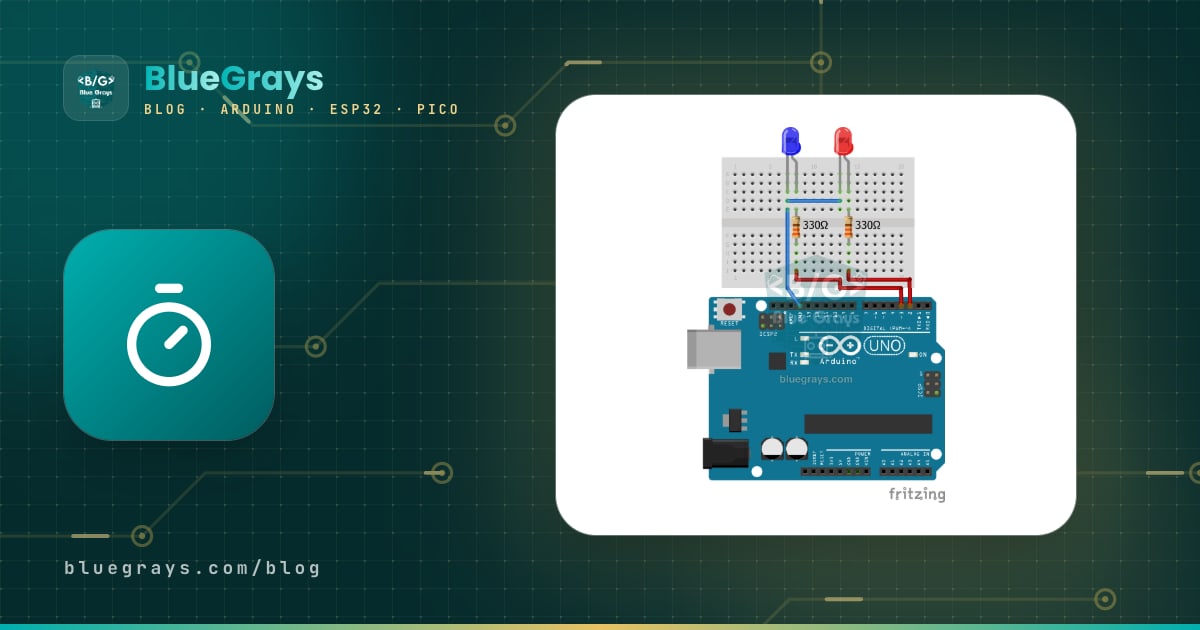
LED Police Lights
Just like the lights on a police car: the red LED flashes three times in quick succession, then the blue LED flashes three times, and the pattern keeps repeating without a break. All you need is two L
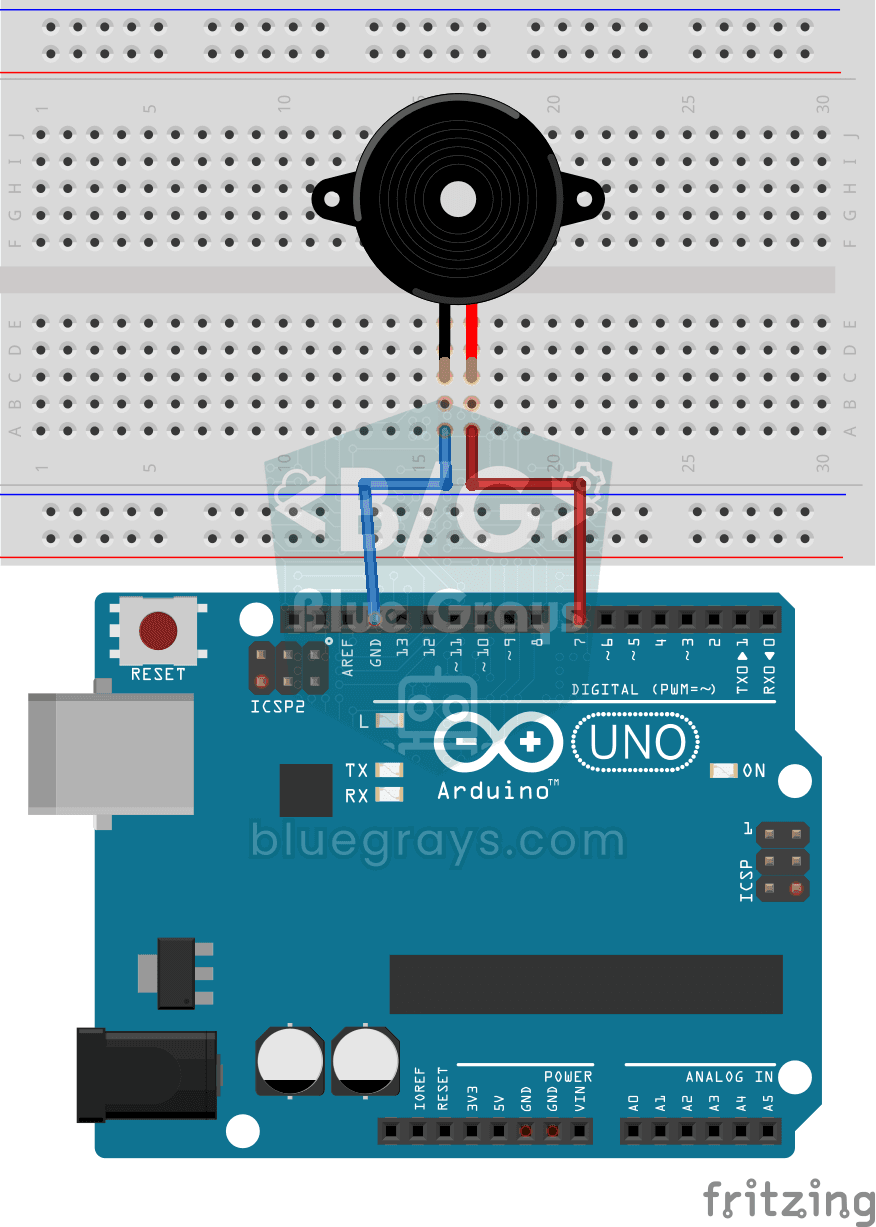
Using a Buzzer
Ever wondered how a doorbell or an alarm makes its sound? The Arduino makes a small buzzer beep at short intervals: beep, pause, beep, pause. You see how sound is made with electricity and take the fi
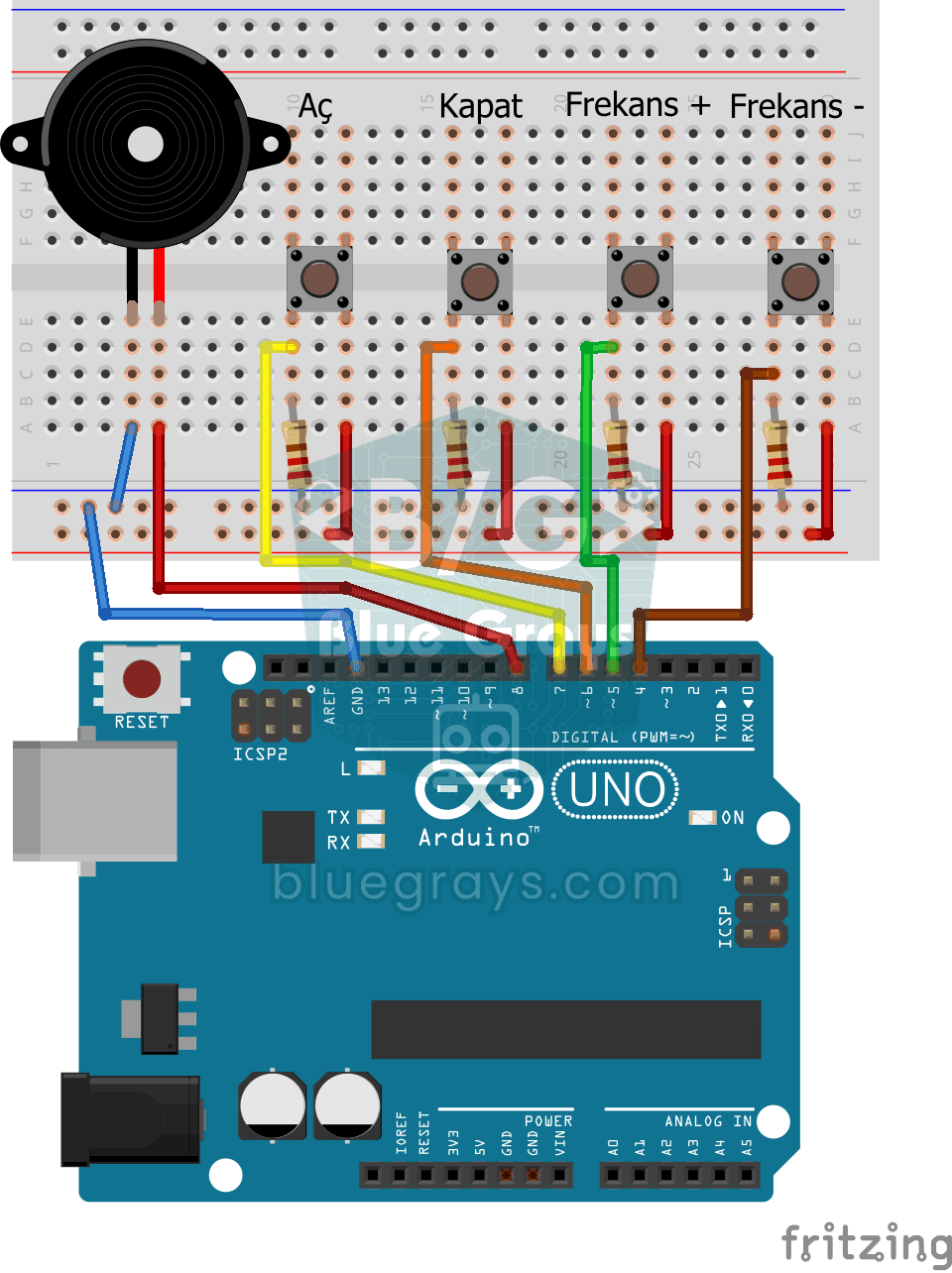
Frequency Setting with Buzzer
You control the sound of a buzzer with four buttons: one starts the sound, one silences it, and the other two make it higher or lower. Hold the up or down button and the pitch changes step by step, sl
Raspberry Pi Pico Police Strobe Light Effect (Red + Blue, GP11 + GP12)
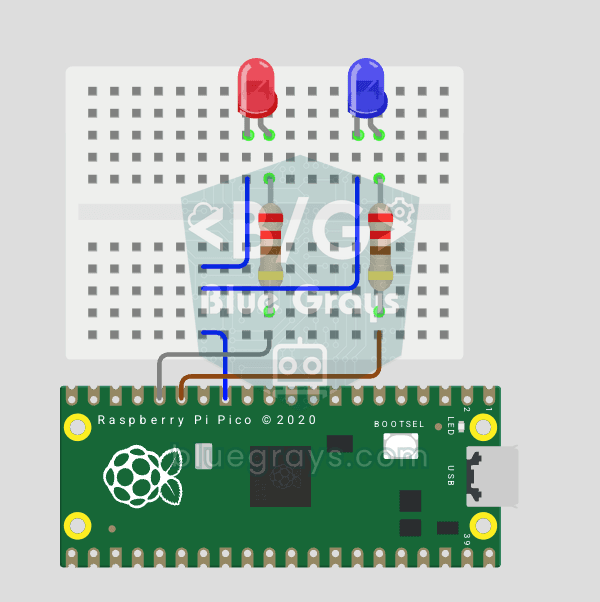
We simulate a police car's light bar with a Raspberry Pi Pico in its simplest form! 🚨 The red and blue LEDs take turns (flip-flop): while red is on, blue is off, and they swap every 0.3 seconds, forever. The code writes the two steps directly in a single `while True` loop; the speed is set with the `WAIT_MS` constant.

LED Railroad Crossing Warning Lights
LED Railroad Crossing Warning Lights.

Smart Stair and Corridor Lighting
Step onto the stairs or into the hallway and the lights come on one step at a time in the direction you are walking. There is a distance sensor at each end; whichever one you pass, the eight LEDs ligh
Lighting 220V Bulb with Push Button
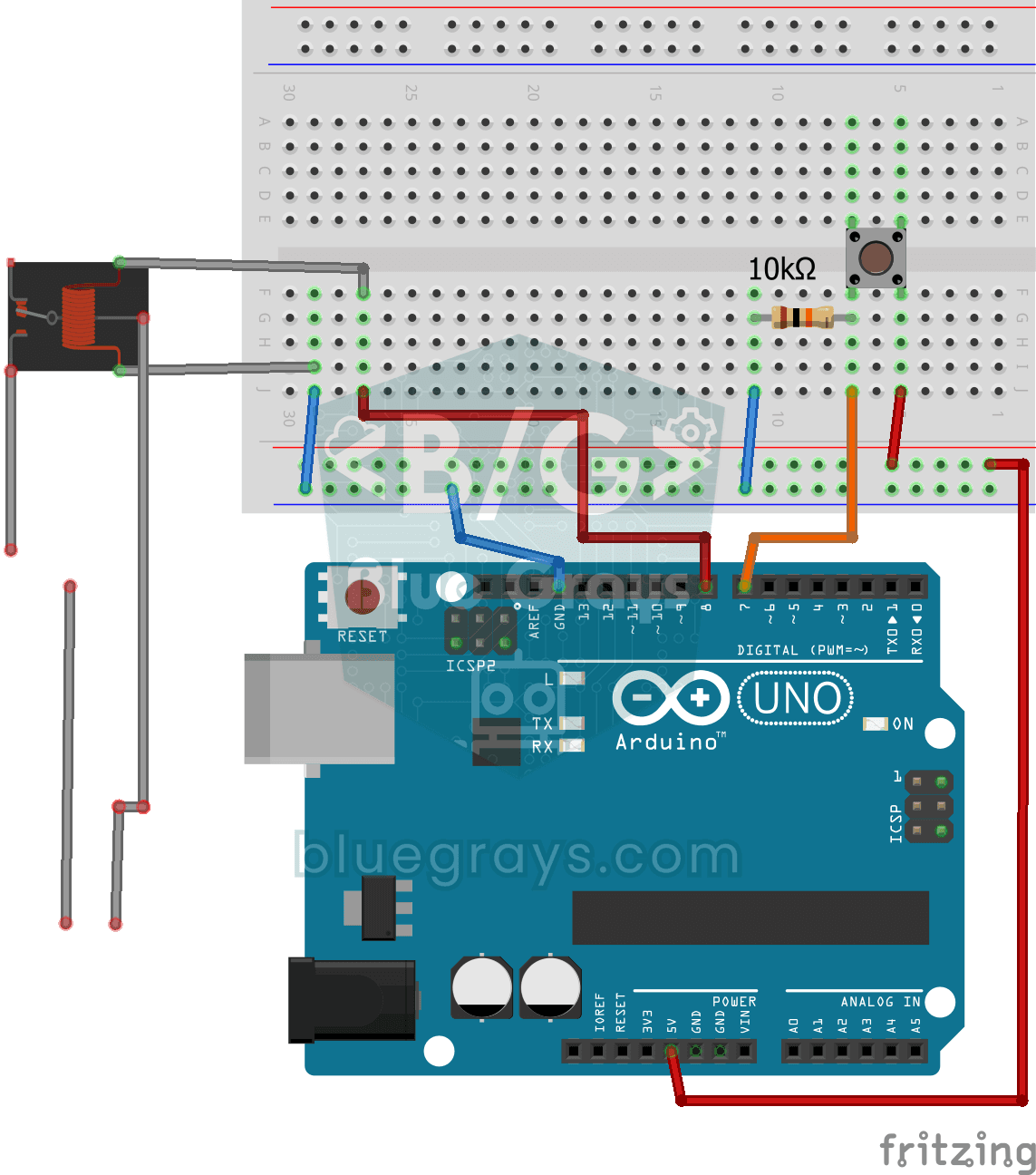
As long as you hold the button, a real 220-volt bulb stays lit, and it goes out the moment you let go. The Arduino's tiny signal cannot light the bulb directly, so a relay, an electrically controlled

ESP32 Police Strobe Light Effect
Simulate the strobe lights of a police car by rapidly flashing red and blue LED groups. Using 2 LEDs in each group makes the effect more dramatic. A classic example of fast toggle pattern and group control.