
ESP32 Plant Watering System: Wi-Fi Control Panel and Soil Sensor
Build an ESP32 plant watering system: capacitive soil sensor, relay and pump, web panel for threshold and timing, calibration, deep sleep, dry-run protection.
An ESP32 plant watering system combines a sensor that measures how wet the soil in a pot is with a small water pump, so your plant gets watered at the right moment even when you're away. When the soil dries out below the level you set, the ESP32 runs the pump through a relay for a few seconds, waits for the water to soak in and measures again. Thanks to Wi-Fi, you can watch the moisture from your phone and change the watering threshold and duration from a web panel.
In this guide we'll go step by step, from calibrating the capacitive soil moisture sensor to a complete watering sketch with a web panel, and then to a battery-powered deep sleep version for balconies without a socket. We'll also cover choosing a threshold for each type of plant, working out pump time from the flow rate and, most importantly, protecting the pump from running dry when the tank is empty.
How does an ESP32 plant watering system work?
The system runs a simple loop. Every 10 seconds the ESP32 takes 16 readings from the sensor, averages them and turns the result into a moisture value between 0% (completely dry) and 100% (in water). If the moisture is below your threshold, there's water in the tank and enough time has passed since the last watering, it runs the pump for the time you set. Then a soak period starts so the water can spread through the soil; no new watering happens until it's over. All of these settings are changed from the web panel and stored in the ESP32's flash memory.
| Part | Job | Note |
|---|---|---|
| ESP32 DevKit | Measuring, deciding and serving the web panel | 2.4 GHz Wi-Fi only |
| Capacitive soil moisture sensor v1.2 | Turns soil moisture into an analog voltage | Doesn't corrode; runs on 3.3–5.5 V |
| 1-channel relay module | Switches the pump on and off | Pick a model that triggers from a 3.3 V signal |
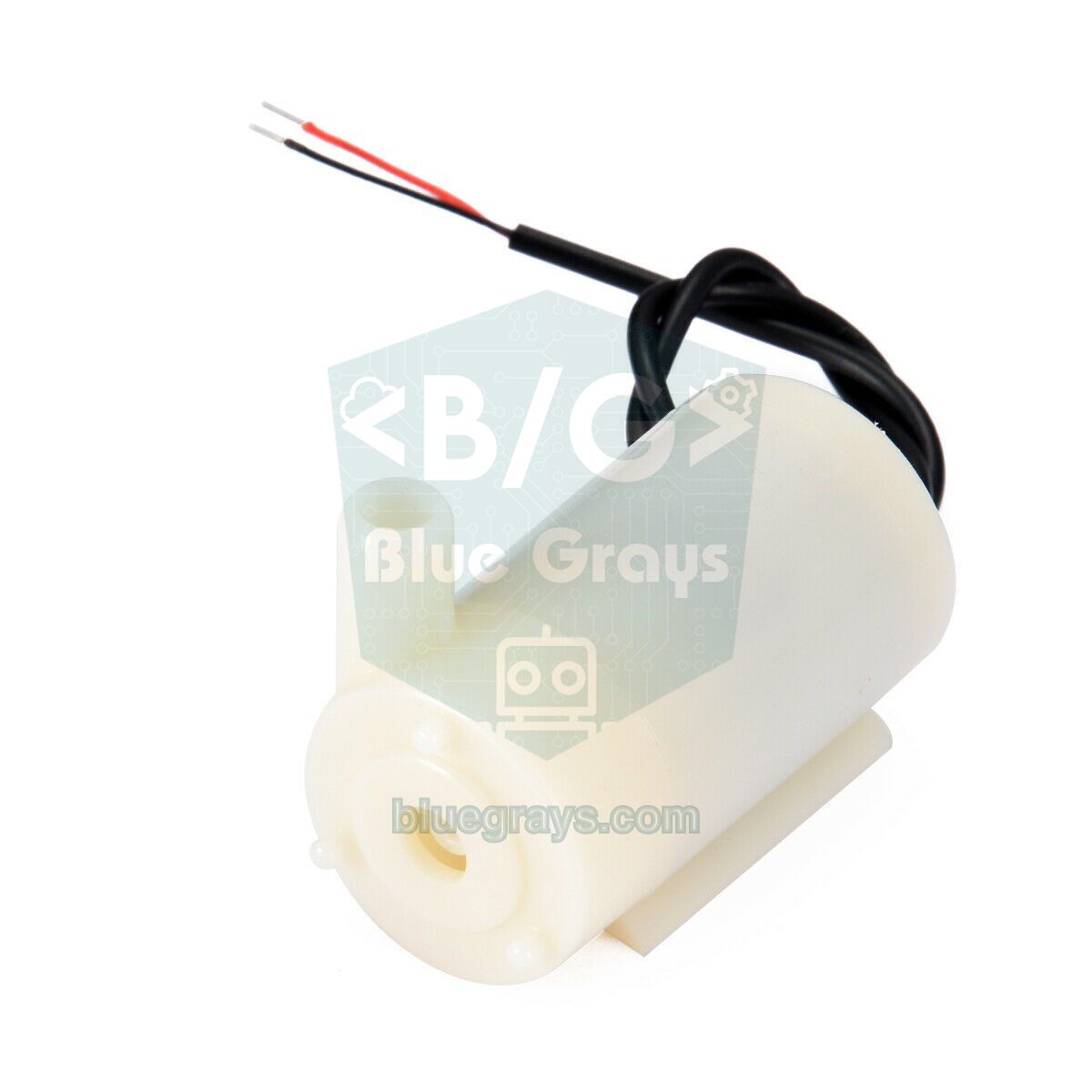
| 3–6 V mini submersible pump and hose | Pumps water from the tank to the pot | About 100–200 mA |
| Float level switch | Reports when the tank is empty | Protects the pump from running dry |
| 5 V 2 A adapter | Powers the ESP32, relay and pump | All grounds connected together |
| 1N4007 or 1N5819 diode | Clamps the voltage spike when the pump switches off | Cathode to the pump's + terminal |
Capacitive or resistive? Choosing the right soil moisture sensor
Cheap resistive sensors (two metal prongs like a fork) measure by passing current straight through the soil. That current causes electrolysis on the prongs: within a few weeks the metal corrodes, the readings drift and metal ions end up in the soil. In a capacitive sensor the electrodes sit under an insulating coating and never make electrical contact with the soil; the sensor measures how the water in the soil changes its capacitance. That's why it can stay in the ground for months or even years. For a watering system that runs all the time, a capacitive sensor is practically a must. You'll find a detailed comparison of the two in Soil Moisture Sensor.
Wiring: ESP32, sensor, relay and pump
| Connection | ESP32 pin | Note |
|---|---|---|
| Sensor AOUT | GPIO 34 | ADC1 channel; readable with Wi-Fi on |
| Sensor VCC | 3V3 (GPIO 25 in the battery version) | On batteries it's powered only while measuring |
| Sensor GND | GND | Common ground |
| Relay IN | GPIO 26 | Most modules switch on LOW |
| Relay VCC / GND | VIN (5 V) / GND | The relay coil needs 5 V |
| Float switch | GPIO 27 and GND | INPUT_PULLUP; contact closed while there's water |
| Pump | 5 V, through relay COM–NO | Pump current never passes through the ESP32 |
When the pump motor switches off it produces a reverse voltage spike that can reset the ESP32, so connect a diode across the pump's terminals in reverse (cathode to +) and add a 100–470 µF capacitor close to the ESP32's 5 V input. The grounds of the relay module, the pump and the ESP32 must all be joined. Keep the tank below the pot and end the hose above the water level in the tank; otherwise water keeps flowing through siphon action even after the pump stops, and the pot overflows. We explain how to drive the pump in detail in Arduino Water Pump.
Step 1: calibrating the sensor (dry and wet values)
Every capacitive sensor, cable length and supply voltage gives slightly different values, so you need to tune the code to the two end values of your own sensor. Upload the code below and open the Serial Monitor at 115200 baud. First hold the sensor in the air and note the value: that's RAW_DRY, or 0%. Then dip the sensor into a glass of water up to the line on the board and note the new value: that's RAW_WET, or 100%. With a capacitive sensor the value goes down as moisture goes up; you get the percentage with moisture % = (RAW_DRY − raw) × 100 / (RAW_DRY − RAW_WET).
1// Kalibrasyon: sensörü önce havada, sonra bardak suda tut / calibration: hold the sensor in air, then in a glass of water
2const int SOIL_PIN = 34;             // sensör AOUT, ADC1 kanalı / sensor AOUT, an ADC1 channel
3
4void setup() {
5  Serial.begin(115200);
6}
7
8void loop() {
9  long sum = 0;
10  for (int i = 0; i < 16; i++) {     // 16 ölçümün ortalaması / average of 16 readings
11    sum += analogRead(SOIL_PIN);
12    delay(5);
13  }
14  Serial.print("Ham deger / raw value: ");
15  Serial.println(sum / 16);          // havada → RAW_DRY, suda → RAW_WET / in air → RAW_DRY, in water → RAW_WET
16  delay(1000);
17}| Condition | Raw value (example) | Moisture (%) |
|---|---|---|
| In the air (completely dry) | ≈ 3000 | 0 (RAW_DRY) |
| Dry soil | ≈ 2500–2700 | 17–29 |
| Moist soil (ideal for most plants) | ≈ 1800–2200 | 46–69 |
| Freshly watered soil | ≈ 1500–1700 | 74–86 |
| In a glass of water | ≈ 1250 | 100 (RAW_WET) |
Choosing a watering threshold for your plant
| Plant type | Watering threshold | Note |
|---|---|---|
| Cacti and succulents | 15–25% | Let the soil dry out almost completely |
| Houseplants (pothos, monstera, ficus) | 30–40% | When the top 2–3 cm are dry |
| Vegetables and seedlings (tomato, basil, pepper) | 45–60% | Keep the soil slightly moist all the time |
| Ferns and moisture lovers | 55–70% | Never let it dry out completely |
Two settings matter as much as the threshold: pump time and soak time. A mini pump rated at 100 L/h moves about 28 ml per second in theory, but with a thin hose and a few dozen centimetres of lift you'll get roughly 15–20 ml per second in practice. The best approach is to run the pump into a measuring jug for 10 seconds and measure the real flow. For a 15 cm pot, 80–150 ml per watering is usually enough, which means 5–8 seconds. Soak time gives the water a chance to spread through the soil and reach the sensor: without it the sensor isn't wet yet, so the system runs the pump again and again and floods the pot. 30 minutes is a good starting point.
Step 2: ESP32 watering code with a web panel
The main sketch handles automatic watering and also serves a small panel you open on your phone. The panel refreshes the moisture, the pump and tank status and the time since the last watering every 3 seconds. From the form you can change the threshold, pump time and soak time, and the "Water now" button waters manually. The settings are written to flash with the Preferences library, so they survive a power cut. Even if Wi-Fi can't connect, the code carries on after 20 seconds and automatic watering keeps working. Don't forget to put the two values from your calibration into the RAW_DRY and RAW_WET lines:
1#include <WiFi.h>
2#include <WebServer.h>
3#include <Preferences.h>
4
5const char* ssid = "AgAdi"; // Wi-Fi adın / your Wi-Fi name
6const char* password = "Sifre123"; // Wi-Fi şifren / your Wi-Fi password
7
8const int SOIL_PIN = 34; // sensör AOUT (ADC1) / sensor AOUT (ADC1)
9const int RELAY_PIN = 26; // röle IN / relay IN
10const int FLOAT_PIN = 27; // şamandıra, diğer ucu GND / float switch, other leg to GND
11const bool RELAY_ACTIVE_LOW = true; // çoğu röle modülü LOW'da çeker / most relay modules switch on LOW
12const int RAW_DRY = 3000; // havadaki değer (%0) / reading in air (0%)
13const int RAW_WET = 1250; // sudaki değer (%100) / reading in water (100%)
14
15WebServer server(80);
16Preferences prefs;
17
18int threshold = 35; // bu nemin altında sula (%) / water below this moisture (%)
19int durationS = 5; // pompa süresi (sn) / pump run time (s)
20int soakMin = 30; // iki sulama arası bekleme (dk) / soak time between waterings (min)
21
22int moisture = 0; // son nem (%) / last moisture (%)
23bool pumpOn = false, tankLow = false, everWatered = false;
24unsigned long pumpStart = 0, lastWater = 0, lastCheck = 0;
25
26const char PAGE[] PROGMEM = R"HTML(<!DOCTYPE html><html><head><meta charset="utf-8">
27<meta name="viewport" content="width=device-width,initial-scale=1"><title>ESP32 Sulama</title>
28<style>body{font-family:sans-serif;margin:16px;max-width:420px}input{width:70px}button{padding:8px 14px;margin-top:8px}</style></head>
29<body><h2>ESP32 Sulama / Watering</h2>
30<p>Nem / Moisture: <b id="m">--</b> %</p>
31<p>Pompa / Pump: <b id="p">--</b> · Depo / Tank: <b id="k">--</b></p>
32<p>Son sulama / Last watering: <b id="l">--</b></p>
33<form action="/save" method="POST">
34<p>Esik / Threshold (%): <input name="th" type="number" min="5" max="90" value="%TH%"></p>
35<p>Sure / Duration (s): <input name="du" type="number" min="1" max="60" value="%DU%"></p>
36<p>Bekleme / Soak (min): <input name="so" type="number" min="1" max="720" value="%SO%"></p>
37<button>Kaydet / Save</button></form>
38<form action="/water" method="POST"><button>Simdi sula / Water now</button></form>
39<script>
40function upd() {
41 fetch('/data').then(r => r.json()).then(d => {
42 document.getElementById('m').textContent = d.m;
43 document.getElementById('p').textContent = d.p ? 'ON' : 'OFF';
44 document.getElementById('k').textContent = d.k ? 'BOS / EMPTY' : 'OK';
45 document.getElementById('l').textContent = d.l < 0 ? '--' : Math.round(d.l / 60) + ' dk / min';
46 });
47}
48upd(); setInterval(upd, 3000);
49</script></body></html>)HTML";
50
51void setPump(bool on) {
52 pumpOn = on;
53 digitalWrite(RELAY_PIN, (on != RELAY_ACTIVE_LOW) ? HIGH : LOW);
54}
55
56bool waterAvailable() { // şamandıra yukarıda: kontak kapalı, LOW / float up: contact closed, LOW
57 return digitalRead(FLOAT_PIN) == LOW;
58}
59
60int readMoisture() {
61 long sum = 0;
62 for (int i = 0; i < 16; i++) { sum += analogRead(SOIL_PIN); delay(5); }
63 int pct = map(sum / 16, RAW_DRY, RAW_WET, 0, 100); // kuru → 0, ıslak → 100 / dry → 0, wet → 100
64 return constrain(pct, 0, 100);
65}
66
67void startWatering() {
68 if (pumpOn || !waterAvailable()) return; // su yoksa pompayı asla çalıştırma / never run the pump dry
69 setPump(true);
70 pumpStart = lastWater = millis();
71 everWatered = true;
72}
73
74void handleRoot() {
75 String page = PAGE;
76 page.replace("%TH%", String(threshold));
77 page.replace("%DU%", String(durationS));
78 page.replace("%SO%", String(soakMin));
79 server.send(200, "text/html", page);
80}
81
82void handleData() {
83 long ago = everWatered ? (long)((millis() - lastWater) / 1000) : -1;
84 server.send(200, "application/json", "{\"m\":" + String(moisture) + ",\"p\":" + String(pumpOn ? 1 : 0) +
85 ",\"k\":" + String(tankLow ? 1 : 0) + ",\"l\":" + String(ago) + "}");
86}
87
88void handleSave() {
89 threshold = constrain(server.arg("th").toInt(), 5, 90);
90 durationS = constrain(server.arg("du").toInt(), 1, 60);
91 soakMin = constrain(server.arg("so").toInt(), 1, 720);
92 prefs.putInt("th", threshold); // flaşa kaydet, elektrik kesilse de kalır / saved to flash, survives power cuts
93 prefs.putInt("du", durationS);
94 prefs.putInt("so", soakMin);
95 server.sendHeader("Location", "/");
96 server.send(303);
97}
98
99void handleWater() {
100 startWatering(); // elle sulama / manual watering
101 server.sendHeader("Location", "/");
102 server.send(303);
103}
104
105void setup() {
106 Serial.begin(115200);
107 pinMode(RELAY_PIN, OUTPUT);
108 setPump(false); // açılışta pompa kapalı / pump off at boot
109 pinMode(FLOAT_PIN, INPUT_PULLUP);
110 prefs.begin("sulama", false);
111 threshold = prefs.getInt("th", threshold);
112 durationS = prefs.getInt("du", durationS);
113 soakMin = prefs.getInt("so", soakMin);
114
115 WiFi.mode(WIFI_STA);
116 WiFi.begin(ssid, password);
117 for (int i = 0; i < 40 && WiFi.status() != WL_CONNECTED; i++) delay(500); // en fazla 20 sn bekle / wait 20 s at most
118 Serial.print("IP: ");
119 Serial.println(WiFi.localIP()); // Wi-Fi yoksa da sulama çalışır / watering works even without Wi-Fi
120
121 server.on("/", handleRoot);
122 server.on("/data", handleData);
123 server.on("/save", HTTP_POST, handleSave);
124 server.on("/water", HTTP_POST, handleWater);
125 server.begin();
126}
127
128void loop() {
129 server.handleClient();
130 unsigned long now = millis();
131 if (pumpOn) {
132 tankLow = !waterAvailable();
133 if (now - pumpStart >= (unsigned long)durationS * 1000UL || tankLow) setPump(false); // süre ya da su bitti / time or water ran out
134 }
135 if (now - lastCheck >= 10000) { // 10 sn'de bir kontrol / check every 10 s
136 lastCheck = now;
137 moisture = readMoisture();
138 tankLow = !waterAvailable();
139 bool soaked = !everWatered || now - lastWater >= (unsigned long)soakMin * 60000UL;
140 if (!pumpOn && !tankLow && moisture < threshold && soaked) startWatering();
141 Serial.printf("Nem / Moisture: %d %% Depo / Tank: %s\n", moisture, tankLow ? "BOS / EMPTY" : "OK");
142 }
143}| Code | What it does |
|---|---|
| RAW_DRY / RAW_WET | The two end values you found during calibration |
| map() + constrain() | Turns the raw value into 0–100% and keeps it in range |
| Preferences | Stores the threshold, pump time and soak time in flash |
| soakMin | Waits between waterings so the water can spread through the soil |
| waterAvailable() | If the float says the tank is empty, the pump never starts, or stops at once |
| /save and /water | Save the form settings and start a manual watering |
After uploading, open the IP address shown in the Serial Monitor on a phone connected to the same Wi-Fi. Depending on how the float switch is mounted, its contact may be open while there's water; if the panel always shows the tank as "EMPTY", change LOW to HIGH in waterAvailable(). The panel has no password, so use it only on your home network; if you'd like an easy-to-remember address instead of an IP and a livelier interface, add the techniques from ESP32 Async Web Server and WebSocket.
Protecting the pump when the water runs out
Mini submersible pumps are cooled and lubricated by the water flowing through them. Run dry, they heat up within minutes and wear out their seals and impellers; a pump left running in an empty tank for a whole holiday is usually dead. That's why a good watering system protects the pump in several layers:
- Float switch: When the water in the tank drops below a certain level the contact opens, and the code never starts the pump; if the water runs out mid-watering, it stops the pump immediately. Wiring details are in Float Switch Sensor.
- Time limit: The pump never runs longer than the set time (60 s at most); even if the relay sticks in software terms, the code switches it off.
- Soak time: At least soakMin minutes pass between waterings, so a faulty sensor can't force the system to water non-stop.
- Moisture-rise check: If you like, keep an error counter when the reading after watering hasn't gone up; after three failed waterings, stop automatic watering and send an alert with a Telegram bot. This catches a hose that has slipped out or a sensor that's no longer in the soil.
- Non-contact level sensor: Use an XKC-Y25, which measures from outside the tank wall, instead of a float, and nothing has to sit in the water.
Battery-powered watering with deep sleep
To run the system on batteries on a balcony or in a garden with no socket, you put the ESP32 into deep sleep between measurements. The version below skips the web panel, because keeping Wi-Fi on would drain the battery in a few days. The board wakes every 30 minutes, powers the sensor from GPIO 25 only while measuring, runs the pump if needed and goes back to sleep. The wake and watering counts are kept in RTC memory with RTC_DATA_ATTR, so they survive the sleep. In the battery version a 5 V relay coil draws a lot of current and may not pull in at low voltage, so driving the pump with a logic-level MOSFET makes more sense; details in Using a MOSFET with Arduino.
1// Pilli sürüm: 30 dk'da bir uyan, ölç, gerekirse sula, uyu / battery version: wake every 30 min, measure, water if needed, sleep
2const int SOIL_PIN = 34;                 // sensör AOUT / sensor AOUT
3const int SENSOR_PWR = 25;               // sensör VCC bu pinden / sensor VCC from this pin
4const int PUMP_PIN = 26;                 // röle IN ya da MOSFET gate / relay IN or MOSFET gate
5const int FLOAT_PIN = 27;                // şamandıra / float switch
6const bool PUMP_ACTIVE_LOW = true;       // MOSFET kullanıyorsan false / false if you use a MOSFET
7const int RAW_DRY = 3000, RAW_WET = 1250;
8const int THRESHOLD = 35;                // %
9const int DURATION_S = 5;                // sn / s
10const uint64_t SLEEP_US = 30ULL * 60 * 1000000;   // 30 dakika / 30 minutes
11
12RTC_DATA_ATTR int wakeCount = 0;         // deep sleep'te silinmez / survives deep sleep
13RTC_DATA_ATTR int waterCount = 0;
14
15void pump(bool on) {
16  digitalWrite(PUMP_PIN, (on != PUMP_ACTIVE_LOW) ? HIGH : LOW);
17}
18
19void setup() {
20  Serial.begin(115200);
21  wakeCount++;
22  pinMode(PUMP_PIN, OUTPUT);
23  pump(false);
24  pinMode(FLOAT_PIN, INPUT_PULLUP);
25  pinMode(SENSOR_PWR, OUTPUT);
26  digitalWrite(SENSOR_PWR, HIGH);        // sensörü yalnız ölçerken aç / power the sensor only while measuring
27  delay(200);                            // çıkışın oturmasını bekle / let the output settle
28  long sum = 0;
29  for (int i = 0; i < 16; i++) { sum += analogRead(SOIL_PIN); delay(5); }
30  digitalWrite(SENSOR_PWR, LOW);
31  int pct = constrain(map(sum / 16, RAW_DRY, RAW_WET, 0, 100), 0, 100);
32  bool water = digitalRead(FLOAT_PIN) == LOW;
33  Serial.printf("Uyanma / Wake %d: nem / moisture %d %%, depo / tank %s, sulama / waterings %d\n",
34                wakeCount, pct, water ? "OK" : "BOS / EMPTY", waterCount);
35
36  if (pct < THRESHOLD && water) {
37    pump(true);
38    unsigned long start = millis();
39    while (millis() - start < DURATION_S * 1000UL && digitalRead(FLOAT_PIN) == LOW) delay(10);   // su biterse hemen dur / stop at once if the tank empties
40    pump(false);
41    waterCount++;
42  }
43  esp_sleep_enable_timer_wakeup(SLEEP_US);
44  esp_deep_sleep_start();                // uyanınca setup() baştan başlar / wakes up into setup()
45}
46
47void loop() {
48}
Battery life is decided mainly by the board's sleep current. An ordinary ESP32 DevKit can draw 5–10 mA asleep because of its regulator and USB-to-serial chip: at 10 mA, a 3000 mAh battery lasts only 300 hours, about 12 days. With a low-power board that sleeps at 0.15 mA the picture changes: 48 wake-ups a day (0.5 seconds each at 50 mA), 0.15 mA of sleep and one 5-second pump run a day add up to about 4.3 mAh; the same battery would last close to two years in theory, though in practice self-discharge limits it to months. Run your own numbers with the Battery life tool, and see ESP32 Deep Sleep for ways to cut the sleep current.
Project ideas and upgrades
- Multi-pot system: Give each pot its own sensor and pump; the ESP32's ADC1 pins are enough for up to six pots.
- Notifications: Send a message to your phone with Telegram when the tank is empty or the soil stays too dry.
- Moisture log: Save the readings to Google Sheets and see on a chart how often your plant needs water.
- Solar-powered watering: Charge the battery during the day with a small solar panel and a TP4056.
- Rain check: Outdoors, add a rain sensor and skip watering when it's raining.
- Smart greenhouse: Add temperature, humidity and a fan to turn it into a smart greenhouse project.
Common problems and fixes
| Symptom | Likely cause | Fix |
|---|---|---|
| Moisture always 0% or never changes | Sensor on an ADC2 pin with Wi-Fi on | Move the sensor to one of GPIO 32–39 |
| Readings jump around | Noise, or the sensor isn't seated well in the soil | Average 16 readings and press the sensor in firmly |
| ESP32 resets when the pump starts | Voltage drop, no diode | Add the diode and a 470 µF capacitor, use a 2 A adapter |
| Relay never releases | A 5 V relay doesn't recognise the 3.3 V HIGH | Use a 3.3 V-compatible relay or a MOSFET, check RELAY_ACTIVE_LOW |
| Pot overflows | Soak time too short, or siphon action | Increase soakMin, end the hose above the tank's water level |
| Pump runs but no water comes out | Air trapped in the pump, or the tank is empty | Submerge the pump fully, check the float switch |
| Settings reset after a power cut | Values aren't being saved to flash | Make sure the prefs.putInt() lines run |
Because it combines measuring, decision-making, safety and remote control in one project, this ESP32 watering system is also a great first step into home automation. If you'd like to see a watering circuit step by step, the Smart Irrigation Station project in the BlueGrays app has the wiring diagram and ready-to-upload code for an Arduino version.
Frequently asked questions
How do I make an automatic plant watering system with an ESP32?
Connect a capacitive soil moisture sensor to one of the ESP32's ADC1 pins and a relay module to a digital pin, and power the mini pump from a separate 5 V supply through the relay. Calibrate the sensor in air and in water and set a moisture threshold in the code; when the moisture drops below it, the pump runs for a few seconds and the system waits for the water to soak in.
Which ESP32 pin should the soil moisture sensor use?
Connect the analog output to one of the ADC1 pins between GPIO 32 and 39; this guide uses GPIO 34. ADC2 pins can't be read with analogRead() while Wi-Fi is on, so in Wi-Fi projects the sensor should always go on ADC1.
At what soil moisture percentage should I water my plants?
It depends on the plant: 15–25% for cacti and succulents, 30–40% for most houseplants and 45–60% for vegetables like tomatoes and basil are good starting points. Because the percentages depend on your sensor's calibration, watch the plant for a few days and fine-tune the threshold.
Should I drive the pump with a relay or a MOSFET?
For a mains-powered system, a relay module that triggers from 3.3 V is practical and safe. For battery-powered systems, or if you want to control the pump speed with PWM, a logic-level MOSFET uses less power and runs silently; either way, fit a reverse diode across the pump.
Will a mini water pump get damaged if it runs dry?
Yes. Mini submersible pumps are cooled and lubricated by the water passing through them, and when they run dry they heat up and wear out within minutes. A float switch or a non-contact level sensor in the tank that stops the pump in software is the easiest protection.
How long will an ESP32 watering system run on batteries?
With Wi-Fi on all the time, the battery is flat within a few days. With deep sleep it depends on the board's sleep current: an ordinary DevKit drawing 10 mA asleep gets about 12 days from a 3000 mAh battery, while a low-power board at 0.15 mA lasts for months.
Projects to build after reading this
See all projects
Smart Irrigation Station
A gardener that waters your plants on its own, so they don't dry out while you're on vacation.

ESP32 Asynchronous Web Server (with IP Display on LCD)
In this project, we’re turning the ESP32 into an asynchronous web server that you can control from your phone or computer on the same Wi-Fi network. Thanks to the ESPAsyncWebServer library, the server can process multiple requests simultaneously (unlike the classic WebServer.h, which blocks on a single request). You’ll be able to open the ESP32’s IP address in a browser and click the ON/OFF buttons (the /on and /off routes) to turn the LED connected to GPIO 5 on and off.

ESP32 Wi-Fi STA Connection (with LCD Screen)
In this project, we connect the ESP32 to the home Wi-Fi network in Station (STA) mode in a secure, fault-tolerant manner. We store the SSID and password in a separate secrets.h file to prevent leaking to Git, set up an auto-reconnect mechanism, and display the RSSI signal level and IP address on an I2C LCD screen. The internal LED works as a status indicator. It is a production-grade connection manager.

ESP32 Deep Sleep — Battery Saving (OLED + RTC RAM Counter)
The ESP32's Deep Sleep mode shuts down the CPU and most peripherals, cutting current draw to about 10µA, which is vital for battery-powered IoT devices. This project uses three wake-up sources: a timer (15 s), an external pin (EXT0, the button on GPIO 33) and a touch pin (T0/GPIO 4). Counters marked with RTC_DATA_ATTR survive deep sleep.

ESP32 DHT22 Temperature and Humidity (with LCD Display)
This project measures ambient temperature and humidity using a DHT22 sensor and displays the data in real time on a 16x2 I2C LCD. Data is read from the sensor using the one-wire protocol via the Adafruit DHT library. This project serves as the foundation for IoT weather stations, smart home automation, or environmental monitoring systems in greenhouses. Communication with the DHT22 is established via the ESP32's GPIO 4 pin.

ESP32 Smart Lighting (PIR + LDR + Relay + OLED)
With an ESP32, a PIR motion sensor, an LDR light sensor and a relay module, we turn your hallway, bathroom or pantry into smart lighting. If the room is already bright, the light stays off even when there is motion, so it never wastes energy during the day. The light stays on for 30 seconds, and the time extends automatically while motion continues.
ESP32 Temperature Data Logger (DHT22 + DS1307 RTC + microSD + OLED)
Build a timed temperature and humidity logger with the ESP32! A DHT22 sensor reads temperature and humidity once a minute, and each reading is saved to a microSD card in CSV format with a real-time stamp from the DS1307 RTC module. The OLED display shows the latest temperature, humidity, timestamp and total number of records live, in large text.