
Flame Sensor Arduino Tutorial: Wiring, Code and Fire Alarm
Flame sensor Arduino guide: wiring, DO vs AO output, sensitivity, range and angle, buzzer fire alarm, use with MQ-2, avoiding false alarms, ESP32 and Pico code.
A flame sensor is a cheap module that detects the infrared light given off by a lighter, candle or burning paper, and you can use it with an Arduino in just a few lines of code. Using a flame sensor with Arduino needs no library: the module's DO pin changes state when it sees a flame, and the AO pin on 4-pin versions gives a voltage that changes with the flame's intensity. It is one of the most popular sensors for fire alarms, firefighting robots, kitchen safety systems and school projects.
In this guide you will learn what is inside a flame sensor and why it only responds to light between 760 and 1100 nm, how the digital and analog outputs differ, how to set the sensitivity potentiometer correctly, and what its detection range and angle are. Then you will build a fire alarm with a buzzer and an LED, combine the sensor with an MQ-2 gas sensor, reduce false alarms from sources such as sunlight and remote controls in software, send a Telegram notification to your phone with an ESP32, and run the same circuit on a Raspberry Pi Pico with MicroPython.
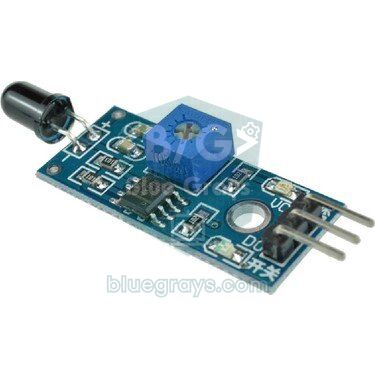
What is a flame sensor and how does it work?
The black, LED-like part at the end of the module is actually an infrared phototransistor (a photodiode on some boards); a common example is the YG1006. Its black epoxy body filters out most visible light and only lets through near-infrared light between roughly 760 and 1100 nm, with peak sensitivity around 940 nm. The upper limit comes from silicon itself: with a band gap of 1.12 eV, silicon cannot absorb photons with wavelengths longer than about 1100 nm. Because the hot soot particles in a flame also radiate in this band, the current through the phototransistor rises as a flame gets closer. A voltage divider on the board turns that current into a voltage, and the LM393 comparator compares it with the threshold you set on the potentiometer to decide the state of the DO pin.
| Property | Value |
|---|---|
| Detected wavelength | 760–1100 nm (peak sensitivity ~940 nm) |
| Detection angle | About 60° (~30° either side of the axis) |
| Detection distance | Typically up to 80 cm for a lighter flame; more for bigger flames |
| Supply voltage | 3.3–5 V |
| Comparator | LM393; threshold set with a multi-turn potentiometer |
| Outputs | DO (digital, on every model), AO (analog, on 4-pin models) |
| DO logic | Common blue modules: flame = LOW and the DO LED lights; KY-026: usually flame = HIGH |
| Response time | Well under a millisecond; the phototransistor reacts within microseconds |
| Receiver operating temperature | About −25 to +85 °C |
Several different flame sensor boards do the same job. 3-pin modules like the one in the photo above only have a digital output; 4-pin modules add an analog output. The KY-026 you may know from sensor kits works the same way, but its DO output is usually inverted. Firefighting robots use multi-channel boards with five receivers arranged in a fan. A flame sensor is passive, meaning it emits no light of its own; that sets it apart from the TCRT5000 infrared sensor, which has both an emitter and a receiver.
| Model | Pins | Feature | When to choose it |
|---|---|---|---|
| 3-pin module | VCC, GND, DO | Flame yes/no only | Simple fire alarm, first experiments |
| 4-pin module | VCC, GND, DO, AO | Threshold output + flame intensity | Multi-level alarm, false alarm filtering |
| KY-026 | A0, G, +, D0 | Same as the 4-pin module; DO usually HIGH on flame | Projects that come with sensor kits |
| 5-channel module | VCC, GND and a separate output per receiver | Wide field of view of about 120° | Robots that find the flame's direction |
Digital (DO) vs analog (AO) output
The DO pin is a yes/no answer: it changes state when the infrared light exceeds the threshold you set on the potentiometer. On common blue boards this pin is normally HIGH, goes LOW when it sees a flame, and the DO LED lights up; on some boards such as the KY-026 it is the other way round. So the first thing to do is test your own module with a lighter and check what the Serial Monitor shows. The AO pin gives the raw signal. On most modules this value falls as a flame gets closer: an analogRead value of 900–1020 in a room without a flame can drop to a few hundred with a lighter nearby. The potentiometer only changes the DO threshold and has no effect on AO.
| Property | DO (digital) | AO (analog) |
|---|---|---|
| Value read | HIGH or LOW | 0–1023 on an Arduino Uno |
| Threshold | Potentiometer on the board | You set it in code |
| Information | Is there a flame or not | Flame intensity, rough distance and flicker |
| Pin to use | Any digital pin | Analog pin (ADC) |
| Best for | Simple alarm, instant response via interrupt | Multi-level alarm, false alarm filtering, finding direction |
How to adjust the sensitivity potentiometer
- Power the module and place the sensor where it will work, facing the direction it will watch; always make this adjustment in the real environment.
- With no flame present, turn the blue potentiometer with a small screwdriver and find the point where the DO LED switches between on and off.
- From that point, turn it another half to full turn in the direction where the LED stays off. This way small changes in ambient light will not trigger the alarm.
- Hold a lighter towards the sensor at the farthest distance you want to detect and check that the LED lights up. If it does not, make the setting slightly more sensitive and try again.
- Make sure the sensor is not facing a sunny window or an incandescent lamp, and check the setting again a few hours later under different lighting.
Detection range and angle
Figures such as 80 cm given by manufacturers refer to a standard lighter flame; the real range depends on the size of the flame, the potentiometer setting and the ambient light. A simple law of physics applies here: the intensity of light from a small source falls with the square of the distance. Double the distance and the infrared light reaching the sensor drops to a quarter. Looking at it the other way, you can detect a flame that emits four times as much light from twice as far away, and one a hundred times stronger from ten times as far. That is why a candle flame is detected at a shorter distance than a lighter, while a burning pile of paper can be detected from several metres.
| Distance | Light reaching the sensor (20 cm = 100%) |
|---|---|
| 20 cm | 100% |
| 40 cm | 25% |
| 60 cm | 11% |
| 80 cm | 6% |
| 1 m | 4% |
The detection angle is about 60 degrees, so the sensor sees flames inside a cone of roughly 30 degrees on either side of its axis, and the signal weakens quickly as the flame moves towards the edge of that cone. The receiver has long legs, so you can gently bend it to face any direction, but repeatedly bending the point where the legs enter the body will break it. To narrow the field of view, slide a matt black tube over the receiver: a tube with a 6 mm inner diameter and 2 cm length cuts the angle to roughly 30 degrees and blocks sunlight or lamplight coming from the side. The field of view should be just wide enough to cover the area you want to watch; anything wider only adds new sources of false alarms.
Flame sensor wiring: Arduino Uno, ESP32 and Pico
| Connection | Arduino Uno | ESP32 | Raspberry Pi Pico |
|---|---|---|---|
| Module VCC | 5V | 3V3 | 3V3(OUT), pin 36 |
| Module GND | GND | GND | GND, pin 38 |
| Module DO | D2 | GPIO 27 | GP15, pin 20 |
| Module AO (4-pin) | A0 | GPIO 34 (ADC1) | GP26 / ADC0, pin 31 |
| Active buzzer (+) | D8 | GPIO 25 | GP14, pin 19 |
| Red LED (with 220 Ω) | D7 | GPIO 26 | GP13, pin 17 |
Step by step: a flame sensor fire alarm with Arduino
- Connect the module's VCC pin to the Arduino's 5V pin, GND to GND and DO to D2.
- Connect the long (+) leg of the active buzzer to D8 and the short leg to GND.
- Connect the long leg of the red LED to D7 through a 220 Ω resistor and the short leg to GND. If you use a different LED, you can work out the resistor value with the LED resistor calculator.
- Upload the code below, open the Serial Monitor at 9600 baud and briefly hold a lighter towards the sensor from 20–30 cm away.
- If the buzzer sounds and the LED lights up, the circuit works; if the alarm sounds with no flame and goes quiet when there is one, change FLAME_ACTIVE in the code to HIGH.
1// Alev sensörü ile basit yangın alarmı / Simple fire alarm with a flame sensor
2const int FLAME_DO = 2;          // modülün DO pini / module DO pin
3const int BUZZER = 8;            // aktif buzzer / active buzzer
4const int LED = 7;               // kırmızı LED (220 Ω ile) / red LED (with 220 Ω)
5const int FLAME_ACTIVE = LOW;    // çoğu modülde alev = LOW, KY-026'da HIGH / most modules: flame = LOW, KY-026: HIGH
6
7void setup() {
8  Serial.begin(9600);
9  pinMode(FLAME_DO, INPUT);
10  pinMode(BUZZER, OUTPUT);
11  pinMode(LED, OUTPUT);
12}
13
14void loop() {
15  bool flame = digitalRead(FLAME_DO) == FLAME_ACTIVE;
16
17  if (flame) {
18    Serial.println(F("ALEV ALGILANDI! / FLAME DETECTED!"));
19    digitalWrite(LED, HIGH);
20    digitalWrite(BUZZER, HIGH);  // kesik kesik alarm sesi / beeping alarm
21    delay(150);
22    digitalWrite(BUZZER, LOW);
23    delay(150);
24  } else {
25    digitalWrite(LED, LOW);
26    digitalWrite(BUZZER, LOW);
27    delay(50);
28  }
29}
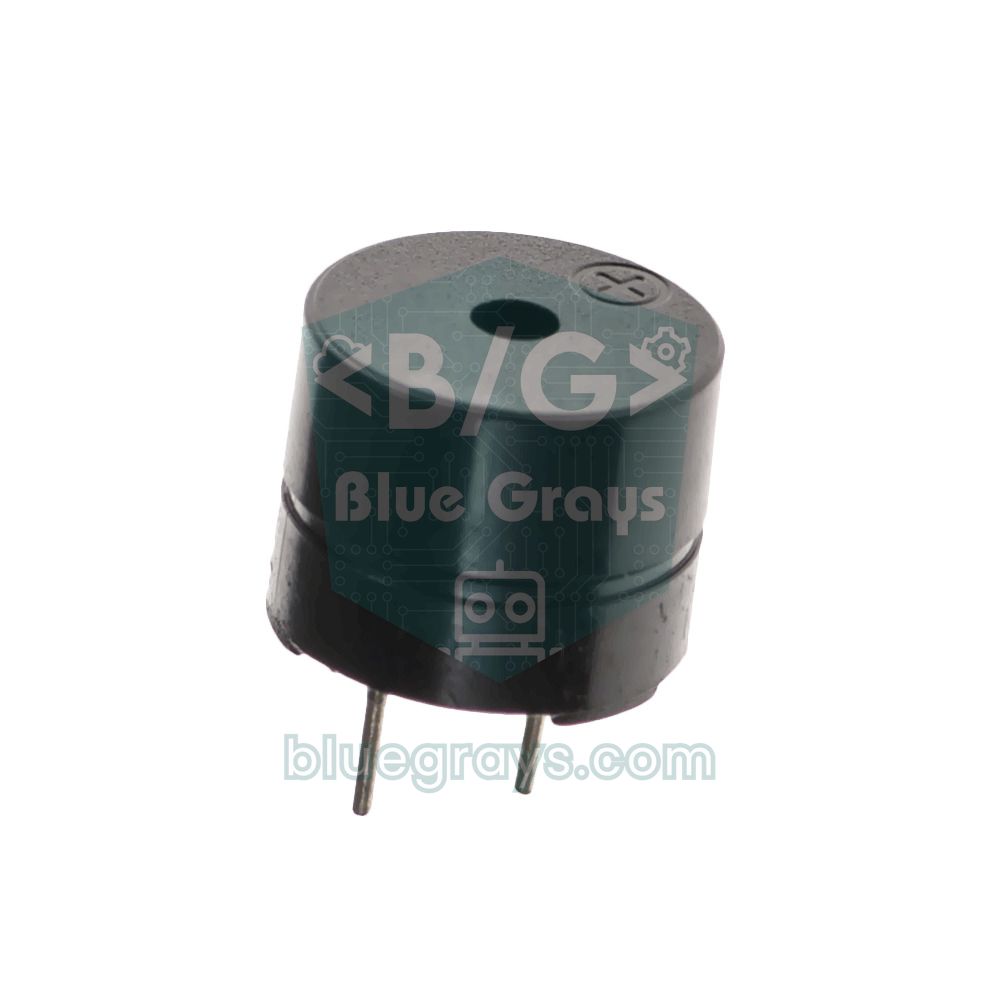
On every pass the code reads the DO pin and compares the result with the FLAME_ACTIVE constant. Thanks to this constant, the same code works with blue modules that go LOW on a flame and with the KY-026 that goes HIGH. As long as a flame is visible the LED stays on, while the buzzer switches on and off every 150 ms to make an attention-grabbing, beeping sound. An active buzzer has its own oscillator, so it only needs HIGH and LOW; if you have a passive buzzer, use tone() instead of digitalWrite, as explained in what is a buzzer. There is another reason we chose D2 for the DO pin: on the Uno, D2 is one of the two pins that support interrupts, so with attachInterrupt you can catch a flame without waiting for the rest of the loop.
Analog reading: flame intensity and rough distance
If you have a 4-pin module, the AO output lets you do much more. Because the raw value differs in every environment, use this method instead of a fixed threshold: at start-up, with no flame present, measure a baseline value, then look at how far each new reading moves away from it. The code below averages 16 readings to reduce noise, calculates the deviation as flame strength and tells you roughly whether the flame is near or far. If your module's AO value rises with a flame, simply set DROPS_WITH_FLAME to false.
1// AO ile alev gücü ve yaklaşık mesafe / Flame strength and rough distance via AO
2const int FLAME_AO = A0;             // 4 pinli modülün AO pini / AO pin of the 4-pin module
3const bool DROPS_WITH_FLAME = true;  // çoğu modülde alev yaklaşınca değer düşer / on most modules the value falls as the flame approaches
4int baseline;                        // alevsiz ortam değeri / flame-free ambient value
5
6int readAverage() {
7  long sum = 0;
8  for (int i = 0; i < 16; i++) {     // 16 ölçümün ortalaması / average of 16 readings
9    sum += analogRead(FLAME_AO);
10    delay(2);
11  }
12  return sum / 16;
13}
14
15void setup() {
16  Serial.begin(9600);
17  delay(1000);                       // açılışta ortamda alev olmamalı / no flame at start-up
18  baseline = readAverage();
19  Serial.print(F("Taban / Baseline: "));
20  Serial.println(baseline);
21}
22
23void loop() {
24  int value = readAverage();
25  int strength = DROPS_WITH_FLAME ? baseline - value : value - baseline;  // alev gücü / flame strength
26  if (strength < 0) strength = 0;
27
28  Serial.print(F("AO: "));
29  Serial.print(value);
30  Serial.print(F("  Guc / Strength: "));
31  Serial.print(strength);
32
33  if (strength > 400) {
34    Serial.println(F("  -> YAKIN ALEV / CLOSE FLAME"));
35  } else if (strength > 100) {
36    Serial.println(F("  -> UZAK ALEV / DISTANT FLAME"));
37  } else {
38    Serial.println(F("  -> alev yok / no flame"));
39  }
40  delay(250);
41}
The thresholds of 100 and 400 in the code are only a starting point. To tune them for your own sensor, upload the code, open the Serial Monitor and note the flame strength while holding a lighter at 10, 30 and 60 cm; because of the inverse square law you will see the value change very quickly up close and slowly far away. That is why you cannot work out an exact distance in centimetres from the analog value: the same value can come from a small flame nearby or a large flame far away. You can learn how the ADC produces the raw value in analog-to-digital conversion and the finer points of the Serial Monitor in Arduino Serial Monitor.
Sunlight and other sources of false alarms
A flame sensor does not see fire; it sees infrared light in a certain band, and anything that emits light in that band can trigger it. Wien's law explains which sources cause trouble: the wavelength at which a hot object radiates most is about 2898 / T micrometres (T being the temperature in kelvin). The sun and incandescent bulbs radiate strongly right in the sensor's band, whereas the human body is far too cool, so the sensor cannot see you at all. That is why detecting motion needs a PIR sensor, which looks at much longer wavelengths.
| Source | Approximate temperature | Peak wavelength | Effect on the flame sensor |
|---|---|---|---|
| Sun | 5800 K | 0.5 µm | Very strong; direct sunlight or a reflection from glass can blind the sensor |
| Incandescent and halogen bulbs | 2700–3000 K | ~1 µm | Strong; much of their light falls right in the sensor's band |
| Candle and lighter flame (soot particles) | ~1500 K | ~1.9 µm | The source you want to detect; part of its radiation falls in the band |
| Glowing heater element, stove | ~1100 K | ~2.6 µm | Can trigger it at close range |
| TV remote control | - | 0.94 µm (narrow band) | Triggers it with short pulses |
| LED and fluorescent lamps | - | Visible band | Almost no infrared, usually no problem |
| Human body | 310 K | ~9.3 µm | Invisible to the sensor |
You can prevent most false alarms with hardware: place the sensor so it does not face a window, a sunlit wall or an incandescent lamp, ideally pointing downwards and into the room, narrow its field of view with a black tube, and set the potentiometer under real ambient lighting. Remember that strong sunlight does not only cause false alarms, it can also blind the sensor by saturating it: if the AO value has already dropped to its minimum in the sun, there is nothing left to change when a real flame appears. Professional infrared flame detectors solve this by looking at the 4.3 µm band, where hot carbon dioxide radiates and sunlight is largely absorbed by the atmosphere, by comparing several wavelengths and by analysing the flame's flicker. Your module cannot do the first two, but you can imitate flicker analysis and time confirmation in software.
Reducing false alarms in software: time confirmation and flicker analysis
A real flame never burns steadily; air currents and rising hot gases make its brightness fluctuate roughly 1 to 20 times per second. Sunlight and the light of an incandescent bulb, on the other hand, are almost constant over short periods, and the pulses from a remote control last only milliseconds. The code below uses these differences with three rules: the flame strength must be clearly above the baseline, the value must have fluctuated by more than a set amount in the last second, and both conditions must hold without interruption for at least two seconds. In addition, each reading is the average of 20 samples taken over 10 ms. On a 50 Hz mains supply, lamps flicker slightly 100 times per second; averaging over 10 ms, exactly one flicker period, cancels this ripple so a lamp is not mistaken for a flickering flame.
1// Süre doğrulamalı ve titreşim analizli alev alarmı / Flame alarm with time confirmation and flicker analysis
2const int FLAME_AO = A0;
3const int BUZZER = 8;
4const int LED = 7;
5const int STRENGTH_LIMIT = 150;          // tabandan en az bu kadar sapma / minimum deviation from the baseline
6const int FLICKER_LIMIT = 20;            // 1 sn içindeki en az dalgalanma / minimum swing within 1 s
7const unsigned long CONFIRM_MS = 2000;   // koşul bu kadar kesintisiz sürmeli / condition must hold this long
8
9float baseline;
10int winMin = 1023, winMax = 0;
11bool flickering = false;
12unsigned long windowStart = 0;
13unsigned long candidateSince = 0;
14
15// 10 ms boyunca 20 ölçüm: 100 Hz lamba titreşimini siler / 20 samples over 10 ms: cancels 100 Hz lamp flicker
16int readFiltered() {
17  long sum = 0;
18  for (int i = 0; i < 20; i++) {
19    sum += analogRead(FLAME_AO);         // yaklaşık 0,11 ms sürer / takes about 0.11 ms
20    delayMicroseconds(390);
21  }
22  return sum / 20;
23}
24
25void setup() {
26  Serial.begin(9600);
27  pinMode(BUZZER, OUTPUT);
28  pinMode(LED, OUTPUT);
29  baseline = readFiltered();             // açılışta ortamda alev olmamalı / no flame at start-up
30}
31
32void loop() {
33  int value = readFiltered();
34  int strength = (int)baseline - value;  // AO alevle artıyorsa: value - baseline / if AO rises with flame: value - baseline
35  unsigned long now = millis();
36
37  if (value < winMin) winMin = value;
38  if (value > winMax) winMax = value;
39
40  if (now - windowStart >= 1000) {       // her saniye pencereyi değerlendir / evaluate the window every second
41    int swing = winMax - winMin;
42    flickering = swing > FLICKER_LIMIT;  // alev titrer, güneş sabittir / flames flicker, sunlight is steady
43    if (strength < STRENGTH_LIMIT / 2) {
44      baseline += (value - baseline) * 0.05;  // ortam ışığını yavaşça izle / slowly follow ambient light
45    }
46    Serial.print(F("Guc / Strength: "));
47    Serial.print(strength);
48    Serial.print(F("  Dalgalanma / Swing: "));
49    Serial.println(swing);
50    winMin = 1023;
51    winMax = 0;
52    windowStart = now;
53  }
54
55  bool candidate = strength > STRENGTH_LIMIT && flickering;
56  if (!candidate) candidateSince = now;  // koşul bozulunca sayaç sıfırlanır / timer resets when the condition breaks
57  bool alarm = now - candidateSince >= CONFIRM_MS;
58
59  digitalWrite(LED, alarm ? HIGH : LOW);
60  digitalWrite(BUZZER, (alarm && (now / 200) % 2) ? HIGH : LOW);  // kesik siren / beeping siren
61}
Because the code keeps time with millis() instead of delay(), it keeps measuring even while the alarm is sounding; the details of this approach are in millis vs delay. The baseline does not stay fixed either: when there is no flame, it moves 5 percent towards the latest reading once per second and slowly follows ambient light as it changes during the day. To find a good FLICKER_LIMIT, watch the one-second swing of a steady light source in the Serial Monitor, then that of a candle flame, and set the threshold between the two. This method is not perfect; sunlight shining through leaves moving in the wind flickers too. You can find other techniques such as moving average and median filters in filtering sensor data.
Using it together with an MQ-2 gas sensor
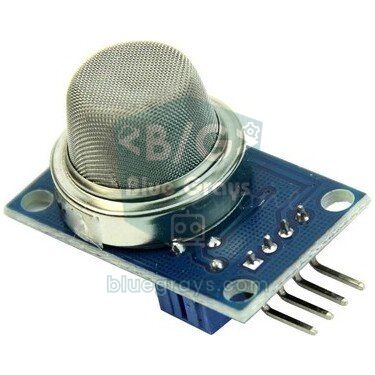
A flame sensor and an MQ-2 gas sensor cover each other's weaknesses. The flame sensor is very fast, but it only sees flames in its field of view and can be fooled by the sun. The MQ-2 detects smoke and flammable gases and can notice a fire around a corner or a smouldering fire with no flame, but smoke takes time to reach it and it needs to warm up every time it is powered on. When you use both, you can treat a signal from one sensor as a warning and a signal from both at once as a fire.
| Flame sensor | MQ-2 | Decision | Response |
|---|---|---|---|
| No | Normal | Normal | LED and buzzer off |
| Yes | Normal | Warning: could be sunlight, a lamp or a fire just starting | LED blinks, short beep every 2 seconds |
| No | High | Warning: smoke, a gas leak or a fire outside the field of view | LED blinks, short beep every 2 seconds |
| Yes | High | Fire | LED stays on, fast beeping siren |
1// Alev sensörü + MQ-2 ile iki kademeli yangın alarmı / Two-level fire alarm with a flame sensor + MQ-2
2const int FLAME_DO = 2;
3const int MQ2_AO = A1;                   // MQ-2 analog çıkışı / MQ-2 analog output
4const int BUZZER = 8;
5const int LED = 7;
6const int FLAME_ACTIVE = LOW;            // KY-026 kullanıyorsan HIGH / HIGH if you use a KY-026
7const int SMOKE_LIMIT = 400;             // temiz hava değerinin belirgin üstü / well above the clean-air value
8const unsigned long WARMUP_MS = 60000;   // MQ-2 ön ısıtma süresi / MQ-2 warm-up time
9const unsigned long HOLD_MS = 300;       // DO'daki kısa kesintileri yok say / ignore short gaps on DO
10
11unsigned long lastFlame = 0;
12unsigned long lastPrint = 0;
13
14void setup() {
15  Serial.begin(9600);
16  pinMode(FLAME_DO, INPUT);
17  pinMode(BUZZER, OUTPUT);
18  pinMode(LED, OUTPUT);
19}
20
21void loop() {
22  unsigned long now = millis();
23  if (digitalRead(FLAME_DO) == FLAME_ACTIVE) lastFlame = now;
24  bool flame = lastFlame > 0 && now - lastFlame < HOLD_MS;
25
26  int gas = analogRead(MQ2_AO);
27  bool smoke = now > WARMUP_MS && gas > SMOKE_LIMIT;  // ısınana kadar dumanı yok say / ignore smoke until warmed up
28
29  int level = 0;                         // 0 normal, 1 uyarı / warning, 2 yangın / fire
30  if (flame && smoke) level = 2;
31  else if (flame || smoke) level = 1;
32
33  if (level == 2) {
34    digitalWrite(LED, HIGH);
35    digitalWrite(BUZZER, (now / 150) % 2 ? HIGH : LOW);     // hızlı siren / fast siren
36  } else if (level == 1) {
37    digitalWrite(LED, (now / 500) % 2 ? HIGH : LOW);        // yanıp sönen LED / blinking LED
38    digitalWrite(BUZZER, (now % 2000) < 100 ? HIGH : LOW);  // 2 sn'de bir kısa bip / short beep every 2 s
39  } else {
40    digitalWrite(LED, LOW);
41    digitalWrite(BUZZER, LOW);
42  }
43
44  if (now - lastPrint >= 1000) {
45    lastPrint = now;
46    Serial.print(F("Alev / Flame: "));
47    Serial.print(flame ? 1 : 0);
48    Serial.print(F("  MQ-2: "));
49    Serial.print(gas);
50    Serial.print(F("  Seviye / Level: "));
51    Serial.println(level);
52  }
53}
Connect the MQ-2's AO output to A1 and power the module from 5V; the flame sensor can stay on D2. Set SMOKE_LIMIT clearly above the value you read after running the sensor in clean air for a few minutes, as described in the MQ-2 guide. The smoke condition is ignored for the first 60 seconds because a cold MQ-2 starts with a high reading. The 300 ms hold time on the flame signal (HOLD_MS) turns the brief on-off switching of the DO output, caused by the flickering flame, into one continuous detection. If you move this combination to an ESP32, be careful: the MQ-2 needs 5 V and its AO output can reach 5 V, so you must put a voltage divider on its output, while the flame sensor runs directly on 3V3.
Fire notifications to your phone with an ESP32 (Telegram)
To make the alarm warn not only the people in the room but also you when you are away, you can use an ESP32. Telegram bots are the easiest way to do this: they are free, need no server of your own, and the message arrives on your phone instantly as a notification. The code below sounds the buzzer and sends a Telegram message once a flame has been seen for 1.5 seconds, and waits at least one minute between messages so your phone is not flooded for the same fire. We cover setting up the bot and two-way control with commands in detail in ESP32 Telegram bot.
- In Telegram, chat with @BotFather, send the /newbot command, give your bot a name and copy the token it gives you.
- Open an ID bot such as @userinfobot and tap Start; it replies with your own chat ID.
- Find your new bot in Telegram and tap Start; if you skip this, the bot cannot send you messages.
- In the Arduino IDE, install the UniversalTelegramBot and ArduinoJson libraries from the Library Manager.
- Replace the Wi-Fi name, password, token and chat ID in the code with your own, select ESP32 as the board and upload the code.
1// ESP32 alev alarmı + Telegram bildirimi / ESP32 flame alarm + Telegram notification
2#include <WiFi.h>
3#include <WiFiClientSecure.h>
4#include <UniversalTelegramBot.h>        // ArduinoJson kütüphanesi de gerekir / also needs the ArduinoJson library
5
6const char* WIFI_SSID = "WIFI_ADI";      // Wi-Fi ağının adı / your Wi-Fi name
7const char* WIFI_PASS = "WIFI_SIFRESI";  // Wi-Fi şifren / your Wi-Fi password
8#define BOT_TOKEN "1234567890:ABCdefGhIJKlmNoPQRstuVWXyz"  // BotFather'dan / from BotFather
9#define CHAT_ID "123456789"              // senin chat ID'n / your chat ID
10
11const int FLAME_DO = 27;                 // modülün DO pini / module DO pin
12const int BUZZER = 25;                   // aktif buzzer / active buzzer
13const int LED = 26;                      // kırmızı LED (220 Ω ile) / red LED (with 220 Ω)
14const int FLAME_ACTIVE = LOW;
15const unsigned long HOLD_MS = 300;       // DO'daki kısa kesintileri yok say / ignore short gaps on DO
16const unsigned long CONFIRM_MS = 1500;   // alev bu kadar sürmeli / flame must last this long
17const unsigned long COOLDOWN_MS = 60000; // iki mesaj arası en az 1 dk / at least 1 min between messages
18
19WiFiClientSecure client;
20UniversalTelegramBot bot(BOT_TOKEN, client);
21
22unsigned long lastFlame = 0;
23unsigned long flameStart = 0;
24unsigned long lastMessage = 0;
25bool messageSent = false;
26
27void setup() {
28  Serial.begin(115200);
29  pinMode(FLAME_DO, INPUT);
30  pinMode(BUZZER, OUTPUT);
31  pinMode(LED, OUTPUT);
32
33  WiFi.mode(WIFI_STA);
34  WiFi.begin(WIFI_SSID, WIFI_PASS);
35  client.setCACert(TELEGRAM_CERTIFICATE_ROOT);  // api.telegram.org kök sertifikası / root certificate
36  unsigned long start = millis();
37  while (WiFi.status() != WL_CONNECTED && millis() - start < 15000) {  // en fazla 15 sn bekle / wait up to 15 s
38    delay(500);
39    Serial.print(".");
40  }
41  if (WiFi.status() == WL_CONNECTED) {
42    Serial.println(WiFi.localIP());
43    bot.sendMessage(CHAT_ID, "Yangin alarmi devrede / Fire alarm is online", "");
44  }
45}
46
47void loop() {
48  unsigned long now = millis();
49  if (digitalRead(FLAME_DO) == FLAME_ACTIVE) lastFlame = now;
50  bool flame = lastFlame > 0 && now - lastFlame < HOLD_MS;
51  if (!flame) flameStart = now;          // alev yoksa sayaç sıfırlanır / timer resets without flame
52  bool alarm = now - flameStart >= CONFIRM_MS;
53
54  digitalWrite(LED, alarm ? HIGH : LOW);
55  digitalWrite(BUZZER, (alarm && (now / 200) % 2) ? HIGH : LOW);  // kesik siren / beeping siren
56
57  if (alarm && (!messageSent || now - lastMessage >= COOLDOWN_MS)) {
58    if (WiFi.status() == WL_CONNECTED) {
59      bool ok = bot.sendMessage(CHAT_ID, "ALEV ALGILANDI! / FLAME DETECTED!", "");
60      Serial.println(ok ? "Mesaj gitti / Message sent" : "Gonderilemedi / Send failed");
61    } else {
62      WiFi.reconnect();                  // bağlantı koptuysa yeniden dene / reconnect if the link dropped
63    }
64    lastMessage = now;                   // başarısızsa 1 dk sonra yeniden dener / retries after 1 min if it failed
65    messageSent = true;
66  }
67  delay(10);
68}
The sendMessage() call opens a secure HTTPS connection, so it can take a second or two; the buzzer pattern briefly freezes during that time, which is normal. At start-up the code tries to connect to Wi-Fi for up to 15 seconds; if there is no connection it keeps running the alarm locally and retries an unsent message a minute later, so the buzzer keeps sounding even without internet. If you also want to read the AO output on an ESP32, always connect it to an ADC1 pin (GPIO 32–39), because ADC2 pins cannot be used while Wi-Fi is on; that is why GPIO 34 was chosen in the table. You can see your board's safe pins in the Pinout tool. If a 5 V active buzzer sounds weak on a 3.3 V pin, drive it from 5 V with a transistor. For a shed or holiday home without Wi-Fi, you can build the same alarm to send an SMS with a SIM800L GSM module.
Flame sensor with Raspberry Pi Pico and MicroPython
The same logic applies on the Raspberry Pi Pico. Power the module from the 3V3(OUT) pin, connect DO to GP15 and, if you have it, AO to GP26. The module has its own pull-up resistor on the DO line, so you do not need the Pico's internal pull-up. The Pico's ADC is 12-bit, but read_u16() in MicroPython scales the result to 0–65535, so the equivalent of the Arduino's 1023 is about 65535 here. The code uses a 300 ms hold time that tolerates brief gaps on DO and a 1.5-second confirmation:
1# Raspberry Pi Pico alev alarmı / Raspberry Pi Pico flame alarm
2from machine import Pin, ADC
3import time
4
5flame_do = Pin(15, Pin.IN)      # modülün DO pini / module DO pin
6flame_ao = ADC(26)              # GP26 = ADC0, 4 pinli modülde AO / AO on the 4-pin module
7buzzer = Pin(14, Pin.OUT)       # aktif buzzer / active buzzer
8led = Pin(13, Pin.OUT)          # kırmızı LED (220 Ω ile) / red LED (with 220 Ω)
9
10FLAME_ACTIVE = 0                # çoğu modülde alev = 0, KY-026'da 1 / most modules: flame = 0, KY-026: 1
11HOLD_MS = 300                   # DO'daki kısa kesintileri yok say / ignore short gaps on DO
12CONFIRM_MS = 1500               # alev bu kadar sürmeli / flame must last this long
13
14last_flame = None
15flame_start = time.ticks_ms()
16last_print = time.ticks_ms()
17
18while True:
19    now = time.ticks_ms()
20    if flame_do.value() == FLAME_ACTIVE:
21        last_flame = now
22    flame = last_flame is not None and time.ticks_diff(now, last_flame) < HOLD_MS
23    if not flame:
24        flame_start = now       # alev yoksa sayaç sıfırlanır / timer resets without flame
25    alarm = time.ticks_diff(now, flame_start) >= CONFIRM_MS
26
27    led.value(1 if alarm else 0)
28    buzzer.value(1 if alarm and (now // 200) % 2 else 0)   # kesik siren / beeping siren
29
30    if time.ticks_diff(now, last_print) >= 500:   # yarım saniyede bir yaz / print every half second
31        last_print = now
32        print(flame_ao.read_u16(), "ALARM" if alarm else "-")
33    time.sleep_ms(10)
When you run the code in Thonny, you will see the AO value and the alarm state in the Shell window; open the Plotter from the View menu to follow the values as a graph. To make the program start automatically when the Pico is powered, save the file to the Pico as main.py. Using time.ticks_diff() for timing matters, because the ticks_ms() counter wraps around after a certain value and a plain subtraction gives the wrong result at that moment.
Flame sensor project ideas
- Kitchen fire alarm: Build an alarm with a flame sensor facing the hob and an MQ-2, using the two-level logic above.
- Forgotten hob reminder: If a flame is seen continuously for more than 30 minutes, sound the buzzer and send a message to your phone.
- Firefighting robot: Find the flame's direction with a 5-channel sensor, drive the robot towards it with an L298N and DC motors and put out the candle with a mini water pump.
- Flame direction scanner: Mount a single sensor on a servo motor, sweep from 0 to 180 degrees and display the angle with the strongest signal.
- Smart home safety panel: Combine flame, gas and motion sensors on one board; see Arduino smart home project for details.
- Workshop guard: When an unexpected flame appears near the soldering station, switch on a warning light through a relay.
- Candle extinguishing contest: As in school robotics competitions, build a robot that finds and puts out a candle in a maze as fast as possible; a flame sensor is all you need to get started.
Common mistakes and how to fix them
| Symptom | Likely cause | Fix |
|---|---|---|
| The DO LED is always on and the alarm never stops | The threshold is too sensitive, or the sensor faces the sun or an incandescent lamp | Turn the potentiometer with no flame present until the LED goes off, and point the sensor away from the light source |
| Nothing happens when you show it a lighter | The threshold is too high, or the flame is outside the 60-degree field of view or too far away | Turn the potentiometer a few turns towards more sensitivity and bring the flame directly in front of the sensor and closer |
| The alarm sounds with no flame and stops when there is one | The module's DO output is active-HIGH (e.g. KY-026) | Change FLAME_ACTIVE in the code to HIGH |
| The DO LED flickers in front of a flame | The comparator is very close to its threshold and the flame's flicker toggles the output | Use a hold time (HOLD_MS) in code or make the threshold slightly more sensitive |
| The analog value never changes | The 3-pin module has no AO, or the DO pin is wired to the analog input | Use a 4-pin module and connect its AO pin to the analog input |
| Pressing a remote control triggers the alarm | The 940 nm infrared LED of the TV remote | Only raise the alarm after a time confirmation of at least 1–2 seconds |
| By a window in daytime it gives false alarms or cannot see the flame at all | Sunlight triggers or saturates the sensor | Position the sensor away from the sun, use a black tube and add flicker analysis |
| On the ESP32 the AO value goes wrong once Wi-Fi starts | AO is wired to an ADC2 pin | Connect AO to an ADC1 pin between GPIO 32 and 39 |
| The buzzer is very weak on an ESP32 or Pico | A 5 V active buzzer is driven by a 3.3 V pin | Use a 3.3 V buzzer or drive the buzzer from 5 V through a transistor |
A flame sensor is a cheap but instructive part that teaches the physics of infrared light, comparator circuits and how to fight false alarms all at once. Start with a simple DO alarm, then strengthen your system step by step with analog readings, flicker analysis and an MQ-2; for a more complete security system, take a look at Arduino alarm system. In the BlueGrays app you will find flame sensor, flame and gas sensor alarm, ESP32 MQ-2 smoke detector and ESP32 alarm system with Telegram notification projects, each with step-by-step circuit diagrams and ready-to-use code.
Frequently asked questions
How far can a flame sensor detect a flame?
Most modules detect a standard lighter flame up to about 80 cm; for a candle flame the distance is shorter. Because light intensity falls with the square of the distance, a flame four times stronger is seen from twice as far, so a large paper or wood fire can be detected from several metres. The potentiometer setting and the ambient light also have a direct effect on range.
Is a flame sensor affected by sunlight?
Yes. Sunlight is very strong in the 760–1100 nm band the sensor responds to; direct sunlight or a reflection from glass causes false alarms and can blind the sensor so it misses a real flame. Position the sensor away from the sun, narrow its field of view with a black tube and use time confirmation and flicker analysis in software.
Does a flame sensor output LOW or HIGH when it detects a flame?
On common blue LM393 modules the DO pin is normally HIGH, goes LOW when it sees a flame, and the DO LED lights up. On some boards such as the KY-026, the output goes HIGH when a flame is detected. Test your own module with a lighter and set the comparison in your code according to the value shown in the Serial Monitor.
Does a flame sensor work on 3.3 V?
Yes, these modules work from 3.3 to 5 V. On an ESP32 or Raspberry Pi Pico, powering the module from the 3V3 pin keeps the DO and AO outputs below 3.3 V, so you can connect them directly to the pins. If you power the module from 5 V, you need voltage dividers on the outputs for these boards.
How do you adjust the sensitivity of a flame sensor?
With no flame present, turn the blue multi-turn potentiometer on the board to the point where the DO LED just goes off, then turn it another half turn towards less sensitivity. Next, test it with a lighter at the farthest distance you want to detect. The potentiometer only changes the DO threshold; for AO you set the threshold yourself in code.
Can a flame sensor replace a fire detector?
No. A hobby flame sensor can be fooled by sunlight, incandescent lamps and remote controls, cannot see a fire outside its field of view or one smouldering without a flame, and has not been tested to any standard. For life safety use a smoke alarm that complies with EN 14604, and treat your own circuit as an additional warning system.
Projects to build after reading this
See all projects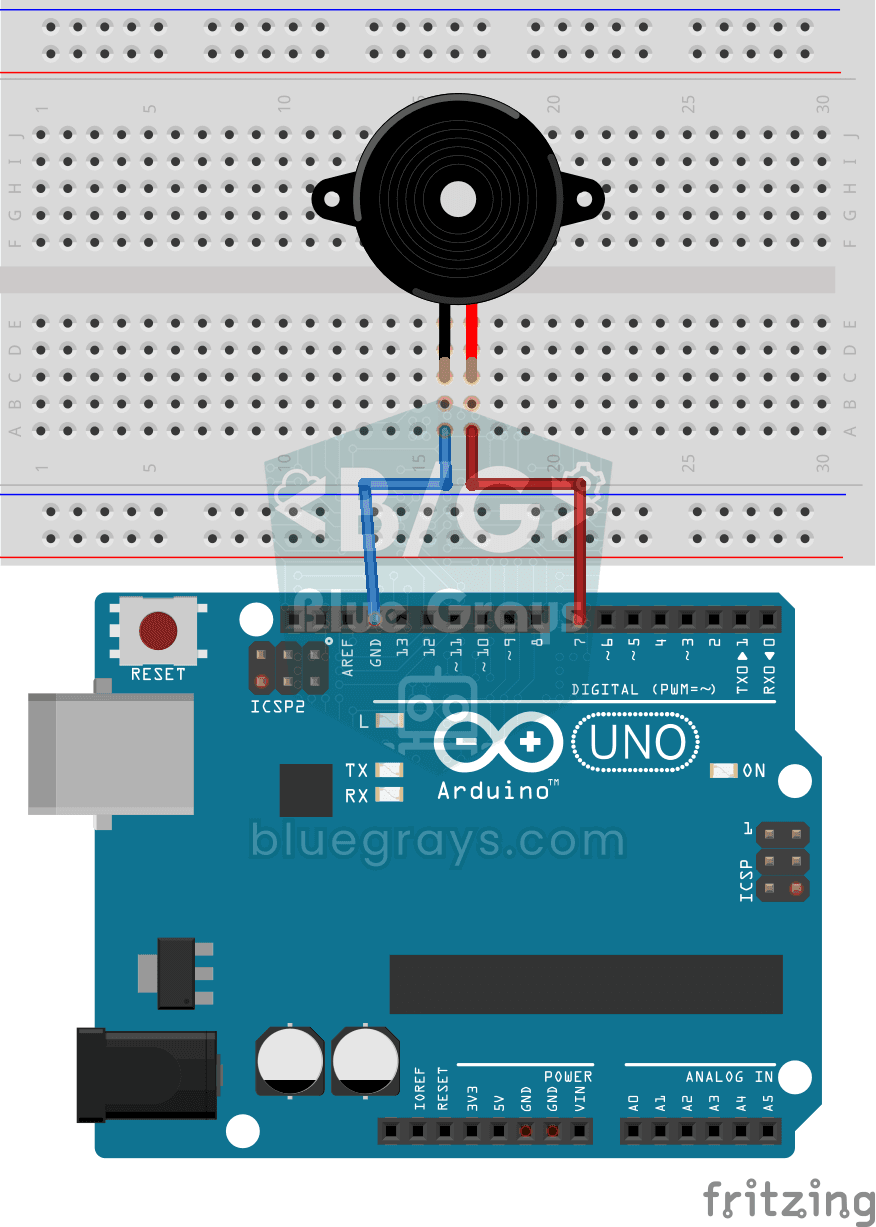
Using a Buzzer
Ever wondered how a doorbell or an alarm makes its sound? The Arduino makes a small buzzer beep at short intervals: beep, pause, beep, pause. You see how sound is made with electricity and take the fi

Measuring Light Intensity with an LDR
Want to see how bright your room is as a number? The LDR, a small part that reacts to light, measures the light around it, and the Arduino writes the value to your computer screen every half second. C
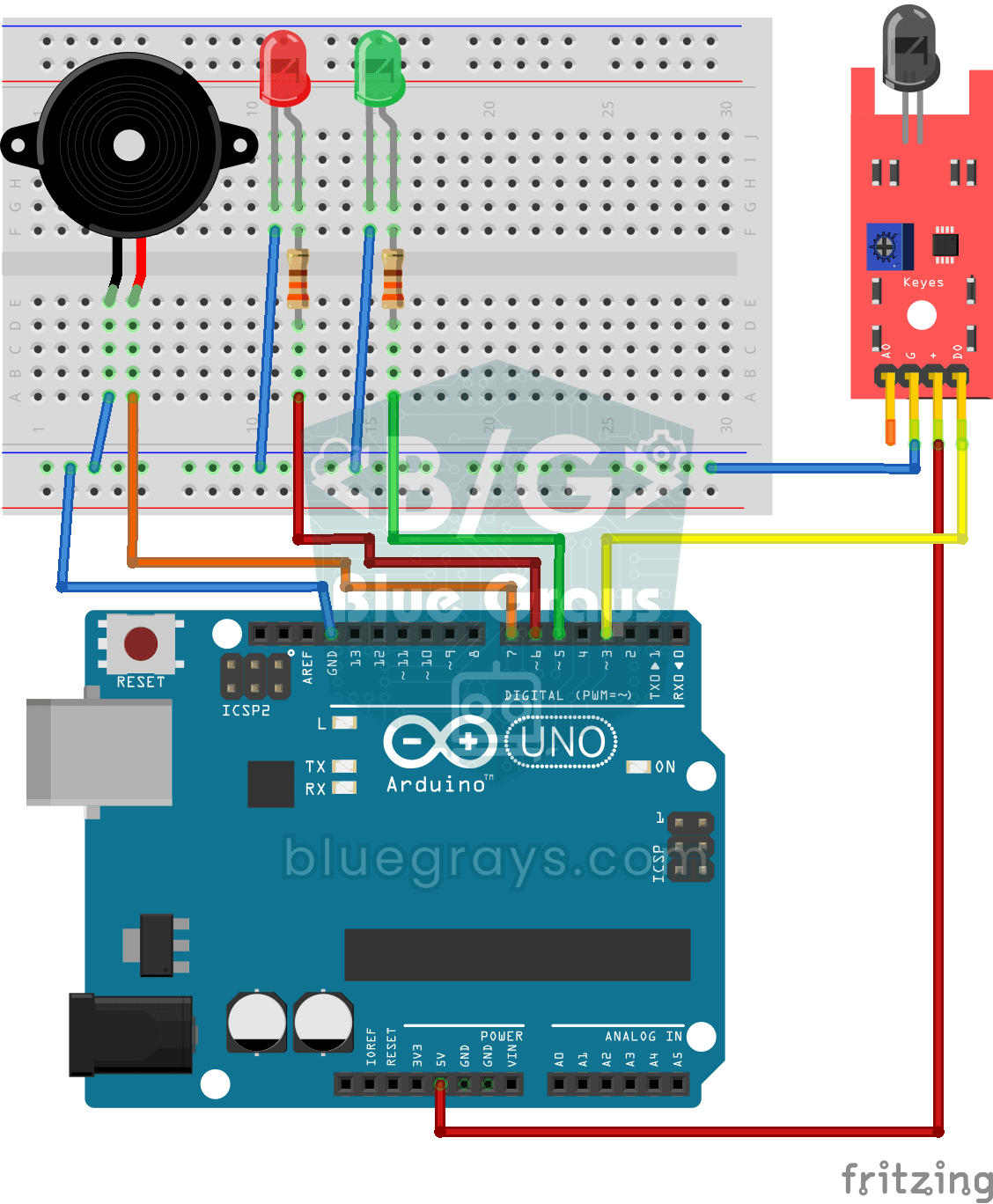
Using a Flame Sensor
A little guard that spots fire before you do, in the kitchen or the workshop. The flame sensor picks up the invisible light that fire gives off; while all is well the green LED is on, and when it sees
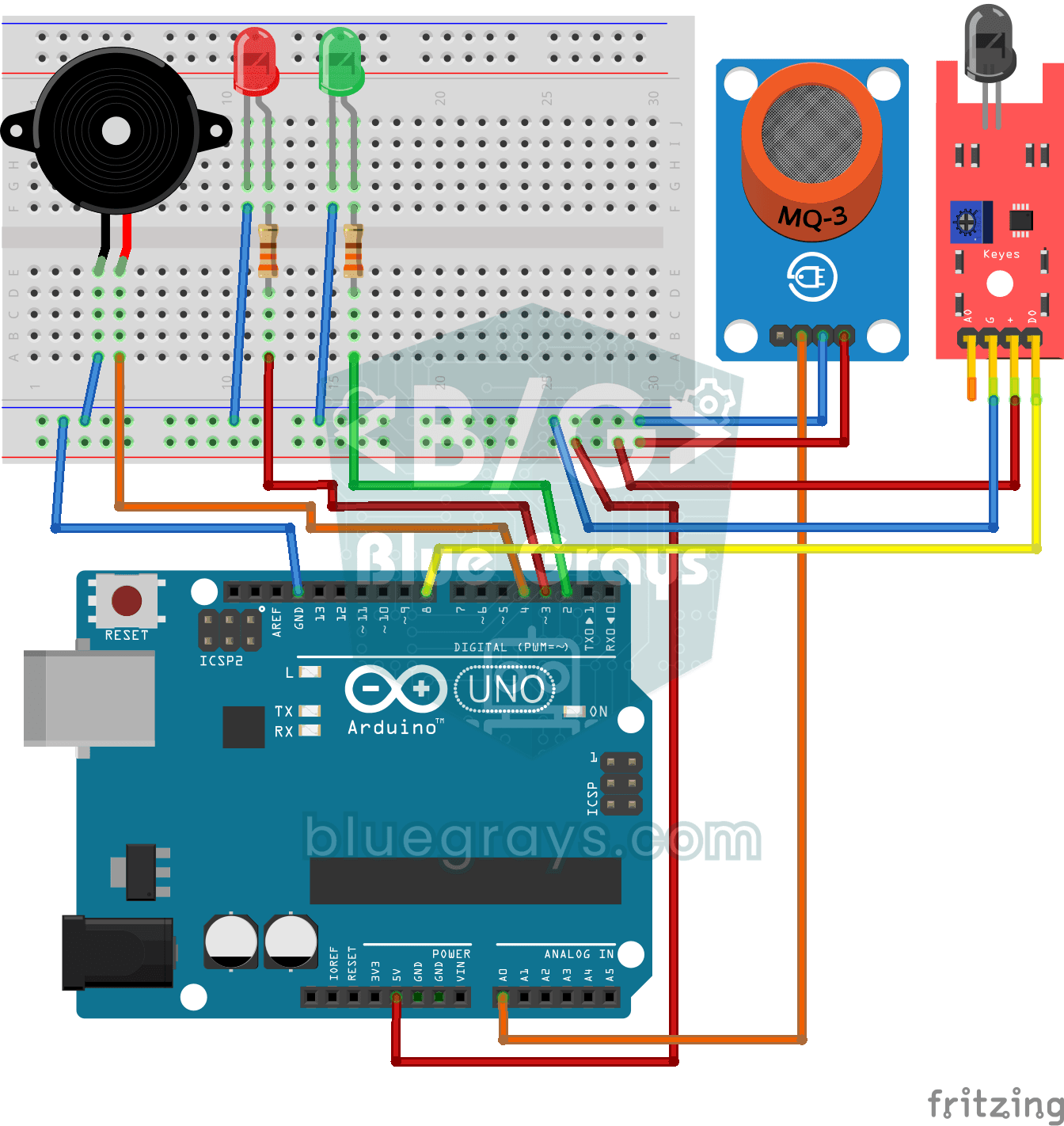
Flame and Gas Sensor Alarm
A little guard that warns you right away when gas leaks or a flame appears somewhere. The gas sensor watches the air for gas and the flame sensor watches for the light of a fire; while everything is f
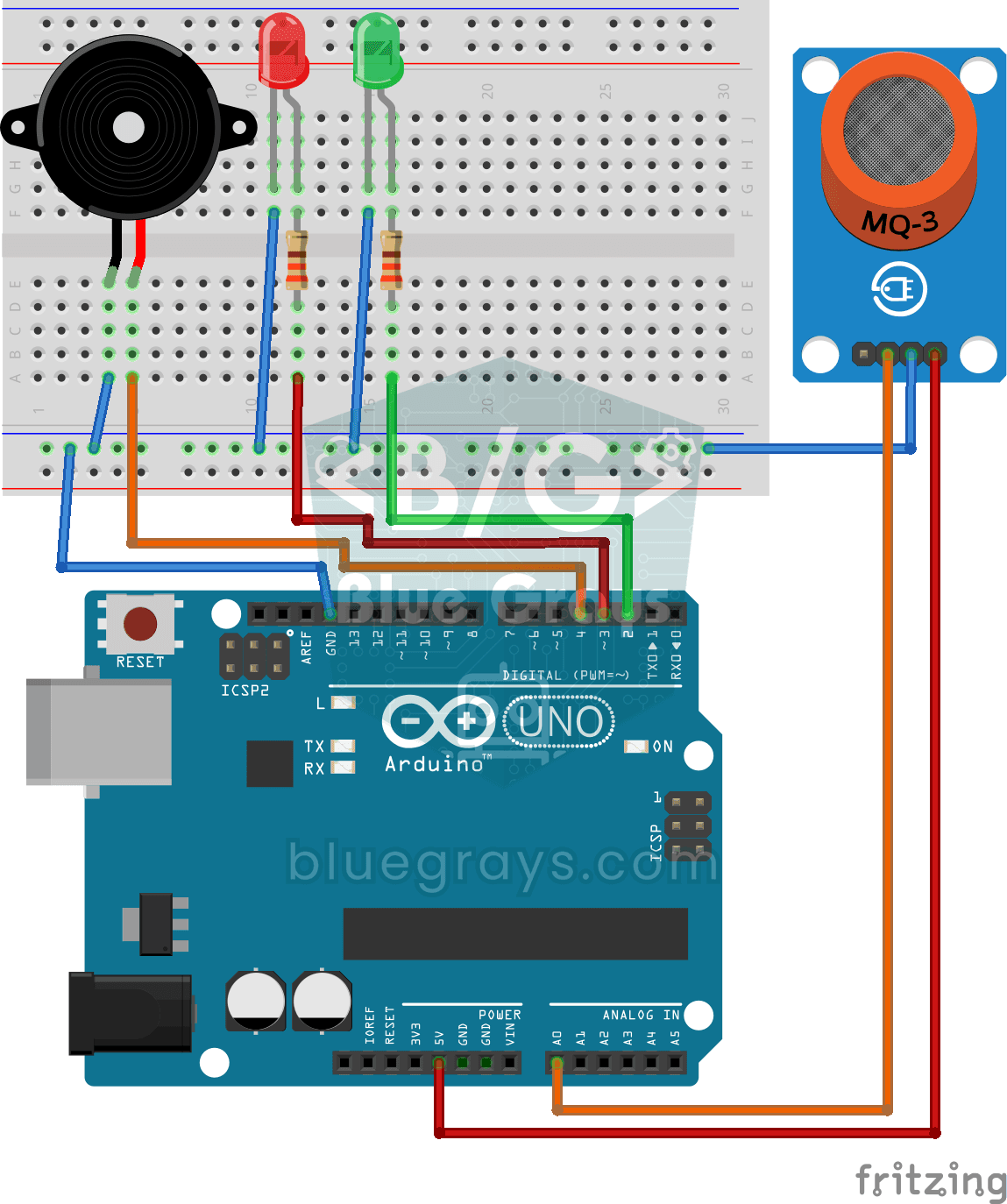
Using a Gas Sensor
A little guard that notices a gas leak in the kitchen before you do. The gas sensor keeps sniffing the air; while everything is fine the green LED stays on, and when the gas in the air passes a certai

ESP32 MQ-2 Gas/Smoke Detector Alarm
In this project, combustible gas (LPG, methane, propane) and smoke detection is performed using an MQ-2 gas sensor module, and a siren-like alarm is played through a passive buzzer upon detection. The sensor's digital threshold output (DO) is connected to GPIO 4 on the ESP32; when gas or smoke exceeds the threshold, DO goes LOW and the alarm is triggered. Sensitivity is adjusted via the module's potentiometer. The passive buzzer is driven using `tone()` to produce a two-frequency siren effect.
ESP32 Motion Alarm System (PIR + Buzzer + LED + Telegram)
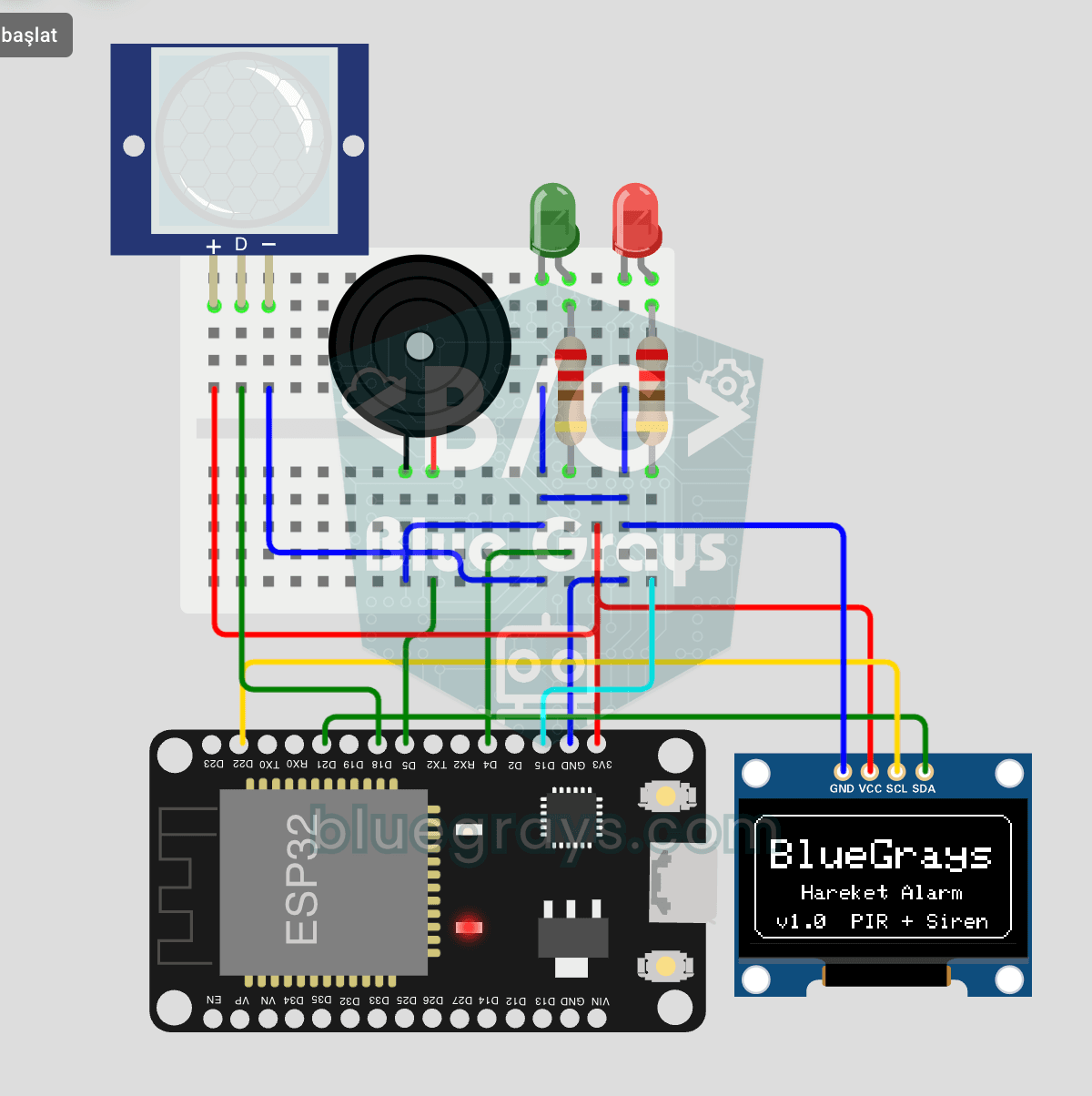
A smart security alarm system that activates the buzzer and LED when the PIR sensor detects motion, while simultaneously sending an instant notification to the owner via Telegram. It includes a 30-second cooldown to limit the frequency of repeated alarms; this mechanism does not validate PIR detections or eliminate false triggers. Suitable for home security, garage monitoring, warehouses, or workrooms. With ESP32-CAM, photo notifications can be added; with the classic ESP32 DevKit V1, text notif

ESP32 Motion Detection Alarm
In this project, which uses an ESP32 and a PIR sensor, a buzzer sounds an audible alarm when motion is detected. It is a simple and low-cost security system application. (The images are for illustrative purposes only; please refer to the text for details.)