
Smart Blind Stick with Arduino: Obstacle, Water and Fall Alerts
How to build an Arduino smart blind stick (smart cane): HC-SR04 obstacle detection, vibration alerts, water sensor, MPU6050 fall detection, SOS and full code.
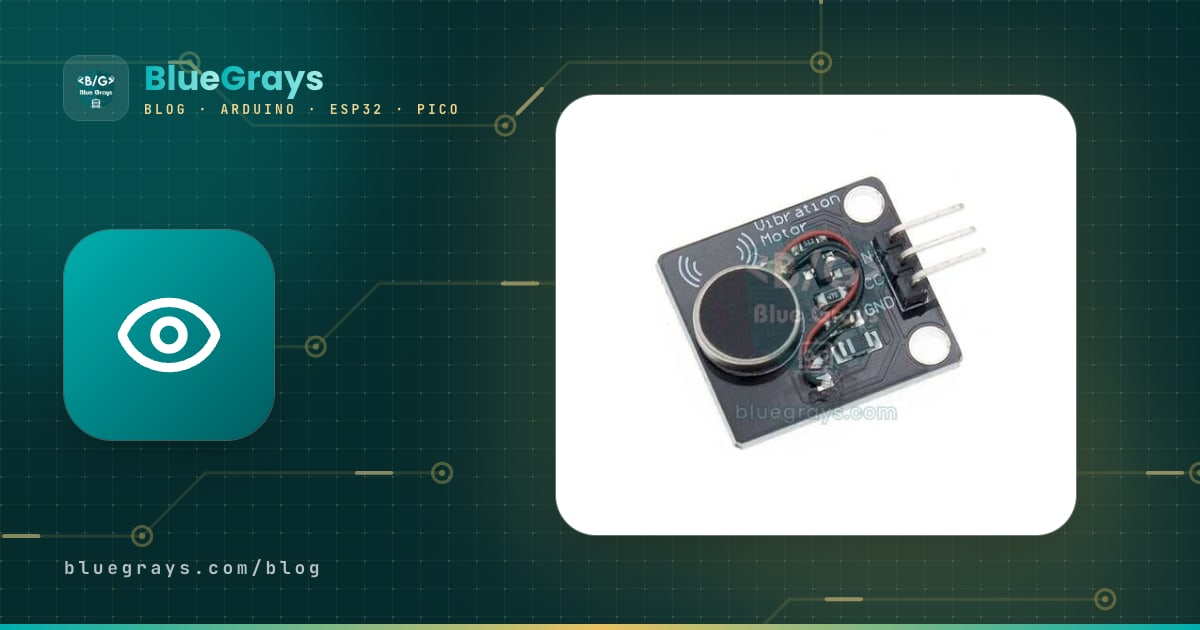
An Arduino smart blind stick warns a visually impaired person about obstacles that a white cane can't detect, and it's one of the most popular electronics projects for school assignments and science fairs. An HC-SR04 ultrasonic sensor mounted near the handle measures the distance to whatever is ahead; as the obstacle gets closer, a vibration motor in the handle pulses faster and harder, and if you like, a buzzer adds a short beep with each pulse. That way the user can feel obstacles above waist height, which the cane tip never touches, a few steps in advance.
In this guide you'll start with the basic circuit and then add, step by step, the extras that make the project genuinely usable: a puddle sensor near the tip of the cane, an algorithm that uses an MPU6050 to notice when the cane has fallen and sounds an SOS if nobody cancels it within 20 seconds, a power circuit that runs for more than 25 hours on a single 18650 cell, an enclosure designed with weight and ergonomics in mind, and an ESP32 + GPS extension that sends the location by SMS. At the end you'll also find concrete tips on how to test the project and present it at a science fair.
What is a smart cane and what does it do?
The white cane is the tool a blind person trusts most: every tap reveals the ground, the kerb, a step or a low obstacle ahead. But a cane only "sees" what its tip touches. Obstacles above waist height, such as a low tree branch, a sign sticking out over the pavement, a lorry's wing mirror, an open window or an air-conditioning unit jutting out of a wall, never touch the tip and hit the user's body or head instead. A smart cane is designed to close that gap: an electronic sensor scans the heights and distances the cane can't reach and passes the result to the user's hand as vibration.
Let's be clear about one thing from the start: a smart cane doesn't replace the white cane or orientation and mobility training, it complements them. The ultrasonic sensor has blind spots and batteries run flat, so the golden rule of the design is that the cane must still work exactly as before even when the electronics are completely switched off. International White Cane Safety Day, held every year on 15 October, is a great opportunity to show this project at your school.
How does a smart cane work?
The project consists of a single loop that runs hundreds of times per second and handles four independent jobs at once. Every 60 milliseconds the Arduino measures the distance, takes the median of the last three readings and adjusts the vibration rate accordingly. Every half second it reads the water sensor at the tip of the cane. Fifty times per second it reads the MPU6050's acceleration values to check whether the cane has fallen. And every thirty seconds it checks the battery voltage. The design has two output channels with separate jobs: vibration is only for obstacles, while sound signals special events such as water, a fall, SOS and a low battery. A short press of the button turns the obstacle beeps on or off if you like.
| Part | Job | Note |
|---|---|---|
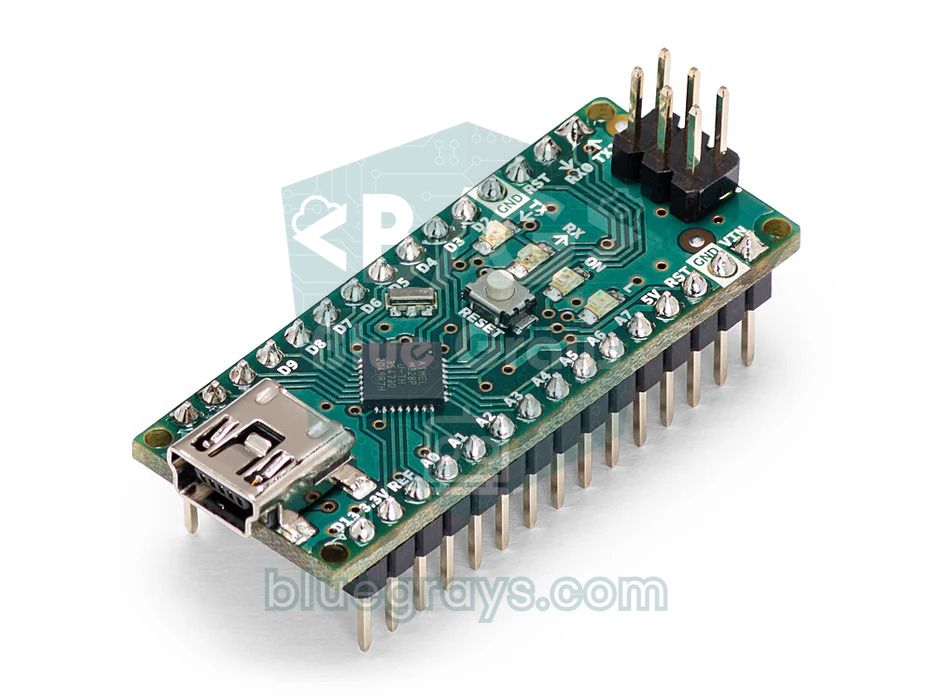
| Arduino Nano (Uno for prototyping) | Measures, decides, drives the motor and buzzer | The Nano suits a cane because it's small and light |
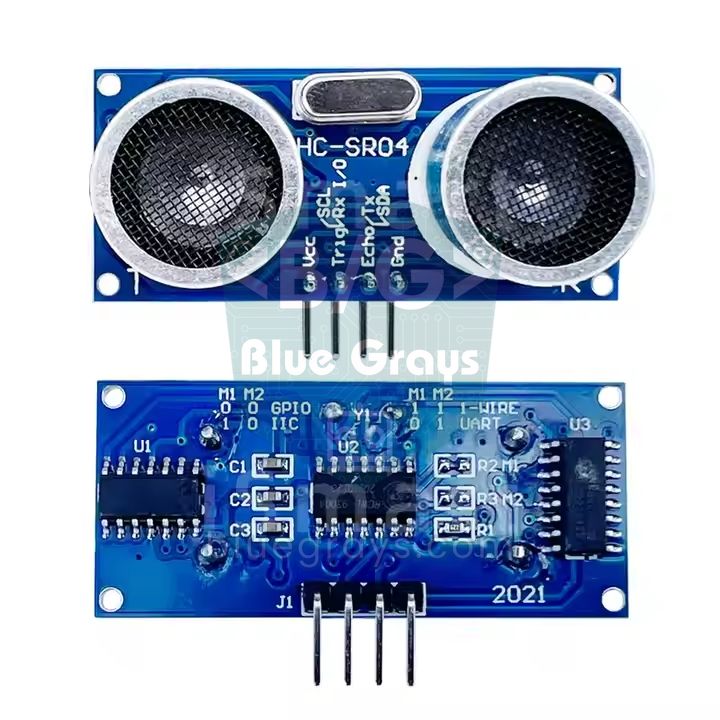
| HC-SR04 ultrasonic sensor | Measures the distance to the obstacle ahead | 5 V, about 15 mA; JSN-SR04T for rainy use |
| Vibration motor module | Signals the obstacle to the hand by vibration | Ready-made module with a transistor and diode |
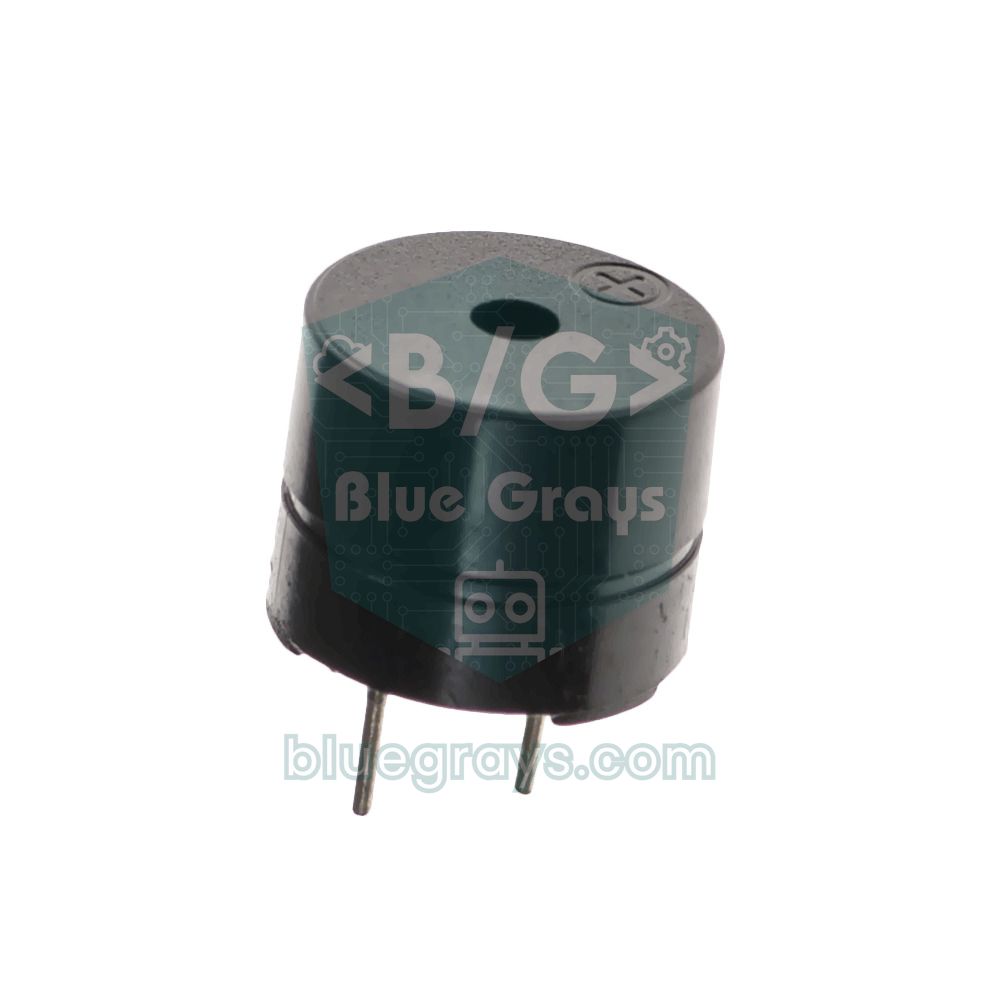
| Passive buzzer | Water, fall, SOS and battery alerts | Passive, so it can play different tones |
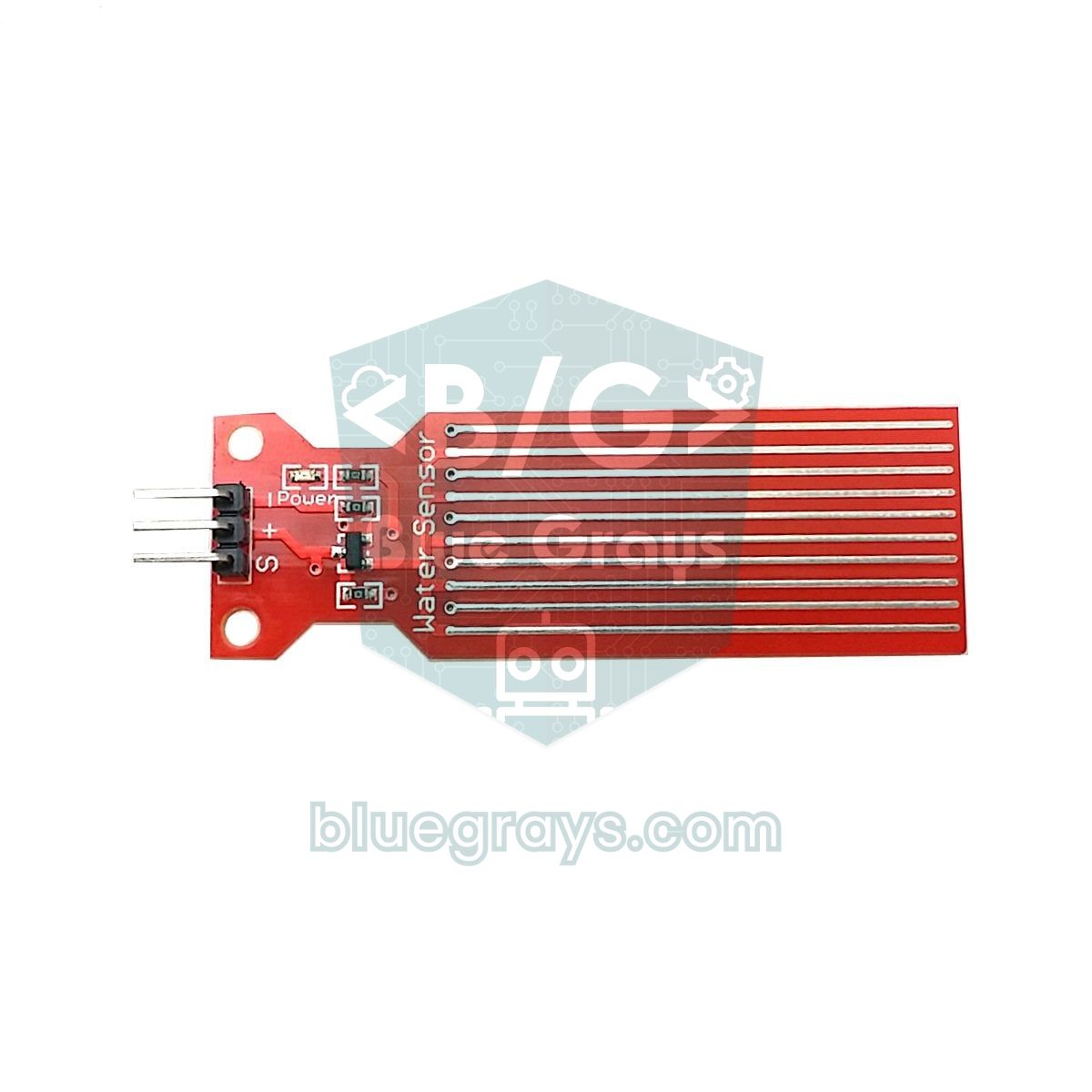
| Water level sensor | Warns when the cane tip enters water | 1–2 cm above the tip, powered only while measuring |
| MPU6050 (GY-521) | Detects that the cane has fallen and is lying flat | I2C, address 0x68 |
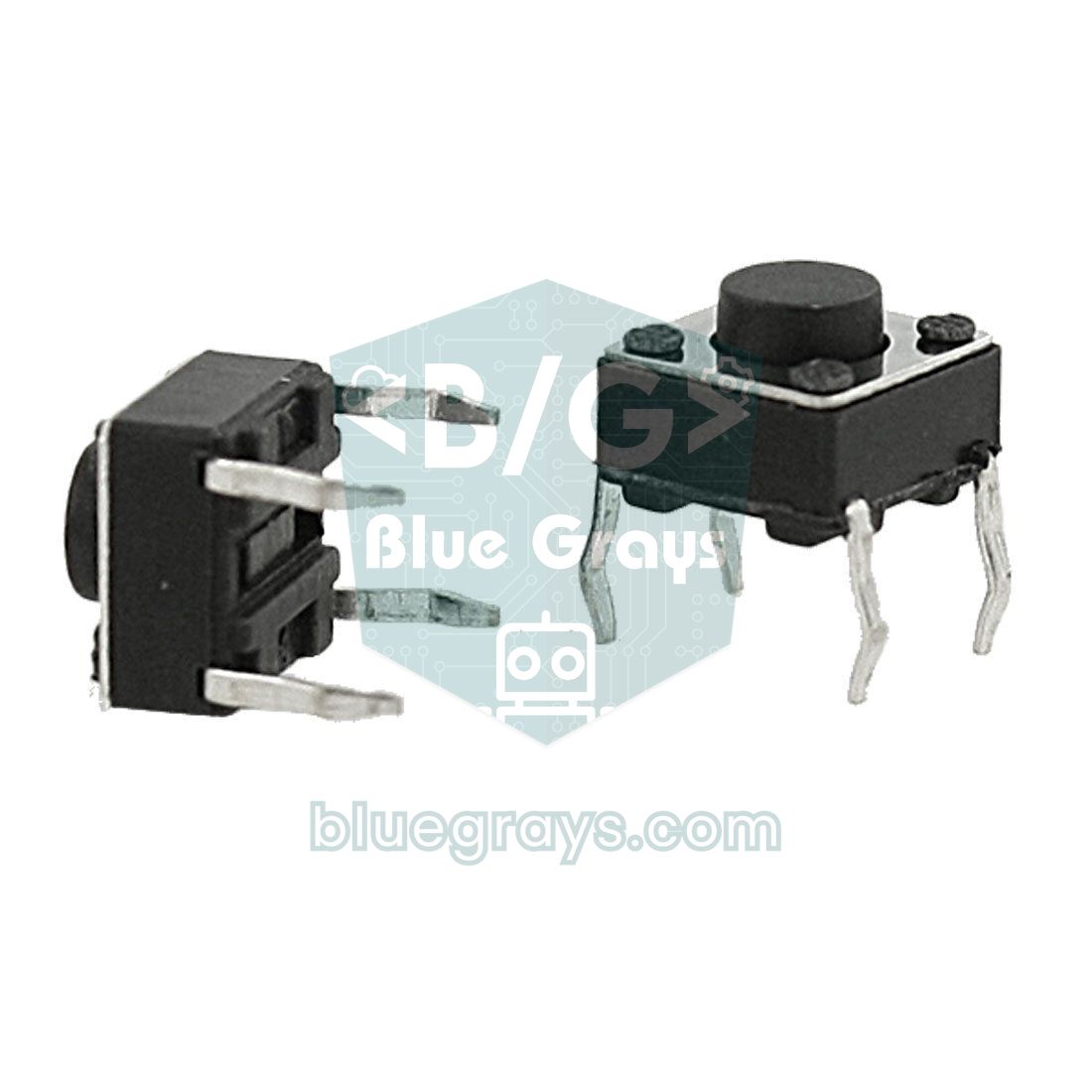
| Push button | Sound on/off, cancel alarm, SOS on a long press | Placed under the thumb |
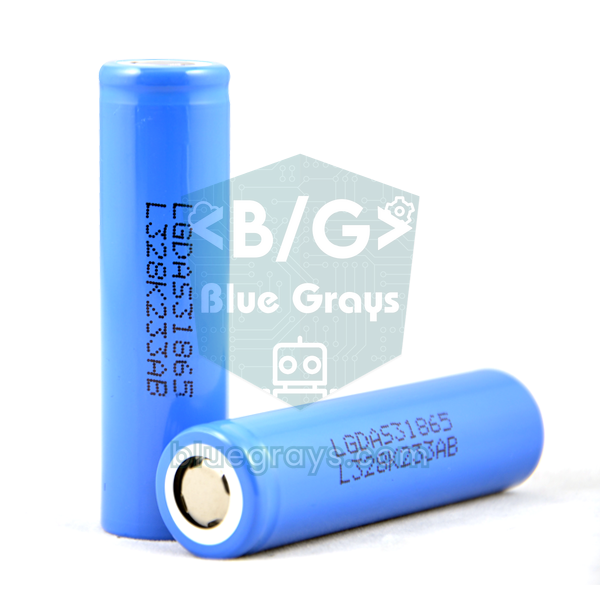
| 18650 cell + TP4056 + MT3608 | Portable power, USB charging, boost to 5 V | Use a protected TP4056 (with DW01) |
| 2 × 100 kΩ resistors | Divider for measuring the battery voltage | Midpoint goes to A0 |
| Switch and enclosure | On/off and protection | 3D-printed or a small project box |
Obstacle detection: how does the HC-SR04 measure, and where does it go?
When the HC-SR04 receives a 10-microsecond pulse on its TRIG pin, it sends eight sound waves at 40 kHz and holds the ECHO pin HIGH until the echo returns. At 20 °C sound travels about 343 metres per second; counting the trip there and back, roughly 58 microseconds pass for every centimetre. So the distance is simply cm = time (µs) / 58. The sensor sees inside a cone of about 15 degrees; 1.5 metres ahead that cone is about 40 cm wide. Because the sensor turns with the cane as you sweep it from side to side, it automatically scans a strip roughly one metre wide in front of you. You'll find the sensor's details in the HC-SR04 Distance Sensor article.
The most critical detail of the mounting is the angle. While walking, the cane isn't held upright but tilted forward at roughly 40–50 degrees from vertical. If you stick the sensor parallel to the cane, it points at the ground and constantly mistakes the floor for an obstacle. Fit the box close to the handle, about 75 cm above the ground, and aim the sensor slightly above horizontal. With the cane tilted at 45 degrees, the sensor axis must make a 60-degree angle with the shaft (measured towards the tip) for the sensor to point 15 degrees above horizontal. The easiest way to find the right angle is to hold the cane in your normal grip and rest a spirit-level app on your phone against the front of the box.
| Sensor angle (above horizontal) | Height scanned 1.5 m ahead | Typical obstacles it catches |
|---|---|---|
| 0° | About 55–95 cm | Benches, bins, the body of a parked car |
| 15° | About 95–135 cm | A person's torso, bicycle handlebars, a lorry's load bed |
| 25° | About 120–170 cm | Signs, tree branches, open window panes, wing mirrors |
If you're starting with one sensor, 15–20 degrees is a good compromise: it catches obstacles at body height comfortably. Head-height obstacles, however, only enter the upper edge of the cone while they're still far away, and drop out of it as you get closer. If head height matters to you, dedicate a second HC-SR04 tilted 30–35 degrees upwards to it; because this sensor measures at a slant, keep its range at around 200 cm. Remember to trigger the two sensors one after the other with at least 60 ms between them, otherwise one hears the other's echo. For a detailed comparison with laser (ToF) and infrared sensors, see the distance sensor comparison article.
| Sensor | Range | Pros | Cons |
|---|---|---|---|
| HC-SR04 | 2–400 cm | Cheap, easy, wide cone | Not waterproof, struggles with soft surfaces |
| JSN-SR04T | About 25–450 cm | Waterproof probe, works in the rain | Can't see closer than 25 cm, more expensive |
| VL53L1X (laser ToF) | Up to 4 m | Small, light, sharp beam | Range drops in sunlight, 3.3 V I2C |
| Sharp GP2Y0A02 (infrared) | 20–150 cm | Analogue output, simple code | Fooled by dark and shiny surfaces, draws about 33 mA |
Vibration and beep rate based on distance
A blind person perceives their surroundings largely through sound: an approaching car, the hum of a crowd, the echo of the cane's tapping off a wall all help them find their way. A buzzer that beeps constantly masks those sounds rather than helping. So the main alert channel in this project is vibration, and the rule is simple: the closer the obstacle, the more frequent and the stronger the vibration pulses. Anything further than 150 cm is ignored, and if an obstacle is closer than 30 cm the motor vibrates continuously. In between, the pulse interval is calculated linearly with map(): interval = 120 + (distance − 30) × 6.5 ms.
Why 150 cm? Someone walking with a white cane covers about 1 metre per second. A 150 cm range gives them roughly 1.5 seconds before they reach the obstacle; since the reaction time to a tactile alert is 0.2–0.3 seconds, that's enough to stop or change direction. Stretch the range to 250 cm and on a busy pavement the cane vibrates non-stop, so after a while the user starts ignoring the alerts. Indoors 100 cm works well, outdoors 150–200 cm; all you need to change is the FAR_CM constant.
| Distance | Pulse interval | Vibration strength (PWM) | Meaning for the user |
|---|---|---|---|
| Beyond 150 cm | No vibration | 0 | The path is clear |
| 150 cm | 900 ms | 150 | There's an obstacle ahead |
| 100 cm | 575 ms | 194 | Obstacle approaching, take care |
| 60 cm | 315 ms | 229 | Slow down, get ready to change direction |
| 40 cm | 185 ms | 247 | Very close |
| 30 cm or closer | Continuous | 255 | Stop |
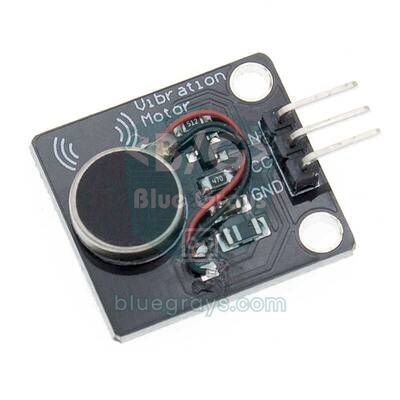
The motor most often used in canes is a coin-type ERM motor like the one in mobile phones. It runs at about 3 V and draws around 60–80 mA. An Arduino pin, however, can supply at most 40 mA, with 20 mA as the safe limit, so the motor isn't connected to the pin directly but through a transistor. Ready-made modules already include that transistor and the diode that absorbs the reverse voltage when the motor stops; most modules run on 3.3–5 V. If you use a bare motor, an NPN transistor such as a BC337 or 2N2222, a 1 kΩ base resistor and a 1N4148 diode in reverse across the motor are enough; you can compare transistors in the Transistors tool.
Where you put the motor matters as much as the code. Place it inside the handle, where the palm or index finger rests, and fix it with thin rubber rather than foam, because foam soaks up the vibration. At full speed a coin motor vibrates at about 200 Hz, and our skin is most sensitive to vibration around 200–300 Hz, so even a small motor in the right place is easy to feel. Because ERM motors can't start spinning at very low PWM values, the weakest vibration in the code is kept at 150 out of 255. You'll find more on motor choice and controlling intensity with PWM in the vibration motor article.
Wiring diagram: Arduino Uno/Nano, ESP32 and Raspberry Pi Pico
The table below matches all the code in this article exactly. The pin numbers are the same on the Uno and Nano; on both boards the MPU6050's I2C bus is on A4 (SDA) and A5 (SCL). The vibration module's VCC goes to 5V, and its IN pin was deliberately put on D5: tone() uses Timer2, so PWM on D3 and D11 stops working while the buzzer is playing, whereas D5 belongs to Timer0 and isn't affected. You can see the Nano's pin map in the Pinout tool.
| Connection | Arduino Uno / Nano | ESP32 | Raspberry Pi Pico |
|---|---|---|---|
| HC-SR04 VCC | 5V | VIN (5 V) | VBUS or the 5 V rail |
| HC-SR04 TRIG | D9 | GPIO 18 | GP2 |
| HC-SR04 ECHO | D10 (direct) | GPIO 19, via a 1 kΩ / 2 kΩ divider | GP3, via a 1 kΩ / 2 kΩ divider |
| Vibration module IN | D5 (PWM) | GPIO 25 | GP15 |
| Passive buzzer (+) | D8 | GPIO 26 | GP16 |
| Button (other leg to GND) | D2 | GPIO 27 | GP14 |
| Water sensor + | D7 | GPIO 33 | GP22 |
| Water sensor S | A1 | GPIO 34 (ADC1) | GP26 (ADC0) |
| MPU6050 SDA | A4 | GPIO 21 | GP4 |
| MPU6050 SCL | A5 | GPIO 22 | GP5 |
| MPU6050 VCC | 5V | 3V3 | 3V3 |
| Battery sense (midpoint of the 100k/100k divider) | A0 | GPIO 35 (ADC1) | GP28 (ADC2) |
| NEO-6M GPS TX / RX | None | GPIO 16 / GPIO 17 | None |
| SIM800L TXD / RXD | None | GPIO 13 / GPIO 23 | None |
Step-by-step build: start with the basic cane
- Build the circuit on a breadboard first and leave fitting it to the cane until the very end. Seat the Arduino Nano in the middle of the breadboard and bring 5V and GND out to the side rails.
- Connect the HC-SR04's VCC and GND to the rails, TRIG to D9 and ECHO to D10.
- Connect the vibration module's VCC to 5V, its GND to GND and its IN (S on some modules) pin to D5. Plug the passive buzzer's positive leg into D8 and the other leg into GND.
- Upload the basic code below and open the Serial Monitor at 9600 baud. Slowly move your hand towards and away from the sensor; the distance on screen should change and the vibration should speed up and slow down with it.
- Hold the sensor 150, 100, 60 and 30 cm from a wall and compare the Serial Monitor value with a tape measure. If the difference is more than 1–2 cm, check the wiring and the power supply.
- Once everything works, add the water sensor, the MPU6050 and the button and move on to the full code.
1// Temel akıllı baston: engel yaklaştıkça titreşim ve bip hızlanır / Basic smart cane: vibration and beeps speed up as an obstacle gets closer
2const int TRIG = 9, ECHO = 10;      // HC-SR04
3const int VIB = 5;                  // titreşim modülü IN, PWM pini / vibration module IN, PWM pin
4const int BUZZER = 8;               // pasif buzzer / passive buzzer
5
6const int NEAR_CM = 30;             // bundan yakın: sürekli uyarı / closer than this: continuous alert
7const int FAR_CM = 150;             // bundan uzak: sessiz / farther than this: silent
8const int PULSE_MS = 60;            // bir titreşim darbesinin süresi / length of one vibration pulse
9
10unsigned long lastPing = 0, lastPulse = 0;
11int distanceCm = 999;
12int vibNow = -1;
13
14void setVib(int v) {                // yalnızca değer değişince yaz / write only when the value changes
15  if (v != vibNow) { analogWrite(VIB, v); vibNow = v; }
16}
17
18int pingCm() {
19  digitalWrite(TRIG, LOW);  delayMicroseconds(2);
20  digitalWrite(TRIG, HIGH); delayMicroseconds(10);   // 10 µs tetik darbesi / 10 µs trigger pulse
21  digitalWrite(TRIG, LOW);
22  unsigned long t = pulseIn(ECHO, HIGH, 12000UL);    // 12 ms ≈ 2 m, daha uzağı gerekmez / 12 ms ≈ 2 m, no need for more
23  return t == 0 ? 999 : (int)(t / 58);               // 999 = yankı yok / 999 = no echo
24}
25
26void setup() {
27  Serial.begin(9600);
28  pinMode(TRIG, OUTPUT);
29  pinMode(ECHO, INPUT);
30  pinMode(VIB, OUTPUT);
31}
32
33void loop() {
34  unsigned long now = millis();
35
36  if (now - lastPing >= 60) {                        // ölçümler arası en az 60 ms / at least 60 ms between pings
37    lastPing = now;
38    distanceCm = pingCm();
39    Serial.println(distanceCm);
40  }
41
42  if (distanceCm < 2 || distanceCm > FAR_CM) {       // yol açık / the path is clear
43    setVib(0);
44  } else if (distanceCm <= NEAR_CM) {                // çok yakın: sürekli / very close: continuous
45    setVib(255);
46    if (now - lastPulse >= 120) { lastPulse = now; tone(BUZZER, 2500, 60); }
47  } else {
48    unsigned long period = map(distanceCm, NEAR_CM, FAR_CM, 120, 900);  // yakın = sık / near = frequent
49    int strength = map(distanceCm, NEAR_CM, FAR_CM, 255, 150);         // yakın = güçlü / near = strong
50    if (now - lastPulse >= period) {
51      lastPulse = now;
52      tone(BUZZER, 2000, 30);                        // kısa bip / short beep
53    }
54    setVib(now - lastPulse < PULSE_MS ? strength : 0);
55  }
56}
There's no long delay() anywhere in the code; every task runs on timestamps kept with millis(), so the vibration pulses never hold up the measurements. A 12 ms timeout was chosen for pulseIn(): since 12,000 / 58 ≈ 200 cm, echoes from further away are useless to us anyway, and a short timeout keeps the loop from stalling. If no echo returns, the function gives 999, which counts as "path clear". setVib() only writes to the motor when the value changes; because analogWrite() in the 2.x versions of the ESP32 core reconfigures the PWM unit on every call, this small detail lets the same code run smoothly there too.
Puddle sensor: an alert when the cane tip enters water
Puddles are among the hardest obstacles to notice with a white cane: when the tip goes into water, the sound and feel are hardly different from the ground, yet a few centimetres of water are enough to soak your shoes. For this we use a cheap water level sensor with interleaved copper traces. Some traces connect to the supply and some to the signal line; when water bridges them, the signal voltage rises and the analogRead() value increases. A dry sensor reads close to 0, while one whose end is in water usually gives a value of a few hundred on the Uno; the deeper it goes, the higher the value.
Fit the sensor at the very bottom of the cane with its lower edge about 1–2 cm above the tip and its traces perpendicular to the ground. That way nothing touches it on dry ground, but in a puddle deeper than 1–2 cm the traces get wet. The known weakness of these sensors is that the copper traces corrode quickly through electrolysis when they're powered all the time. The fix in the code is to connect the sensor's + pin to D7 rather than directly to 5V and power it only for the 10 ms of the measurement. With one reading every half second, the sensor is energised just 2% of the time. You'll find how it works in the water level sensor article and how it differs from a rain board in the rain sensor article.
Fall detection with the MPU6050
The MPU6050 is a motion sensor with a three-axis accelerometer and a three-axis gyroscope on a single chip, connected over I2C. The GY-521 board has a regulator on it, so it can run on 5 V; its default address is 0x68. In this project we only use the accelerometer and talk to four registers directly instead of using a library: writing 0 to 0x6B wakes the chip from sleep, 0x1A switches on the built-in 44 Hz filter, writing 0x10 to 0x1C raises the measuring range to ±8 g, and we read the X, Y and Z accelerations from the six bytes starting at 0x3B. The default ±2 g range easily saturates the moment the cane hits the ground, hiding the real size of the impact. In the ±8 g range, every 1 g corresponds to 4096 raw counts. To get to know the sensor better, have a look at the MPU6050 accelerometer and gyroscope article.
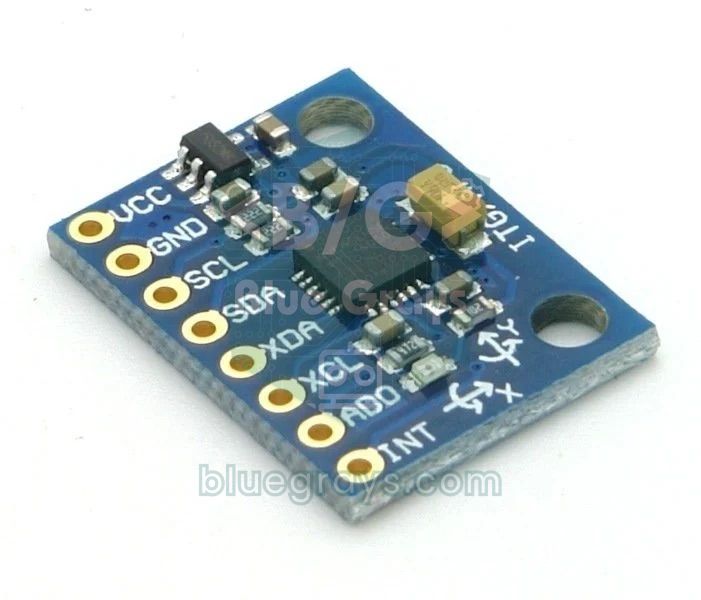
With every reading the code calculates two quantities. The first is the total acceleration: g = √(ax² + ay² + az²). While the cane is held still or lies on the ground this is about 1 g; in a hard impact it shoots up to several g. The second is the tilt, the angle between the cane and the vertical. If you mount the board with its X arrow along the shaft, the tilt is atan2(√(ay² + az²), |ax|): it reads 0 degrees with the cane upright, 40–55 while walking and 85–90 when it lies on the ground. Systems that detect human falls first look for a brief free fall (a moment close to 0 g); but a toppling cane moves like a stick rotating around its tip, so a sensor near the handle often never sees that moment. That's why our algorithm looks not for free fall but for an impact followed by a flat, motionless position.
| Stage | Condition | Duration | What happens? |
|---|---|---|---|
| WALK | Total acceleration exceeds 2.5 g | Unlimited | Moves to SETTLE; obstacle alerts keep running |
| SETTLE | Waits for the shaking to stop | 1 s | Moves to CHECK |
| CHECK | Tilt must stay above 70° and acceleration between 0.8 and 1.2 g | 2 s | Back to WALK if the condition breaks, ALARM if it holds |
| ALARM | A beep and vibration every second so the cane can be found | 20 s | Cancelled by a button press or by picking up the cane (tilt below 60°) |
| SOS | ... --- ... in Morse code with sound, LED and vibration | Until cancelled | A short press stops it; the ESP32 sends an SMS |
This sequence prevents most false alarms. Tapping the cane on the ground while walking can also produce short impacts above 2.5 g, but a second later the cane is still in the hand and tilted at 40–55 degrees, so the check stage is cancelled immediately; the user won't even notice. When the cane falls and stays flat, though, the alarm starts after about 3 seconds, and the beep every second lets a user who dropped their cane find it by sound. If the user picks the cane up, the alarm stops by itself. If nobody reacts for 20 seconds, the code assumes it may be a real fall and starts the SOS. Holding the button for 2 seconds also starts an SOS manually at any time.
Test and calibration code
Thresholds differ slightly for every cane, every surface and every sensor. Before moving on to the main code, upload the sketch below: every quarter of a second it prints the distance, the raw water sensor value, the highest acceleration in the last quarter second and the tilt to the Serial Monitor. Writing the values down in a table also fills in the results section of your project report.
1// Test ve kalibrasyon: mesafe, su sensörü ham değeri, en yüksek ivme (g) ve eğim / Test and calibration: distance, raw water value, peak acceleration (g) and tilt
2#include <Wire.h>
3
4const int TRIG = 9, ECHO = 10;
5const int WATER_PWR = 7, WATER_SIG = A1;
6const byte MPU = 0x68;
7
8float peakG = 0, tilt = 0;
9unsigned long lastPrint = 0;
10
11void mpuWrite(byte reg, byte val) {
12  Wire.beginTransmission(MPU);
13  Wire.write(reg);
14  Wire.write(val);
15  Wire.endTransmission();
16}
17
18void readMpu() {
19  Wire.beginTransmission(MPU);
20  Wire.write(0x3B);                                  // ACCEL_XOUT_H
21  if (Wire.endTransmission(false) != 0) return;
22  if (Wire.requestFrom(MPU, (uint8_t)6) != 6) return;
23  float a[3];
24  for (int i = 0; i < 3; i++) {
25    uint8_t hi = Wire.read();
26    uint8_t lo = Wire.read();
27    a[i] = (int16_t)(((uint16_t)hi << 8) | lo) / 4096.0;    // ±8 g: 4096 LSB/g
28  }
29  float g = sqrt(a[0] * a[0] + a[1] * a[1] + a[2] * a[2]);
30  if (g > peakG) peakG = g;
31  tilt = atan2(sqrt(a[1] * a[1] + a[2] * a[2]), fabs(a[0])) * 180.0 / PI;  // X ekseni baston boyunca / X axis along the cane
32}
33
34int pingCm() {
35  digitalWrite(TRIG, LOW);  delayMicroseconds(2);
36  digitalWrite(TRIG, HIGH); delayMicroseconds(10);
37  digitalWrite(TRIG, LOW);
38  unsigned long t = pulseIn(ECHO, HIGH, 25000UL);
39  return t == 0 ? 999 : (int)(t / 58);
40}
41
42void setup() {
43  Serial.begin(9600);
44  pinMode(TRIG, OUTPUT);
45  pinMode(ECHO, INPUT);
46  pinMode(WATER_PWR, OUTPUT);
47  Wire.begin();
48  mpuWrite(0x6B, 0x00);                              // uyku modundan çıkar / wake from sleep mode
49  mpuWrite(0x1A, 0x03);                              // 44 Hz alçak geçiren filtre / 44 Hz low-pass filter
50  mpuWrite(0x1C, 0x10);                              // ivme aralığı ±8 g / accelerometer range ±8 g
51}
52
53void loop() {
54  readMpu();                                         // olabildiğince sık oku, tepeyi yakala / read as often as possible to catch the peak
55  if (millis() - lastPrint >= 250) {
56    lastPrint = millis();
57    digitalWrite(WATER_PWR, HIGH);                   // sensörü yalnızca ölçerken besle / power the sensor only while measuring
58    delay(10);
59    int water = analogRead(WATER_SIG);
60    digitalWrite(WATER_PWR, LOW);
61    Serial.print(F("cm: "));          Serial.print(pingCm());
62    Serial.print(F("  su/water: "));  Serial.print(water);
63    Serial.print(F("  tepe/peak g: ")); Serial.print(peakG, 2);
64    Serial.print(F("  egim/tilt: ")); Serial.println(tilt, 0);
65    peakG = 0;
66  }
67}- Measure the water sensor dry and with its end dipped 1 cm into a glass of water. If it reads, say, 0–20 dry and 520 wet, choose the midpoint of 270–300 for WATER_LIMIT.
- Hold the cane in your normal grip and sweep it from side to side as if walking. Note the tilt; it usually stays between 40 and 55 degrees and should be below PICKUP_DEG (60).
- Lay the cane flat on the floor. The tilt should read 85–90 and the acceleration about 0.95–1.05 g, which confirms LYING_DEG (70) and the 0.8–1.2 g window.
- Tap the cane on the ground as usual while walking and watch the peak g values. Then drop the cane onto a mat 10 times. Set IMPACT_G below the drop values; even if taps exceed this threshold, the tilt check filters them out.
- Take 10 readings each at 30, 60, 100 and 150 cm from a wall and compare the average with a tape measure.
Full code: obstacles, water, falls, SOS and low-battery warning
In the full code the four tasks run in the same loop without holding each other up, and fall detection is a small state machine built with enum and switch-case. The button does three jobs: while walking, a short press turns the obstacle beeps on or off (vibration always stays on), during an alarm or SOS a short press cancels it, and a 2-second long press starts an SOS at any time. A high beep means sound on, a low beep means sound off.
1// Akıllı baston, tam sürüm: engel, su birikintisi, düşme algılama, SOS ve pil uyarısı
2// Smart cane, full version: obstacles, puddles, fall detection, SOS and low-battery warning
3#include <Wire.h>
4
5// Pinler (Arduino Uno ve Nano) / Pins (Arduino Uno and Nano)
6const int BUTTON = 2;               // buton, diğer bacağı GND / button, other leg to GND
7const int VIB = 5;                  // titreşim modülü IN (PWM) / vibration module IN (PWM)
8const int WATER_PWR = 7;            // su sensörü + ucu / water sensor + pin
9const int BUZZER = 8;               // pasif buzzer / passive buzzer
10const int TRIG = 9, ECHO = 10;      // HC-SR04
11const int LED = 13;                 // dahili LED, SOS'ta yanıp söner / built-in LED, flashes during SOS
12const int BAT = A0;                 // 18650, 100k/100k bölücüyle / 18650 via a 100k/100k divider
13const int WATER_SIG = A1;           // su sensörü S ucu / water sensor S pin
14const byte MPU = 0x68;              // MPU6050, AD0 = GND
15
16// Ayarlar: test koduyla bulduğun değerleri yaz / Settings: use the values from the test sketch
17const int NEAR_CM = 30, FAR_CM = 150;
18const int PULSE_MS = 60;
19const int WATER_LIMIT = 300;        // kuru ve ıslak okumaların ortası / midpoint of dry and wet readings
20const float IMPACT_G = 2.5;         // düşme darbesi eşiği / fall impact threshold
21const float LYING_DEG = 70;         // bundan büyük eğim = yerde yatıyor / tilt above this = lying flat
22const float PICKUP_DEG = 60;        // bundan küçük eğim = kaldırıldı / tilt below this = picked up
23const unsigned long CANCEL_MS = 20000;   // SOS'tan önce iptal süresi / time to cancel before SOS
24const float LOW_BAT_V = 3.4;        // 18650 için düşük pil sınırı / low limit for an 18650 cell
25
26enum Mode { WALK, SETTLE, CHECK, ALARM, SOS };
27Mode mode = WALK;
28
29// SOS Mors kodu: artı = ses, eksi = sessizlik, birim 150 ms / SOS in Morse: plus = tone, minus = silence, unit 150 ms
30const int8_t SOS_PATTERN[] = {1, -1, 1, -1, 1, -3, 3, -1, 3, -1, 3, -3, 1, -1, 1, -1, 1, -7};
31const byte SOS_LEN = sizeof(SOS_PATTERN) / sizeof(SOS_PATTERN[0]);
32const unsigned long UNIT_MS = 150;
33
34bool soundOn = true, wet = false, waterAlert = false, waterHigh = false, sosOn = false;
35bool btnDown = false, longFired = false;
36int distanceCm = 999, vibNow = -1;
37int hist[3] = {999, 999, 999};
38byte histIdx = 0, sosStep = 0;
39float gTotal = 1.0, tilt = 45;
40unsigned long lastPing = 0, lastPulse = 0, lastMpu = 0, lastWater = 0, lastBat = 0, lastBeep = 0;
41unsigned long modeStart = 0, waterStart = 0, sosStepStart = 0, btnSince = 0;
42
43void setVib(int v) {                // yalnızca değişince yaz / write only on change
44  if (v != vibNow) { analogWrite(VIB, v); vibNow = v; }
45}
46
47void mpuWrite(byte reg, byte val) {
48  Wire.beginTransmission(MPU);
49  Wire.write(reg);
50  Wire.write(val);
51  Wire.endTransmission();
52}
53
54bool readMpu() {
55  Wire.beginTransmission(MPU);
56  Wire.write(0x3B);                                   // ACCEL_XOUT_H
57  if (Wire.endTransmission(false) != 0) return false;
58  if (Wire.requestFrom(MPU, (uint8_t)6) != 6) return false;
59  float a[3];
60  for (int i = 0; i < 3; i++) {
61    uint8_t hi = Wire.read();
62    uint8_t lo = Wire.read();
63    a[i] = (int16_t)(((uint16_t)hi << 8) | lo) / 4096.0;   // ±8 g: 4096 LSB/g
64  }
65  gTotal = sqrt(a[0] * a[0] + a[1] * a[1] + a[2] * a[2]);
66  tilt = atan2(sqrt(a[1] * a[1] + a[2] * a[2]), fabs(a[0])) * 180.0 / PI;  // 0° dik, 90° yatay / 0° upright, 90° flat
67  return true;
68}
69
70int pingCm() {
71  digitalWrite(TRIG, LOW);  delayMicroseconds(2);
72  digitalWrite(TRIG, HIGH); delayMicroseconds(10);
73  digitalWrite(TRIG, LOW);
74  unsigned long t = pulseIn(ECHO, HIGH, 12000UL);     // 12 ms ≈ 2 m
75  return t == 0 ? 999 : (int)(t / 58);
76}
77
78int median3(int a, int b, int c) {                    // tek tük hatalı ölçümü eler / drops a single bad reading
79  if ((a <= b && b <= c) || (c <= b && b <= a)) return b;
80  if ((b <= a && a <= c) || (c <= a && a <= b)) return a;
81  return c;
82}
83
84// 0 = olay yok, 1 = kısa basış, 2 = uzun basış (2 s) / 0 = nothing, 1 = short press, 2 = long press (2 s)
85byte readButton(unsigned long now) {
86  bool pressed = digitalRead(BUTTON) == LOW;
87  if (pressed && !btnDown) { btnDown = true; longFired = false; btnSince = now; }
88  if (pressed && btnDown && !longFired && now - btnSince >= 2000) { longFired = true; return 2; }
89  if (!pressed && btnDown) {
90    btnDown = false;
91    if (!longFired && now - btnSince >= 30) return 1;  // 30 ms'den kısası sıçramadır / shorter than 30 ms is bounce
92  }
93  return 0;
94}
95
96void setMode(Mode m, unsigned long now) {
97  mode = m;
98  modeStart = now;
99  sosStep = 0;
100  sosStepStart = now;
101  sosOn = false;
102  setVib(0);
103  noTone(BUZZER);
104  digitalWrite(LED, LOW);
105}
106
107void fallUpdate(unsigned long now) {
108  switch (mode) {
109    case WALK:
110      if (gTotal > IMPACT_G) setMode(SETTLE, now);      // sert darbe / hard impact
111      break;
112    case SETTLE:                                        // 1 s sarsıntının bitmesini bekle / wait 1 s for the shaking to stop
113      if (now - modeStart >= 1000) setMode(CHECK, now);
114      break;
115    case CHECK:                                         // 2 s boyunca yatay ve hareketsiz mi? / flat and still for 2 s?
116      if (tilt < LYING_DEG || fabs(gTotal - 1.0) > 0.2) setMode(WALK, now);   // yalnızca bir vuruştu / just a tap
117      else if (now - modeStart >= 2000) setMode(ALARM, now);
118      break;
119    case ALARM:
120      if (tilt < PICKUP_DEG) setMode(WALK, now);        // baston kaldırıldı / the cane was picked up
121      else if (now - modeStart >= CANCEL_MS) setMode(SOS, now);
122      break;
123    default:
124      break;
125  }
126}
127
128void waterUpdate(unsigned long now) {
129  digitalWrite(WATER_PWR, HIGH);                        // yalnızca ölçerken besle: aşınmayı yavaşlatır / power only while measuring: slows corrosion
130  delay(10);
131  int v = analogRead(WATER_SIG);
132  digitalWrite(WATER_PWR, LOW);
133  if (v > WATER_LIMIT && !wet) { wet = true; waterAlert = true; waterStart = now; }   // kurudan ıslağa / dry to wet
134  else if (v < WATER_LIMIT - 100) wet = false;          // histerezis / hysteresis
135}
136
137void walkOutput(unsigned long now) {
138  // Ses kanalı: önce su uyarısı / Sound channel: water alert first
139  if (waterAlert && now - waterStart >= 1800) waterAlert = false;
140  if (waterAlert && now - lastBeep >= 300) {
141    lastBeep = now;
142    waterHigh = !waterHigh;
143    tone(BUZZER, waterHigh ? 1600 : 1000, 250);         // iki tonlu uyarı / two-tone alert
144  }
145
146  // Titreşim kanalı: engel ne kadar yakınsa o kadar sık ve güçlü / Vibration channel: the closer, the faster and stronger
147  if (distanceCm < 2 || distanceCm > FAR_CM) {
148    setVib(0);
149  } else if (distanceCm <= NEAR_CM) {
150    setVib(255);
151    if (soundOn && !waterAlert && now - lastBeep >= 120) { lastBeep = now; tone(BUZZER, 2500, 60); }
152  } else {
153    unsigned long period = map(distanceCm, NEAR_CM, FAR_CM, 120, 900);
154    int strength = map(distanceCm, NEAR_CM, FAR_CM, 255, 150);
155    if (now - lastPulse >= period) {
156      lastPulse = now;
157      if (soundOn && !waterAlert) tone(BUZZER, 2000, 30);
158    }
159    setVib(now - lastPulse < PULSE_MS ? strength : 0);
160  }
161}
162
163void alarmOutput(unsigned long now) {                   // "bastonum düştü" sesi: bulmayı kolaylaştırır / "cane dropped" sound: helps finding it
164  setVib((now - modeStart) % 1000 < 150 ? 255 : 0);
165  if (now - lastBeep >= 1000) { lastBeep = now; tone(BUZZER, 2000, 150); }
166}
167
168void sosOutput(unsigned long now) {
169  if (now - sosStepStart >= (unsigned long)abs(SOS_PATTERN[sosStep]) * UNIT_MS) {
170    sosStep = (sosStep + 1) % SOS_LEN;                  // sonraki adım / next step
171    sosStepStart = now;
172  }
173  bool on = SOS_PATTERN[sosStep] > 0;
174  if (on != sosOn) {
175    sosOn = on;
176    if (on) tone(BUZZER, 3000); else noTone(BUZZER);
177    digitalWrite(LED, on);
178    setVib(on ? 255 : 0);
179  }
180}
181
182void batteryUpdate() {
183  float v = analogRead(BAT) * (5.0 / 1023.0) * 2.0;     // bölücü gerilimi yarıya indirir / the divider halves the voltage
184  Serial.print(F("Pil / Battery: "));
185  Serial.println(v, 2);
186  if (v < LOW_BAT_V && mode == WALK) tone(BUZZER, 800, 400);   // kalın, uzun bip / low, long beep
187}
188
189void setup() {
190  Serial.begin(9600);
191  pinMode(BUTTON, INPUT_PULLUP);
192  pinMode(TRIG, OUTPUT);
193  pinMode(ECHO, INPUT);
194  pinMode(VIB, OUTPUT);
195  pinMode(WATER_PWR, OUTPUT);
196  pinMode(LED, OUTPUT);
197  Wire.begin();
198  mpuWrite(0x6B, 0x00);                                 // MPU6050'yi uyandır / wake the MPU6050
199  mpuWrite(0x1A, 0x03);                                 // 44 Hz filtre / 44 Hz filter
200  mpuWrite(0x1C, 0x10);                                 // ±8 g
201  tone(BUZZER, 1500, 100);                              // açılış sesi / power-on beep
202}
203
204void loop() {
205  unsigned long now = millis();
206
207  byte b = readButton(now);
208  if (b == 2) {
209    setMode(SOS, now);                                  // uzun basış: elle SOS / long press: manual SOS
210  } else if (b == 1) {
211    if (mode == ALARM || mode == SOS) {
212      setMode(WALK, now);                               // alarmı ya da SOS'u iptal et / cancel the alarm or SOS
213    } else {                                            // yürürken (SETTLE/CHECK dahil) sesi aç ya da kapat / while walking (incl. SETTLE/CHECK) sound on or off
214      soundOn = !soundOn;
215      tone(BUZZER, soundOn ? 2000 : 600, 120);
216    }
217  }
218
219  if (now - lastMpu >= 20) {                            // saniyede 50 ölçüm / 50 readings per second
220    lastMpu = now;
221    if (readMpu()) fallUpdate(now);
222  }
223
224  if (mode == WALK || mode == SETTLE || mode == CHECK) {
225    if (now - lastPing >= 60) {
226      lastPing = now;
227      hist[histIdx] = pingCm();
228      histIdx = (histIdx + 1) % 3;
229      distanceCm = median3(hist[0], hist[1], hist[2]);
230    }
231    if (now - lastWater >= 500) { lastWater = now; waterUpdate(now); }
232    walkOutput(now);
233  } else if (mode == ALARM) {
234    alarmOutput(now);
235  } else {
236    sosOutput(now);
237  }
238
239  if (now - lastBat >= 30000) { lastBat = now; batteryUpdate(); }
240}| Function or setting | What does it do? |
|---|---|
| pingCm() | Takes one reading; returns 999 if no echo arrives within 12 ms |
| median3() | Takes the median of the last three readings, discarding an odd bad value |
| readMpu() | Reads the six bytes of acceleration data and calculates total acceleration and tilt |
| fallUpdate() | Runs the WALK → SETTLE → CHECK → ALARM → SOS state machine |
| waterUpdate() | Powers the water sensor for 10 ms, reads it and starts an alert on the change from dry to wet |
| walkOutput() | Produces vibration according to distance and the water alert as a two-tone sound |
| sosOutput() | Plays the SOS_PATTERN array step by step |
| readButton() | Tells short (1) and long (2) presses apart and ignores bounces shorter than 30 ms |
| IMPACT_G, LYING_DEG, CANCEL_MS | Fall sensitivity and cancel time; tune them with the test sketch |
The SOS pattern follows the rules of Morse code: a dot is 1 unit, a dash 3 units, with 1 unit between signals, 3 between letters and 7 between repeats. With a 150 ms unit, one SOS cycle is 34 units, or about 5.1 seconds. The 3 kHz tone was chosen on purpose: the human ear is most sensitive between 2 and 4 kHz, and small passive buzzers are loudest in that range too. For the difference between active and passive buzzers, see the What Is a Buzzer? article.
Battery, power and running time
A smart cane is used outdoors all day, so the power design matters as much as the sensors. Let's estimate the average consumption: the Nano draws about 20 mA, the HC-SR04 15 mA and the MPU6050 4 mA. The vibration motor draws around 70 mA, but only during pulses; on a typical walk its average is about 10 mA. The buzzer and water sensor add a few mA. That's roughly 50 mA in total, or 0.25 W at 5 V. A 2600 mAh 18650 cell holds about 9.6 Wh at 3.7 V; through an 85% efficient boost converter about 8 Wh reaches the circuit. 8 / 0.25 = 32 hours; allowing for the fact that you can't use the whole battery, a realistic figure is 25–30 hours. Someone who uses it two hours a day charges the cane about every two weeks. You can do your own calculation with the Battery life tool and read about the difference between mAh and Wh in the mAh and Wh article.
| Power source | Weight | Approx. running time (50 mA) | Verdict |
|---|---|---|---|
| 9 V PP3 battery (about 500 mAh), into VIN | 45 g | 8–10 hours | Not recommended: voltage sags when the motor runs, not rechargeable |
| 4 × AA NiMH (2000 mAh), into the 5V pin | About 120 g | 35–40 hours | Heavy; reaches 5.6 V when fully charged, pushing the limit |
| 1 × 18650 + TP4056 + MT3608 | About 55 g | 25–30 hours | Recommended: light, USB charging, protected |
| 2 × 18650 in series (7.4 V), into VIN | About 105 g | 45–50 hours | Long-lasting but heavy, needs a separate charging circuit |
| Power bank (10,000 mAh) | 200 g or more | Several days | Heavy; most power banks switch off at low current |
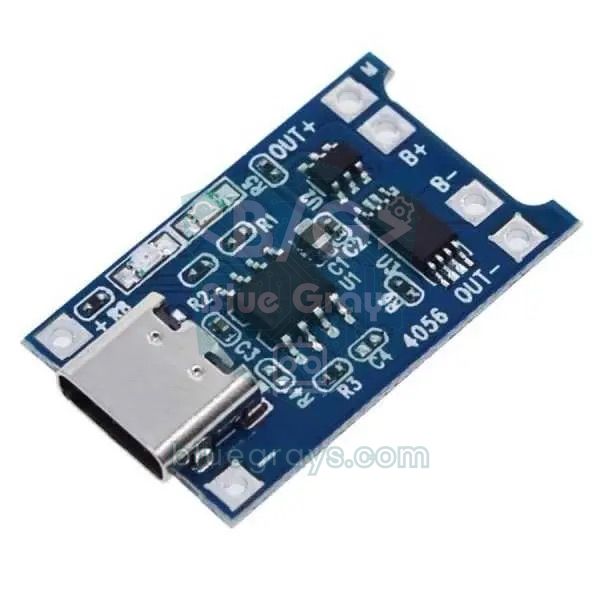
The recommended power chain is as follows: the 18650 cell connects to the B+ and B− terminals of the TP4056 module. The line from the module's OUT+ goes through a slide switch to the input of the MT3608 boost module. The MT3608's output, set to 5.0 V, powers the Nano's 5V pin, the HC-SR04 and the vibration module. To measure the battery voltage, a divider of two 100 kΩ resistors is connected right after the switch with its midpoint on A0; because it sits after the switch, it doesn't drain the battery while the cane is off. The DW01 chip cuts the cell off at about 2.4–2.5 V, but the code warns you much earlier by playing a low beep every 30 seconds below 3.4 V. More details in the TP4056 charging module article.
Enclosure, weight and ergonomics
Most folding white canes weigh 200–300 g, and the user sweeps them from side to side with their wrist for hours. Every gram you add is multiplied by its distance from the hand and loads the wrist. Fit a 150 g box 10 cm below the handle and the extra torque on the wrist is 150 × 10 = 1.5 kg·cm; the same box 60 cm lower would make it 9 kg·cm, six times as much. So gather all the electronics in one box and place it right below the handle; only the water sensor and its thin cable run down to the tip. Aim to keep the total added weight under 150 g.
| Part | Approx. weight |
|---|---|
| Arduino Nano | 7 g |
| HC-SR04 | 9 g |
| MPU6050 (GY-521) | 2 g |
| Vibration module + passive buzzer | 5 g |
| Water level sensor and cable | 8 g |
| 18650 cell | 45–48 g |
| TP4056 + MT3608 + switch | 8 g |
| 3D-printed box and clamps | 40–50 g |
| Wires, screws, Velcro strap | 10–15 g |
| Total | About 135–150 g |
- Material: Print the box in PETG or ABS; PLA can soften and warp in a car left in the sun. A wall thickness of 1.6–2 mm is enough.
- Mounting: Fix the box to the cane with two hose clamps or a rubber-lined Velcro strap. On folding canes the box must sit above the first folding joint, otherwise the cane won't fold.
- Sensor window: The HC-SR04's two cylinders should stick out of the front of the box; don't put thin plastic or mesh in front of them, because ultrasound won't pass through.
- Rain: Drill a small drainage hole in the bottom of the box and put a sachet of silica gel inside. If you live somewhere with frequent rain, use the waterproof JSN-SR04T probe instead of the HC-SR04.
- Button: Choose a large button with a clear click and place it where the thumb naturally rests on the handle. Add a 2 mm raised rim around it so it isn't pressed by accident.
- On/off: The switch position should be recognisable by touch; the power-on beep also confirms that the device is running.
- Charging port: The TP4056's USB socket should be reachable from the underside of the box and closed with a rubber plug when not in use.
- Visibility: Reflective tape on the sides of the box helps drivers notice the cane when the user crosses the road in the evening.
Sending the location with ESP32 + GPS
With an Arduino, the cane can only alert people nearby with sound during an SOS. With an ESP32 and a GPS module, however, the cane's location can be sent to a relative as a message. By default the NEO-6M module outputs NMEA sentences at 9600 baud, with one position fix per second; the TinyGPSPlus library parses them and gives you latitude, longitude and the number of satellites. According to the datasheet, the first fix from a cold start takes about 27 seconds; in practice, outdoors it takes anywhere from 30 seconds to a few minutes, and indoors there's often no fix at all. The small backup battery on the module keeps the last satellite data, so on later start-ups a fix arrives within a few seconds. Details in the NEO-6M GPS module article.
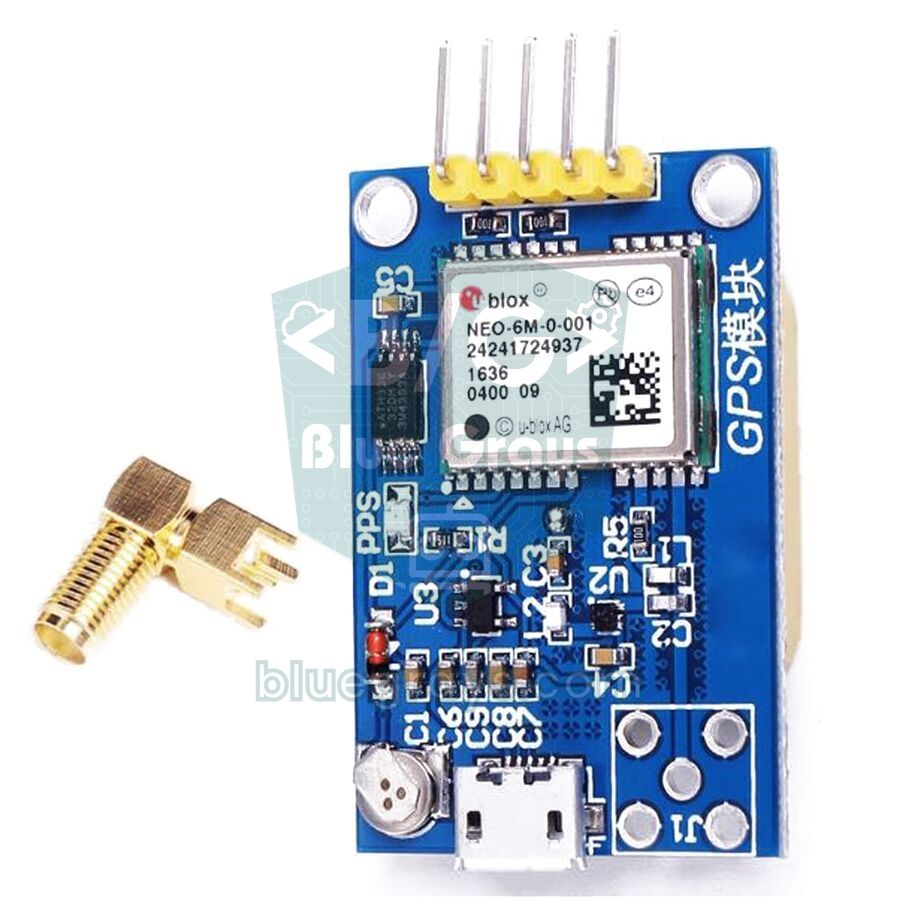
There are two ways to send the message. For a school demo, the easiest is to connect the ESP32 to the personal hotspot on the user's phone and send the message with a Telegram bot. For a cane that really works on the street, a SIM800L GSM module, which doesn't depend on the phone, is a better fit: it sends an SMS directly with the SIM card inside it. The SIM800L needs 3.4–4.4 V and draws current spikes of up to 2 A while transmitting, so power it straight from the 18650 cell rather than from the boost converter, and put a 1000 µF capacitor across its supply pins. This module only works on 2G networks; in countries where 2G has been switched off you'll need a 4G module such as the A7670 or SIM7600. If you'd like everything on one board, you can use a TTGO T-Call (ESP32 + SIM800L).
1// ESP32 akıllı baston: engel uyarısı, su ve düşme algılama, SOS'ta GPS konumunu SMS ile gönderme
2// ESP32 smart cane: obstacle alert, water and fall detection, sends the GPS location by SMS on SOS
3// Kütüphane: TinyGPSPlus (Mikal Hart) / Library: TinyGPSPlus (Mikal Hart)
4#include <Wire.h>
5#include <TinyGPSPlus.h>
6
7// Pinler / Pins
8const int TRIG = 18, ECHO = 19;          // ECHO 1 kΩ / 2 kΩ bölücüyle / ECHO via a 1 kΩ / 2 kΩ divider
9const int VIB = 25, BUZZER = 26, BUTTON = 27;
10const int WATER_PWR = 33, WATER_SIG = 34;   // ADC1 pini / ADC1 pin
11const int BAT = 35;                      // 100k/100k bölücü / 100k/100k divider
12const int GPS_RX = 16, GPS_TX = 17;      // NEO-6M TX → 16, RX ← 17
13const int GSM_RX = 13, GSM_TX = 23;      // SIM800L TXD → 13, RXD ← 23
14const byte MPU = 0x68;                   // SDA 21, SCL 22
15
16const char* PHONE = "+905XXXXXXXXX";     // SMS gidecek numara / number to text
17
18const int NEAR_CM = 30, FAR_CM = 150, PULSE_MS = 60;
19const int WATER_LIMIT = 1200;            // 12 bit ölçekte, test ederek bul / on the 12-bit scale, find by testing
20const float IMPACT_G = 2.5, LYING_DEG = 70, PICKUP_DEG = 60;
21const unsigned long CANCEL_MS = 20000, SMS_REPEAT_MS = 300000;   // 5 dakikada bir konum / location every 5 minutes
22
23enum Mode { WALK, SETTLE, CHECK, ALARM, SOS };
24Mode mode = WALK;
25const int8_t SOS_PATTERN[] = {1, -1, 1, -1, 1, -3, 3, -1, 3, -1, 3, -3, 1, -1, 1, -1, 1, -7};
26const int SOS_LEN = sizeof(SOS_PATTERN) / sizeof(SOS_PATTERN[0]);
27const unsigned long UNIT_MS = 150;
28
29TinyGPSPlus gps;
30bool soundOn = true, wet = false, waterAlert = false, waterHigh = false, sosOn = false, smsDue = false;
31bool btnDown = false, longFired = false;
32int distanceCm = 999, vibNow = -1, sosStep = 0, histIdx = 0;
33int hist[3] = {999, 999, 999};
34float gTotal = 1.0, tilt = 45;
35unsigned long lastPing = 0, lastPulse = 0, lastMpu = 0, lastWater = 0, lastBat = 0, lastBeep = 0;
36unsigned long modeStart = 0, waterStart = 0, sosStepStart = 0, btnSince = 0, lastSms = 0;
37
38void setVib(int v) {
39  if (v != vibNow) { analogWrite(VIB, v); vibNow = v; }
40}
41
42void mpuWrite(byte reg, byte val) {
43  Wire.beginTransmission(MPU);
44  Wire.write(reg);
45  Wire.write(val);
46  Wire.endTransmission();
47}
48
49bool readMpu() {
50  Wire.beginTransmission(MPU);
51  Wire.write(0x3B);
52  if (Wire.endTransmission(false) != 0) return false;
53  if (Wire.requestFrom(MPU, (uint8_t)6) != 6) return false;
54  float a[3];
55  for (int i = 0; i < 3; i++) {
56    uint8_t hi = Wire.read();
57    uint8_t lo = Wire.read();
58    a[i] = (int16_t)(((uint16_t)hi << 8) | lo) / 4096.0;   // ±8 g
59  }
60  gTotal = sqrt(a[0] * a[0] + a[1] * a[1] + a[2] * a[2]);
61  tilt = atan2(sqrt(a[1] * a[1] + a[2] * a[2]), fabs(a[0])) * 180.0 / PI;
62  return true;
63}
64
65int pingCm() {
66  digitalWrite(TRIG, LOW);  delayMicroseconds(2);
67  digitalWrite(TRIG, HIGH); delayMicroseconds(10);
68  digitalWrite(TRIG, LOW);
69  unsigned long t = pulseIn(ECHO, HIGH, 12000UL);
70  return t == 0 ? 999 : (int)(t / 58);
71}
72
73int median3(int a, int b, int c) {
74  if ((a <= b && b <= c) || (c <= b && b <= a)) return b;
75  if ((b <= a && a <= c) || (c <= a && a <= b)) return a;
76  return c;
77}
78
79int readButton(unsigned long now) {      // 0 yok, 1 kısa, 2 uzun / 0 none, 1 short, 2 long
80  bool pressed = digitalRead(BUTTON) == LOW;
81  if (pressed && !btnDown) { btnDown = true; longFired = false; btnSince = now; }
82  if (pressed && btnDown && !longFired && now - btnSince >= 2000) { longFired = true; return 2; }
83  if (!pressed && btnDown) {
84    btnDown = false;
85    if (!longFired && now - btnSince >= 30) return 1;
86  }
87  return 0;
88}
89
90void feedGps() {                          // NMEA cümlelerini çöz / parse the NMEA sentences
91  while (Serial2.available()) gps.encode(Serial2.read());
92}
93
94// SIM800L'den belirli bir yanıtı bekle / wait for a given reply from the SIM800L
95bool waitFor(const char* token, unsigned long timeoutMs) {
96  String buf;
97  unsigned long start = millis();
98  while (millis() - start < timeoutMs) {
99    while (Serial1.available()) {
100      buf += (char)Serial1.read();
101      if (buf.indexOf(token) >= 0) return true;
102      if (buf.length() > 200) buf.remove(0, 100);
103    }
104    feedGps();                            // beklerken GPS'i kaçırma / keep reading GPS while waiting
105  }
106  return false;
107}
108
109bool sendSms(const String& text) {
110  Serial1.println("AT");                  // ilk AT baud hızını eşler / the first AT syncs the baud rate
111  if (!waitFor("OK", 1000)) {
112    Serial1.println("AT");
113    if (!waitFor("OK", 1000)) return false;
114  }
115  Serial1.println("AT+CMGF=1");           // metin modu / text mode
116  if (!waitFor("OK", 1000)) return false;
117  Serial1.print("AT+CMGS=\"");
118  Serial1.print(PHONE);
119  Serial1.println("\"");
120  if (!waitFor(">", 5000)) return false;  // mesaj istemi / message prompt
121  Serial1.print(text);
122  Serial1.write(26);                      // Ctrl+Z: gönder / Ctrl+Z: send
123  return waitFor("+CMGS", 20000);         // şebeke onayı / network confirmation
124}
125
126String sosText() {                        // SMS'te Türkçe harf kullanma / no Turkish letters in the SMS
127  String s = "SOS! Akilli baston yardim cagrisi. ";
128  if (gps.location.isValid()) {
129    s += "Konum: https://maps.google.com/?q=";
130    s += String(gps.location.lat(), 6) + "," + String(gps.location.lng(), 6);
131    s += " (" + String(gps.location.age() / 1000) + " sn once, " + String(gps.satellites.value()) + " uydu)";
132  } else {
133    s += "GPS konumu henuz yok.";
134  }
135  return s;
136}
137
138void setMode(Mode m, unsigned long now) {
139  mode = m;
140  modeStart = now;
141  sosStep = 0;
142  sosStepStart = now;
143  sosOn = false;
144  setVib(0);
145  noTone(BUZZER);
146  if (m == SOS) { smsDue = true; lastSms = now; }
147}
148
149void fallUpdate(unsigned long now) {
150  if (mode == WALK && gTotal > IMPACT_G) setMode(SETTLE, now);
151  else if (mode == SETTLE && now - modeStart >= 1000) setMode(CHECK, now);
152  else if (mode == CHECK) {
153    if (tilt < LYING_DEG || fabs(gTotal - 1.0) > 0.2) setMode(WALK, now);
154    else if (now - modeStart >= 2000) setMode(ALARM, now);
155  } else if (mode == ALARM) {
156    if (tilt < PICKUP_DEG) setMode(WALK, now);
157    else if (now - modeStart >= CANCEL_MS) setMode(SOS, now);
158  }
159}
160
161void waterUpdate(unsigned long now) {
162  digitalWrite(WATER_PWR, HIGH);
163  delay(10);
164  int v = analogRead(WATER_SIG);          // 0–4095
165  digitalWrite(WATER_PWR, LOW);
166  if (v > WATER_LIMIT && !wet) { wet = true; waterAlert = true; waterStart = now; }
167  else if (v < WATER_LIMIT - 400) wet = false;
168}
169
170void walkOutput(unsigned long now) {
171  if (waterAlert && now - waterStart >= 1800) waterAlert = false;
172  if (waterAlert && now - lastBeep >= 300) {
173    lastBeep = now;
174    waterHigh = !waterHigh;
175    tone(BUZZER, waterHigh ? 1600 : 1000, 250);
176  }
177  if (distanceCm < 2 || distanceCm > FAR_CM) {
178    setVib(0);
179  } else if (distanceCm <= NEAR_CM) {
180    setVib(255);
181    if (soundOn && !waterAlert && now - lastBeep >= 120) { lastBeep = now; tone(BUZZER, 2500, 60); }
182  } else {
183    unsigned long period = map(distanceCm, NEAR_CM, FAR_CM, 120, 900);
184    int strength = map(distanceCm, NEAR_CM, FAR_CM, 255, 150);
185    if (now - lastPulse >= period) {
186      lastPulse = now;
187      if (soundOn && !waterAlert) tone(BUZZER, 2000, 30);
188    }
189    setVib(now - lastPulse < PULSE_MS ? strength : 0);
190  }
191}
192
193void sosOutput(unsigned long now) {
194  if (smsDue || now - lastSms >= SMS_REPEAT_MS) {      // girişte ve 5 dakikada bir / on entry and every 5 minutes
195    smsDue = false;
196    lastSms = now;
197    noTone(BUZZER);
198    bool ok = sendSms(sosText());
199    Serial.println(ok ? "SMS gonderildi / SMS sent" : "SMS gonderilemedi / SMS failed");
200    sosStepStart = millis();
201    sosOn = false;
202  }
203  if (now - sosStepStart >= (unsigned long)abs(SOS_PATTERN[sosStep]) * UNIT_MS) {
204    sosStep = (sosStep + 1) % SOS_LEN;
205    sosStepStart = now;
206  }
207  bool on = SOS_PATTERN[sosStep] > 0;
208  if (on != sosOn) {
209    sosOn = on;
210    if (on) tone(BUZZER, 3000); else noTone(BUZZER);
211    setVib(on ? 255 : 0);
212  }
213}
214
215void setup() {
216  Serial.begin(115200);
217  Serial2.begin(9600, SERIAL_8N1, GPS_RX, GPS_TX);    // NEO-6M varsayılanı 9600 baud / NEO-6M default is 9600 baud
218  Serial1.begin(9600, SERIAL_8N1, GSM_RX, GSM_TX);    // SIM800L
219  pinMode(BUTTON, INPUT_PULLUP);
220  pinMode(TRIG, OUTPUT);
221  pinMode(ECHO, INPUT);
222  pinMode(WATER_PWR, OUTPUT);
223  Wire.begin(21, 22);
224  mpuWrite(0x6B, 0x00);
225  mpuWrite(0x1A, 0x03);
226  mpuWrite(0x1C, 0x10);
227  tone(BUZZER, 1500, 100);
228}
229
230void loop() {
231  unsigned long now = millis();
232  feedGps();
233
234  int b = readButton(now);
235  if (b == 2) setMode(SOS, now);
236  else if (b == 1) {
237    if (mode == ALARM || mode == SOS) setMode(WALK, now);              // alarmı ya da SOS'u iptal et / cancel the alarm or SOS
238    else { soundOn = !soundOn; tone(BUZZER, soundOn ? 2000 : 600, 120); }   // yürürken: ses aç/kapat / while walking: sound on/off
239  }
240
241  if (now - lastMpu >= 20) {
242    lastMpu = now;
243    if (readMpu()) fallUpdate(now);
244  }
245
246  if (mode == WALK || mode == SETTLE || mode == CHECK) {
247    if (now - lastPing >= 60) {
248      lastPing = now;
249      hist[histIdx] = pingCm();
250      histIdx = (histIdx + 1) % 3;
251      distanceCm = median3(hist[0], hist[1], hist[2]);
252    }
253    if (now - lastWater >= 500) { lastWater = now; waterUpdate(now); }
254    walkOutput(now);
255  } else if (mode == ALARM) {
256    setVib((now - modeStart) % 1000 < 150 ? 255 : 0);
257    if (now - lastBeep >= 1000) { lastBeep = now; tone(BUZZER, 2000, 150); }
258  } else {
259    sosOutput(now);
260  }
261
262  if (now - lastBat >= 30000) {
263    lastBat = now;
264    float v = analogReadMilliVolts(BAT) * 2 / 1000.0;  // kalibreli mV okuma / calibrated mV reading
265    Serial.printf("Pil / Battery: %.2f V, GPS: %s\n", v, gps.location.isValid() ? "var / fix" : "yok / no fix");
266    if (v < 3.4 && mode == WALK) tone(BUZZER, 800, 400);
267  }
268}
The code uses the same state machine as the Arduino version; the difference is in the SOS. As soon as the SOS starts, sendSms() sends the SIM800L the commands AT, AT+CMGF=1 for text mode and AT+CMGS="number" in turn, waits for the ">" prompt, writes the message and sends it with Ctrl+Z (26). The location appears in the message as a map link, which opens the maps app when tapped on a phone. If the GPS hasn't got a fix yet, the message says so, and while the SOS continues the location is sent again every 5 minutes. The SMS text deliberately avoids Turkish letters: characters such as ş, ğ and ı aren't in the standard GSM alphabet and show up garbled on some phones. While sending, the code may wait for up to 30 seconds; after power-up the SIM800L also needs 10–30 seconds to register on the network.
Smart cane with the Raspberry Pi Pico (MicroPython)
On the Raspberry Pi Pico the same logic is built with MicroPython. time_pulse_us() works like pulseIn() on the Arduino and returns a negative value if no echo arrives. PWM outputs are set with the 16-bit duty_u16(); for the vibration motor, 65535 means full power. The MPU6050's six bytes are read in one go with i2c.readfrom_mem() and converted to signed numbers by subtracting 65536 from values above 32767. The Pico's pins are 3.3 V too, so the ECHO divider is essential here as well. When running on battery, feed the MT3608's 5 V output into the VSYS pin; the HC-SR04 is powered from the same 5 V rail. With the Wi-Fi-equipped Pico W you can also show the cane's status on a web page.
1from machine import Pin, PWM, I2C, ADC, time_pulse_us
2import time, math
3
4# Pinler: ECHO 1 kΩ / 2 kΩ bölücüyle / Pins: ECHO via a 1 kΩ / 2 kΩ divider
5trig, echo = Pin(2, Pin.OUT), Pin(3, Pin.IN)
6i2c = I2C(0, sda=Pin(4), scl=Pin(5), freq=400000)    # MPU6050
7button = Pin(14, Pin.IN, Pin.PULL_UP)
8vib = PWM(Pin(15))
9vib.freq(1000)
10buzzer = PWM(Pin(16))
11water_pwr, water_sig = Pin(22, Pin.OUT), ADC(26)
12bat = ADC(28)                                         # 100k/100k bölücü / 100k/100k divider
13
14NEAR_CM, FAR_CM, PULSE_MS = 30, 150, 60
15WATER_LIMIT = 20000                                   # 16 bit ölçekte, test ederek bul / on the 16-bit scale, find by testing
16IMPACT_G, LYING_DEG, PICKUP_DEG, CANCEL_MS = 2.5, 70, 60, 20000
17SOS = [1, -1, 1, -1, 1, -3, 3, -1, 3, -1, 3, -3, 1, -1, 1, -1, 1, -7]   # Mors kodu / Morse code
18UNIT_MS = 150
19MPU = 0x68
20
21i2c.writeto_mem(MPU, 0x6B, b'\x00')                   # uyandır / wake up
22i2c.writeto_mem(MPU, 0x1A, b'\x03')                   # 44 Hz filtre / 44 Hz filter
23i2c.writeto_mem(MPU, 0x1C, b'\x10')                   # ±8 g
24
25beep_off = None
26
27def tone(freq, ms=0):                                 # ms = 0: noTone'a kadar çalar / plays until quiet()
28    global beep_off
29    buzzer.freq(freq)
30    buzzer.duty_u16(32768)                            # %50 doluluk / 50% duty
31    beep_off = time.ticks_add(time.ticks_ms(), ms) if ms else None
32
33def quiet():
34    global beep_off
35    buzzer.duty_u16(0)
36    beep_off = None
37
38def ping_cm():
39    trig.low(); time.sleep_us(2)
40    trig.high(); time.sleep_us(10)                    # 10 µs tetik / 10 µs trigger
41    trig.low()
42    t = time_pulse_us(echo, 1, 12000)                 # yankı yoksa negatif / negative if no echo
43    return 999 if t < 0 else t // 58
44
45def read_mpu():
46    d = i2c.readfrom_mem(MPU, 0x3B, 6)
47    a = []
48    for i in (0, 2, 4):
49        v = (d[i] << 8) | d[i + 1]
50        if v > 32767:
51            v -= 65536                                # işaretli 16 bit / signed 16-bit
52        a.append(v / 4096)                            # ±8 g: 4096 LSB/g
53    g = math.sqrt(a[0] * a[0] + a[1] * a[1] + a[2] * a[2])
54    tilt = math.atan2(math.sqrt(a[1] * a[1] + a[2] * a[2]), abs(a[0])) * 180 / math.pi
55    return g, tilt
56
57mode, mode_t = "walk", time.ticks_ms()
58sound_on, wet, water_alert, water_high = True, False, False, False
59hist, hist_i, dist = [999, 999, 999], 0, 999
60sos_i, sos_t, sos_on = 0, 0, None
61btn_down, long_fired, btn_t = False, False, 0
62last_ping = last_pulse = last_mpu = last_water = last_bat = last_beep = water_t = time.ticks_ms()
63
64def set_mode(m):
65    global mode, mode_t, sos_i, sos_t, sos_on
66    mode, mode_t = m, time.ticks_ms()
67    sos_i, sos_t, sos_on = 0, mode_t, None
68    vib.duty_u16(0)
69    quiet()
70
71def button_event(now):                                # 0 yok, 1 kısa, 2 uzun / 0 none, 1 short, 2 long
72    global btn_down, long_fired, btn_t
73    pressed = button.value() == 0
74    if pressed and not btn_down:
75        btn_down, long_fired, btn_t = True, False, now
76    if pressed and btn_down and not long_fired and time.ticks_diff(now, btn_t) >= 2000:
77        long_fired = True
78        return 2
79    if not pressed and btn_down:
80        btn_down = False
81        if not long_fired and time.ticks_diff(now, btn_t) >= 30:
82            return 1
83    return 0
84
85tone(1500, 100)                                       # açılış sesi / power-on beep
86while True:
87    now = time.ticks_ms()
88    if beep_off is not None and time.ticks_diff(now, beep_off) >= 0:
89        quiet()
90
91    b = button_event(now)
92    if b == 2:
93        set_mode("sos")                               # uzun basış: elle SOS / long press: manual SOS
94    elif b == 1:
95        if mode in ("alarm", "sos"):
96            set_mode("walk")                          # alarmı ya da SOS'u iptal et / cancel the alarm or SOS
97        else:                                         # yürürken: ses aç/kapat / while walking: sound on/off
98            sound_on = not sound_on
99            tone(2000 if sound_on else 600, 120)
100
101    if time.ticks_diff(now, last_mpu) >= 20:          # 50 Hz
102        last_mpu = now
103        g, tilt = read_mpu()
104        el = time.ticks_diff(now, mode_t)
105        if mode == "walk" and g > IMPACT_G:
106            set_mode("settle")
107        elif mode == "settle" and el >= 1000:
108            set_mode("check")
109        elif mode == "check":
110            if tilt < LYING_DEG or abs(g - 1) > 0.2:
111                set_mode("walk")                      # yalnızca bir vuruş / just a tap
112            elif el >= 2000:
113                set_mode("alarm")
114        elif mode == "alarm":
115            if tilt < PICKUP_DEG:
116                set_mode("walk")                      # baston kaldırıldı / cane picked up
117            elif el >= CANCEL_MS:
118                set_mode("sos")
119
120    if mode in ("walk", "settle", "check"):
121        if time.ticks_diff(now, last_ping) >= 60:
122            last_ping = now
123            hist[hist_i] = ping_cm()
124            hist_i = (hist_i + 1) % 3
125            dist = sorted(hist)[1]                    # 3 ölçümün ortancası / median of 3
126        if time.ticks_diff(now, last_water) >= 500:
127            last_water = now
128            water_pwr.on()
129            time.sleep_ms(10)
130            w = water_sig.read_u16()
131            water_pwr.off()
132            if w > WATER_LIMIT and not wet:
133                wet, water_alert, water_t = True, True, now
134            elif w < WATER_LIMIT - 5000:
135                wet = False
136        if water_alert and time.ticks_diff(now, water_t) >= 1800:
137            water_alert = False
138        if water_alert and time.ticks_diff(now, last_beep) >= 300:
139            last_beep = now
140            water_high = not water_high
141            tone(1600 if water_high else 1000, 250)   # iki tonlu su uyarısı / two-tone water alert
142        if dist < 2 or dist > FAR_CM:
143            vib.duty_u16(0)
144        elif dist <= NEAR_CM:
145            vib.duty_u16(65535)
146            if sound_on and not water_alert and time.ticks_diff(now, last_beep) >= 120:
147                last_beep = now
148                tone(2500, 60)
149        else:
150            period = 120 + (dist - NEAR_CM) * 780 // (FAR_CM - NEAR_CM)        # 120–900 ms
151            strength = 65535 - (dist - NEAR_CM) * 27000 // (FAR_CM - NEAR_CM)  # %100–%59
152            if time.ticks_diff(now, last_pulse) >= period:
153                last_pulse = now
154                if sound_on and not water_alert:
155                    tone(2000, 30)
156            vib.duty_u16(strength if time.ticks_diff(now, last_pulse) < PULSE_MS else 0)
157    elif mode == "alarm":
158        vib.duty_u16(65535 if time.ticks_diff(now, mode_t) % 1000 < 150 else 0)
159        if time.ticks_diff(now, last_beep) >= 1000:
160            last_beep = now
161            tone(2000, 150)                           # bulma sesi / locator beep
162    else:
163        if time.ticks_diff(now, sos_t) >= abs(SOS[sos_i]) * UNIT_MS:
164            sos_i = (sos_i + 1) % len(SOS)
165            sos_t = now
166        on = SOS[sos_i] > 0
167        if on != sos_on:
168            sos_on = on
169            if on:
170                tone(3000)
171            else:
172                quiet()
173            vib.duty_u16(65535 if on else 0)
174
175    if time.ticks_diff(now, last_bat) >= 30000:
176        last_bat = now
177        v = bat.read_u16() * 3.3 / 65535 * 2
178        print("Pil / Battery:", round(v, 2), "V")
179        if v < 3.4 and mode == "walk":
180            tone(800, 400)
181
182    time.sleep_ms(2)
Tips for a science fair or competition presentation
The smart cane is a familiar sight at science fairs and school competitions (you'll find more ideas in our science fair project ideas article), so what impresses the judges isn't that the cane vibrates but how well you define the problem and how honestly you measure your solution. The strongest projects begin with a conversation with a visually impaired person or an association: hearing from them which obstacles are a real problem, whether they prefer vibration or sound and how heavy the cane can be gives your project both direction and a powerful story.
- Problem: The white cane can't detect obstacles above waist height, and puddles go unnoticed. Explain it with concrete examples from your interviews.
- Aim: To design an add-on that signals obstacles at body and head height by vibration at least 1 second in advance, without changing the cane's weight or the way it's used too much.
- Method: Show your sensor choice (HC-SR04, JSN-SR04T, ToF) with your reasons, the mounting angle with its calculation and the vibration mapping with its formula.
- Results: Present the results of the tests below in tables and charts, and include the cases where it failed.
- Conclusion and recommendations: State clearly what the project solves, its limits (glass, soft surfaces, rain, detecting the cane's fall rather than the user's) and the next step.
| Test | How to do it | Value to record |
|---|---|---|
| Distance accuracy | 10 readings each at 30, 60, 100 and 150 cm from a wall | Average error (cm) and largest deviation |
| Obstacle types | Wall, person, 5 cm pole, bush, glass door, fabric curtain | How many times out of 10 each obstacle is detected |
| Response time | Slow-motion phone video: the obstacle appearing and the first vibration | Delay in milliseconds |
| Water detection | Dip the tip into 0.5, 1, 2 and 3 cm of water | From which depth it warns |
| Fall detection | 20 drops and 100 taps on the ground | Number of correct and false alarms |
| Battery life | Run it from a full charge until it switches off | Time in hours and final voltage |
| Weight and balance | Weigh it on kitchen scales, measure the distance from the handle | Added weight (g) and torque (kg·cm) |
Ideas for improvements
- Step and hole warning: A second HC-SR04 pointing down and forwards normally sees the ground at a constant distance; if the reading suddenly gets longer, there's a step down or a hole ahead.
- Voice messages: Use a DFPlayer Mini to play recorded phrases such as "obstacle ahead", "water" or "battery low" in an earphone instead of beeps.
- Phone app: Use the ESP32's Bluetooth BLE to show the battery level and settings on a phone and change the range from there.
- Direction: Put two separate motors on the left and right of the handle and use vibration to show which side the obstacle is on.
- Sleep mode: Switch the sensors off when the MPU6050 sees that the cane hasn't moved for minutes; with ESP32 deep sleep the battery life multiplies.
- Night visibility: Use an LDR to flash an LED at the tip of the cane after dark, so drivers notice the user from far away.
Common mistakes and how to fix them
| Symptom | Likely cause | Fix |
|---|---|---|
| The cane vibrates non-stop | The sensor is pointing at the ground or at the cane itself | Raise the mounting angle and keep the space in front of the sensor clear |
| Occasional vibration for no reason | An odd bad echo or another ultrasonic source nearby | The median filter is already there; if needed, take the median of 5 readings |
| The motor doesn't spin at long distances | The PWM value is below the motor's start threshold | Keep the minimum strength above 150 and fix the motor with rubber |
| The Arduino restarts when the motor runs | The motor current pulls the supply down, or there's no diode | Use a ready-made module and add a 100 µF capacitor to the supply |
| The MPU6050 always reads 0 or a fixed value | SDA and SCL swapped, address is 0x69, or the chip is asleep | Find the address with an I2C scanner and check that 0 is written to register 0x6B |
| False alarms from taps on the ground | IMPACT_G is low and the tilt threshold is close to the walking angle | Measure the tilt with the test sketch and raise LYING_DEG to 75 |
| The water alert never stops or never sounds | Wrong threshold or oxidised traces | Measure the dry and wet values again and replace the sensor if needed |
| The buzzer is silent or always plays the same tone | An active buzzer is fitted | Use a passive buzzer for tone() |
| The SMS isn't sent | The SIM800L isn't registered on the network, the supply is weak or the SIM's PIN is enabled | Check that the module's LED blinks every 3 seconds, disable the PIN and power the module from the 18650 |
A smart cane brings distance measurement, haptic feedback, event detection with a motion sensor and power design together in a single project, and because it addresses a real need, it's one of the most meaningful Arduino projects you can build. Start with the basic code in this guide, fill in your test tables, then add the water, fall and GPS layers one by one. In the BlueGrays app you'll find distance measurement with the HC-SR04, a parking sensor, sound with a buzzer and ESP32 notification projects step by step with circuit diagrams and ready-to-use code, so you can try out each part of your cane on its own first.
Frequently asked questions
How does a smart blind stick work?
An HC-SR04 ultrasonic sensor mounted near the handle sends out sound waves and calculates the distance to the obstacle ahead from the time the echo takes to return. Based on that distance, the Arduino drives a vibration motor in the handle: the closer the obstacle, the faster and stronger the vibration. In more advanced versions, a water sensor at the tip detects puddles and an MPU6050 detects when the cane falls.
What components do I need for an Arduino smart cane?
For the basic version, an Arduino Nano, an HC-SR04 ultrasonic sensor, a vibration motor module, a passive buzzer and jumper wires are enough. The full version adds a water level sensor, an MPU6050, a button, an 18650 cell with TP4056 charging and MT3608 boost modules. To send the location you need an ESP32, a NEO-6M GPS and a SIM800L GSM module.
How far can a smart cane detect obstacles?
The HC-SR04 can measure from 2 to 400 cm, but a cane usually uses a 150 cm limit. For someone walking at about 1 metre per second, that means a 1.5-second warning before reaching the obstacle. Making the range much longer leads to constant vibration in busy places and to users ignoring the alerts.
How does a smart cane know it has fallen?
The MPU6050 accelerometer is read 50 times per second. If, after an impact above 2.5 g, the cane stays flat and motionless for 2 seconds, it's considered to have fallen and a locator beep starts. If the cane isn't picked up or the button isn't pressed within 20 seconds, an SOS sounds; the ESP32 version sends the location by SMS at that moment.
How long does an Arduino smart cane run on a battery?
The circuit draws around 50 mA on average. A single 2600 mAh 18650 cell with TP4056 charging and MT3608 boost modules runs it for about 25–30 hours, which works out at roughly two weeks with two hours of use a day. A 9 V PP3 battery only lasts 8–10 hours and isn't recommended because its voltage sags when the motor runs.
Can I add GPS location sharing to a smart cane?
Yes. If you use an ESP32 instead of an Arduino and add a NEO-6M GPS module, you can read the cane's latitude and longitude. With a SIM800L GSM module, the location goes to a relative by SMS as a map link during an SOS; if there's Wi-Fi, a Telegram bot works too. GPS works outdoors but usually can't get a fix indoors.
Projects to build after reading this
See all projects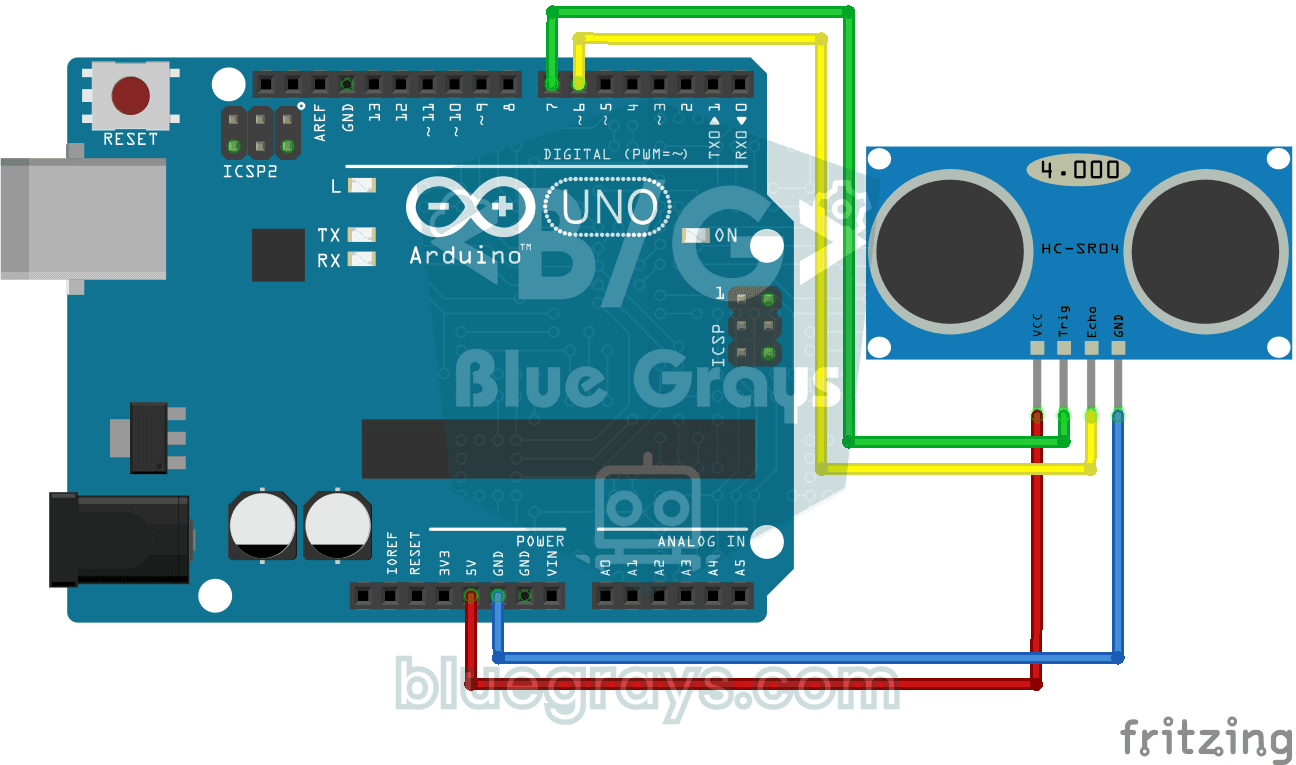
HC-SR04 Distance Measurement (Serial Display)
The HC-SR04 sensor works just like a bat finding its way in the dark: it sends out a sound you cannot hear, listens for the echo and measures how far away the object in front of it is. The Arduino wri
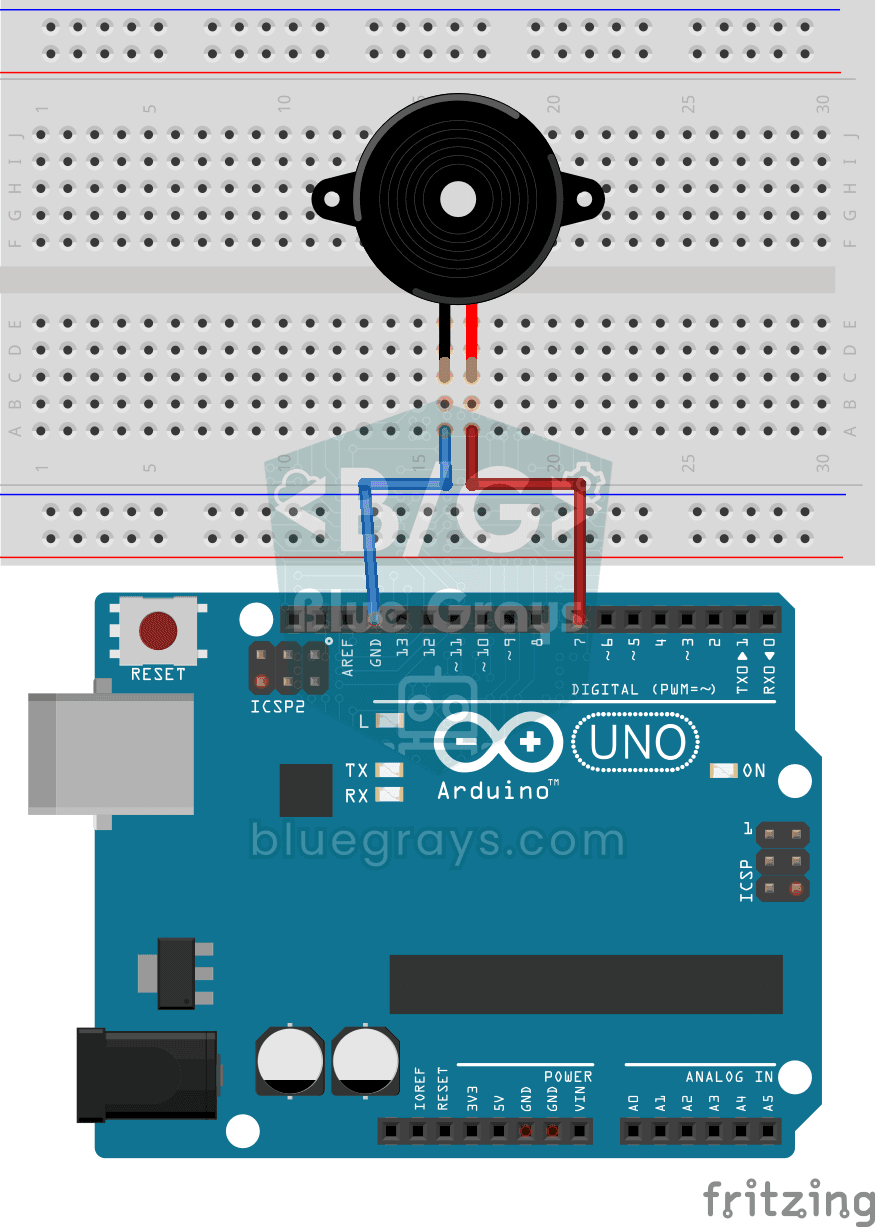
Using a Buzzer
Ever wondered how a doorbell or an alarm makes its sound? The Arduino makes a small buzzer beep at short intervals: beep, pause, beep, pause. You see how sound is made with electricity and take the fi
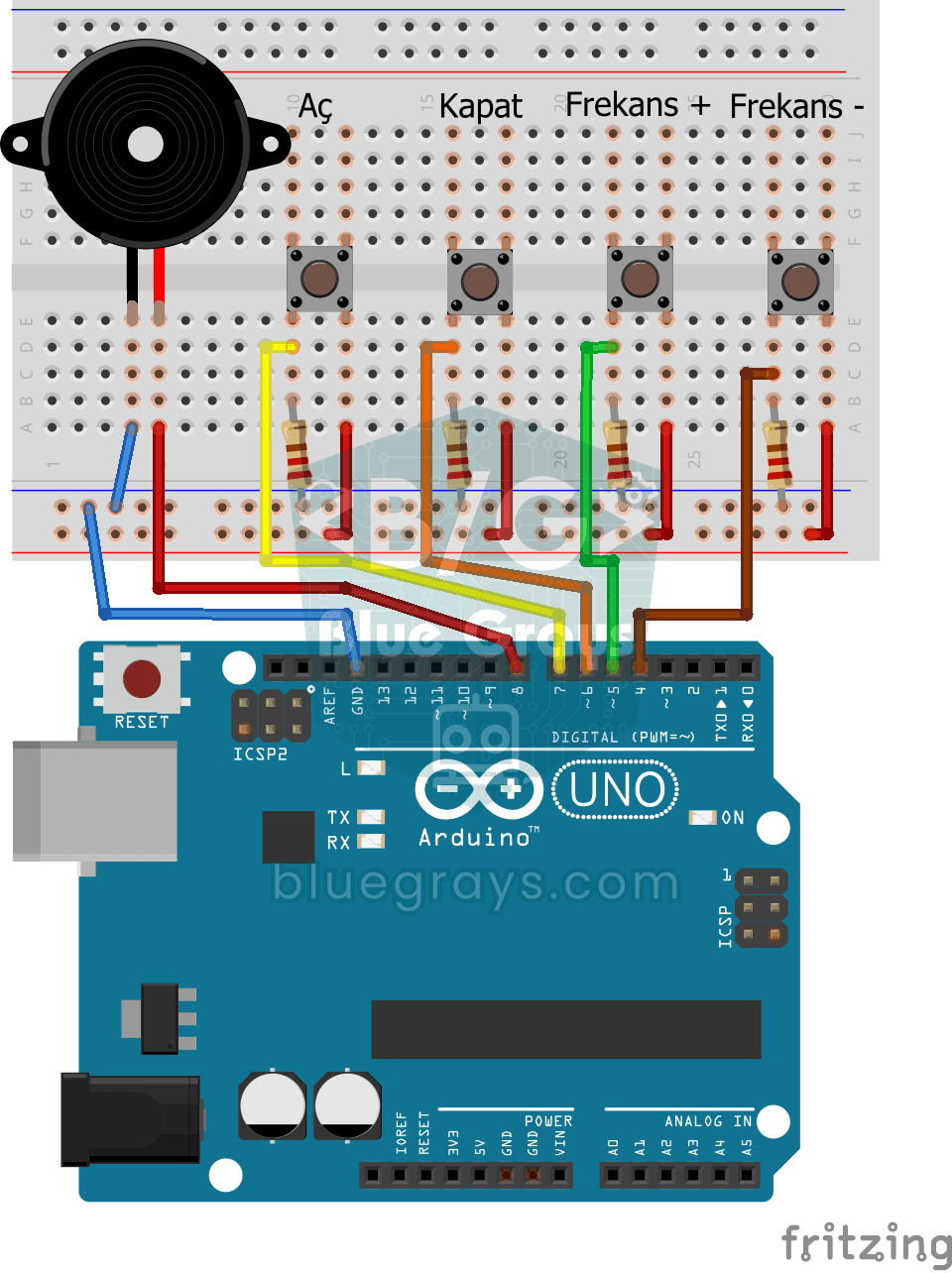
Frequency Setting with Buzzer
You control the sound of a buzzer with four buttons: one starts the sound, one silences it, and the other two make it higher or lower. Hold the up or down button and the pitch changes step by step, sl
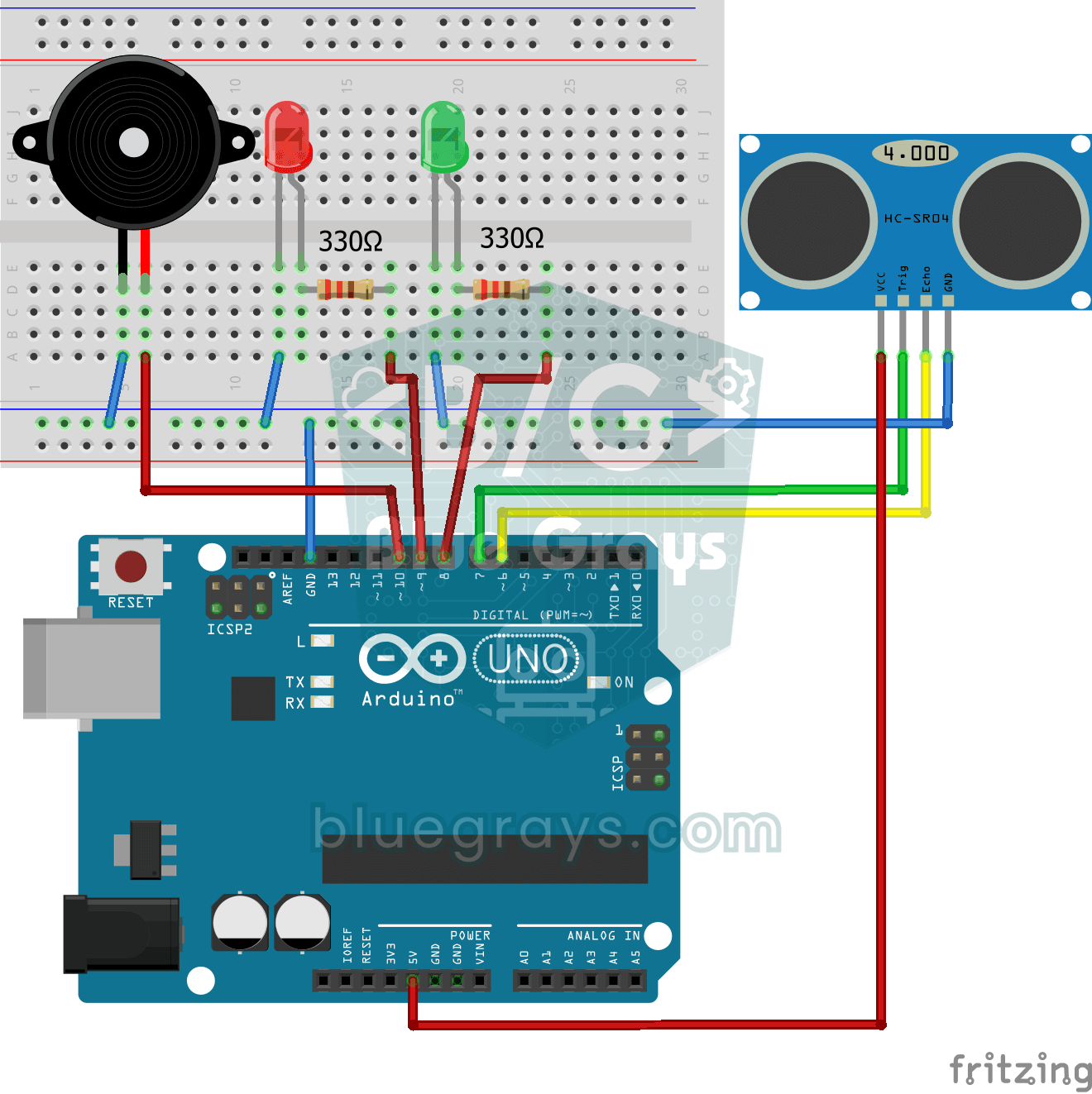
Parking Sensor with HC-SR04
A mini version of a car's parking sensor: the closer something gets, the faster the beeps. The distance sensor measures the object in front of it; if it is more than 20 centimetres away the green LED

ESP32 HC-SR04 Ultrasonic Distance Sensor
The HC-SR04 ultrasonic sensor calculates distance by measuring the time it takes for the sound wave it emits to bounce off an object and return (Time of Flight). In this project, we will send a 10-microsecond pulse from the ESP32 to the sensor's TRIG pin and read the echo duration from the ECHO pin using pulseIn(). We will display the calculated distance in centimeters on a 16x2 I2C LCD. Since the HC-SR04 operates at 5V, a voltage divider is required on the ECHO pin—otherwise, the ESP32’s

ESP32 Parking Sensor (HC-SR04 + 5-LED Bar + Buzzer + OLED)
The ESP32 version of the car parking sensor! We use the HC-SR04 ultrasonic sensor to measure the distance to the object in front of it. As the distance decreases, the 5-LED bar fills up (green → yellow → red) and the buzzer beep interval shortens. When the object gets very close (under 10 cm), a continuous alarm sounds and all LEDs light up. The SSD1306 OLED display shows the current distance in cm in large font, a status message (STOP / CAUTION / CLOSE / STOP! / DANGER), and a simulation of the

Obstacle Avoidance Robot
How about building a smart vehicle that finds its own way? The Obstacle Avoidance Robot constantly scans its surroundings thanks to the ultrasonic sensor in front of it. When it encounters an obstacle
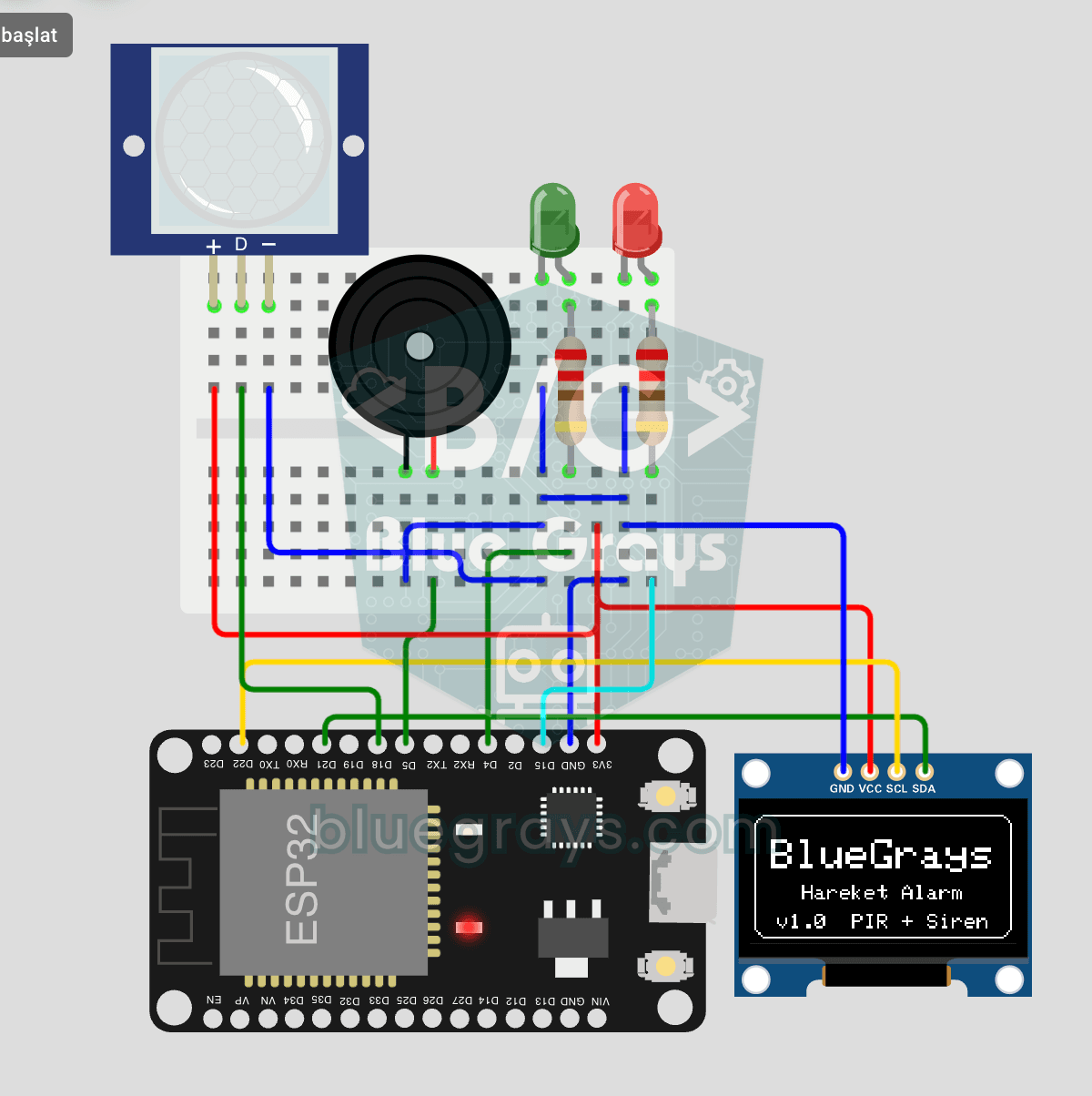
ESP32 Motion Alarm System (PIR + Buzzer + LED + Telegram)
A smart security alarm system that activates the buzzer and LED when the PIR sensor detects motion, while simultaneously sending an instant notification to the owner via Telegram. It includes a 30-second cooldown to limit the frequency of repeated alarms; this mechanism does not validate PIR detections or eliminate false triggers. Suitable for home security, garage monitoring, warehouses, or workrooms. With ESP32-CAM, photo notifications can be added; with the classic ESP32 DevKit V1, text notif